Questa pagina non è ancora disponibile in Italian. Ci stiamo lavorando attivamente, quindi sarà disponibile a breve.

Choose plan - Register - Kahoot! for Business

Welcome back! Upgrade today or continue with Kahoot! Basic

Kahoot! 360 Pro logo in blue

$19 al mese
$228 pagamento annuale
 
Ideale per
Riunioni in team con la giusta carica
  • people icon
    Fino a 50 partecipanti per sessione
  • message icon
    Favorisci il coinvolgimento con quiz e sondaggi interattivi
  • Presentation icon
    Sfondi e temi professionali
  • AI icon
    NOVITÀ! Crea kahoot per riunioni in team con l'IA

Standard blue logo

$29 $25 al mese
$348 $300 billed annually
 
Ideale per
Riunioni, presentazioni e workshop coinvolgenti
  • people icon
    Fino a 200 partecipanti per sessione
  • message icon
    Nubi di parole, sondaggi, brainstorming e altro per favorire il confronto
  • presentation icon
    Importazione e sincronizzazione di slide da altri strumenti come Google e Microsoft
  • presentation icon
    Modalità Presentazione, sfondi e temi professionali
  • message buble icon
    Sessione Q&A per consentire al pubblico di fare domande
  • Icon AI feature
    NOVITÀ! Crea presentazioni in pochi secondi con l'IA
Più richiesto

Pro Plus Blue logo

$49 $39 al mese
$588 $468 billed annually
 
Ideale per
Presentazioni, corsi di formazione ed eventi di grande impatto
  • people icon
    Fino a 1000 partecipanti per sessione
  • message icon
    Nubi di parole, sondaggi, brainstorming e altro per favorire il confronto
  • presentation icon
    Importazione e sincronizzazione di slide da altri strumenti come Google e Microsoft
  • presentation icon
    Modalità Presentazione, sfondi e temi professionali
  • message buble icon
    Sessione Q&A per consentire al pubblico di fare domande
  • Report icon
    Scala NPS e questionari per misurare la soddisfazione e il coinvolgimento
  • Course icon
    Apprendimento flessibile grazie a corsi live e a ritmo individuale, con attestati finali
  • Icon AI create presentations
    Creazione in pochi istanti di presentazioni e materiali per la formazione con l'IA
Miglior prezzo

Pro Max blue logo

$79 $59 al mese
$948 $708 billed annually
 
Ideale per
Presentazioni, corsi di formazione ed eventi su ampia scala e per qualsiasi tipo di pubblico, personalizzabili con il tuo brand aziendale
  • people icon
    Fino a 2000 partecipanti per sessione
  • message icon
    Nubi di parole, sondaggi, brainstorming e altro per favorire il confronto
  • presentation icon
    Importazione e sincronizzazione di slide da altri strumenti come Google e Microsoft
  • Presentation icon
    Modalità Presentazione, sfondi e temi professionali
  • message buble icon
    Sessione Q&A per consentire al pubblico di fare domande
  • Report icon
    Scala NPS e questionari per misurare la soddisfazione e il coinvolgimento
  • Course icon
    Apprendimento flessibile grazie a corsi live e a ritmo individuale, con attestati finali
  • Branded icon
    Logo e brand della tua azienda
  • loud icon
    Uso di Kahoot! per scopi commerciali e pubblicitari
  • Icon AI presentations
    Accesso a tutte le funzioni di generazione di contenuti con l'IA di Kahoot! 
L'IVA non è inclusa nei prezzi
Recommended plan

Kahoot! 360 Pro Start - included features

$19
al mese
$228 pagamento annuale
Recommended plan

Kahoot! 360 Pro Standard - included features

$29 $25
al mese
$348 $300 pagamento annuale
Più richiesto

Kahoot! 360 Pro Plus - included features

$49 $39
al mese
$588 $468 pagamento annuale
Miglior prezzo

Kahoot! 360 Pro Max - included features

$79 $59
al mese
$948 $708 pagamento annuale
Ways to play & create
Max. participants per kahoot Same limits apply for both instructor-led live and self-paced kahoots. 20 50 2000 2000
Self-paced kahoots Assign a self-paced kahoot for participants to complete anywhere, anytime - on desktop or mobile. feature included in Kahoot! 360 Starter feature included in Kahoot! 360 Presenter feature included in Kahoot! 360 Pro feature included in Kahoot! 360 Pro Max
Host kahoots via videoconferencing Connect with remote teams by playing kahoots via any videoconferencing platform. feature included in Kahoot! 360 Starter feature included in Kahoot! 360 Presenter feature included in Kahoot! 360 Pro feature included in Kahoot! 360 Pro Max
Zoom integration Make video meetings awesome by hosting and joining kahoot sessions directly within Zoom. There’s no need for a second screen or device. feature included in Kahoot! 360 Starter feature included in Kahoot! 360 Presenter feature included in Kahoot! 360 Pro feature included in Kahoot! 360 Pro Max
Microsoft Teams integration Host and play live kahoots without leaving the Teams application and assign self-paced kahoots and send reminders to groups within Teams. feature included in Kahoot! 360 Starter feature included in Kahoot! 360 Presenter feature included in Kahoot! 360 Pro feature included in Kahoot! 360 Pro Max
Kahoot! tournament Track progress and participation and extend engagement beyond a single kahoot by combining reports from multiple kahoots. feature NOT available with this plan feature NOT available with this plan feature included in Kahoot! 360 Pro feature included in Kahoot! 360 Pro Max
Team mode Raise the stakes with team vs. team! Multiple participants play live kahoots as a team, with each member joining and answering questions on their own device. Team scores are calculated based on the average performance of all members (available on selected plans with maximum team limits). feature NOT available with this plan Up to 5 teams Up to 10 teams Up to 10 teams
License for marketing, sales and advertising purposes As stated in our Terms & Conditions, the use of Kahoot! for marketing, sales, and advertising purposes is not allowed unless expressly authorized. Examples of this usage include - but are not limited to - webinars, conferences, and recruitment. feature NOT available with this plan feature NOT available with this plan feature NOT available with this plan feature included in Kahoot! 360 Pro Max
License to use Kahoot! as part of a commercial offering As stated in our Terms & Conditions, you may not charge any fees or require any payment as part of your use of the Service or the Resources, except as expressly authorized by Kahoot! Examples of this usage include, but are not limited to, consulting and entertainment services. feature NOT available with this plan feature NOT available with this plan feature NOT available with this plan feature included in Kahoot! 360 Pro Max
Team workspaces Co-create, edit, and share kahoots, courses, and reports with your colleagues in a secure team workspace. Easily organize your materials, keeping private content separate from team-shared resources. feature NOT available with this plan Only available when purchasing 2 or more licenses Only available when purchasing 2 or more licenses Only available when purchasing 2 or more licenses
New! Kahoot!+ One Kahoot!+ One provides the ultimate learning experience by combining all our features, apps, and premium content into one complete solution. With up to five individual accounts, your entire household can host great get-togethers, engage with their community, or learn on their own. feature NOT available with this plan feature NOT available with this plan feature NOT available with this plan feature included in Kahoot! 360 Pro Max
Assessment question types and features
Quiz The classic question type. Write up to six answer alternatives for participants to choose from. Use images as answers for extra engagement. Up to 4 answers Up to 6 answers Up to 6 answers Up to 6 answers
True/false Reinforce key messages and check if participants are paying attention with quick-fire true/false questions. feature included in Kahoot! 360 Starter feature included in Kahoot! 360 Presenter feature included in Kahoot! 360 Pro feature included in Kahoot! 360 Pro Max
Question points Drive deeper focus among participants by using double points for the most important questions. Remove all points for a question to lower the stakes. feature included in Kahoot! 360 Starter feature included in Kahoot! 360 Presenter feature included in Kahoot! 360 Pro feature included in Kahoot! 360 Pro Max
Puzzle Ask participants to drag and drop four tiles into the correct order. Puzzles are great for improving focus and driving deeper understanding. feature NOT available with this plan feature included in Kahoot! 360 Presenter feature included in Kahoot! 360 Pro feature included in Kahoot! 360 Pro Max
Images as answers Keep participants engaged and expand topics you can ask questions about by using images as answer alternatives for multiple-choice quiz questions. feature NOT available with this plan feature included in Kahoot! 360 Presenter feature included in Kahoot! 360 Pro feature included in Kahoot! 360 Pro Max
Multi-select Raise the stakes with multi-select! Participants select and submit multiple answers. The more correct answers the player submits, the more points they score. But, they’ll receive no points if they include just one wrong answer! It’s a great way to increase participant focus and reinforce key messages. feature NOT available with this plan feature included in Kahoot! 360 Presenter feature included in Kahoot! 360 Pro feature included in Kahoot! 360 Pro Max
Slider Give your participants a numerical scale where they can select the number they think is correct by sliding a cursor between the minimum and maximum you provided. feature NOT available with this plan feature included in Kahoot! 360 Presenter feature included in Kahoot! 360 Pro feature included in Kahoot! 360 Pro Max
Type answer Test how well participants recall content and remove guesswork by asking them to type short answers of up to 20 characters. feature NOT available with this plan feature NOT available with this plan feature included in Kahoot! 360 Pro feature included in Kahoot! 360 Pro Max
Pin answer Participants can place a pin on an image and gain points for answering correctly. This feature can be used during training sessions and it's great for identifying the correct location or item on a diagram or image. feature NOT available with this plan feature included in Kahoot! 360 Presenter feature included in Kahoot! 360 Pro feature included in Kahoot! 360 Pro Max
Polling and discussion question types
Poll Add up to four options for participants to choose from before discussing the outcomes as a group. feature included in Kahoot! 360 Starter feature included in Kahoot! 360 Presenter feature included in Kahoot! 360 Pro feature included in Kahoot! 360 Pro Max
Brainstorm Keep everyone engaged and energized by collecting, discussing, and voting on ideas with brainstorm! Spark discussions among small groups and surface great ideas during in-person and video meetings, workshops, and strategy sessions with brainstorm for meetings. With brainstorm for events, you can harness the power of the crowd! Quickly crowdsource ideas from hundreds of participants and review output in reports that are optimized for large volumes of data feature NOT available with this plan For meetings For meetings & events For meetings & events
Word cloud Improve interaction by asking players to type a short answer. The most popular responses are then displayed in a word cloud for everyone to see and discuss. feature NOT available with this plan feature included in Kahoot! 360 Presenter feature included in Kahoot! 360 Pro feature included in Kahoot! 360 Pro Max
Drop-pin Players can drop pins on an image! This is great for dropping locations on a map or choosing your favorite item on an image. feature NOT available with this plan feature included in Kahoot! 360 Presenter feature included in Kahoot! 360 Pro feature included in Kahoot! 360 Pro Max
Scale Collect valuable feedback from your attendees! Ask them to rate their perception and share sentiments using a Likert or custom scale. feature NOT available with this plan feature included in Kahoot! 360 Presenter feature included in Kahoot! 360 Pro feature included in Kahoot! 360 Pro Max
NPS®️ Scale Assess participants' satisfaction and likelihood to recommend a company, product, or experience based on a single question. This feature is perfect for measuring employee engagement and creating post-training feedback surveys. feature NOT available with this plan feature NOT available with this plan feature included in Kahoot! 360 Pro feature included in Kahoot! 360 Pro Max
Open-ended question Spark discussions and collect feedback by asking participants to type free-form responses of up to 250 characters. feature NOT available with this plan feature NOT available with this plan feature included in Kahoot! 360 Pro feature included in Kahoot! 360 Pro Max
Interactive presentations with Kahoot!
PowerPoint integration Deliver presentations that keep everyone energized with our integration with Microsoft PowerPoint! The integration enables you to host kahoots within PowerPoint without leaving the Presenter View. feature included in Kahoot! 360 Starter feature included in Kahoot! 360 Presenter feature included in Kahoot! 360 Pro feature included in Kahoot! 360 Pro Max
Hopin integration With the integration, the entire Kahoot! participant experience happens within the Hopin platform. The host simply shares their screen and attendees pin in and play directly within Hopin – removing the need to submit answers on a second screen or phone. A Hopin account is also required. feature included in Kahoot! 360 Starter feature included in Kahoot! 360 Presenter feature included in Kahoot! 360 Pro feature included in Kahoot! 360 Pro Max
Premium image library Find the perfect picture for every slide and question in a premium image library, which features millions of high-quality pictures from Getty Images. 1 image per kahoot Millions of images Millions of images Millions of images
Import slides Deliver an engaging presentation that everyone remembers by importing slides and adding audience interaction features like polls and quiz questions. The slide importer supports .ppt (PowerPoint), PDF (you can export Google Slides as PDFs), and .key (Keynote). feature NOT available with this plan feature included in Kahoot! 360 Presenter feature included in Kahoot! 360 Pro feature included in Kahoot! 360 Pro Max
Sync slides Elevate your presentations and simplify collaboration by syncing your Google Slides or Microsoft PowerPoints and kahoots with a single click, importing your content just once. Ensure your audience always sees the latest version, even with last-minute edits! feature NOT available with this plan feature included in Kahoot! 360 Presenter feature included in Kahoot! 360 Pro feature included in Kahoot! 360 Pro Max
Slide Reactions Turn on slide reactions for your next presentation to let your audience interact with your slides with one of five emojis that will appear on the screen while maintaining the flow of the meeting! Click the emotes icon to see all the feedback in real time. feature NOT available with this plan feature included in Kahoot! 360 Presenter feature included in Kahoot! 360 Pro feature included in Kahoot! 360 Pro Max
Presentation mode Our new professional hosting experience empowers you to take full control of when and how you incorporate interactive questions, points, and podiums. feature NOT available with this plan feature NOT available with this plan feature included in Kahoot! 360 Pro feature included in Kahoot! 360 Pro Max
PDF-to-story generator (AI-assisted) Instantly transform your content into bite-sized stories with our PDF-to-story generator, perfect for learning in the flow of work. Additionally, try out our PDF-to-kahoot generator to complete your course. feature NOT available with this plan feature NOT available with this plan feature NOT available with this plan feature included in Kahoot! 360 Pro Max
PDF-to-kahoot generator (AI-assisted) Simply upload your file and our PDF-to-kahoot generator will instantly transform your existing material into an interactive presentation. feature NOT available with this plan feature NOT available with this plan feature included in Kahoot! 360 Pro feature included in Kahoot! 360 Pro Max
Kahoot generator (AI-assisted) Type a topic or reuse an existing story to get a variety of question types, slides, and images in just a few seconds. Choose the language and complexity of your kahoot, and start customizing your interactive presentation! feature NOT available with this plan feature NOT available with this plan feature included in Kahoot! 360 Pro feature included in Kahoot! 360 Pro Max
Question generator (AI-assisted) Upload your slides or enter your topic or prompt, and our question generator will provide you with a list of questions based on your material or input, making it easier and faster than ever to create your kahoots. feature NOT available with this plan feature NOT available with this plan feature included in Kahoot! 360 Pro feature included in Kahoot! 360 Pro Max
Extract questions from PDFs (AI-assisted) Simply upload your file and our PDF-to-kahoot generator will extract any existing questions from your PDFs and turn them into a kahoot. feature NOT available with this plan feature NOT available with this plan feature included in Kahoot! 360 Pro feature included in Kahoot! 360 Pro Max
Q&A Enable participants to submit questions from their devices anytime during your presentation. Show and answer questions as they come in to spark meaningful, real-time interaction. feature NOT available with this plan feature NOT available with this plan feature included in Kahoot! 360 Pro feature included in Kahoot! 360 Pro Max
Moderated Q&A (coming soon) Coming soon! Moderated Q&A including question upvoting and moderation features. feature NOT available with this plan feature NOT available with this plan feature included in Kahoot! 360 Pro feature included in Kahoot! 360 Pro Max
Training and courses
Story A story is a mobile-first, interactive content format that you can add to Kahoot! Courses or use as a stand-alone. Built for learners on the go, stories embrace a micro-learning approach, and bringing learning content to life through a mix of text, video, audio, image carousels, checklists, polls and more. feature included in Kahoot! 360 Starter feature included in Kahoot! 360 Presenter feature included in Kahoot! 360 Pro feature included in Kahoot! 360 Pro Max
Courses Compile structured training courses by linking a series of kahoots into a single learning experience. Include third-party content to support and engage participants in a variety of learning scenarios, with options for participants to complete as an assigned “self-paced challenge” in their own time, or as a live session in a group setting. feature NOT available with this plan feature NOT available with this plan feature included in Kahoot! 360 Pro feature included in Kahoot! 360 Pro Max
Assign courses and kahoots to participants via email Boost learning outcomes and training completion rates by securely assigning courses and self-paced kahoots via email to designated learners. feature NOT available with this plan feature NOT available with this plan feature included in Kahoot! 360 Pro feature included in Kahoot! 360 Pro Max
Player identifier Identify the player behind the nickname. Track and report on the progress of individual learners over a series of kahoots or training courses with secure email verification for new sessions feature NOT available with this plan feature NOT available with this plan feature included in Kahoot! 360 Pro feature included in Kahoot! 360 Pro Max
Course certificate Automatically issue certificates to employees upon course completion, making it easy for them to document and share their training achievements. Employees can access the reports page to share their certificates, post them directly on LinkedIn, or download them. feature NOT available with this plan feature NOT available with this plan feature NOT available with this plan feature included in Kahoot! 360 Pro Max
Story Reporting Get actionable insights into who is engaging, which modules they’re exploring, where they’re dropping off, and more, helping you to identify areas for improvement and maximize your content’s impact. feature NOT available with this plan feature NOT available with this plan feature NOT available with this plan feature included in Kahoot! 360 Pro Max
Customization
Pre-made themes Change the look and feel of every Kahoot! session by picking a premium theme. Our themes are designed to help you increase visual consistency between presentation slides and also for specific occasions. feature NOT available with this plan feature included in Kahoot! 360 Presenter feature included in Kahoot! 360 Pro feature included in Kahoot! 360 Pro Max
Add your own logo feature NOT available with this plan feature included in Kahoot! 360 Presenter feature included in Kahoot! 360 Pro feature included in Kahoot! 360 Pro Max
Custom theming Customize the theme of your kahoots! Choose from a variety of backgrounds, upload your own image, or add custom colors. feature NOT available with this plan feature NOT available with this plan feature NOT available with this plan feature included in Kahoot! 360 Pro Max
Collaboration and account management
Max. number of members per group Invite members from a specific team, department, or location to share relevant, ready-made kahoots for other group members to host. Group members can be from your organization or an external group. 50 100 200 200
SSO Enables users to log in to Kahoot! securely with their existing company credentials. Available in Enterprise Plans Available in Enterprise Plans Available in Enterprise Plans Available in Enterprise Plans
SCIM Automates user account provisioning and management, saving IT time and ensuring up-to-date access. Available in Enterprise Plans Available in Enterprise Plans Available in Enterprise Plans Available in Enterprise Plans
Domain Claim Allows your organization to consolidate and manage users with company email addresses under a single account. Available in Enterprise Plans Available in Enterprise Plans Available in Enterprise Plans Available in Enterprise Plans
Support Online Online Priority Priority
Pay by invoice Kahoot! offers a number of payment options, including the added flexibility of paying by invoice. feature NOT available with this plan feature NOT available with this plan feature NOT available with this plan feature included in Kahoot! 360 Pro Max

Become a workplace hero! Stand out from your colleagues with Kahoot! 360 for...

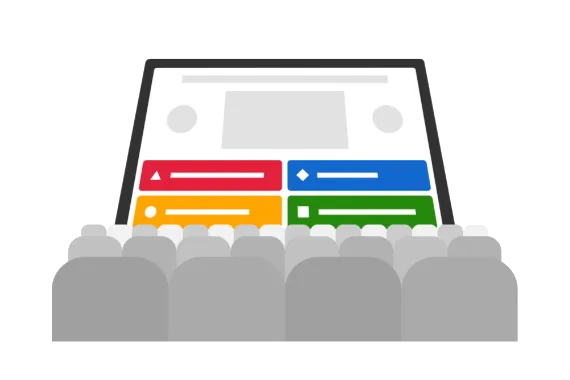
Presentations to small audiences

Kahoot! 360 is the go-to tool for thousands of workplace presenters. It’s so easy to deliver engaging presentations and meetings with Kahoot! 360: Simply import a slide deck or use our range of presentation slides to convey key information. Then, check if you landed key points with multiple-choice and true/false questions and spark conversations with polls, word clouds, and brainstorm.

Recommended plan: Kahoot! 360 Presenter
Presentations to large audiences

Nothing energizes a crowd quite like Kahoot!. Host a kahoot during department-wide or all hands meetings and see how our game-based features keep audiences of any size on the edge of their seats! Gather instant feedback and opinions with polls and word clouds, crowdsource ideas with brainstorm, present key information on slides, and check if you landed key points with quiz questions.

Recommended plan: Kahoot! 360 Pro

Training

Companies around the world use Kahoot! 360 to transform their training and development programs. With Kahoot! 360, you can assign self-paced courses for learners to complete anywhere, anytime – on desktop or mobile. Create fun social learning experiences during live in-person and virtual sessions and track progress with the player identifier feature.

Recommended plan: Kahoot! 360 Pro

Onboarding

Kahoot! 360 is a fantastic tool for helping new hires feel at home as soon as they join. Host kahoots in team building sessions to get conversations flowing and break complex topics into bite-size kahoots to help new hires understand key topics. What’s more, you can assign self-paced courses for new hires to complete at a time that suits them best.

Recommended plan: Kahoot! 360 Pro

Remote team culture

With employees now regularly working from home as well as in the office, Kahoot! 360 helps companies build a remote team culture where everyone feels valued, heard, and involved. Seamlessly host kahoot sessions via any video conferencing platform and use audience participation features like polls and word clouds to spark discussions during meetings.

Recommended plan: Kahoot! 360 Presenter

Employee engagement

Enterprises use Kahoot! 360 Spirit, an employee-powered engagement platform, to connect with every employee continuously – no matter their location. The platform gives employees a voice through pulse surveys, enables companies to create two-way conversations with employees, and provides employees with engaging professional development opportunities.

Recommended plan: Kahoot! 360 Spirit

Frequently asked questions

What customization options are available with Kahoot! 360 Pro Max?

Kahoot! 360 Pro Max allows you to customize the look and feel of your Kahoot! experience. You can define your brand colors and create multiple custom backgrounds to use in your kahoots.

How many licenses do I need?

You need one license per presenter. A presenter is someone who creates and presents kahoots to colleagues or assigns self-paced content. Teams with more than one presenter must purchase a separate license for each presenter. Participants joining a kahoot (ie. joining the game via the PIN code) don’t require an account or license.

Do I have to pay for participants in a kahoot session?

No, participants don’t need an account or a business license to join kahoots.

How many participants can join a kahoot session?

This varies by plan. The maximum number of simultaneous participants per session is 2,000, which is possible with Kahoot! 360 Pro Max.

Which subscription do I need if I want to use kahoot at work?

Kahoot! 360 plans are designed for the demands of the modern workplace. Kahoot! 360 help you create impactful meetings, presentations, training sessions, and communications while ensuring professional standards with full branding and presentation tools. You can measure engagement, impact, and ROI with detailed analytics, and host larger audiences for everything from company-wide training to all-hands meetings.

Kahoot!’s workforce engagement platform prioritizes your data and privacy protection. The platform is ISO compliant, aligned with GDPR, and holds a SOC 2 Type 2 report. In addition you can simplify user onboarding and offboarding with SSO and SCIM.

I can't find my current plan in the offer.

Do you have an active business subscription that isn’t visible on the pricing pages? Check the features of archived and old plans.  

Can I share a login with a colleague?

No, each Kahoot! license is limited to one user as per our Terms and Conditions. Each license holder is responsible for preventing access to their account by anyone else. Sharing an account will impact the user experience and may lead to restricted platform access. Instead, you should purchase multiple licenses.

Can I use Kahoot! in languages other than English?

Yes! You can write questions and answers in any language. You can also play, create, and host kahoots, view reports, and more in the following languages: Spanish, French, Brazilian Portuguese, German, Italian, Norwegian, Swedish, Dutch, Turkish, Polish, Japanese, Arabic, Ukrainian, Korean, Indonesian, Simplified Chinese, Traditional Chinese, Thai, and Vietnamese.

Can I sign up for free?

Yes! You can get a free account and test Kahoot! 360 with no credit card needed.
Explore our advanced features – such as brainstorms, polls, and quiz questions – or have a go at creating a course to test out with your team.
Once you’ve created your premium kahoots, you can upgrade to a paid Kahoot! 360 Pro plan at any time and host your kahoots for up to 2000 participants.
Get started.

Can I use Kahoot! to engage my customers or prospects?

To use Kahoot! for marketing, sales, advertising, and customer-facing purposes, you’ll need a Kahoot! 360 Pro Max, Kahoot! for Brands, or Enterprise plan. This includes activities such as trade shows, conferences, product launches, recruitment, consultancy services, or sessions to enhance customer experience. All Kahoot! 360 plans can be used for training and communication among employees, freelancers, and partners.

Do you offer any discounts for nonprofits or NGOs?

Yes! Registered nonprofits and NGOs can get a 50% discount. For more information, visit our nonprofit page.

Why are Kahoot! 360 business plans only available with yearly billing?

Kahoot! 360 plans are designed for year-round use. Annual billing ensures you can provide long-term engagement and uninterrupted access to all your content, and results. It allows you to collect and measure engagement over time, helping you accurately track impact and ROI.

How do all the features work?

Check out our YouTube playlist with a series of video tutorials that will show you how you get the most out of Kahoot!, including how to brand your kahoots, assign challenges, facilitate brainstorms, and more! You can also find more information on our resources page.

What is an interactive presentation?

You can import existing slides or create new ones in Kahoot! and then add interactive questions and polls to create engaging presentations that everyone remembers. We call these interactive presentations. Our slide importer supports .ppt (PowerPoint), PDF (you can export Google Slides as PDFs), and .key (Keynote) formats. Learn more about creating interactive presentations with Kahoot!.

Can I use Kahoot! to survey the audience?

Yes, you can gather participants’ feedback, opinions, and ideas in real-time with polls, word clouds, open-ended questions, and brainstorms.

What is the player identifier?

The player identifier allows trainers and admins to identify individual participants when they join a new kahoot session, so you know exactly who it is beyond the anonymous on-screen nickname. When joining a new session, participants are required to enter their email address, which is then used for learner tracking and reporting. When joining via our mobile app, the email address is saved from the first time they enter it, so they won’t have to enter it when joining your kahoots in the future.

What is a Kahoot! Tournament?

A tournament is a great way to build engagement across a series of kahoot sessions. In the Reports section, you can create a tournament leaderboard by combining scores from multiple kahoots into one report which you can share with participants. You can only combine reports from kahoots that had the “player identifier” feature on, as player identifiers are necessary to collate data.