아직 Korean(으)로 이용할 수 없는 페이지야. 미안해! 열심히 작업 중이니까 곧 다시 확인해 봐!

[TEST B] Business pricing – Individuals Website navigation (OLD)

Choose the right Kahoot! 360 plan for you and your team

Kahoot! 360 Pro logo in blue

$19월별
$228매년 청구
 
적절한 용도
활력이 더욱 넘치는 팀 회의
  • people icon
    세션당 최대 50명의 참가자 초대 가능
  • message icon
    참여도가 향상되는 인터렉티브 퀴즈와 설문 조사
  • Presentation icon
    전문성 있는 배경과 테마
  • AI icon
    신규 기능! 팀 회의용 kahoot을 생성할 수 있는 AI 성능

Kahoot! 360 Presenter

$29$25per host
월별
$348$300 billed annually
 
적절한 용도
Presentations and workshops
  • Up to 50 participants per session
  • Presentation slide sync
  • Quizzes, polls, word clouds, and brainstorms
  • Variety of colors and professional backgrounds with your logo
  • Perfect for hosting interactive sessions
Most popular

Kahoot! 360 Pro

$54$49per host
월별
$648$588 billed annually
 
적절한 용도
Trainings, events, and town halls
  • Up to 2000 participants per session
  • NEW Professional presentation mode
  • AI-assisted slide creation with interactive questions and surveys
  • Variety of colors and professional backgrounds with your logo
  • Guided and self-paced courses with tracking
  • Popular with trainers, HR, and internal comms
Best value

Kahoot! 360 Pro Max

$79per host
월별
$948 billed annually
 
적절한 용도
Courses, conferences, and webinars
  • Up to 2000 participants per session
  • NEW Professional presentation mode
  • AI-assisted slide creation with interactive questions and feedback features
  • Customizable branding, colors, and logo
  • Employee training with courses, reports, and certificates
  • Great for consulting, sales, and marketing
가격은 모두 VAT가 제외된 것입니다

Compare features

Recommended plan

Kahoot! 360 Pro Start - included features

$19
월별
$228 매년 청구
가장 인기 있는 플랜

Kahoot! 360 Pro Standard - included features

$29 $25
월별
$348 $300 매년 청구
Most popular

Kahoot! 360 Pro Plus - included features

$49
월별
$588 매년 청구
Best value

Kahoot! 360 Pro Max - included features

$79 $69
월별
$948 $828 매년 청구
플레이 및 제작 방법
최대 kahoot당 최대 참가자 수야 강사가 진행하는 라이브 kahoot과 자기 주도형 kahoot에 모두 동일하게 적용합니다. 20 50 2000 2000
자기 주도형 kahoot 자기 주도형 kahoot을 전달하면 학습자가 언제 어디서든, 데스크톱이나 모바일에서도 완료할 수 있습니다. feature included in Kahoot! 360 Starter feature included in Kahoot! 360 Presenter feature included in Kahoot! 360 Pro feature included in Kahoot! 360 Pro Max
화상 회의를 통한 kahoot 진행 화상 회의 플랫폼이라면 어떤 것에서도 kahoot을 플레이하며 원격으로 팀과 소통할 수 있습니다. feature included in Kahoot! 360 Starter feature included in Kahoot! 360 Presenter feature included in Kahoot! 360 Pro feature included in Kahoot! 360 Pro Max
Zoom 통합 Zoom에서 바로 kahoot 세션을 열거나 참여해서 영상 회의를 더 신나게 만들어 봐. 두 번째 화면이나 기기가 따로 필요 없어! feature included in Kahoot! 360 Starter feature included in Kahoot! 360 Presenter feature included in Kahoot! 360 Pro feature included in Kahoot! 360 Pro Max
Microsoft Teams 통합 Teams 프로그램에서 나가지 않아도 라이브 kahoot을 진행 및 플레이할 수 있고 자기 주도형 kahoot을 전달하고 Teams 내 그룹에 미리 알림을 보낼 수 있습니다. feature included in Kahoot! 360 Starter feature included in Kahoot! 360 Presenter feature included in Kahoot! 360 Pro feature included in Kahoot! 360 Pro Max
Kahoot! 토너먼트 여러 kahoot의 보고서를 결합해서 진행 상황과 참여도를 추적하고, 단일 kahoot을 넘어 참여도를 확장해 봐. feature NOT available with this plan feature NOT available with this plan feature included in Kahoot! 360 Pro feature included in Kahoot! 360 Pro Max
팀 모드 팀 대 팀으로 경쟁의 재미를 더해봐! 여러 명의 참가자가 팀을 이뤄 라이브 kahoot을 즐기며 각자 기기로 접속해서 질문에 답할 수 있어. 팀 점수는 모든 멤버의 평균 성과를 기준으로 계산돼. (최대 팀원 수가 정해진 일부 요금제에서 사용 가능) feature NOT available with this plan 최대 5팀 최대 10팀 최대 10팀
마케팅, 영업 및 광고 목적 라이선스 이용 약관에 명시된 것처럼, Kahoot!을 마케팅, 판매, 광고 목적으로 사용하는 것은 명시적인 허가 없이는 금지되어 있어. 여기에는 웨비나, 컨퍼런스, 채용 등이 포함되지만 이에 국한되지는 않아. feature NOT available with this plan feature NOT available with this plan feature NOT available with this plan feature included in Kahoot! 360 Pro Max
상업용 제공의 일부로 Kahoot!을 사용할 수 있는 라이선스 이용 약관에 명시된 바와 같이, Kahoot!이 명시적으로 승인한 경우를 제외하고는 서비스 또는 자료 사용의 일부로 수수료를 청구하거나 지불을 요구할 수 없습니다. 이러한 사용의 예로는 컨설팅 및 엔터테인먼트 서비스 등이 있으며 이에 국한되지 않습니다. feature NOT available with this plan feature NOT available with this plan feature NOT available with this plan feature included in Kahoot! 360 Pro Max
팀 워크스페이스 안전한 팀 워크스페이스에서 동료들과 kahoot, 코스, 보고서를 공동 제작, 편집, 공유해 봐. 개인 콘텐츠와 팀 공유 리소스를 분리해서 자료를 쉽게 정리할 수 있어. feature NOT available with this plan 라이선스 2개 이상 구매 시에만 이용 가능 라이선스 2개 이상 구매 시에만 이용 가능 라이선스 2개 이상 구매 시에만 이용 가능
New! Kahoot!+ One Kahoot!+ One은 모든 기능, 앱, 프리미엄 콘텐츠를 하나의 완벽한 솔루션으로 결합하여 최고의 학습 경험을 제공해. 최대 5개의 개인 계정으로 온 가족이 모여 즐거운 시간을 보내거나, 커뮤니티와 교류하거나, 각자 학습할 수 있어. feature NOT available with this plan feature NOT available with this plan feature NOT available with this plan feature included in Kahoot! 360 Pro Max
평가형 문제와 기능
퀴즈 가장 기본적인 질문 유형이지. 참가자가 고를 수 있는 답안을 최대 6개까지 작성할 수 있어. 이미지를 답안으로 사용해서 참여도를 높여봐. 최대 4개 답안 최대 6개 답안 최대 6개 답안 최대 6개 답안
참/거짓 핵심 메시지를 강화하고 참가자가 참/거짓 문제를 이용해 주의를 기울이고 있는지 확인할 수 있습니다. feature included in Kahoot! 360 Starter feature included in Kahoot! 360 Presenter feature included in Kahoot! 360 Pro feature included in Kahoot! 360 Pro Max
점수 배정 가장 중요한 문제에 점수를 두 배로 부여해서 참가자의 집중도를 높여봐. 어떤 문제는 점수를 아예 없애서 부담 없이 즐길 수 있게 해도 좋아. 어떤 문제는 점수를 아예 없애서 부담 없이 즐길 수 있게 해도 좋아. feature included in Kahoot! 360 Starter feature included in Kahoot! 360 Presenter feature included in Kahoot! 360 Pro feature included in Kahoot! 360 Pro Max
퍼즐 참가자가 네 개의 타일을 올바른 순서로 드래그 앤 드롭하도록 요청해 봐. 퍼즐은 집중력을 향상시키고 더 깊은 이해를 돕는 데 아주 좋아. feature NOT available with this plan feature included in Kahoot! 360 Presenter feature included in Kahoot! 360 Pro feature included in Kahoot! 360 Pro Max
이미지 답안 활용 다답형 퀴즈 문제에 이미지를 답안으로 사용하면 참가자의 참여를 유도하고 질문할 수 있는 주제를 확장할 수 있습니다. feature NOT available with this plan feature included in Kahoot! 360 Presenter feature included in Kahoot! 360 Pro feature included in Kahoot! 360 Pro Max
여러 개 선택 여러 개 선택으로 점수 경쟁의 재미를 더해봐! 참가자는 여러 답안을 선택하고 제출할 수 있어. 플레이어가 정답을 많이 맞힐수록 더 높은 점수를 얻게 돼. 하지만, 단 하나의 오답이라도 포함하면 점수를 얻지 못해! 이건 참가자의 집중력을 높이고 핵심 메시지를 강화하는 좋은 방법이야. feature NOT available with this plan feature included in Kahoot! 360 Presenter feature included in Kahoot! 360 Pro feature included in Kahoot! 360 Pro Max
슬라이더 숫자 척도를 제공하여 참가자가 최솟값과 최댓값 사이에 커서를 밀어서 정답이라고 생각하는 숫자를 선택할 수 있습니다. feature NOT available with this plan feature included in Kahoot! 360 Presenter feature included in Kahoot! 360 Pro feature included in Kahoot! 360 Pro Max
답 입력 참가자들이 내용을 얼마나 잘 기억하는지, 20자 이내의 짧은 답을 입력하게 해서 추측을 없애고 테스트해 봐. feature NOT available with this plan feature NOT available with this plan feature included in Kahoot! 360 Pro feature included in Kahoot! 360 Pro Max
핀 고정형 문제 참가자가 이미지 위에 핀을 고정하는 방법으로 답을 제시하고 정답을 맞히면 점수를 얻습니다. 이 기능은 교육 시간에 사용하기 좋으며, 다이어그램이나 이미지에서 올바른 위치나 항목을 식별하는 데 유용해. feature NOT available with this plan feature included in Kahoot! 360 Presenter feature included in Kahoot! 360 Pro feature included in Kahoot! 360 Pro Max
설문형 문항과 토론형 문항
설문 조사 다 같이 결과를 토론하기 전에 참가자가 고를 수 있는 옵션을 최대 4개까지 추가해 봐. feature included in Kahoot! 360 Starter feature included in Kahoot! 360 Presenter feature included in Kahoot! 360 Pro feature included in Kahoot! 360 Pro Max
브레인스토밍 브레인스토밍으로 아이디어를 수집, 토론, 투표하면서 모두가 참여하고 활력을 유지하게 해봐! 회의용 브레인스토밍으로 대면 및 영상 회의, 워크숍, 전략 회의 중에 소그룹 토론을 유도하고 좋은 아이디어를 발굴해 봐. 이벤트용 브레인스토밍으로는 군중의 힘을 활용할 수 있어! 수백 명의 참가자로부터 아이디어를 빠르게 수집하고, 방대한 데이터를 최적화한 보고서로 검토해 봐. feature NOT available with this plan 회의용 회의 및 이벤트용 회의 및 이벤트용
단어 구름 플레이어가 짧은 답을 입력하게 해서 상호작용을 향상시켜 봐. 가장 인기 있는 답안은 단어 구름으로 표시되어 모두가 보고 토론할 수 있게 해. feature NOT available with this plan feature included in Kahoot! 360 Presenter feature included in Kahoot! 360 Pro feature included in Kahoot! 360 Pro Max
드롭 핀 플레이어가 이미지에 핀을 드롭하게 해봐! 지도 위에 위치를 표시하거나 이미지에서 좋아하는 항목을 선택하는 데 아주 유용해. feature NOT available with this plan feature included in Kahoot! 360 Presenter feature included in Kahoot! 360 Pro feature included in Kahoot! 360 Pro Max
규모 참석자들로부터 소중한 피드백을 수집해봐! 리커트 척도나 사용자 지정 척도를 사용해서 인식을 평가하고 감정을 공유하게 해봐. feature NOT available with this plan feature included in Kahoot! 360 Presenter feature included in Kahoot! 360 Pro feature included in Kahoot! 360 Pro Max
NPS® 척도 단 한 가지 질문으로 참가자의 만족도와 회사, 제품, 경험을 추천할 가능성을 평가해 봐. 이 기능은 직원 참여도를 측정하고 교육 후 피드백 설문 조사를 만드는 데 완벽해. feature NOT available with this plan feature NOT available with this plan feature included in Kahoot! 360 Pro feature included in Kahoot! 360 Pro Max
논술형 문제 참가자들이 250자 이내의 자유로운 형식으로 응답을 입력하게 해서 토론을 유도하고 피드백을 수집해 봐. feature NOT available with this plan feature NOT available with this plan feature included in Kahoot! 360 Pro feature included in Kahoot! 360 Pro Max
Kahoot!를 이용한 인터렉티브 프레젠테이션
PowerPoint 통합 Microsoft PowerPoint 통합으로 모두가 활력을 유지하는 프레젠테이션을 진행해 봐! 이 통합 기능을 통해 프레젠터 보기 화면을 벗어나지 않고 PowerPoint 내에서 kahoot을 진행할 수 있어. feature included in Kahoot! 360 Starter feature included in Kahoot! 360 Presenter feature included in Kahoot! 360 Pro feature included in Kahoot! 360 Pro Max
Hopin 통합 이 통합 기능을 통해 Kahoot! 경험 전체를 Hopin 플랫폼 내에서 즐길 수 있어. 호스트가 화면을 공유하면 참석자는 Hopin에서 바로 핀으로 접속하여 플레이할 수 있어. 두 번째 화면이나 전화기로 답할 필요가 없어. Hopin 계정도 필요해. feature included in Kahoot! 360 Starter feature included in Kahoot! 360 Presenter feature included in Kahoot! 360 Pro feature included in Kahoot! 360 Pro Max
프리미엄 이미지 라이브러리 프리미엄 이미지 라이브러리에서 각 슬라이드에 가장 잘 어울리는 완벽한 사진을 찾을 수 있습니다. kahoot당 이미지 1장 수백만 개의 이미지 수백만 개의 이미지 수백만 개의 이미지
슬라이드 불러오기 슬라이드를 불러오고 설문 조사 및 퀴즈 질문과 같은 청중 참여 기능을 추가하여 모두가 기억할 만한 매력적인 프레젠테이션을 진행해 봐. 슬라이드 임포터는 .ppt(PowerPoint), PDF(Google Slides를 PDF로 내보낼 수 있음), .key(Keynote) 파일을 지원해. feature NOT available with this plan feature included in Kahoot! 360 Presenter feature included in Kahoot! 360 Pro feature included in Kahoot! 360 Pro Max
슬라이드 동기화 Google Slides 또는 PowerPoint와 kahoot을 한 번의 클릭으로 동기화하여 콘텐츠를 한 번만 불러오면 돼. 프레젠테이션 수준을 높이고 협업을 간소화할 수 있어. 마지막 순간에 수정하더라도 청중은 항상 최신 버전을 볼 수 있지! 마지막 순간에 수정하더라도 청중은 항상 최신 버전을 볼 수 있지! feature NOT available with this plan feature included in Kahoot! 360 Presenter feature included in Kahoot! 360 Pro feature included in Kahoot! 360 Pro Max
슬라이드 반응 다음 프레젠테이션에서 슬라이드 반응을 켜서 회의 흐름을 유지하면서 화면에 나타나는 5가지 이모지 중 하나로 청중이 슬라이드와 상호작용하게 해봐! 이모티콘 아이콘을 클릭하여 실시간으로 모든 피드백을 확인해. 이모티콘 아이콘을 클릭하여 실시간으로 모든 피드백을 확인해. feature NOT available with this plan feature included in Kahoot! 360 Presenter feature included in Kahoot! 360 Pro feature included in Kahoot! 360 Pro Max
프레젠테이션 모드 전문성 있는 신규 진행 환경으로 대화형 문제, 점수, 시상대를 언제 어떻게 통합할지 완전히 제어할 수 있습니다. feature NOT available with this plan feature NOT available with this plan feature included in Kahoot! 360 Pro feature included in Kahoot! 360 Pro Max
PDF-스토리 생성기(AI 지원) PDF-스토리 생성기로 콘텐츠를 바로 짧은 스토리로 바꿔봐. 업무 중 학습에 딱이야. 게다가, PDF-kahoot 생성기를 사용해서 코스를 완성할 수도 있어. feature NOT available with this plan feature NOT available with this plan feature NOT available with this plan feature included in Kahoot! 360 Pro Max
PDF-kahoot 생성기(AI 지원) 파일을 업로드하면 PDF-kahoot 생성기가 기존 자료를 인터랙티브 프레젠테이션으로 바로 바꿔줄 거야. feature NOT available with this plan feature NOT available with this plan feature included in Kahoot! 360 Pro feature included in Kahoot! 360 Pro Max
Kahoot 생성기(AI 지원) 주제를 입력하거나 기존 스토리를 재사용하면 몇 초 만에 다양한 질문 유형, 슬라이드, 이미지를 얻을 수 있어. Kahoot 퀴즈의 언어와 난이도를 선택하고 바로 맞춤 설정 시작해! feature NOT available with this plan feature NOT available with this plan feature included in Kahoot! 360 Pro feature included in Kahoot! 360 Pro Max
문제 생성기(AI 지원 기눙) 슬라이드를 업로드하거나 주제 또는 프롬프트를 입력하면 문제 생성기가 자료나 입력 내용을 기반으로 문제 목록을 제시하므로 kahoot을 쉽고 빠르게 제작할 수 있습니다. feature NOT available with this plan feature NOT available with this plan feature included in Kahoot! 360 Pro feature included in Kahoot! 360 Pro Max
PDF에서 문제 추출(AI 지원 기능) 간단히 파일을 업로드하면 PDF-kahoot 생성기가 PDF에서 문제를 추출하거나 PDF를 kahoot으로 변환해 줍니다. feature NOT available with this plan feature NOT available with this plan feature included in Kahoot! 360 Pro feature included in Kahoot! 360 Pro Max
Q&A 참가자가 프레젠테이션 중에 언제든지 기기에서 질문을 제출할 수 있도록 해. 질문이 들어올 때마다 질문을 보여주고 답하면 실시간으로 의미 있는 상호작용을 시작할 수 있습니다. feature NOT available with this plan feature NOT available with this plan feature included in Kahoot! 360 Pro feature included in Kahoot! 360 Pro Max
중재형 Q&A (곧 출시) 곧 찾아 뵙겠습니다! 질문 업보팅 및 중재 기능을 포함한 중재형 Q&A. feature NOT available with this plan feature NOT available with this plan feature included in Kahoot! 360 Pro feature included in Kahoot! 360 Pro Max
교육과 학습 과정
스토리 스토리는 모바일 친화적인 인터랙티브 콘텐츠 형식이야. 텍스트, 영상, 오디오, 이미지 캐러셀 등을 섞어서 Kahoot! 코스에 추가하거나 단독으로 사용할 수 있어. 이동 중에 학습하는 사람들을 위해 만들어진 스토리는 마이크로 학습 방식을 채택하고, 텍스트, 영상, 오디오, 이미지 캐러셀, 체크리스트, 설문 조사 등을 혼합하여 학습 콘텐츠에 생동감을 불어넣어. feature included in Kahoot! 360 Starter feature included in Kahoot! 360 Presenter feature included in Kahoot! 360 Pro feature included in Kahoot! 360 Pro Max
학습 과정 일련의 kahoot을 하나의 학습 경험으로 연결해서 구조화된 라이브 또는 자기 주도형 교육 과정을 만들어 봐. 일련의 kahoot을 하나의 학습 경험으로 연결하여 체계적인 교육 과정을 구성할 수 있어. 타사 콘텐츠를 포함하면 다양한 학습 시나리오에서 참가자의 참여를 유도하고 지원할 수 있으며, 참가자가 자신의 시간에 '자기 주도형 챌린지'로 완료하거나 그룹 환경에서 라이브 세션으로 완료할 수 있는 옵션이 있어. feature NOT available with this plan feature NOT available with this plan feature included in Kahoot! 360 Pro feature included in Kahoot! 360 Pro Max
이메일을 통한 학습 과정과 kahoot 할당 지정된 학습자에게 과정과 자기 주도형 kahoot을 이메일로 안전하게 할당해서 학습 성과와 교육 완료율을 높여봐. feature NOT available with this plan feature NOT available with this plan feature included in Kahoot! 360 Pro feature included in Kahoot! 360 Pro Max
플레이어 식별자 별명 뒤에 있는 플레이어를 확인해 봐. 별명 뒤에 있는 플레이어를 확인해 봐. 라이브 세션을 알리는 보안 이메일 확인을 통해 일련의 kahoot 또는 교육 과정에 대한 개별 학습자의 진행 상황을 추적하고 보고서를 작성할 수 있어. feature NOT available with this plan feature NOT available with this plan feature included in Kahoot! 360 Pro feature included in Kahoot! 360 Pro Max
학습 과정 수료증 과정 완료 시 자동으로 다운로드 및 공유 가능한 수료증을 발급해서 직원들이 교육 성과를 쉽게 기록하도록 해. 직원들은 보고서 페이지에 접속하여 수료증을 공유하거나, LinkedIn에 직접 게시하거나, 다운로드할 수 있어. feature NOT available with this plan feature NOT available with this plan feature NOT available with this plan feature included in Kahoot! 360 Pro Max
스토리 보고서 누가 참여하는지, 어떤 모듈을 탐색하는지, 어디서 이탈하는지 등에 대한 실행 가능한 인사이트를 얻어서 개선이 필요한 부분을 파악하고 콘텐츠의 영향력을 극대화해 봐. feature NOT available with this plan feature NOT available with this plan feature NOT available with this plan feature included in Kahoot! 360 Pro Max
맞춤 설정
미리 만들어둔 테마 프리미엄 테마를 선택해서 모든 Kahoot! 세션의 모습과 느낌을 바꿔봐. 우리 테마는 프레젠테이션 슬라이드 간의 시각적 일관성을 높이고 특별한 날에 맞게 디자인되었어. feature NOT available with this plan feature included in Kahoot! 360 Presenter feature included in Kahoot! 360 Pro feature included in Kahoot! 360 Pro Max
자체 로고 추가 회사 로고를 업로드하여 모든 Kahoot! 경험에서 브랜드를 가장 눈에 띄게 만들어 봐. 공유 화면, 참가자 기기, 시상대에 표시될 거야. feature NOT available with this plan feature included in Kahoot! 360 Presenter feature included in Kahoot! 360 Pro feature included in Kahoot! 360 Pro Max
맞춤 테마 지정 Kahoot! 테마를 맞춤 설정해 봐! 다양한 배경 중에서 선택하거나, 직접 이미지를 업로드하고, 사용자 지정 색상을 추가해 봐. feature NOT available with this plan feature NOT available with this plan feature NOT available with this plan feature included in Kahoot! 360 Pro Max
협업 및 계정 관리
최대 그룹당 구성원 수 특정 팀, 부서 또는 위치의 구성원을 초대하여 관련성 있는 사전 제작 kahoot을 공유하고 다른 그룹 구성원이 진행할 수 있도록 해. 그룹 구성원은 조직 내부 사람이거나 외부 사람일 수 있어. 그룹 멤버는 조직 내부 사람이거나 외부 사람일 수 있어. 50 100 200 200
SSO 사용자가 기존 회사 자격 증명으로 안전하게 Kahoot!에 로그인할 수 있게 해줘. 기업용 플랜으로 이용 가능 기업용 플랜으로 이용 가능 기업용 플랜으로 이용 가능 기업용 플랜으로 이용 가능
SCIM 사용자 계정 프로비저닝 및 관리를 자동화하여 IT 부서의 시간을 절약하고 최신 액세스를 보장합니다. 기업용 플랜으로 이용 가능 기업용 플랜으로 이용 가능 기업용 플랜으로 이용 가능 기업용 플랜으로 이용 가능
도메인 소유권 확인 조직에서 회사 이메일 주소를 가진 사용자를 단일 계정으로 통합하여 관리할 수 있습니다. 기업용 플랜으로 이용 가능 기업용 플랜으로 이용 가능 기업용 플랜으로 이용 가능 기업용 플랜으로 이용 가능
지원팀 온라인 온라인 우선 순위 우선 순위
송장 결제 Kahoot!에는 송장 결제 등 다양한 결제 옵션이 있습니다. feature NOT available with this plan feature NOT available with this plan feature NOT available with this plan feature included in Kahoot! 360 Pro Max

Become a workplace hero! Stand out from your colleagues with Kahoot! 360 for...

Presentations to small audiences

Kahoot! 360 is the go-to tool for thousands of workplace presenters. It’s so easy to deliver engaging presentations and meetings with Kahoot! 360: Simply import a slide deck or use our range of presentation slides to convey key information. Then, check if you landed key points with multiple-choice and true/false questions and spark conversations with polls, word clouds, and brainstorm.

Recommended plan: Kahoot! 360 Presenter
Presentations to large audiences

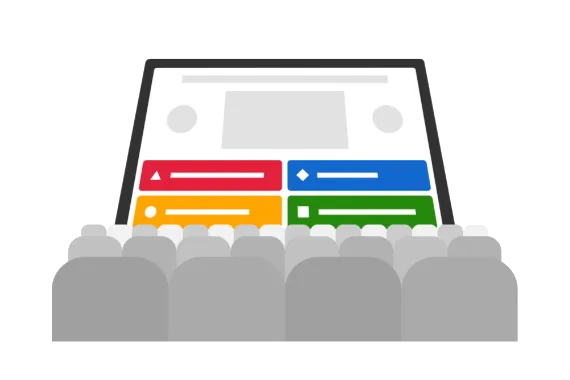
Nothing energizes a crowd quite like Kahoot!. Host a kahoot during department-wide or all hands meetings and see how our game-based features keep audiences of any size on the edge of their seats! Gather instant feedback and opinions with polls and word clouds, crowdsource ideas with brainstorm, present key information on slides, and check if you landed key points with quiz questions.

Recommended plan: Kahoot! 360 Pro Max

Training

Companies around the world use Kahoot! 360 to transform their training and development programs. With Kahoot! 360, you can assign self-paced courses for learners to complete anywhere, anytime – on desktop or mobile. Create fun social learning experiences during live in-person and virtual sessions and track progress with the player identifier feature.

Recommended plan: Kahoot! 360 Pro Max

Onboarding

Kahoot! 360 is a fantastic tool for helping new hires feel at home as soon as they join. Host kahoots in team building sessions to get conversations flowing and break complex topics into bite-size kahoots to help new hires understand key topics. What’s more, you can assign self-paced courses for new hires to complete at a time that suits them best.

Recommended plan: Kahoot! 360 Pro Max

Remote team culture

With employees now regularly working from home as well as in the office, Kahoot! 360 helps companies build a remote team culture where everyone feels valued, heard, and involved. Seamlessly host kahoot sessions via any video conferencing platform and use audience participation features like polls and word clouds to spark discussions during meetings.

Recommended plan: Kahoot! 360 Presenter

Employee engagement

Enterprises use Kahoot! 360 Spirit, an employee-powered engagement platform, to connect with every employee continuously – no matter their location. The platform gives employees a voice through pulse surveys, enables companies to create two-way conversations with employees, and provides employees with engaging professional development opportunities.

Recommended plan: Kahoot! 360 Spirit

Frequently asked questions

Kahoot! 360 Pro Max에서 사용할 수 있는 맞춤형 옵션에는 어떤 것이 있을까요?

Kahoot! 360 Pro Max를 사용하면 Kahoot! 경험의 룩앤필을 맞춤 설정할 수 있어요. 브랜드 색상을 정하고 kahoot에 사용할 수 있는 여러 맞춤 배경을 만들 수 있답니다.

라이선스 몇 개가 필요한가요?

진행자당 라이선스 1개가 필요해요. 진행자는 kahoot을 만들어서 동료에게 발표하거나, 자기 주도형 콘텐츠를 할당하는 사람이에요. 진행자가 두 명 이상인 팀은 각 진행자마다 별도의 라이선스를 구매해야 해요. kahoot에 참여하는 플레이어(예: PIN 코드로 게임에 참여하는 경우)는 계정이나 라이선스가 필요 없어요.

Kahoot 세션에 참여하려면 비용을 지불해야 하나요?

아니요. 참가자는 계정이나 비즈니스 라이선스가 없어도 kahoot 세션에 참여할 수 있습니다.

Kahoot 세션 한 번당 몇 명이나 참여할 수 있을까요?

플랜에 따라 달라집니다. 세션당 최대 동시 참여자 수는 2,000명인데, 이건 Kahoot! 360 Pro Max로 가능하답니다.

회사에서 kahoot을 사용하려면 어떤 구독이 필요한가요?

Kahoot! 360 플랜은 현대적인 업무 환경의 요구 사항에 맞춰 디자인되었어요. Kahoot! 360은 완전한 브랜딩 및 발표 도구를 사용하여 전문적인 표준을 보장하면서도 영향력 있는 회의, 발표, 교육 세션, 커뮤니케이션을 만드는 데 도움을 줘요. 상세 분석으로 참여도, 영향력, ROI를 측정할 수 있고, 전사 교육부터 전체 회의까지 더 많은 청중을 대상으로 진행할 수 있어요.

Kahoot! 인력 참여 플랫폼은 귀하의 데이터와 개인정보 보호를 최우선으로 여깁니다. 이 플랫폼은 ISO를 준수하고 GDPR에 맞춰져 있으며 SOC 2 Type 2 보고서를 보유하고 있어요. 게다가 SSO 및 SCIM을 통해 사용자 온보딩 및 오프보딩을 간소화할 수 있답니다.

제공되는 상품에서 현재 제 플랜을 찾을 수 없습니다.

가격 페이지에 표시되지 않는 활성 비즈니스 구독을 보유하고 계신가요? 아카이브된 플랜과 이전 플랜의 기능을 확인해 보세요.  

동료와 로그인 정보를 공유해도 되나요?

아니요, 저희 이용 약관에 따라 각 Kahoot! 라이선스는 한 명의 사용자에게만 제한됩니다. 각 라이선스 보유자는 다른 사람이 자신의 계정에 액세스하지 못하도록 할 책임이 있어요. 계정을 공유하면 사용자 경험에 영향을 미치며 플랫폼 액세스가 제한될 수 있어요. 대신 여러 개의 라이선스를 구매해야 해요.

Kahoot!을 영어 외 다른 언어로 사용할 수 있나요?

그럼요! 어떤 언어로든 질문과 답을 작성할 수 있어요. 또한 스페인어, 프랑스어, 브라질 포르투갈어, 독일어, 이탈리아어, 노르웨이어, 스웨덴어, 네덜란드어, 터키어, 폴란드어, 일본어, 아랍어, 우크라이나어, 한국어, 인도네시아어, 중국어 간체, 중국어 번체, 태국어, 베트남어로 kahoot을 플레이, 생성, 진행하고 보고서를 확인할 수도 있답니다.

무료로 가입할 수 있을까요?

네! 무료 계정을 만들고 신용카드 없이 Kahoot! 360을 테스트해볼 수 있어요.
브레인스토밍, 설문 조사, 퀴즈 질문과 같은 고급 기능을 탐색하거나, 팀과 함께 테스트할 코스를 만들어 보세요.
프리미엄 kahoot을 만든 후에는 언제든지 유료 Kahoot! 360 Pro 플랜으로 업그레이드하여 최대 2000명의 참가자와 함께 kahoot을 진행할 수 있어요.
시작하기.

고객이나 잠재 고객의 참여를 유도하는 데 Kahoot!을 활용할 수 있을까요?

마케팅, 영업, 광고, 고객 대면 목적으로 Kahoot!을 사용하려면 Kahoot! 360 Pro Max, Kahoot! for Brands, 또는 Enterprise 플랜이 필요해요. 여기에는 무역 박람회, 컨퍼런스, 제품 출시, 채용, 컨설팅 서비스 또는 고객 경험 향상을 위한 세션과 같은 활동이 포함돼요. 모든 Kahoot! 360 플랜은 직원, 프리랜서, 파트너 간의 교육 및 커뮤니케이션에 사용할 수 있어요.

비영리 단체나 NGO가 할인 혜택을 이용할 수 있나요?

네! 등록된 비영리 단체 및 NGO는 50% 할인을 받을 수 있답니다. 더 자세한 정보는 비영리 단체 페이지를 방문해주세요.

Kahoot! 360 비즈니스 플랜이 연간 결제만 가능한 이유는 무엇인가요?

Kahoot! 360 플랜은 연중 내내 사용할 수 있도록 디자인되었어요. 연간 결제를 통해 장기적인 참여를 보장하고 모든 콘텐츠와 결과에 대한 중단 없는 액세스를 제공할 수 있어요. 이를 통해 시간 경과에 따른 참여도를 수집하고 측정하여 영향력과 ROI를 정확하게 추적하는 데 도움이 돼요.

행사에 딱 한 번만 쓸 Kahoot!이 필요한데요. 그런 용도에 적합한 별도의 과금 플랜이 있을까요?

네! 단발성 이벤트용 가격을 확인해 보세요. 

대화형 프레젠테이션이란 무엇인가요?

기존 슬라이드를 가져오거나 Kahoot!에서 새 슬라이드를 만들어 대화형 질문과 설문 조사를 추가하여 모두가 기억할 만한 매력적인 프레젠테이션을 만들 수 있어요. 우리는 이것을 대화형 프레젠테이션이라고 불러요. 저희 슬라이드 임포터는 .ppt(PowerPoint), PDF(Google Slides를 PDF로 내보낼 수 있음), .key(Keynote) 형식을 지원해요. Kahoot!을 사용한 대화형 프레젠테이션 제작에 대해 더 알아보세요.

청중을 대상으로 한 설문조사에 Kahoot!을 활용할 수 있을까요?

네, 설문조사, 단어 클라우드, 논술형 문항, 브레인스토밍으로 참여자의 피드백과 의견, 아이디어를 실시간으로 수집할 수 있습니다.

플레이어 이름표란 무엇인가요?

플레이어 확인 기능을 사용하면 트레이너와 관리자가 새로운 kahoot 세션에 참여할 때 개별 참가자를 식별할 수 있어, 화면에 표시되는 별명 외에 정확히 누구인지 알 수 있답니다. 새 세션에 참여할 때 참가자는 이메일 주소를 입력해야 하며, 이 정보는 학습자 추적 및 보고에 사용돼요. 모바일 앱을 통해 참여할 경우, 이메일 주소는 처음 입력할 때 저장되므로 나중에 kahoot에 참여할 때 다시 입력할 필요가 없어요.

Kahoot! 토너먼트란 무엇인가요?

토너먼트는 일련의 kahoot 세션에 걸쳐 참여도를 높이는 좋은 방법이에요. 보고서 섹션에서는 여러 kahoot의 점수를 하나의 보고서로 결합하여 토너먼트 순위표를 만들고 참가자와 공유할 수 있어요. “플레이어 확인” 기능이 켜져 있던 kahoot의 보고서만 결합할 수 있어요. 데이터를 취합하려면 플레이어 확인이 필수적이거든요.