很抱歉,但目前这个页面在Chinese Simplified中不可用。 我们正在积极努力解决这个问题,请稍后回来查看!

[TEST B] Business pricing – Individuals Website navigation (OLD)

Choose the right Kahoot! 360 plan for you and your team

Kahoot! 360 Pro logo in blue

$19每月
$228 按年支付
 
最适合
活跃团队会议气氛
  • people icon
    主持每场可容纳最多 50 名参与者的活动
  • message icon
    通过互动测验和投票提升参与度
  • Presentation icon
    专业背景和主题
  • AI icon
    新增! 使用 AI 工具创建适合团队会议的 kahoot 游戏

Kahoot! 360 Presenter

$29$25per host
每月
$348$300 按年支付
 
最适合
演示和研讨会
  • 每场活动最多可容纳 50 名参与者
  • 演示幻灯片同步
  • 测验、投票、词云和头脑风暴
  • 多种颜色和专业背景选择,带有你的组织徽标
  • 非常适合主持互动活动
最热门

Kahoot! 360 Pro

$54$49per host
每月
$648$588 按年支付
 
最适合
培训、活动和全体会议
  • 每场活动最多可容纳 2000 名参与者
  • 全新专业演示模式
  • AI 辅助幻灯片创建功能,可创建互动式问题和调查
  • 多种颜色和专业背景选择,带有你的组织徽标
  • 指导课程和自定义节奏课程,包括进度追踪功能
  • 广受培训人员、人力资源团队和内部通讯团队喜爱
最超值

Kahoot! 360 Pro Max

$79per host
每月
$948 按年支付
 
最适合
课程、会议和网络研讨会
  • 每场活动最多可容纳 2000 名参与者
  • 全新专业演示模式
  • AI 辅助幻灯片创建功能,包括互动式问题和反馈功能
  • 可定制品牌元素、颜色和徽标
  • 员工培训,包括课程、报告和证书功能
  • 适合咨询、销售和营销
所有价格均不包含增值税

Compare features

Recommended plan

Kahoot! 360 Pro Start - included features

$19
每月
$228 按年支付
Recommended plan

Kahoot! 360 Pro Standard - included features

$29$25
每月
$348 $300 按年支付
Most popular

Kahoot! 360 Pro Plus - included features

$49
每月
$588 按年支付
Best value

Kahoot! 360 Pro Max - included features

$79$69
每月
$948 $828 按年支付
Ways to play & create
Max. participants per kahootSame limits apply for both instructor-led live and self-paced kahoots.205020002000
Self-paced kahootsAssign a self-paced kahoot for participants to complete anywhere, anytime - on desktop or mobile.feature included in Kahoot! 360 Starterfeature included in Kahoot! 360 Presenterfeature included in Kahoot! 360 Profeature included in Kahoot! 360 Pro Max
Host kahoots via videoconferencingConnect with remote teams by playing kahoots via any videoconferencing platform.feature included in Kahoot! 360 Starterfeature included in Kahoot! 360 Presenterfeature included in Kahoot! 360 Profeature included in Kahoot! 360 Pro Max
Zoom integrationMake video meetings awesome by hosting and joining kahoot sessions directly within Zoom. There’s no need for a second screen or device.feature included in Kahoot! 360 Starterfeature included in Kahoot! 360 Presenterfeature included in Kahoot! 360 Profeature included in Kahoot! 360 Pro Max
Microsoft Teams integrationHost and play live kahoots without leaving the Teams application and assign self-paced kahoots and send reminders to groups within Teams.feature included in Kahoot! 360 Starterfeature included in Kahoot! 360 Presenterfeature included in Kahoot! 360 Profeature included in Kahoot! 360 Pro Max
Kahoot! tournamentTrack progress and participation and extend engagement beyond a single kahoot by combining reports from multiple kahoots.feature NOT available with this planfeature NOT available with this planfeature included in Kahoot! 360 Profeature included in Kahoot! 360 Pro Max
Team modeRaise the stakes with team vs. team! Multiple participants play live kahoots as a team, with each member joining and answering questions on their own device. Team scores are calculated based on the average performance of all members (available on selected plans with maximum team limits).feature NOT available with this planUp to 5 teamsUp to 10 teamsUp to 10 teams
License for marketing, sales and advertising purposesAs stated in our Terms & Conditions, the use of Kahoot! for marketing, sales, and advertising purposes is not allowed unless expressly authorized. Examples of this usage include - but are not limited to - webinars, conferences, and recruitment.feature NOT available with this planfeature NOT available with this planfeature NOT available with this planfeature included in Kahoot! 360 Pro Max
License to use Kahoot! as part of a commercial offeringAs stated in our Terms & Conditions, you may not charge any fees or require any payment as part of your use of the Service or the Resources, except as expressly authorized by Kahoot! Examples of this usage include, but are not limited to, consulting and entertainment services.feature NOT available with this planfeature NOT available with this planfeature NOT available with this planfeature included in Kahoot! 360 Pro Max
Team workspacesCo-create, edit, and share kahoots, courses, and reports with your colleagues in a secure team workspace. Easily organize your materials, keeping private content separate from team-shared resources.feature NOT available with this planOnly available when purchasing 2 or more licensesOnly available when purchasing 2 or more licensesOnly available when purchasing 2 or more licenses
New!Kahoot!+ OneKahoot!+ One provides the ultimate learning experience by combining all our features, apps, and premium content into one complete solution. With up to five individual accounts, your entire household can host great get-togethers, engage with their community, or learn on their own.feature NOT available with this planfeature NOT available with this planfeature NOT available with this planfeature included in Kahoot! 360 Pro Max
Assessment question types and features
QuizThe classic question type. Write up to six answer alternatives for participants to choose from. Use images as answers for extra engagement.Up to 4 answersUp to 6 answersUp to 6 answersUp to 6 answers
True/falseReinforce key messages and check if participants are paying attention with quick-fire true/false questions.feature included in Kahoot! 360 Starterfeature included in Kahoot! 360 Presenterfeature included in Kahoot! 360 Profeature included in Kahoot! 360 Pro Max
Question pointsDrive deeper focus among participants by using double points for the most important questions. Remove all points for a question to lower the stakes.feature included in Kahoot! 360 Starterfeature included in Kahoot! 360 Presenterfeature included in Kahoot! 360 Profeature included in Kahoot! 360 Pro Max
PuzzleAsk participants to drag and drop four tiles into the correct order. Puzzles are great for improving focus and driving deeper understanding.feature NOT available with this planfeature included in Kahoot! 360 Presenterfeature included in Kahoot! 360 Profeature included in Kahoot! 360 Pro Max
Images as answersKeep participants engaged and expand topics you can ask questions about by using images as answer alternatives for multiple-choice quiz questions.feature NOT available with this planfeature included in Kahoot! 360 Presenterfeature included in Kahoot! 360 Profeature included in Kahoot! 360 Pro Max
Multi-selectRaise the stakes with multi-select! Participants select and submit multiple answers. The more correct answers the player submits, the more points they score. But, they’ll receive no points if they include just one wrong answer! It’s a great way to increase participant focus and reinforce key messages.feature NOT available with this planfeature included in Kahoot! 360 Presenterfeature included in Kahoot! 360 Profeature included in Kahoot! 360 Pro Max
SliderGive your participants a numerical scale where they can select the number they think is correct by sliding a cursor between the minimum and maximum you provided.feature NOT available with this planfeature included in Kahoot! 360 Presenterfeature included in Kahoot! 360 Profeature included in Kahoot! 360 Pro Max
Type answerTest how well participants recall content and remove guesswork by asking them to type short answers of up to 20 characters.feature NOT available with this planfeature NOT available with this planfeature included in Kahoot! 360 Profeature included in Kahoot! 360 Pro Max
Pin answerParticipants can place a pin on an image and gain points for answering correctly. This feature can be used during training sessions and it's great for identifying the correct location or item on a diagram or image.feature NOT available with this planfeature included in Kahoot! 360 Presenterfeature included in Kahoot! 360 Profeature included in Kahoot! 360 Pro Max
Polling and discussion question types
PollAdd up to four options for participants to choose from before discussing the outcomes as a group.feature included in Kahoot! 360 Starterfeature included in Kahoot! 360 Presenterfeature included in Kahoot! 360 Profeature included in Kahoot! 360 Pro Max
BrainstormKeep everyone engaged and energized by collecting, discussing, and voting on ideas with brainstorm! Spark discussions among small groups and surface great ideas during in-person and video meetings, workshops, and strategy sessions with brainstorm for meetings. With brainstorm for events, you can harness the power of the crowd! Quickly crowdsource ideas from hundreds of participants and review output in reports that are optimized for large volumes of datafeature NOT available with this planFor meetingsFor meetings & eventsFor meetings & events
Word cloudImprove interaction by asking players to type a short answer. The most popular responses are then displayed in a word cloud for everyone to see and discuss.feature NOT available with this planfeature included in Kahoot! 360 Presenterfeature included in Kahoot! 360 Profeature included in Kahoot! 360 Pro Max
Drop-pinPlayers can drop pins on an image! This is great for dropping locations on a map or choosing your favorite item on an image.feature NOT available with this planfeature included in Kahoot! 360 Presenterfeature included in Kahoot! 360 Profeature included in Kahoot! 360 Pro Max
ScaleCollect valuable feedback from your attendees! Ask them to rate their perception and share sentiments using a Likert or custom scale.feature NOT available with this planfeature included in Kahoot! 360 Presenterfeature included in Kahoot! 360 Profeature included in Kahoot! 360 Pro Max
NPS®️ ScaleAssess participants' satisfaction and likelihood to recommend a company, product, or experience based on a single question. This feature is perfect for measuring employee engagement and creating post-training feedback surveys.feature NOT available with this planfeature NOT available with this planfeature included in Kahoot! 360 Profeature included in Kahoot! 360 Pro Max
Open-ended questionSpark discussions and collect feedback by asking participants to type free-form responses of up to 250 characters.feature NOT available with this planfeature NOT available with this planfeature included in Kahoot! 360 Profeature included in Kahoot! 360 Pro Max
Interactive presentations with Kahoot!
PowerPoint integrationDeliver presentations that keep everyone energized with our integration with Microsoft PowerPoint! The integration enables you to host kahoots within PowerPoint without leaving the Presenter View.feature included in Kahoot! 360 Starterfeature included in Kahoot! 360 Presenterfeature included in Kahoot! 360 Profeature included in Kahoot! 360 Pro Max
Hopin integrationWith the integration, the entire Kahoot! participant experience happens within the Hopin platform. The host simply shares their screen and attendees pin in and play directly within Hopin – removing the need to submit answers on a second screen or phone. A Hopin account is also required.feature included in Kahoot! 360 Starterfeature included in Kahoot! 360 Presenterfeature included in Kahoot! 360 Profeature included in Kahoot! 360 Pro Max
Premium image libraryFind the perfect picture for every slide and question in a premium image library, which features millions of high-quality pictures from Getty Images.1 image per kahootMillions of imagesMillions of imagesMillions of images
Import slidesDeliver an engaging presentation that everyone remembers by importing slides and adding audience interaction features like polls and quiz questions. The slide importer supports .ppt (PowerPoint), PDF (you can export Google Slides as PDFs), and .key (Keynote).feature NOT available with this planfeature included in Kahoot! 360 Presenterfeature included in Kahoot! 360 Profeature included in Kahoot! 360 Pro Max
Sync slidesElevate your presentations and simplify collaboration by syncing your Google Slides or Microsoft PowerPoints and kahoots with a single click, importing your content just once. Ensure your audience always sees the latest version, even with last-minute edits!feature NOT available with this planfeature included in Kahoot! 360 Presenterfeature included in Kahoot! 360 Profeature included in Kahoot! 360 Pro Max
Slide ReactionsTurn on slide reactions for your next presentation to let your audience interact with your slides with one of five emojis that will appear on the screen while maintaining the flow of the meeting! Click the emotes icon to see all the feedback in real time.feature NOT available with this planfeature included in Kahoot! 360 Presenterfeature included in Kahoot! 360 Profeature included in Kahoot! 360 Pro Max
Presentation modeOur new professional hosting experience empowers you to take full control of when and how you incorporate interactive questions, points, and podiums.feature NOT available with this planfeature NOT available with this planfeature included in Kahoot! 360 Profeature included in Kahoot! 360 Pro Max
PDF-to-story generator (AI-assisted)Instantly transform your content into bite-sized stories with our PDF-to-story generator, perfect for learning in the flow of work. Additionally, try out our PDF-to-kahoot generator to complete your course.feature NOT available with this planfeature NOT available with this planfeature NOT available with this planfeature included in Kahoot! 360 Pro Max
PDF-to-kahoot generator (AI-assisted)Simply upload your file and our PDF-to-kahoot generator will instantly transform your existing material into an interactive presentation. feature NOT available with this planfeature NOT available with this planfeature included in Kahoot! 360 Profeature included in Kahoot! 360 Pro Max
Kahoot generator (AI-assisted)Type a topic or reuse an existing story to get a variety of question types, slides, and images in just a few seconds. Choose the language and complexity of your kahoot, and start customizing your interactive presentation! feature NOT available with this planfeature NOT available with this planfeature included in Kahoot! 360 Profeature included in Kahoot! 360 Pro Max
Question generator (AI-assisted)Upload your slides or enter your topic or prompt, and our question generator will provide you with a list of questions based on your material or input, making it easier and faster than ever to create your kahoots.feature NOT available with this planfeature NOT available with this planfeature included in Kahoot! 360 Profeature included in Kahoot! 360 Pro Max
Extract questions from PDFs (AI-assisted)Simply upload your file and our PDF-to-kahoot generator will extract any existing questions from your PDFs and turn them into a kahoot.feature NOT available with this planfeature NOT available with this planfeature included in Kahoot! 360 Profeature included in Kahoot! 360 Pro Max
Q&A Enable participants to submit questions from their devices anytime during your presentation. Show and answer questions as they come in to spark meaningful, real-time interaction.feature NOT available with this planfeature NOT available with this planfeature included in Kahoot! 360 Profeature included in Kahoot! 360 Pro Max
Moderated Q&A (coming soon)Coming soon! Moderated Q&A including question upvoting and moderation features.feature NOT available with this planfeature NOT available with this planfeature included in Kahoot! 360 Profeature included in Kahoot! 360 Pro Max
Training and courses
StoryA story is a mobile-first, interactive content format that you can add to Kahoot! Courses or use as a stand-alone. Built for learners on the go, stories embrace a micro-learning approach, and bringing learning content to life through a mix of text, video, audio, image carousels, checklists, polls and more.feature included in Kahoot! 360 Starterfeature included in Kahoot! 360 Presenterfeature included in Kahoot! 360 Profeature included in Kahoot! 360 Pro Max
CoursesCompile structured training courses by linking a series of kahoots into a single learning experience. Include third-party content to support and engage participants in a variety of learning scenarios, with options for participants to complete as an assigned “self-paced challenge” in their own time, or as a live session in a group setting.feature NOT available with this planfeature NOT available with this planfeature included in Kahoot! 360 Profeature included in Kahoot! 360 Pro Max
Assign courses and kahoots to participants via emailBoost learning outcomes and training completion rates by securely assigning courses and self-paced kahoots via email to designated learners.feature NOT available with this planfeature NOT available with this planfeature included in Kahoot! 360 Profeature included in Kahoot! 360 Pro Max
Player identifierIdentify the player behind the nickname. Track and report on the progress of individual learners over a series of kahoots or training courses with secure email verification for new sessionsfeature NOT available with this planfeature NOT available with this planfeature included in Kahoot! 360 Profeature included in Kahoot! 360 Pro Max
Course certificateAutomatically issue certificates to employees upon course completion, making it easy for them to document and share their training achievements. Employees can access the reports page to share their certificates, post them directly on LinkedIn, or download them.feature NOT available with this planfeature NOT available with this planfeature NOT available with this planfeature included in Kahoot! 360 Pro Max
Story ReportingGet actionable insights into who is engaging, which modules they’re exploring, where they’re dropping off, and more, helping you to identify areas for improvement and maximize your content’s impact.feature NOT available with this planfeature NOT available with this planfeature NOT available with this planfeature included in Kahoot! 360 Pro Max
Customization
Pre-made themesChange the look and feel of every Kahoot! session by picking a premium theme. Our themes are designed to help you increase visual consistency between presentation slides and also for specific occasions.feature NOT available with this planfeature included in Kahoot! 360 Presenterfeature included in Kahoot! 360 Profeature included in Kahoot! 360 Pro Max
Add your own logofeature NOT available with this planfeature included in Kahoot! 360 Presenterfeature included in Kahoot! 360 Profeature included in Kahoot! 360 Pro Max
Custom themingCustomize the theme of your kahoots! Choose from a variety of backgrounds, upload your own image, or add custom colors.feature NOT available with this planfeature NOT available with this planfeature NOT available with this planfeature included in Kahoot! 360 Pro Max
Collaboration and account management
Max. number of members per groupInvite members from a specific team, department, or location to share relevant, ready-made kahoots for other group members to host. Group members can be from your organization or an external group.50100200200
SSOEnables users to log in to Kahoot! securely with their existing company credentials.Available in Enterprise PlansAvailable in Enterprise PlansAvailable in Enterprise PlansAvailable in Enterprise Plans
SCIMAutomates user account provisioning and management, saving IT time and ensuring up-to-date access.Available in Enterprise PlansAvailable in Enterprise PlansAvailable in Enterprise PlansAvailable in Enterprise Plans
Domain ClaimAllows your organization to consolidate and manage users with company email addresses under a single account.Available in Enterprise PlansAvailable in Enterprise PlansAvailable in Enterprise PlansAvailable in Enterprise Plans
SupportOnlineOnlinePriorityPriority
Pay by invoiceKahoot! offers a number of payment options, including the added flexibility of paying by invoice.feature NOT available with this planfeature NOT available with this planfeature NOT available with this planfeature included in Kahoot! 360 Pro Max

Become a workplace hero! Stand out from your colleagues with Kahoot! 360 for...

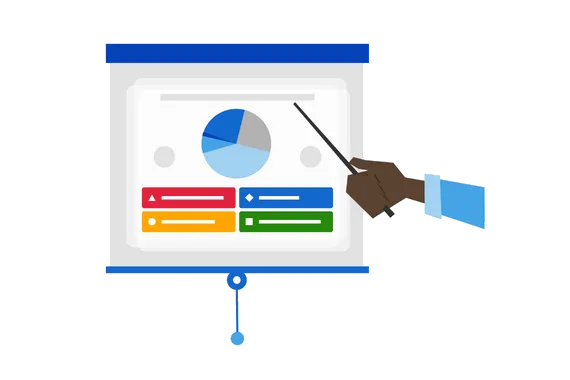
Illustration of a hand pointing to a Kahoot quiz on a presentation screen

Presentations to small audiences

Kahoot! 360 is the go-to tool for thousands of workplace presenters. It’s so easy to deliver engaging presentations and meetings with Kahoot! 360: Simply import a slide deck or use our range of presentation slides to convey key information. Then, check if you landed key points with multiple-choice and true/false questions and spark conversations with polls, word clouds, and brainstorm.

Recommended plan: Kahoot! 360 Presenter
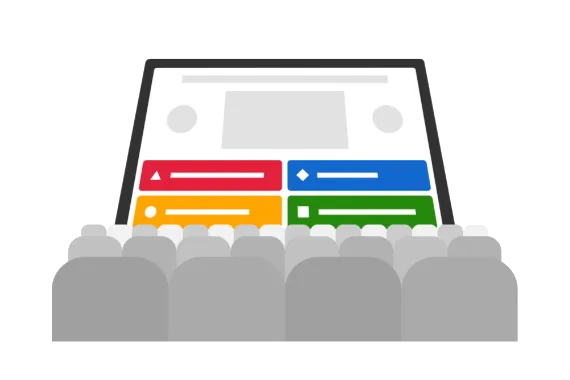
Illustration of a Kahoot quiz displayed on a large screen in front of an audience

Presentations to large audiences

Nothing energizes a crowd quite like Kahoot!. Host a kahoot during department-wide or all hands meetings and see how our game-based features keep audiences of any size on the edge of their seats! Gather instant feedback and opinions with polls and word clouds, crowdsource ideas with brainstorm, present key information on slides, and check if you landed key points with quiz questions.

Recommended plan: Kahoot! 360 Pro Max

Illustration of stacked Kahoot quiz cards with a gold star badge

Training

Companies around the world use Kahoot! 360 to transform their training and development programs. With Kahoot! 360, you can assign self-paced courses for learners to complete anywhere, anytime – on desktop or mobile. Create fun social learning experiences during live in-person and virtual sessions and track progress with the player identifier feature.

Recommended plan: Kahoot! 360 Pro Max

Illustration of a host on a laptop screen with remote players joining on phones

Onboarding

Kahoot! 360 is a fantastic tool for helping new hires feel at home as soon as they join. Host kahoots in team building sessions to get conversations flowing and break complex topics into bite-size kahoots to help new hires understand key topics. What’s more, you can assign self-paced courses for new hires to complete at a time that suits them best.

Recommended plan: Kahoot! 360 Pro Max

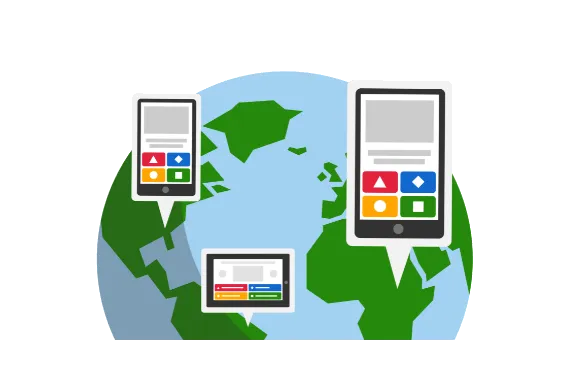
Illustration of Kahoot on multiple devices displayed over a world globe

Remote team culture

With employees now regularly working from home as well as in the office, Kahoot! 360 helps companies build a remote team culture where everyone feels valued, heard, and involved. Seamlessly host kahoot sessions via any video conferencing platform and use audience participation features like polls and word clouds to spark discussions during meetings.

Recommended plan: Kahoot! 360 Presenter

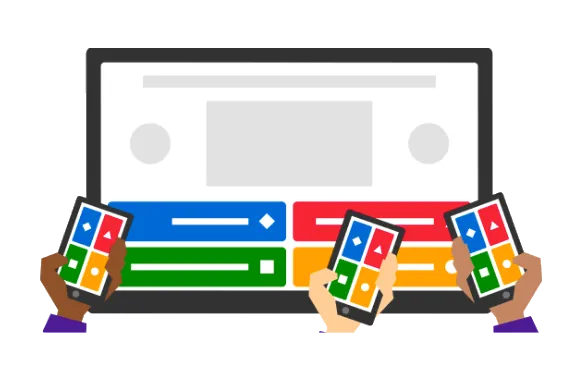
Illustration of multiple hands holding phones to answer a Kahoot quiz on screen

Employee engagement

Enterprises use Kahoot! 360 Spirit, an employee-powered engagement platform, to connect with every employee continuously – no matter their location. The platform gives employees a voice through pulse surveys, enables companies to create two-way conversations with employees, and provides employees with engaging professional development opportunities.

Recommended plan: Kahoot! 360 Spirit

Frequently asked questions

Kahoot! 360 Pro Max 提供哪些自定义选项?

Kahoot! 360 Pro Max 允许你自定义 Kahoot! 体验的外观和风格。 你可以定制品牌颜色,创建多个自定义背景,以便在你的 kahoot 游戏中使用。

我需要多少个许可证?

你需要为每位演示者购买一个许可证。 演示者是创建 kahoot 游戏并向同事进行演示或分配自定义节奏内容的人。 拥有一名以上演示者的团队必须为每位演示者购买单独的许可证。 参与者加入 kahoot 游戏(即通过 PIN 码加入游戏)并不需要账户或许可证。

我需要为加入 kahoot 游戏活动的参与者支付费用吗?

不,参与者加入 kahoot 游戏并不需要账户或企业许可证。

一场 kahoot 游戏活动可以有多少名参与者加入?

参与者人数限制取决于不同的方案。 使用 Kahoot! 360 Pro Max 方案,每场活动最多可容纳 2,000 名参与者同时加入。

如果我想在工作中使用 Kahoot!,我需要订阅哪种方案?

Kahoot! 360 方案是专为满足现代职场需求而设计的。 Kahoot! 360 可以帮助你创建效果显著的会议、演示、培训活动和沟通活动,并通过完整的品牌化体验和演示工具确保达到专业标准。 你可以通过详细的分析来评估参与度、效果和投资回报率,并为更多观众主持更大规模的活动,包括全公司培训和全体员工会议。

Kahoot! 员工参与度平台将数据和隐私保护置于首位。 平台符合 ISO 标准和 GDPR 法规,并拥有 SOC 2 Type 2 鉴证报告。 除此之外,你还可以通过 SSO 和 SCIM 简化用户加入和退出流程。

我无法在报价中找到我当前的方案。

你是否有一个有效的企业订阅但在定价页面上无法找到? 查看已归档方案和旧方案功能。  

我可以与同事共享登录信息吗?

不能,根据我们的条款和条件,每个 Kahoot! 许可证仅限一名用户使用。 每位许可证持有人有责任防止其他人访问他们的账户。 共享账户会影响用户体验,并可能导致平台访问权限受限。 正确的做法是,你应该购买多个许可证。

我是否可以用英语以外的语言使用 Kahoot!?

是的! 你可以用任何语言编写问题和答案。 在玩、创建和主持 kahoot 游戏,以及查看报告时,你还可以使用以下语言:西班牙语、法语、巴西葡萄牙语、德语、意大利语、挪威语、瑞典语、荷兰语、土耳其语、波兰语、日语、阿拉伯语、乌克兰语、韩语、印尼语、简体中文、繁体中文、泰语和越南语。

我可以免费注册吗?

是的! 你可以注册一个免费账户并试用 Kahoot! 360,无需信用卡担保和付费。
探索我们的高级功能,例如头脑风暴、投票和测验问题,或尝试创建一个课程,与你的团队一起进行测试。
创建高级 kahoot 游戏后,你可以随时升级至付费的 Kahoot! 360 Pro 方案,为最多 2,000 名参与者主持 kahoot 游戏。
开始体验

我可以使用 Kahoot! 来吸引现有客户或潜在客户吗?

要将 Kahoot! 用于营销、销售、广告目的以及面向客户的用途,你需要购买 Kahoot! 360 Pro Max、 Kahoot! 品牌企业方案。 这类用途包括贸易展览、会议、产品发布、招聘、咨询服务或提升客户体验的活动等。 所有 Kahoot! 360 方案均可用于员工、自由职业者及合作伙伴之间的培训和交流。

非营利组织或非政府组织是否享有任何折扣?

是的! 注册的非营利组织和非政府组织可享受 5 折优惠。 如欲了解更多信息,请访问我们的非营利组织页面

Kahoot! 360 企业方案为什么只能按年支付?

Kahoot! 360 方案为全年持续使用而设计。 按年支付可确保你长期参与并持续访问所有内容和结果。 年度方案使你能够收集和评估一段时间内的参与度,帮助你准确追踪效果和投资回报率。

我只需要在单次活动中使用 Kahoot!。 你们是否提供适用于一次性活动的单独的定价方案?

是的! 查看我们的一次性活动定价。 

如何使用所有功能?

查看我们的 YouTube 播放列表,其中包含一系列视频教程,告诉你如何充分利用 Kahoot!,包括如何在你的 kahoot 游戏中添加品牌元素、分配挑战、通过头脑风暴集思广益等等! 你可以在我们的资源页面找到更多信息。

什么是互动演示?

你可以在 Kahoot! 中导入现有幻灯片或创建新幻灯片,然后添加互动式问题和投票,创建给所有人留下深刻印象、引人入胜的演示。 我们称之为互动演示。 我们的幻灯片导入器支持 .ppt (PowerPoint)、PDF(可将 Google 幻灯片导出为 PDF)和 .key (Keynote) 格式。 进一步了解通过 Kahoot! 创建互动演示

我是否可以使用 Kahoot! 对观众进行调查?

是的,你可以通过投票、词云、开放式问题和头脑风暴实时收集参与者的反馈、观点和想法。

什么是玩家标识符?

玩家标识符让培训师和管理员能够在每个参与者加入新的 kahoot 游戏活动时识别他们的身份。这样,你就可以清楚地知道他们是谁,而不仅仅是屏幕上显示的匿名昵称。 加入新的活动时,参与者需要输入他们的电子邮箱地址,该地址将用于学习者追踪和报告。 通过我们的移动应用程序加入活动,电子邮件地址在首次输入时即会被保存下来,参与者以后再加入你的 kahoot 游戏时无需再输入电子邮件地址。

什么是 Kahoot! 锦标赛?

锦标赛是在一系列 kahoot 游戏中提升玩家参与度的好方法。 在“报告”版块,你可以创建锦标赛排行榜,将多个 kahoot 游戏的得分合并至一份报告中,并可以与参与者分享。 你只能使用合并报告功能合并启用了“玩家标识符”功能的 kahoot 游戏的报告,因为要收集数据必须启用玩家标识符。