

Engaging presentations made easy


Step 2: Generate instant questions

Step 3: Style your presentation

Step 4: Present with confidence
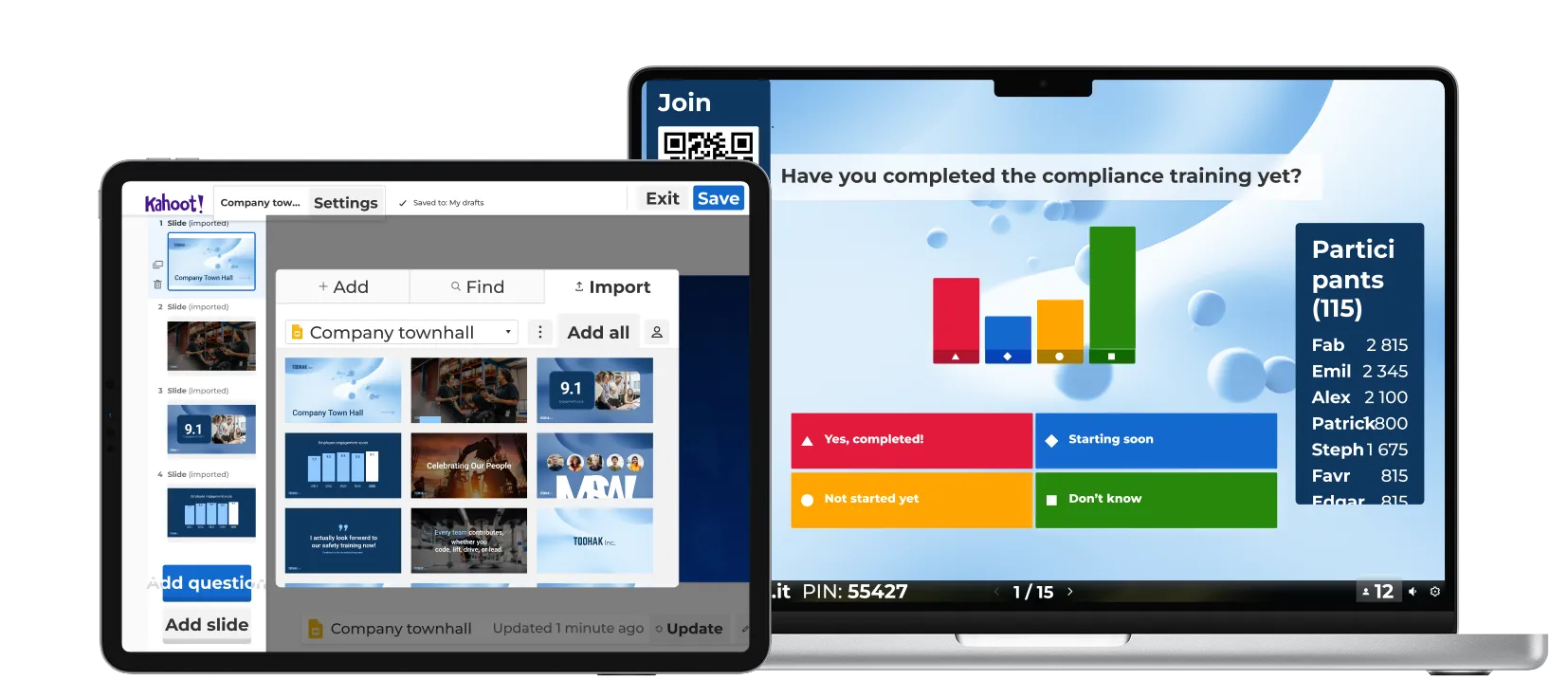
Create engaging presentations in four quick steps with Kahoot! 360.
Import your slides, then bring them to life with interactive, AI-generated questions that keep audiences focused and spark conversation.
Style your deck with your company’s logo and colors, and present with confidence using our professional hosting tools.
Learn how our customers are driving results with Kahoot!

“Use Kahoot! with passion and give that value to your employees, because Kahoot! gives so much more value than the fun element.”
Harrison Tompodung
The Apurva Kempinski Bali

“Kahoot! has that fun, playful side, but it also has genuine value. It’s really hard for a platform to balance the ability to do both of those things, but Kahoot! is great at it and we take advantage of it.”
Toni Morgans
AND Digital

Het beste voor
presentaties en workshops met impact
- Tot 200 deelnemers
- Woordenwolken, brainstorming, open vragen, live vraag en antwoord
- Rapporten en inzichten
- Professionele presentaties
- Laat je publiek vragen stellen met Vraag en antwoord
- NIEUW! Maak presentaties in een paar seconden met AI


Het beste voor
presentaties, trainingen en evenementen met impact
- Tot 1000 deelnemers
- NPS en enquêtes
- Training, cursussen en certificaten
- Volledige toolkit voor sprekers en AI-functies
- Laat je publiek vragen stellen met Vraag en antwoord
- Meet de tevredenheid en betrokkenheid met NPS en enquêtes
- Flexibele leermogelijkheden met cursussen die live of in eigen tempo gedaan worden, incl. certificaten
- Creëer direct presentaties en trainingsmateriaal met AI
- NIEUW! Motiveer teams met gedeelde prestaties in Missies
Alle prijzen zijn inclusief btw
Looking for an enterprise scale solution?
Learn more about Kahoot!’s custom enterprise solutions or contact our sales team to discuss your needs.