Interactive presentations for work with Kahoot! 360

Turn your slides into interactive presentations people remember

Kahoot! 360 is interactive presentation software for businesses. Presenters, managers, trainers and event hosts can use it to turn a one-way presentation into a two-way session, and get a report with each participant’s responses.

Use it for team meetings, town halls, training sessions, sales demos, and events. Participants join from their devices with no app download or account creation needed.

Kahoot! 360 is the ultimate solution for impactful meetings, training, and events.

Get Kahoot! 360 Pro from $9/mo. Save 50% until October 31.

Get started

Hero

“Using Kahoot! 360 is really simple because all you need is a screen, and these days, everyone has a phone. You don’t need much equipment, and anyone can join in. This makes it a great solution for many people working in entertainment and hospitality. It’s an excellent tool to use in various industries.”

Ylenia Ibáñez
Animator at RIU Hotels Costa del Sol, Málaga

RIU logo

How to make an interactive presentation with Kahoot! 360

It is easy to loose your audience with static slides that leave no room for participation. With Kahoot! 360, you can add interactivity like live polls, word clouds, and brainstorm to your presentation, so people stay focused and remember your key messages.

Get started

IMPORT AND SLIDE SYNC

Sync your slides into an interactive presentation

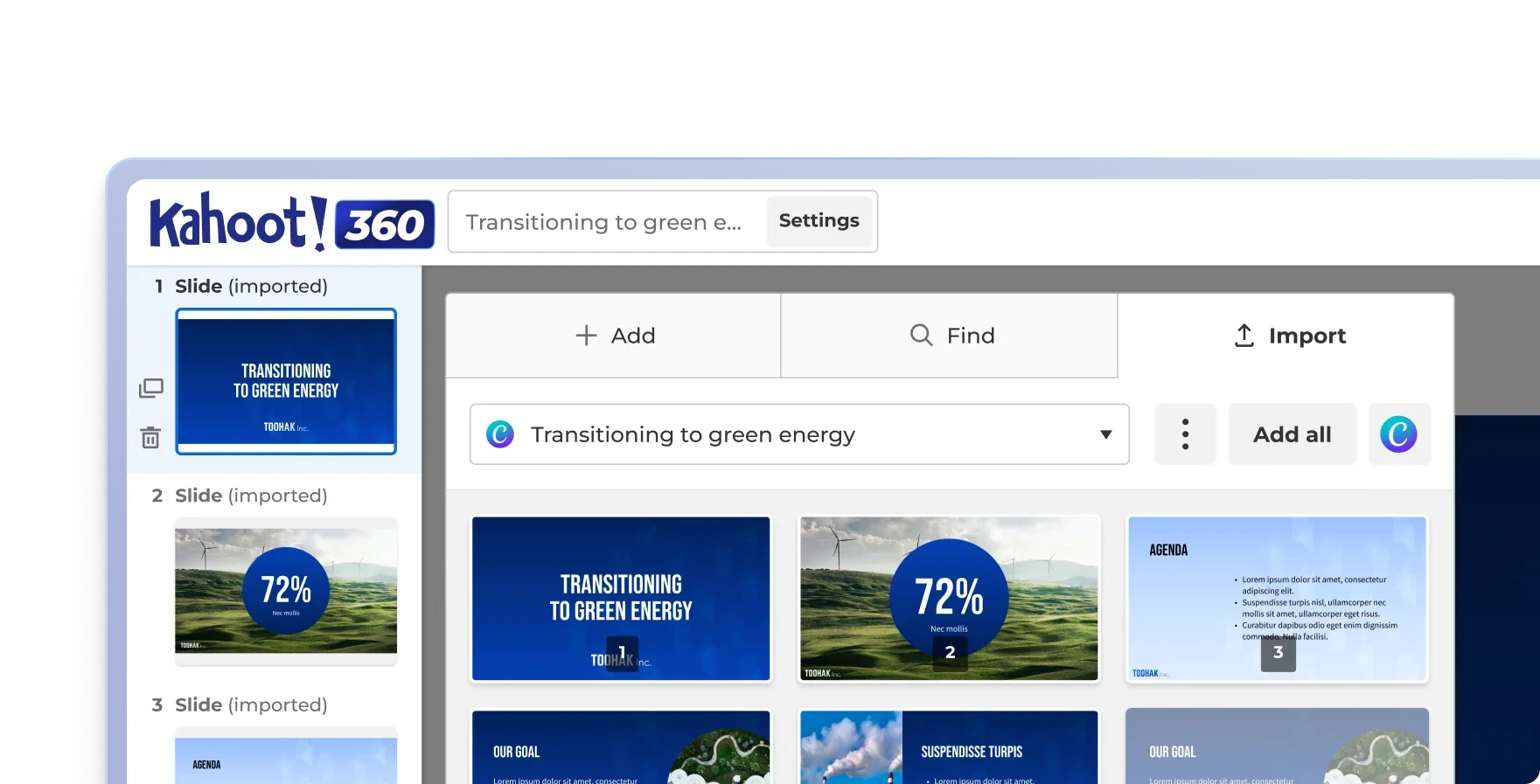
Import your Google Slides or PowerPoint presentation once, and let auto-sync do the rest. Any changes your team makes to the original slides will automatically reflect in your presentation. In this way you can easily mix static slides with interactive questions.

The Kahoot! 360 editor importing slides from a synced Canva presentation, with the imported slides listed in the kahoot.

INSTANTLY ADD INTERACTIVITY

Generate interactive questions in minutes with AI

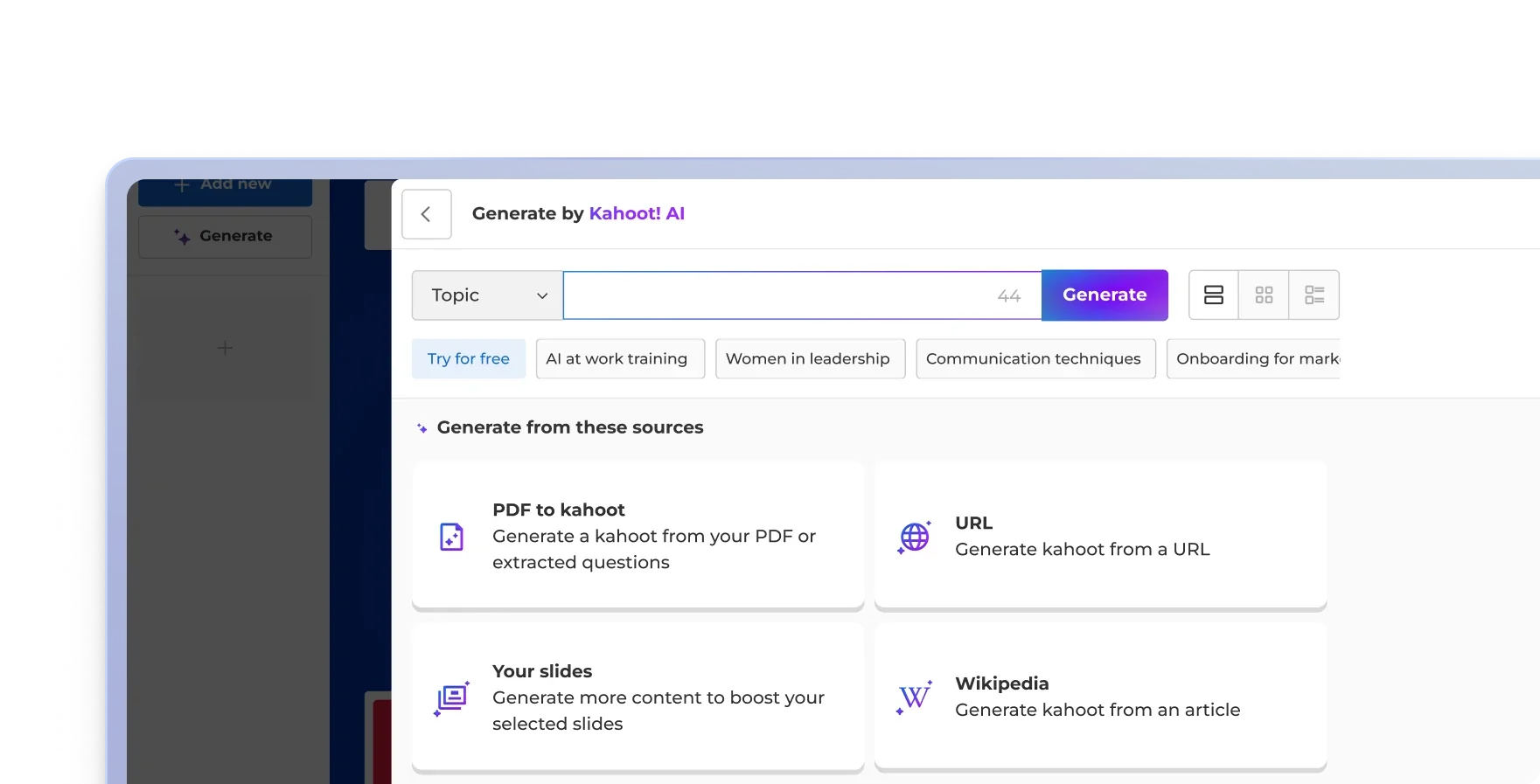
Upload existing slides, paste a URL, or describe a topic, and the Kahoot! Assistant builds the presentation for you, suggesting interactive questions, like polls and word clouds, based on your actual content. You review and edit everything before it goes live.

The Generate by Kahoot! AI panel, with a topic field, suggested topics and options to generate from a PDF, URL, your slides or a Wikipedia article.

QUESTION TYPES

Polls, word clouds, open-ended questions, and more

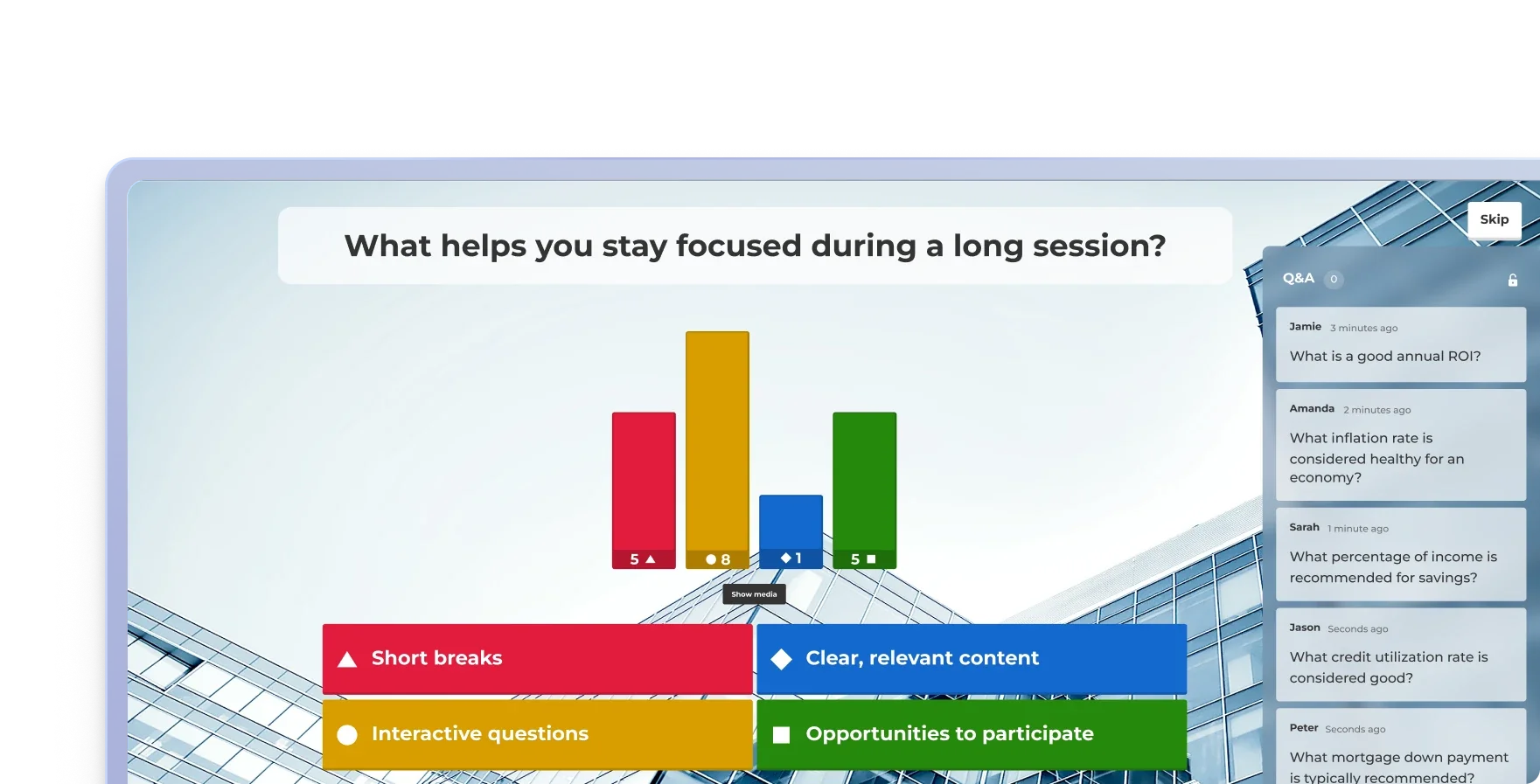
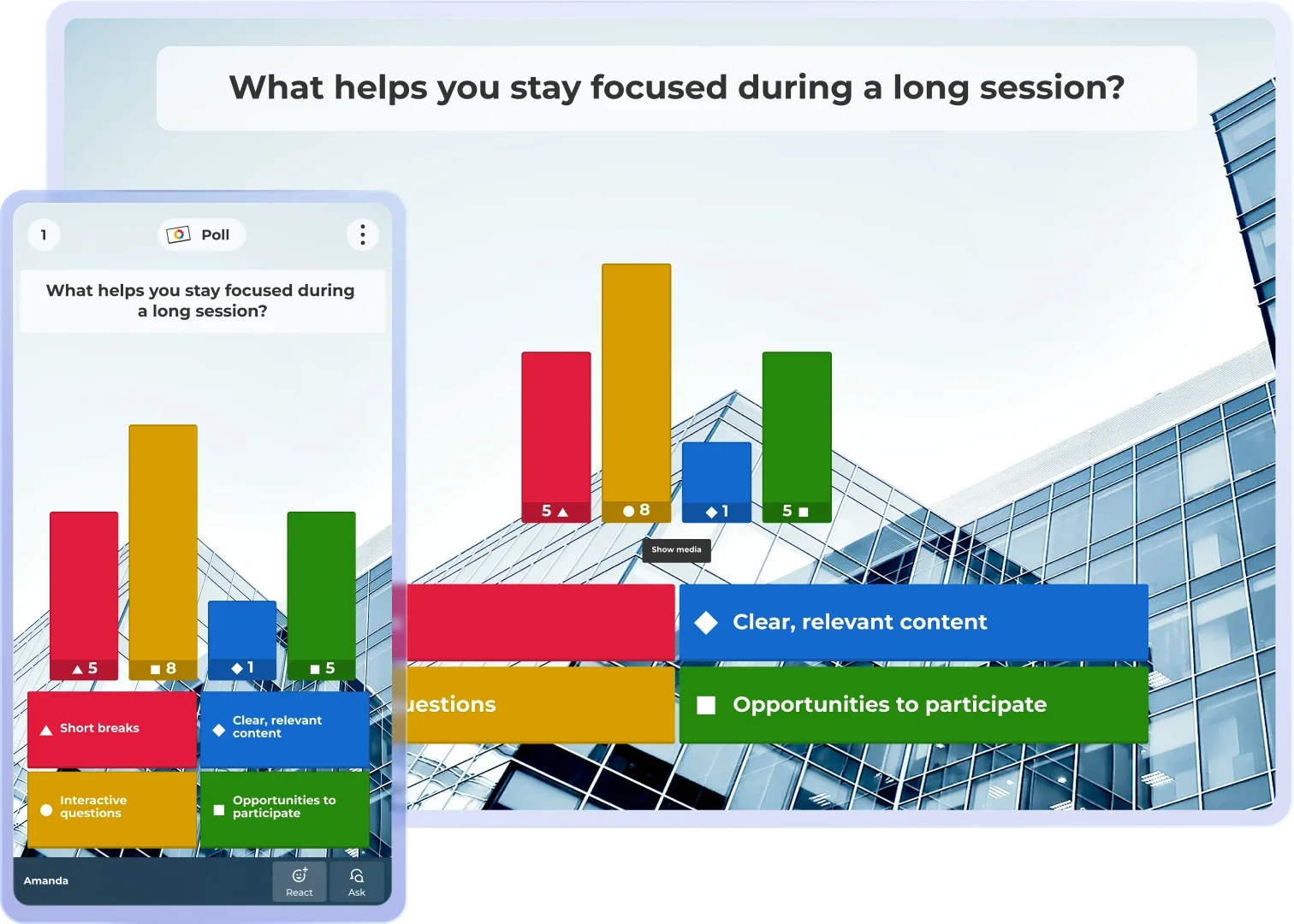
Different ways to engage your audience. Live polls for a position check. Word clouds when you want the audience’s own language on screen. Quizzes when you need to know something landed. Open-ended questions when you want the answers you did not anticipate.

A live poll on what helps people stay focused during a long session, with results shown as a bar chart next to an audience Q&A panel.

USE YOUR COMPANY BRANDING

Customize with your logo, branding, and colors

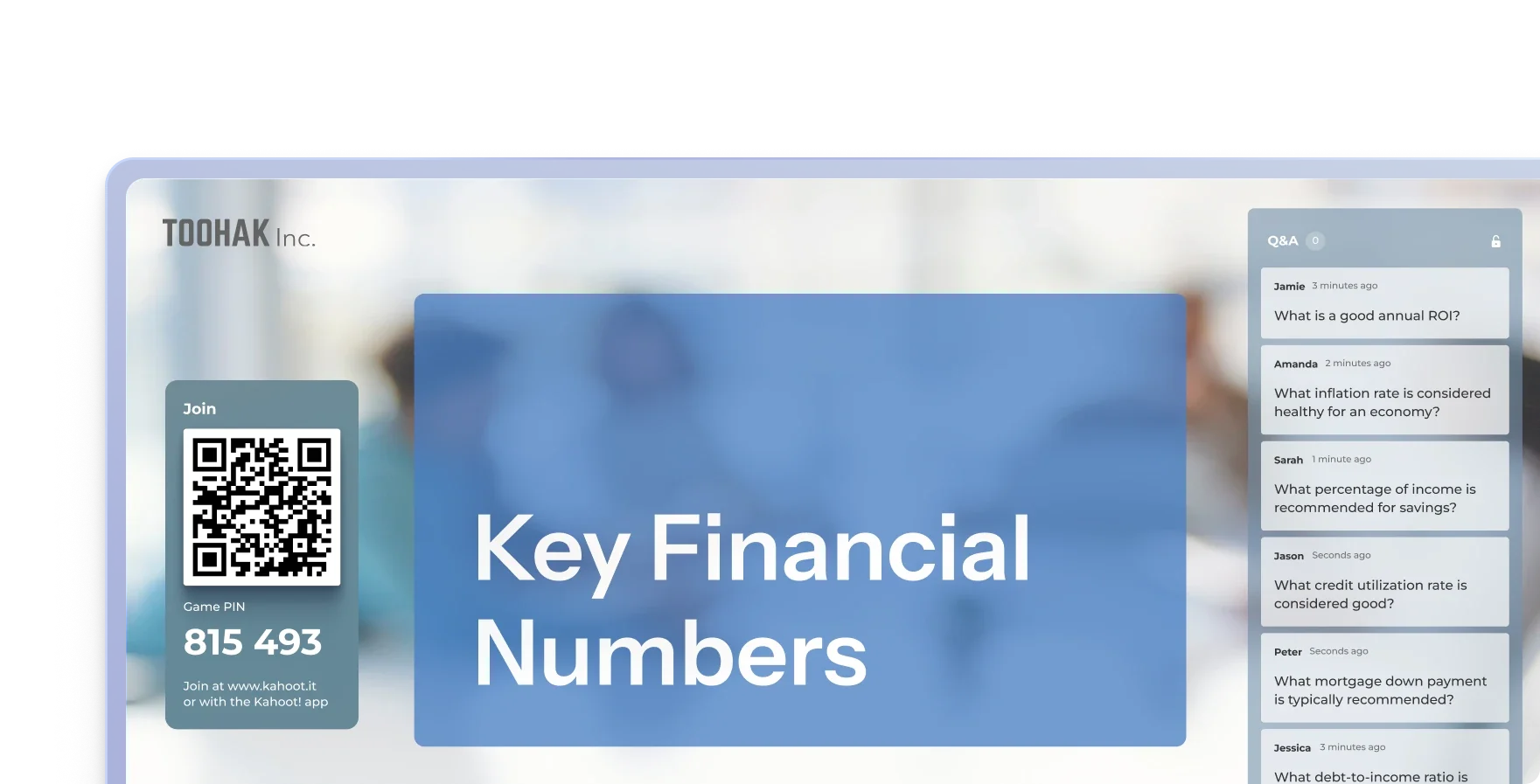
Deliver a seamless, branded experience. Quickly upload your logo, apply your exact brand colors, and customize slide backgrounds so every interactive session matches your corporate identity.

A branded Kahoot! 360 slide titled “Key Financial Numbers”, with a company logo, a join QR code and game PIN, and a live audience Q&A panel.

HOST PROFESSIONALLY

Set the tone for board meetings and keynotes

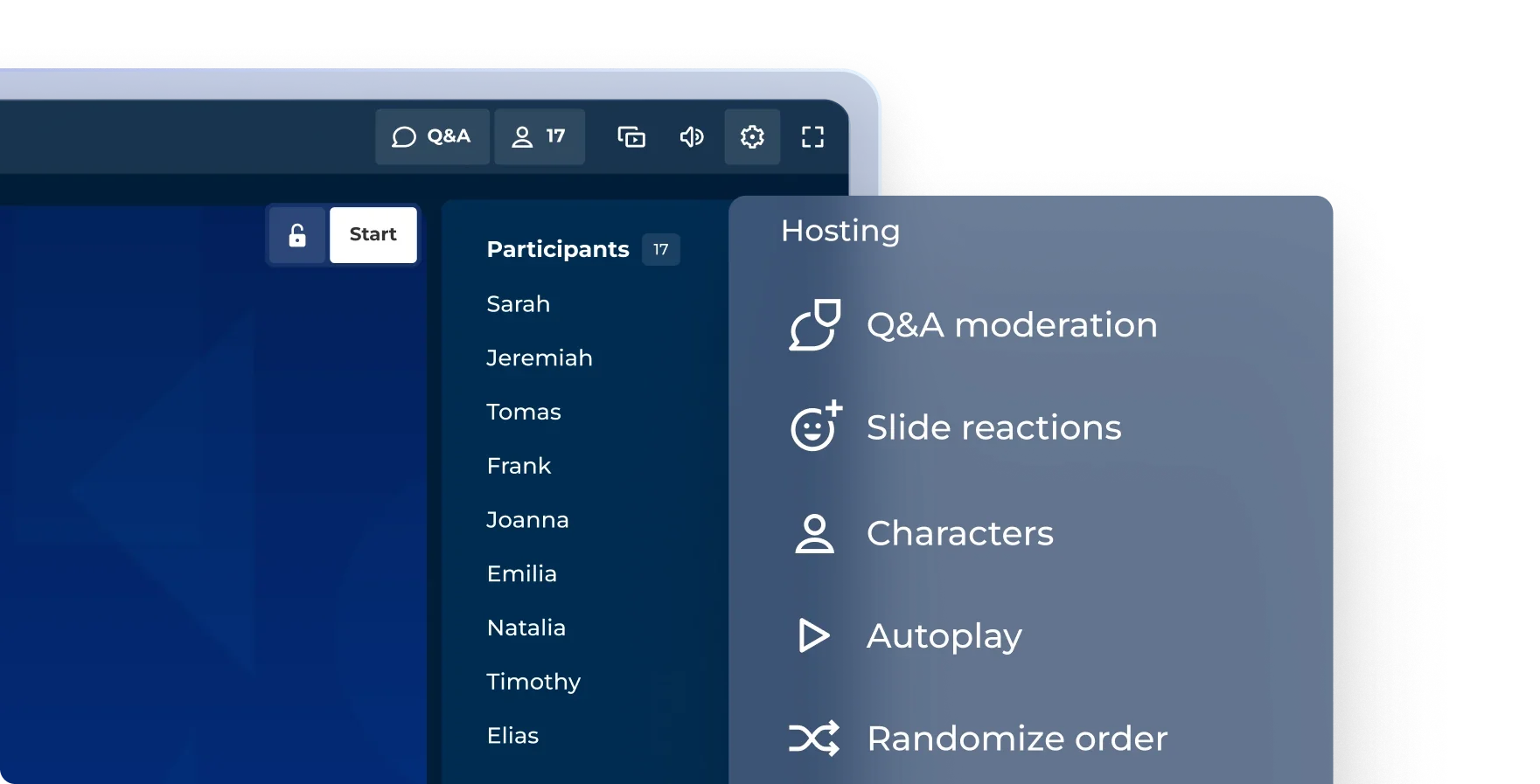
Professional mode lets you choose which game elements to use, such as points, leaderboards and podiums. Keep them for a team kickoff or turn them off for a board update.

Kahoot! 360 hosting settings with options for Q&A moderation, slide reactions, characters, autoplay and randomized order, beside the participant list.

GET LIVE AUDIENCE FEEDBACK

Run live Q&A with a moderator

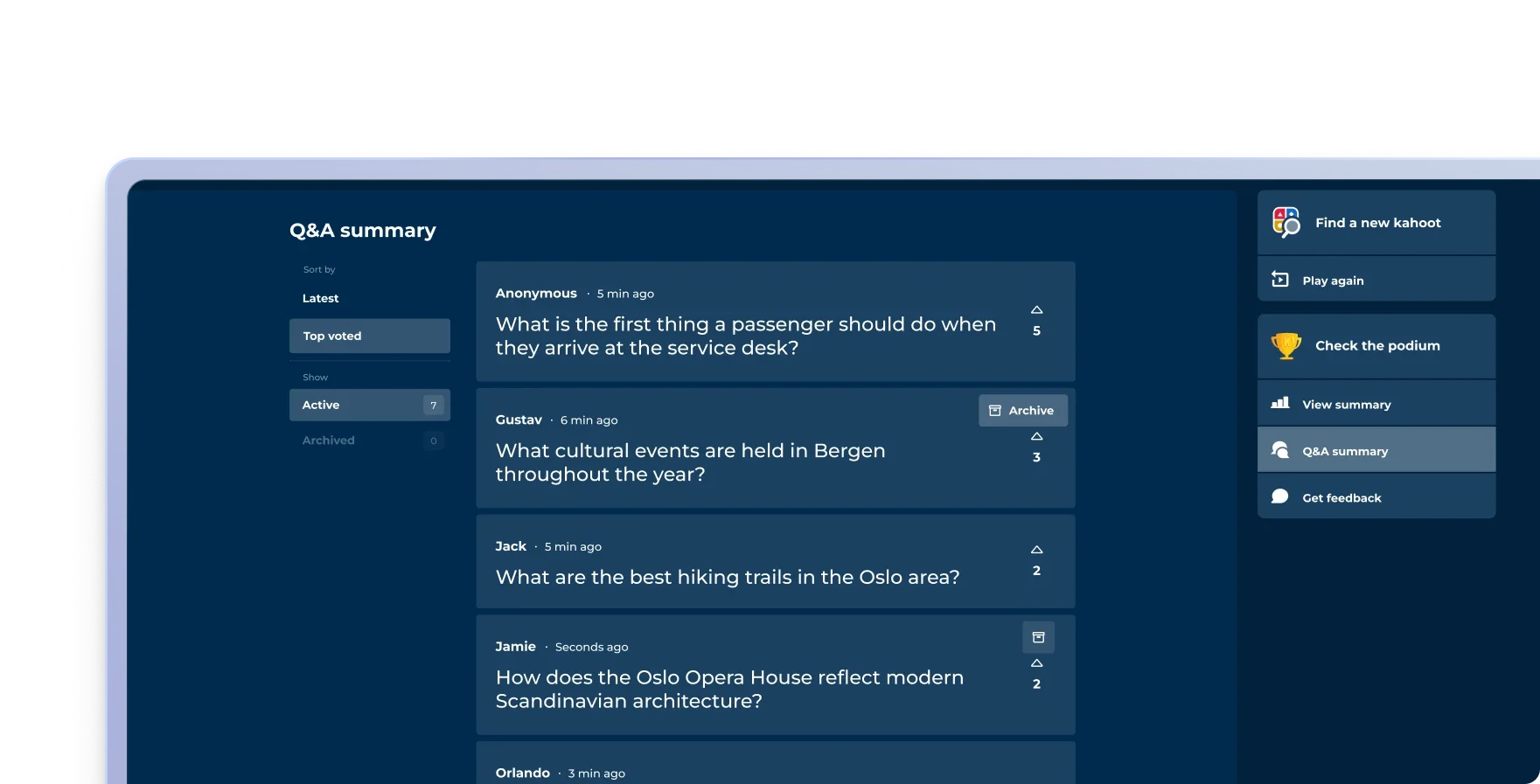
Keep your session on track by moderating questions yourself or assigning a dedicated moderator. Approve, highlight, or dismiss questions before they go live to the audience.

A Q&A summary sorted by top-voted audience questions, with upvote counts and the option to archive questions.

COMING SOON: PRESENTER VIEW AND SPEAKER NOTES

Navigate confidently with full presenter view

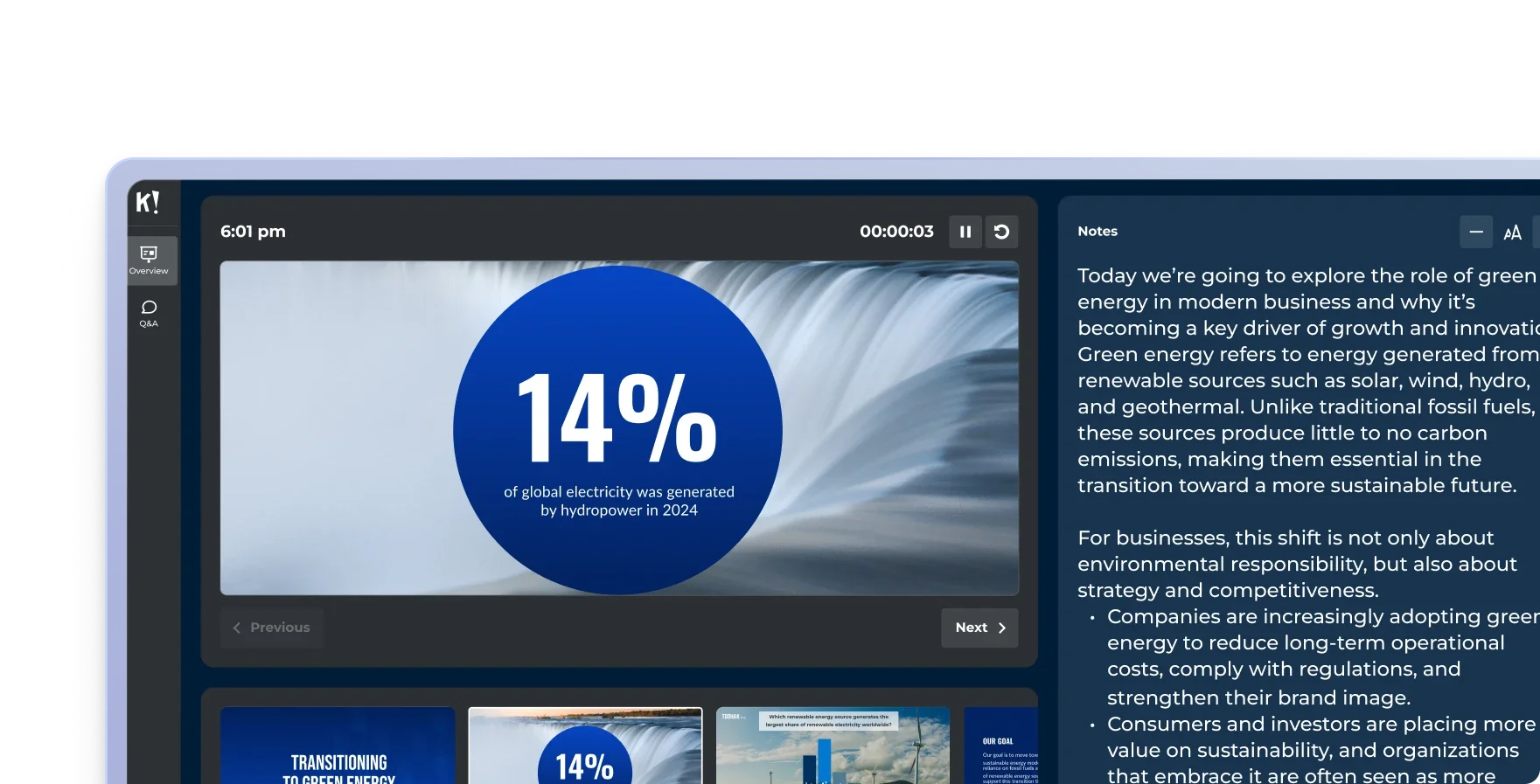
See your current slide, a preview of what is next, live participant activity, your speaker notes and a timer, all in one view only you as presenter can see.

Kahoot! 360 presenter view with the current slide, a timer, upcoming slides and speaker notes.

REPORTING & ANALYTICS

Measure engagement and prove your impact

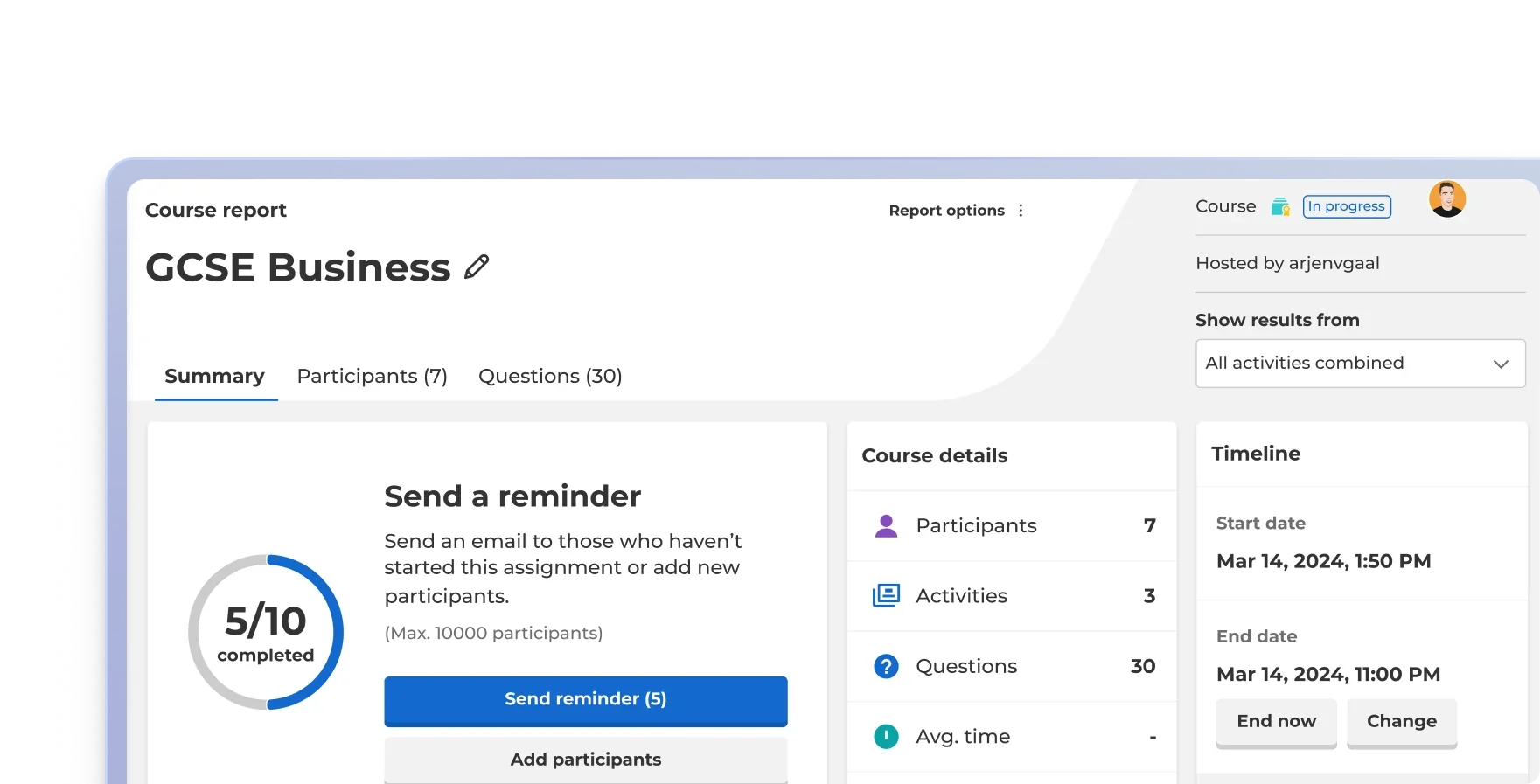
Safely track individual participation with email verification, merge reports from multiple sessions, and use the insights to spot knowledge gaps, improve your next presentation, and make sure the management have full overview.

A Kahoot! 360 course report showing 5 of 10 participants completed, with options to send a reminder, plus course details and a timeline.

Everything your presentation needs in one solution

AI Assistant icon

AI assistant

Create engagement in seconds with the Kahoot! Assistant.

Blue rounded square icon with 4 white squares

Template library

Ready-to-use templates for all use cases.

Blue rounded square icon with 3 white bar chart lines

Insights and analytics

Track progress and performance with reporting and analytics.

Integrations icon

Integrations

Works with your everyday tools and leading LMS platforms.

Blue rounded square icon with white tick

Enterprise-grade security

ISO27001 certified, SOC 2 II report, GDPR compliant, SSO.

Blue rounded square icon with white magic wand

Easy to use

Scalable, flexible, browser-based, and intuative.

Compare plans:

Plans and pricing.
Find your perfect fit

Pro Standard

$29 $25 per month,
$348 $300 billed annually
Most popular

Pro Plus

$49 $39 per month,
$588 $468 billed annually

Pro Max

$79 per month,
$948 billed annually
Question types True/false, puzzle, poll, open-enden, slider, pin, word cloud and brainstormTrue/false, puzzle, poll, open-enden, slider, pin, word cloud, NPS and brainstormTrue/false, puzzle, poll, open-enden, slider, pin, word cloud, NPS and brainstorm
Professional presentations, including import /sync slides from other
toolsFull speaker toolkitFull speaker toolkit
BrandingLogo & colorsCustomCustom
Create training with AI from scratch or existing materialCreate from prompts, slides & URL’sFull AI suiteFull AI suite
AnalyticsReporting and insightsAdvanced InsightsAdvanced Insights

Drive productivity and growth through engagement

Turn presentations, meetings, and training into engaging sessions that help teams work smarter, stay longer, and drive the business forward.

Get started

Frequently asked questions

What is an interactive presentation?

An interactive presentation is a live session where the audience actively participates — answering questions, voting in polls, submitting ideas, or responding to prompts — rather than passively watching slides.

Unlike traditional presentations, interactive presentations create a two-way exchange that improves attention, comprehension, and message retention. Tools like Kahoot! 360 embed quizzes, live polls, and Q&A directly into slide decks, transforming one-way broadcasts into engaging conversations where every voice is heard.

What is an interactive presentation tool?

An interactive presentation tool is software that enables presenters to add real-time audience participation, such as live polls, quizzes, word clouds, and Q&A — to their presentations. These tools typically integrate with existing slide software like PowerPoint or Google Slides, so presenters can check comprehension, gather feedback, and boost engagement without disrupting their workflow. Kahoot! 360 is an enterprise-grade interactive presentation tool used by millions of professionals worldwide.

What makes a presentation interactive?

A presentation becomes interactive when the audience has a way to respond, contribute, or influence the session in real time. This includes live polls, multiple-choice quizzes, open-ended questions, word clouds, and moderated Q&A.

Interactivity shifts the dynamic from one-way broadcasting to active dialogue, increasing retention, surfacing genuine audience understanding, and making participants feel heard. With Kahoot! 360, interactive elements can be embedded directly into any slide deck in minutes using AI, with no rebuild required.

Does Kahoot! 360 work with PowerPoint?

Yes. Kahoot! 360 integrates with PowerPoint, allowing you to upload your existing deck and add interactive elements, live polls, quizzes, and Q&A, without rebuilding your presentation from scratch.

The AI-powered slide transformation turns your PowerPoint into a fully interactive session in minutes, preserving your design and flow while making every slide an opportunity for real-time engagement.

Does Kahoot! 360 work with Google Slides?

Yes. You can upload Google Slides directly to Kahoot! 360 and transform them into interactive presentations using AI. Participants join via a game PIN on any device no plugin, Google Workspace add-on, or account creation required. Your existing content stays intact; Kahoot! 360 layers interactivity on top of it.

Can I use Kahoot! for remote and hybrid meetings?

Yes. Kahoot! 360 is designed to work seamlessly in remote, hybrid, and in-person settings.

Participants join via a shared PIN on any device, laptop, tablet, or phone, with no app download or account required. Whether your team is in the same room, on a video call, or spread across time zones, everyone participates in real time with the same experience.

How many people can join a Kahoot! 360 presentation?

Kahoot! 360 scales from small team meetings to large-scale company all-hands and conference keynotes. The platform supports thousands of simultaneous participants, making it suitable for everything from a 10-person team sync to a 10,000-person global event.

Participant limits vary by plan.

Do participants need to create an account?

No. Participants join a Kahoot! 360 session instantly using a game PIN, no account, app download, or registration required. This eliminates friction for audiences of any size, whether they’re employees joining an internal all-hands or delegates at a public conference.

Does Kahoot! 360 work with Microsoft Teams?

Yes. Kahoot! 360 integrates with Microsoft Teams, allowing enterprise teams to run interactive sessions directly within their existing Teams environment. Run live polls, quizzes, and Q&A without switching platforms, keeping your workflow intact while making every meeting more engaging.

How does the AI presentation feature work?

Kahoot! 360’s AI presentation feature analyzes the content of your uploaded slides, from PowerPoint, Google Slides, or PDF, and automatically suggests relevant quiz questions, polls, and interactive moments based on your content. You review, edit, and add them to your session in minutes. The result is an interactive presentation built directly from your existing material, with no manual question-writing required.

Can I convert a PDF into an interactive presentation with Kahoot!?

Yes. Upload a PDF to Kahoot! 360 and use AI to transform it into an interactive presentation. The platform extracts your content and generates suggested questions and polls you can add to your session, turning static documents like reports, training materials, or briefings into live, engaging experiences.

What's the best live polling tool for presentations?

The best live polling tool depends on your context. For enterprise teams that need security, scalability, and integration with tools like Microsoft Teams and PowerPoint, Kahoot! 360 is a leading choice, combining live polls, quizzes, Q&A, and AI-powered slide transformation in one platform. It supports audiences from 10 til 5000, requires no app or account for participants, and is SOC 2 Type II certified.