





เครื่องมือการถาม-ตอบแบบไลฟ์สดด้วย Kahoot! 360

เปลี่ยนผู้ชมให้เป็นผู้มีส่วนร่วมอย่างกระตือรือร้นด้วยช่วงถาม-ตอบแบบไลฟ์สด

ดึงดูดผู้ชมทั้งแบบระยะไกลผสมผสาน และในสถานที่จริงด้วยช่วงถาม-ตอบ โดยไม่ทำให้การนำเสนอของคุณสะดุด เปิดโอกาสให้ทุกคนเข้าร่วมการสนทนาจากอุปกรณ์ของตนเองและเพิ่มการมีส่วนร่วมในทุกสภาพแวดล้อม

ลองเลยด้วย Kahoot! 360 สุดยอดแพลตฟอร์มส่งเสริมการมีส่วนร่วมของพนักงาน

สมัคร Kahoot! 360 Pro เริ่มต้นที่ $19/เดือน ประหยัด 20% ข้อเสนอสิ้นสุดวันที่ 18 ตุลาคม

ลองใช้ Kahoot! 360 Pro ฟรี

เริ่มกันเลย

Hero

ได้รับความไว้วางใจจากบริษัทชั้นนำทั่วโลก

Samsung logoKempinski logoTivoli logoMeta logosalesforce logoRIU logo

วิธีเพิ่มการมีส่วนร่วมด้วยการถาม-ตอบใน Kahoot! 360

การถาม-ตอบใน Kahoot! ช่วยให้คุณเปลี่ยนการนำเสนอ กิจกรรม และเซสชันการฝึกอบรมเป็นประสบการณ์สองทางที่น่าติดตาม โดยการเปิดโอกาสให้ผู้ชมของคุณได้เข้ามามีส่วนร่วมโดยไม่รบกวนจังหวะการนำเสนอของคุณ

คำถามแบบไลฟ์สด

เปิดโอกาสให้ผู้เข้าร่วมของคุณส่งคำถามจากอุปกรณ์ของตนเองได้ตลอดเวลาในระหว่างการนำเสนอของคุณ

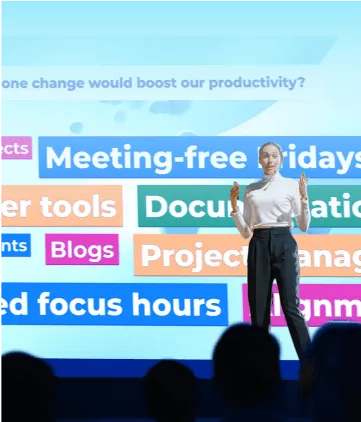
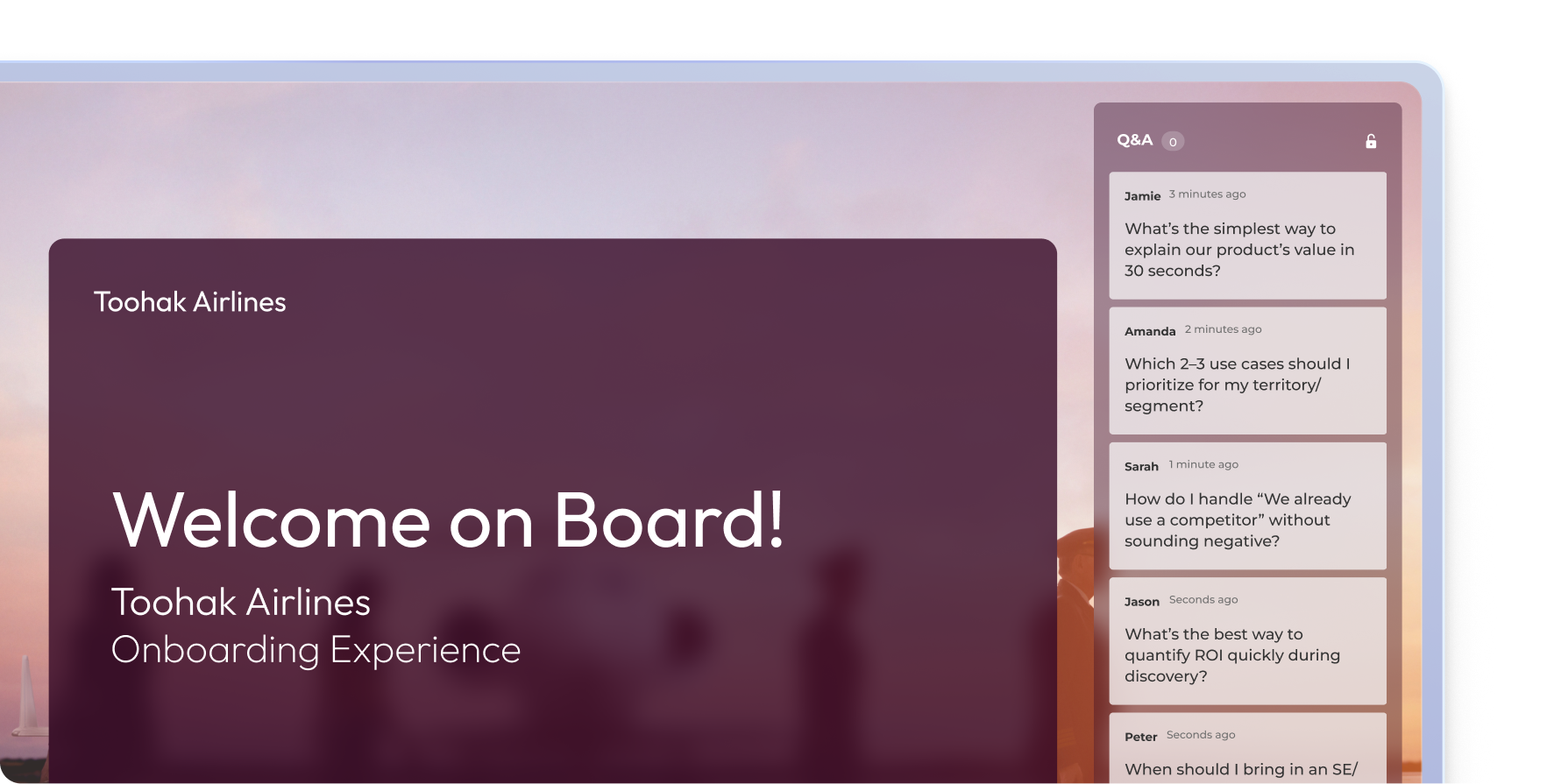
ช่วงถาม-ตอบแบบไลฟ์สดของ Kahoot ระหว่างการนำเสนอในการปฐมนิเทศพนักงาน Toohak Airlines โดยมีคำถามจากพนักงานขึ้นสตรีมในเวลาจริง

การดูแลเนื้อหา

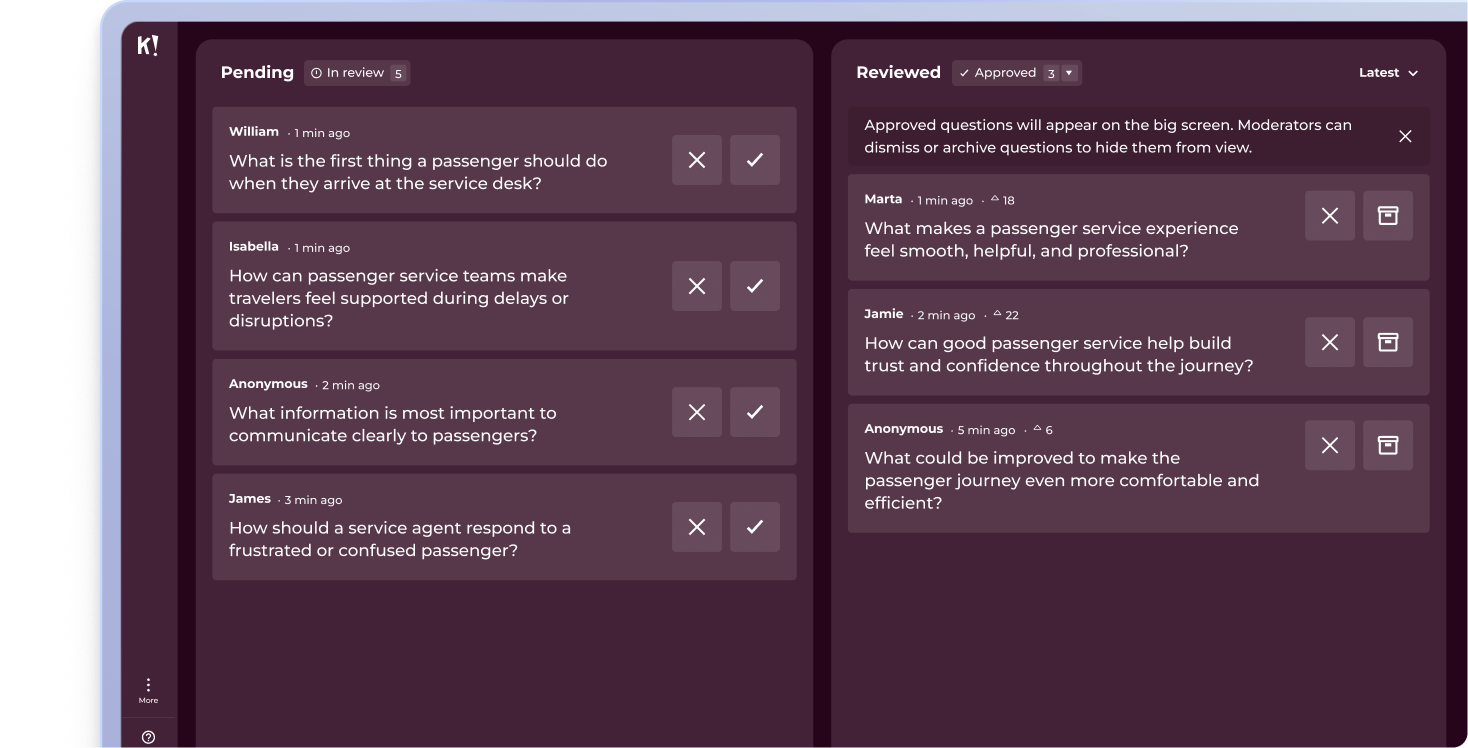
ตรวจสอบ อนุมัติ และจัดการคำถามของผู้ชมแบบเรียลไทม์เพื่อควบคุมทิศทางของการสนทนา

แดชบอร์ดสำหรับการดูแลเนื้อหาการถาม-ตอบของ Kahoot ที่มีคำถามที่รอการตรวจสอบและคำถามที่ผ่านการพิจารณาแล้ว โดยแบ่งเป็นสองคอลัมน์สำหรับเซสชันแบบไลฟ์สด

การโหวตคำถาม

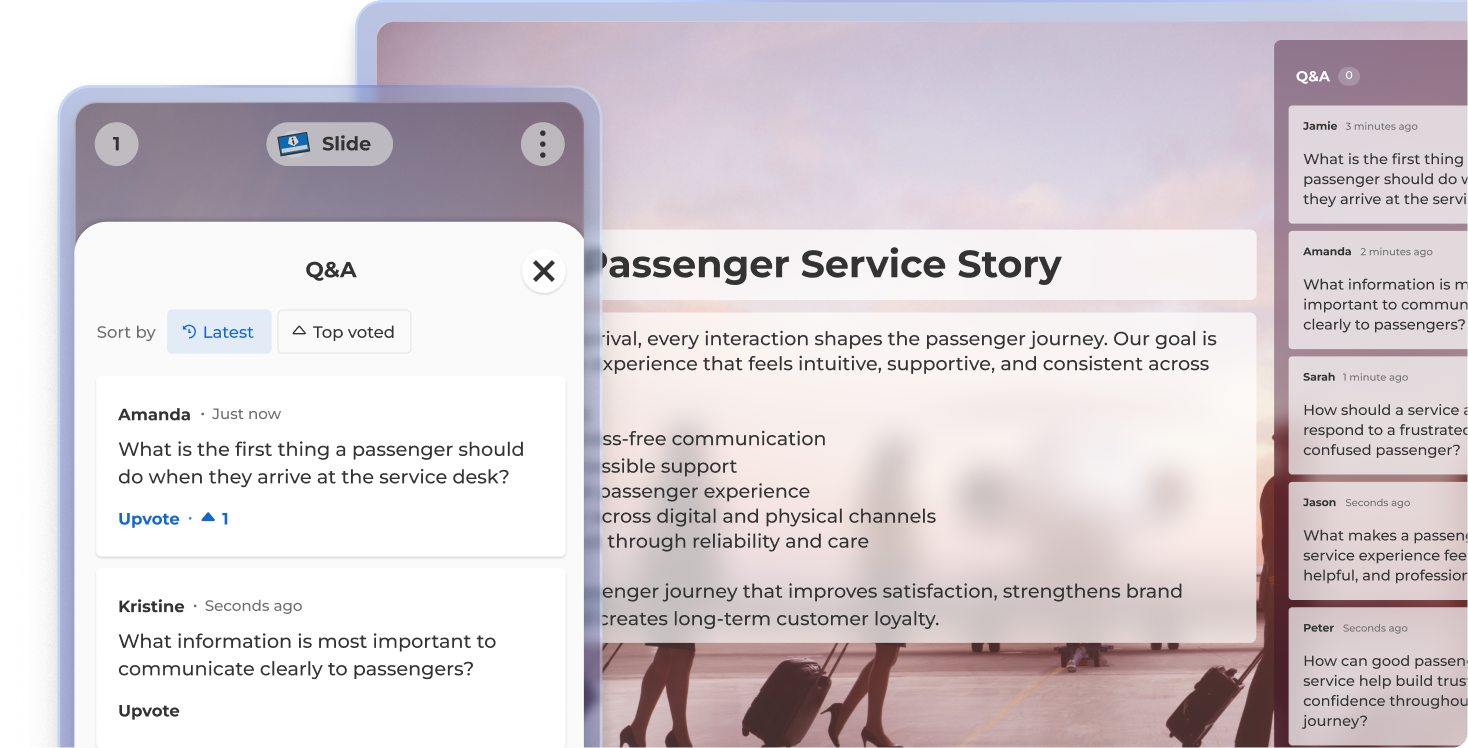
ผู้ชมสามารถโหวตให้กับคำถามที่ชอบมากที่สุด ซึ่งจะช่วยให้คุณทุ่มเวลาให้กับคำถามที่สำคัญที่สุด


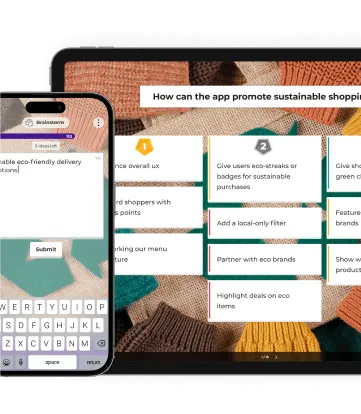
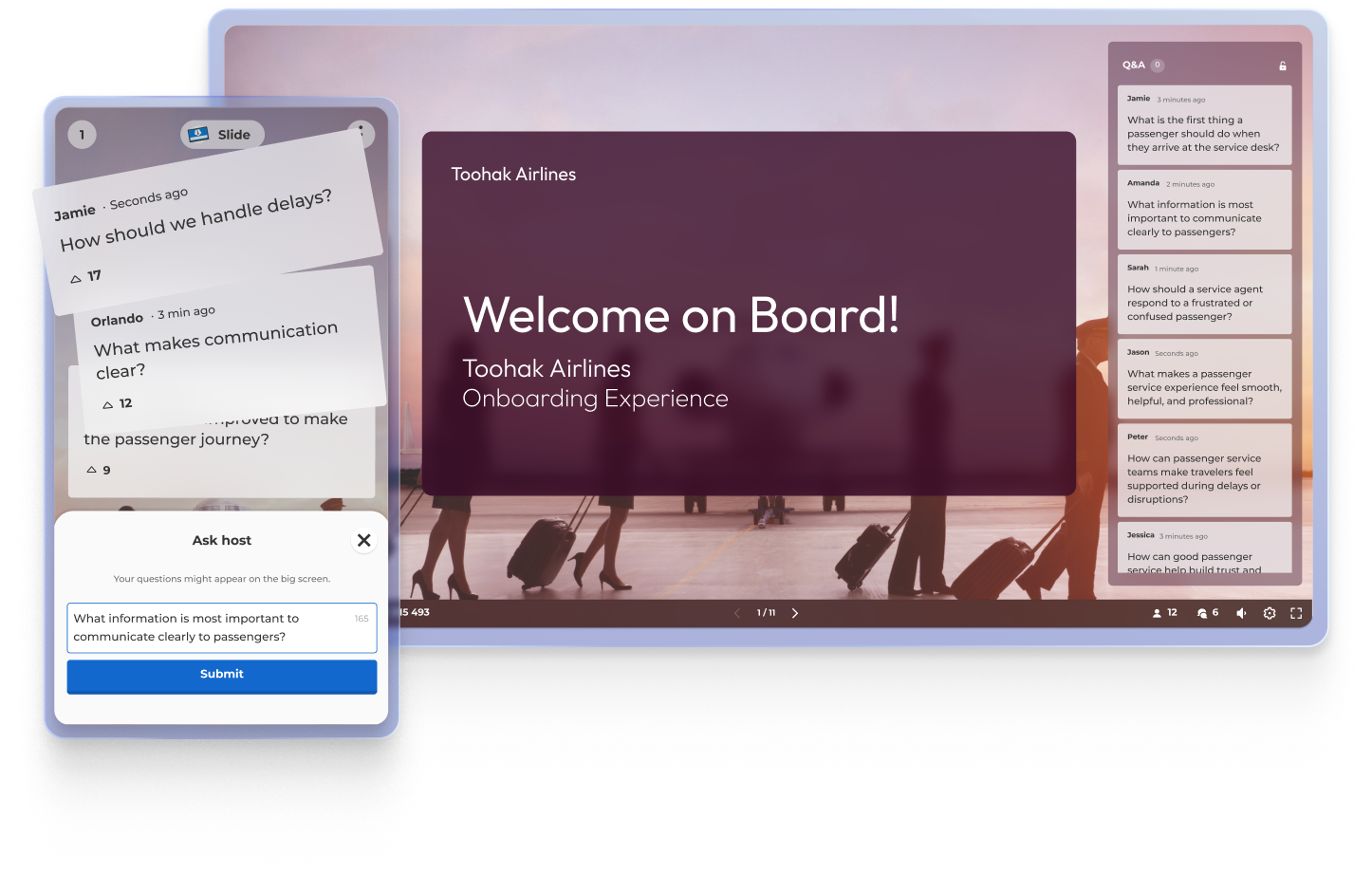
มุมมองการถาม-ตอบแบบไลฟ์สดของ Kahoot ที่แสดงสไลด์เรื่องราวของบริการผู้โดยสาร แผงการถาม-ตอบในมือถือพร้อมการโหวตคำถาม และคำถามผู้ชมอยู่ด้านขวา

ข้อมูลสรุป

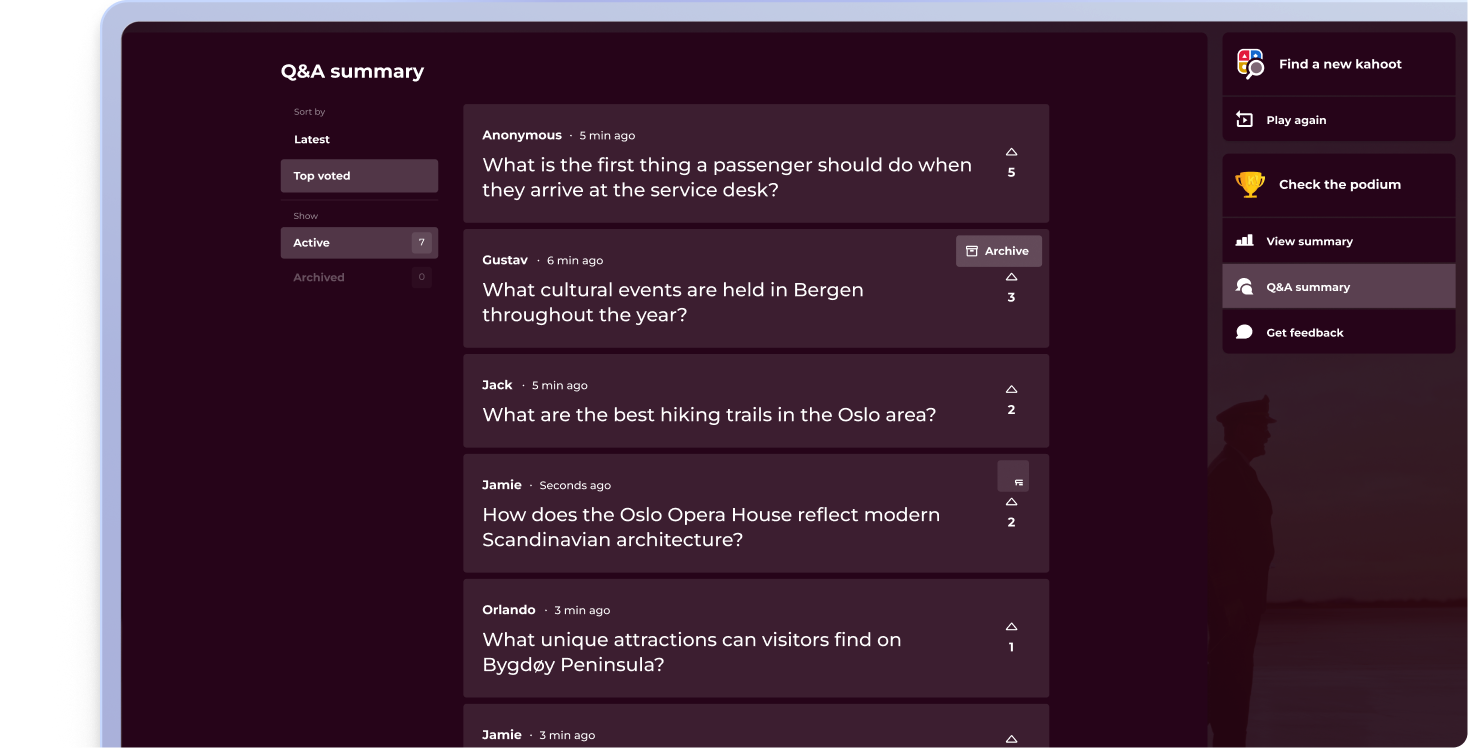
แสดงคำถามทั้งหมดในตอนท้ายของการนำเสนอของคุณเพื่อให้เป็นเซสชันที่สามารถถาม-ตอบได้อย่างเต็มที่

หน้าจอข้อมูลสรุปการถาม-ตอบของ Kahoot ที่แสดงคำถามจากผู้ชมที่ได้รับคะแนนโหวตมากที่สุดหลังจากจบเซสชัน โดยมีตัวเลือกให้เล่นอีกครั้ง ดูข้อมูลสรุป หรือรับฟีดแบ็ก

พนักงานที่มีส่วนร่วมมากที่สุดจะถามคำถามที่ดีขึ้น

ร่วมเป็นส่วนหนึ่งของมืออาชีพนับล้านที่มอบเสียงให้ผู้ชมด้วย Kahoot! 360 สุดยอดแพลตฟอร์มส่งเสริมการมีส่วนร่วมของพนักงาน เปลี่ยนทุกการนำเสนอ กิจกรรมฝึกอบรม และงานอีเวนต์ให้เป็นประสบการณ์ที่น่าประทับใจและขับเคลื่อนผลลัพธ์ที่ต้องการทั่วทั้งองค์กร


ซื้อเลย

ร่วมเป็นหนึ่งในผู้นำที่ได้รับผลลัพธ์ทางธุรกิจอย่างยอดเยี่ยม

ข้อดี 4 ข้อของการใช้การถาม-ตอบ

ไอคอนรายงานเพิ่มการมีส่วนร่วมของผู้ชม
ช่วงถาม-ตอบส่งเสริมการมีส่วนร่วมอย่างกระตือรือร้น โดยเปลี่ยนผู้ฟังเป็นผู้ร่วมสร้างสรรค์เนื้อหา ซึ่งช่วยรักษาความใจจดใจจ่อไว้ตลอดเซสชัน

people iconสร้างสรรค์ประสบการณ์แบบสองทาง
แปลงเซสชันการนำเสนอและการฝึกอบรมจากการส่งมอบเนื้อหาทางเดียวเป็นบทสนทนาเชิงโต้ตอบที่สร้างเสริมความสัมพันธ์และความไว้วางใจ

ไอคอนรายงาน รวบรวมข้อมูลเชิงลึกแบบเรียลไทม์
เผยสิ่งที่ผู้ชมของคุณสนใจหรือรู้สึกสับสน เพื่อช่วยให้คุณชี้แจ้งข้อสงสัยและปรับเนื้อหาให้เหมาะสมได้ทันที

ไอคอนคอร์สเพิ่มการจดจำความรู้
เมื่อผู้คนสอบถามและฟังคำถามในบริบทที่เหมาะสม พวกเขามีแนวโน้มมากขึ้นที่จะจดจำข้อมูลและมีส่วนร่วมอยู่ตลอด

คำถามที่พบบ่อยเกี่ยวกับการถาม-ตอบด้วย Kahoot! 360

What is a Q&A?

A Q&A (question and answer) session allows your audience to submit questions in real time during a presentation, training session, or event. It’s an interactive way to keep participants engaged, whether they’re joining remotely, in-person, or in hybrid settings.

How does Kahoot! 360 support Q&A sessions

Kahoot! 360 includes an interactive Q&A feature that lets presenters run seamless question-and-answer sessions without disrupting their flow. Attendees can submit live questions from their devices, and the host can choose which ones to address during or after the session.

What are the benefits of using a Q&A tool?

Using a Q&A tool like Kahoot! 360 increases engagement, encourages participation, and helps surface important insights from your audience. It turns passive listeners into active participants, making it perfect for events, presentations, training, and more.

How can I incorporate audience feedback in real-time during presentation?

Q&A lets participants submit questions from their own devices at any time during your presentation. This makes it easy for you to clarify key points, adapt your content in real time, and keep your audience actively involved without interrupting your presentation flow.

Is Kahoot! 360 a Q&A platform?

Q&A is one of many features in Kahoot! 360, the ultimate workforce engagement platform designed to transform presentations, events, and training sessions into impactful two-way experiences.

Can I moderate live questions during a session?

Absolutely. Kahoot! 360 gives hosts full control over which live questions are shown, ensuring that your Q&A session stays professional and on-topic.

How can I enable participants to submit questions during a presentation?

On Kahoot! 360, you can enable participants to submit questions from their own devices at any time during your presentation without breaking your flow. The feature is integrated into the presentation interface, allowing attendees to join the conversation seamlessly from their web browser or the Kahoot! app.

How do I ensure Q&A works smoothly for remote, hybrid, and in-person audiences simultaneously?

Kahoot! 360 ensures smooth Q&A across all settings by allowing everyone—remote, hybrid, and in-person—to join the conversation and submit questions from their own devices using the same web link or app. This centralized platform boosts interaction across any setting equally.

Can I filter or moderate submitted questions with a digital Q&A tool?

Yes. As an example Kahoot! 360 provides moderation controls that allow the presenter or a moderator to review, filter, and approve questions before they are visible to the entire audience or the presenter. This ensures all discussions remain professional, focused, and relevant to the topic.

Can I save the list of questions submitted with a digital Q&A tool for review after the event?

Yes, with Kahoot! 360 all questions submitted are saved as part of the session report, allowing you to review them post-event. This valuable data helps you identify topics for future sessions and ensure all questions, even unanswered ones, receive a follow-up.

Can I integrate the Q&A with other interactive elements like polls and quizzes?

Yes, a tool like Kahoot! 360 allows seamless integration of Q&A with quizzes, polls, and other activities within a single session. This enables you to alternate between information delivery, knowledge checks, and live questions without ever leaving the Kahoot! platform.

Does Kahoot! allow the audience to upvote or prioritize questions submitted by other participants?

Yes, Kahoot! 360’s Q&A feature allows participants to upvote questions submitted by others. This crucial functionality enables the moderator or presenter to quickly prioritize the most popular and relevant questions for the entire audience, streamlining the session.

Can Kahoot! Q&A data be used to refine and improve future presentation content?

Yes, the saved Kahoot! Q&A data is invaluable for content refinement, as it highlights audience knowledge gaps and areas of highest curiosity. This feedback helps you tailor future presentations to directly address the topics the audience is most interested in or confused by.

What is the best live Q&A tool for town halls and all-hands meetings?

A good town hall Q&A tool needs three things: moderation so the session stays on track, upvoting so leaders answer the questions most people care about, and the scale to include the whole organization at once. Kahoot! 360 are used for this. Kahoot! 360 combines moderated, upvoted Q&A with live polls, quizzes and word clouds in one platform, requires no app or account from attendees, and supports enterprise requirements such as SSO, SCIM and SOC 2 Type II certification.

Do participants need an app or account to ask questions?

No. Participants join Kahoot! 360 sessions from any web browser using a PIN or link. They can also use the Kahoot! 360 app if they prefer.

สำรวจตัวอย่างการใช้งานอื่นๆ