





Sarana Tanya-Jawab Live dengan Kahoot! 360

Ubah audiens menjadi peserta aktif dengan Tanya-Jawab live

Libatkan audiens jarak jauh, hibrida, dan tatap muka dengan Tanya-Jawab – tanpa mengganggu alur Anda. Izinkan semua orang bergabung dengan percakapan dari perangkat mereka sendiri dan tingkatkan interaksi di lingkungan apa pun.

Coba sekarang dengan Kahoot! 360, platform keterlibatan tenaga kerja terbaik.

Dapatkan Kahoot! 360 Pro mulai dari $19/bln. Hemat 20%. Penawaran berakhir 18 Oktober.

Coba Kahoot! 360 Pro gratis

Mulai

Hero

Dipercayai oleh perusahaan terkemuka di seluruh dunia

Samsung logoKempinski logoTivoli logoMeta logosalesforce logoRIU logo

Cara meningkatkan keterlibatan dengan Tanya-Jawab di Kahoot! 360

Tanya-Jawab di Kahoot! memungkinkan Anda mengubah sesi presentasi, acara, dan pelatihan menjadi pengalaman dua arah yang menarik dengan mengizinkan audiens terlibat tanpa mengganggu alur Anda.

PERTANYAAN LIVE

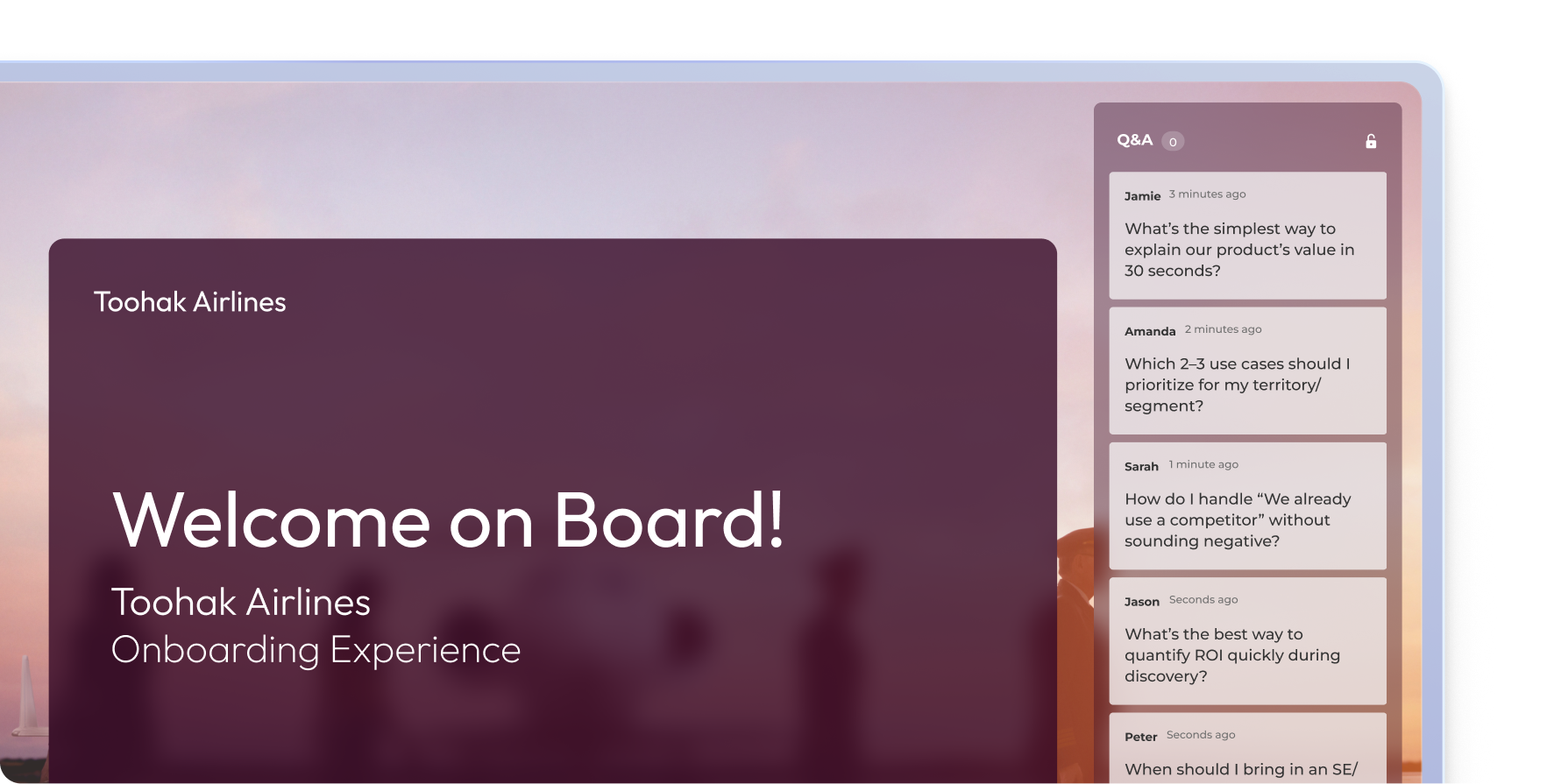
Izinkan peserta untuk mengajukan pertanyaan dari perangkat mereka kapan saja selama presentasi.

Panel Tanya-Jawab live Kahoot selama presentasi orientasi Toohak Airlines dengan streaming pertanyaan secara real-time

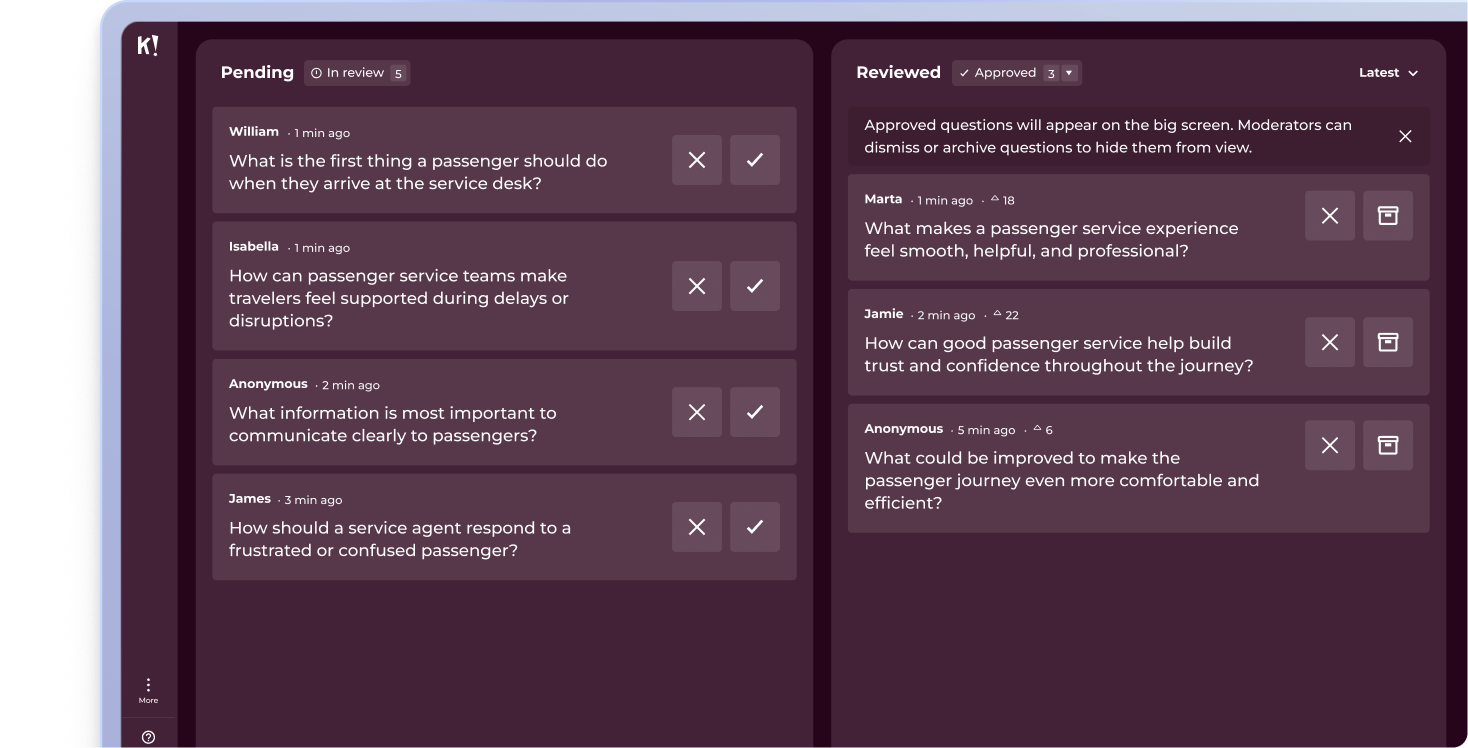
MODERASI

Tinjau, setujui, dan kelola pertanyaan audiens secara real-time agar selalu memegang kendali penuh atas percakapan.

Dasbor moderasi Tanya-Jawab Kahoot dengan pertanyaan audiens yang tertunda dan sudah ditinjau dibagi menjadi dua kolom untuk sesi live

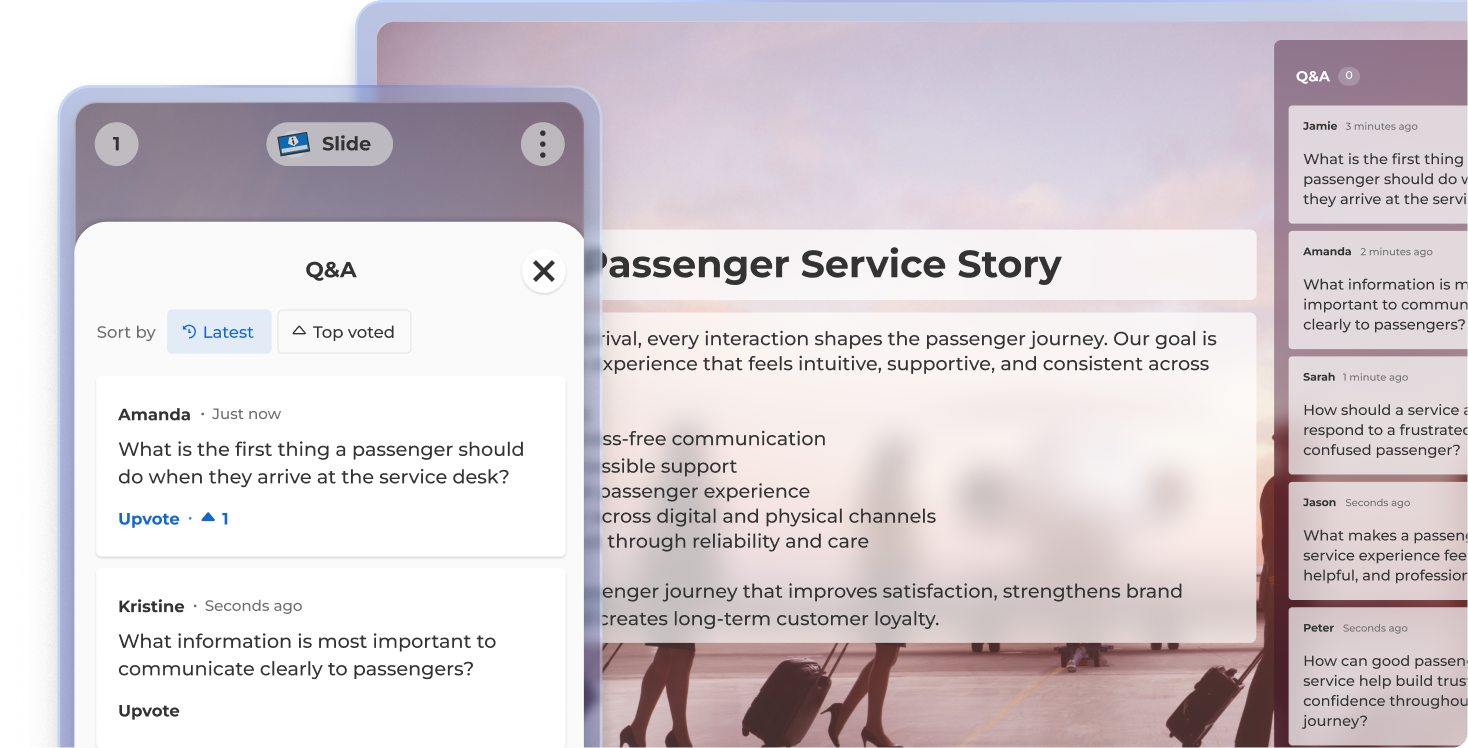
PEMBERIAN SUARA

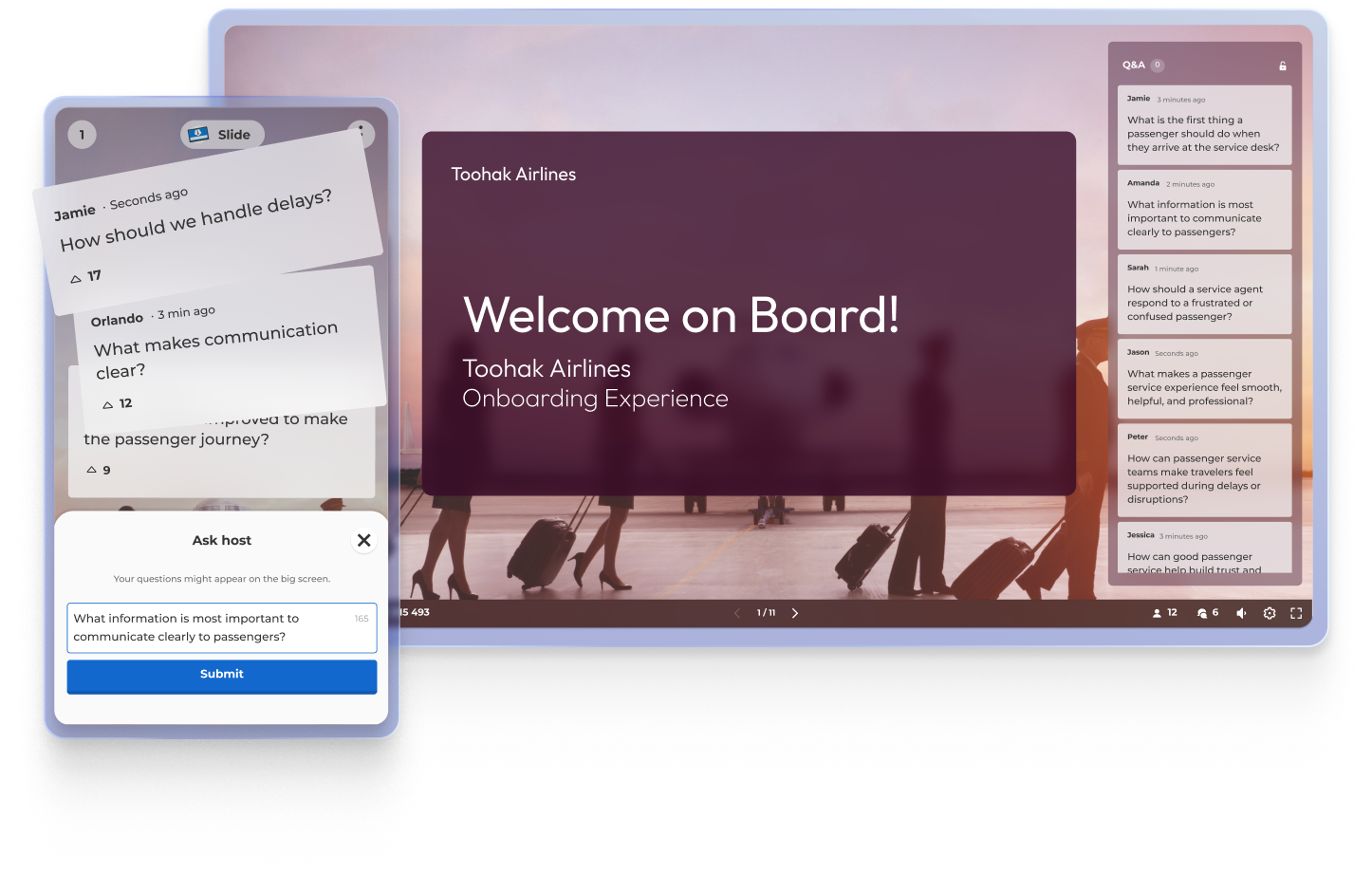
Peserta dapat memberikan suara untuk pertanyaan favorit mereka, yang membantu Anda menyediakan waktu untuk pertanyaan paling penting.


Tampilan Tanya-Jawab live Kahoot yang menampilkan slide Kisah Layanan Penumpang, panel T&J ponsel dengan pemberian suara, dan feed pertanyaan audiens di kanan

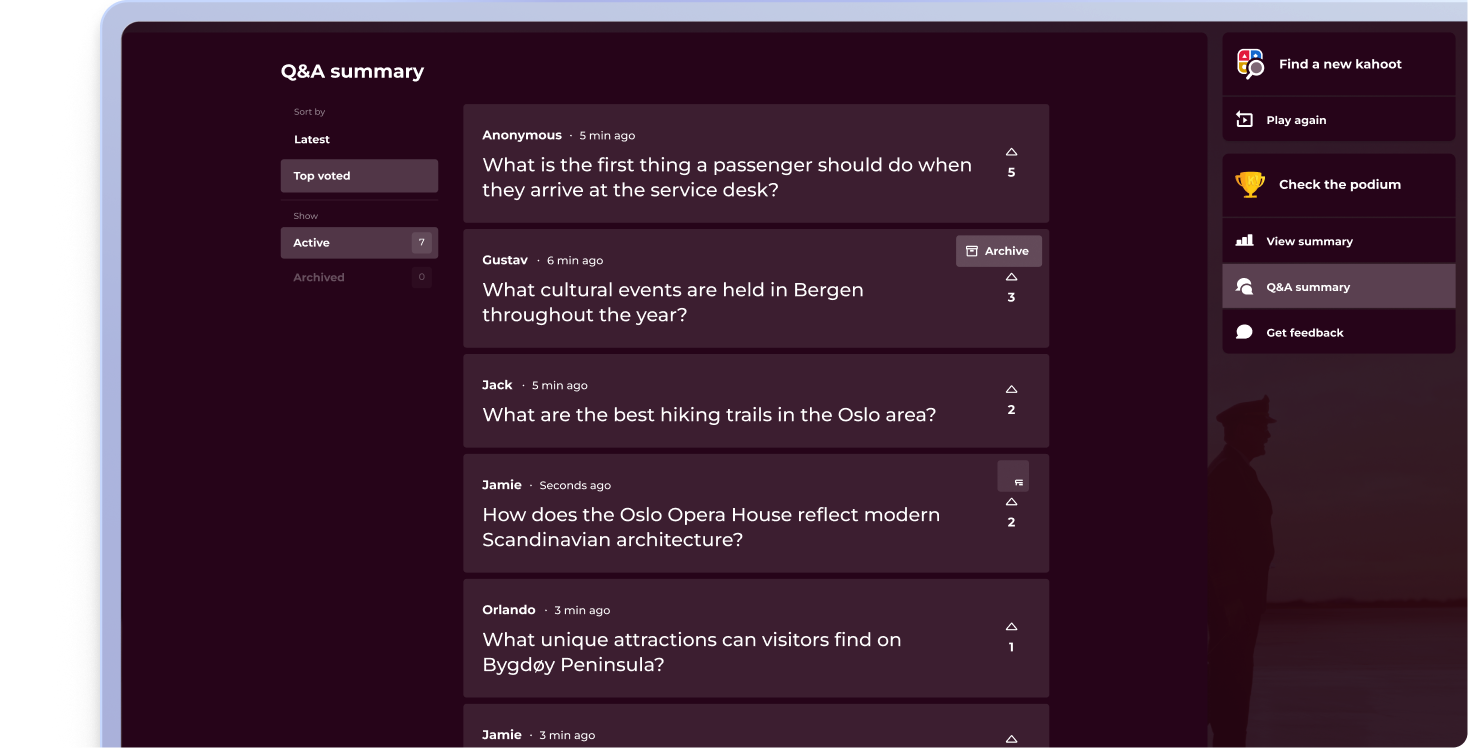
RINGKASAN

Tampilkan semua pertanyaan di akhir presentasi Anda untuk sesi tanya jawab yang lengkap.

Layar ringkasan Tanya-Jawab Kahoot yang menampilkan pertanyaan yang paling banyak dipilih audiens setelah sesi, dengan opsi untuk bermain lagi, melihat ringkasan, atau mendapatkan umpan balik.

Tenaga kerja yang paling aktif terlibat mengajukan pertanyaan lebih baik

Bergabunglah dengan profesional yang memberi audiens kesempatan berpendapat dengan Tanya-Jawab di Kahoot! 360, platform keterlibatan tenaga kerja terbaik. Ubah setiap presentasi, pelatihan, atau acara menjadi pengalaman interaktif yang mendorong hasil di seluruh organisasi Anda.


Beli sekarang

Gabung dengan para pemimpin dalam mencapai hasil bisnis yang mengagumkan

4 manfaat menggunakan Tanya-Jawab

Ikon laporanTingkatkan keterlibatan audiens
Tanya-Jawab mendorong partisipasi aktif, mengubah pendengar menjadi kontributor dan mempertahankan perhatian yang tinggi di sepanjang sesi.

people iconCiptakan pengalaman dua arah
Ubah sesi presentasi dan pelatihan dari penyampaian satu arah menjadi percakapan interaktif, yang membangun hubungan dan kepercayaan.

Laporan Ikon Kumpulkan wawasan real-time
Ketahui apa yang ingin diketahui audiens atau apa yang membuat mereka bingung, sehingga membantu Anda menyelesaikan keraguan dan menyesuaikan pesan Anda secara langsung.

Ikon kursusTingkatkan retensi pengetahuan
Ketika orang bertanya dan mendengar pertanyaan sesuai konteks, mereka kemungkinan besar mengingat informasi dan terus terlibat

Pertanyaan Umum tentang Tanya-Jawab dengan Kahoot! 360

What is a Q&A?

A Q&A (question and answer) session allows your audience to submit questions in real time during a presentation, training session, or event. It’s an interactive way to keep participants engaged, whether they’re joining remotely, in-person, or in hybrid settings.

How does Kahoot! 360 support Q&A sessions

Kahoot! 360 includes an interactive Q&A feature that lets presenters run seamless question-and-answer sessions without disrupting their flow. Attendees can submit live questions from their devices, and the host can choose which ones to address during or after the session.

What are the benefits of using a Q&A tool?

Using a Q&A tool like Kahoot! 360 increases engagement, encourages participation, and helps surface important insights from your audience. It turns passive listeners into active participants, making it perfect for events, presentations, training, and more.

How can I incorporate audience feedback in real-time during presentation?

Q&A lets participants submit questions from their own devices at any time during your presentation. This makes it easy for you to clarify key points, adapt your content in real time, and keep your audience actively involved without interrupting your presentation flow.

Is Kahoot! 360 a Q&A platform?

Q&A is one of many features in Kahoot! 360, the ultimate workforce engagement platform designed to transform presentations, events, and training sessions into impactful two-way experiences.

Can I moderate live questions during a session?

Absolutely. Kahoot! 360 gives hosts full control over which live questions are shown, ensuring that your Q&A session stays professional and on-topic.

How can I enable participants to submit questions during a presentation?

On Kahoot! 360, you can enable participants to submit questions from their own devices at any time during your presentation without breaking your flow. The feature is integrated into the presentation interface, allowing attendees to join the conversation seamlessly from their web browser or the Kahoot! app.

How do I ensure Q&A works smoothly for remote, hybrid, and in-person audiences simultaneously?

Kahoot! 360 ensures smooth Q&A across all settings by allowing everyone—remote, hybrid, and in-person—to join the conversation and submit questions from their own devices using the same web link or app. This centralized platform boosts interaction across any setting equally.

Can I filter or moderate submitted questions with a digital Q&A tool?

Yes. As an example Kahoot! 360 provides moderation controls that allow the presenter or a moderator to review, filter, and approve questions before they are visible to the entire audience or the presenter. This ensures all discussions remain professional, focused, and relevant to the topic.

Can I save the list of questions submitted with a digital Q&A tool for review after the event?

Yes, with Kahoot! 360 all questions submitted are saved as part of the session report, allowing you to review them post-event. This valuable data helps you identify topics for future sessions and ensure all questions, even unanswered ones, receive a follow-up.

Can I integrate the Q&A with other interactive elements like polls and quizzes?

Yes, a tool like Kahoot! 360 allows seamless integration of Q&A with quizzes, polls, and other activities within a single session. This enables you to alternate between information delivery, knowledge checks, and live questions without ever leaving the Kahoot! platform.

Does Kahoot! allow the audience to upvote or prioritize questions submitted by other participants?

Yes, Kahoot! 360’s Q&A feature allows participants to upvote questions submitted by others. This crucial functionality enables the moderator or presenter to quickly prioritize the most popular and relevant questions for the entire audience, streamlining the session.

Can Kahoot! Q&A data be used to refine and improve future presentation content?

Yes, the saved Kahoot! Q&A data is invaluable for content refinement, as it highlights audience knowledge gaps and areas of highest curiosity. This feedback helps you tailor future presentations to directly address the topics the audience is most interested in or confused by.

What is the best live Q&A tool for town halls and all-hands meetings?

A good town hall Q&A tool needs three things: moderation so the session stays on track, upvoting so leaders answer the questions most people care about, and the scale to include the whole organization at once. Kahoot! 360 are used for this. Kahoot! 360 combines moderated, upvoted Q&A with live polls, quizzes and word clouds in one platform, requires no app or account from attendees, and supports enterprise requirements such as SSO, SCIM and SOC 2 Type II certification.

Do participants need an app or account to ask questions?

No. Participants join Kahoot! 360 sessions from any web browser using a PIN or link. They can also use the Kahoot! 360 app if they prefer.

Jelajahi kasus penggunaan lainnya