Best practices for interactive presentations

Turn your next presentation into a two-way conversation

Practical tips for using polls, surveys, word clouds, and brainstorms to keep participants engaged from start to finish.

Get Kahoot! 360 Pro from $19 /mo. Save 10%. Offer ends July 31.

POLLS
Get an instant read on the room

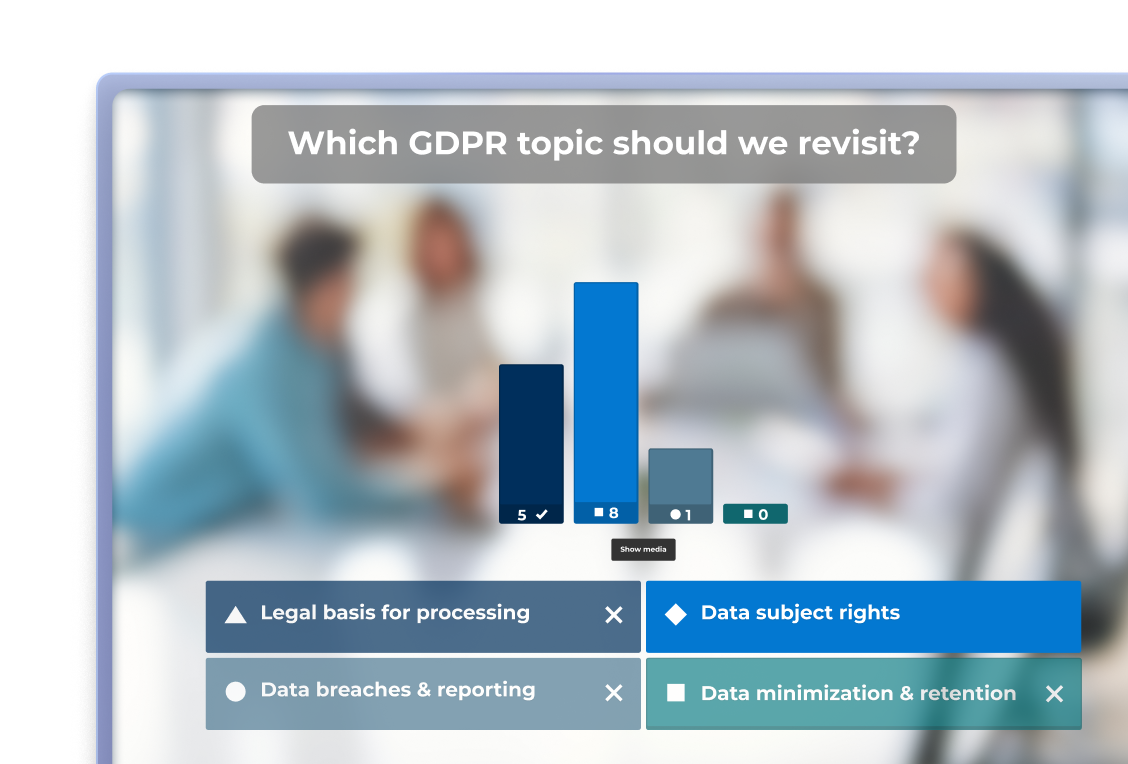
Kahoot poll results showing responses to a GDPR topic survey question

SURVEYS
Collect structured feedback in the moment

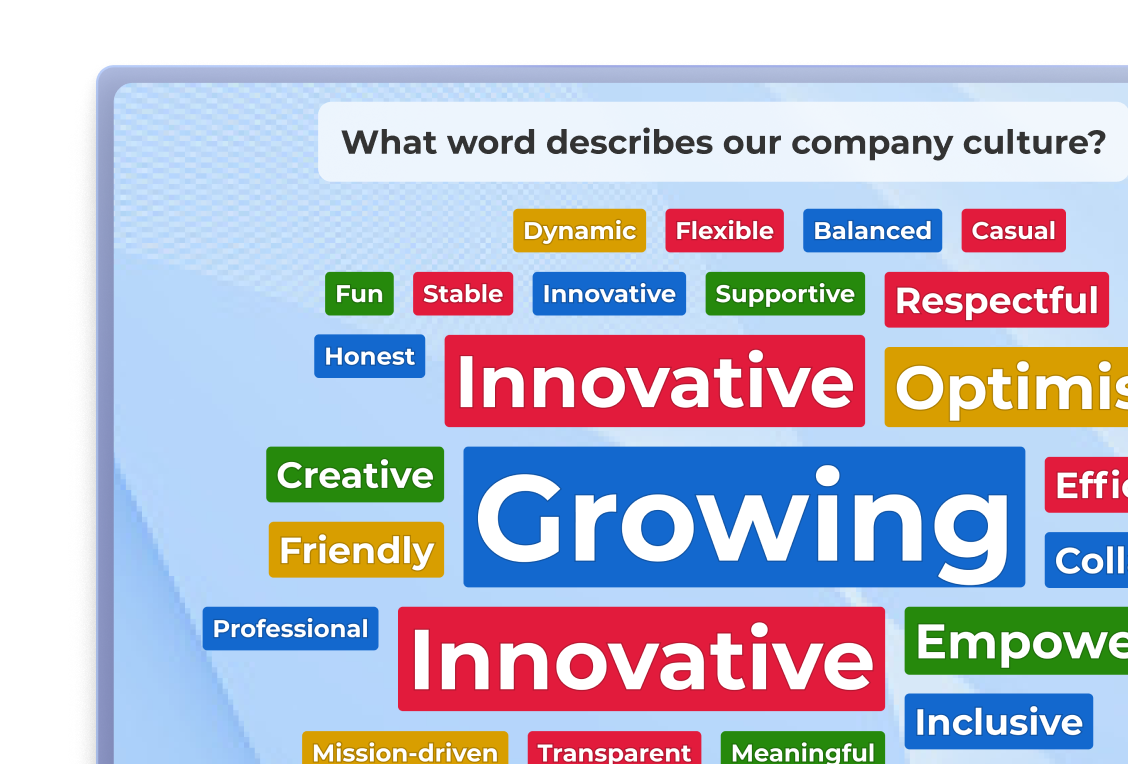
Presenter standing beside a Kahoot word cloud showing company culture responses including Innovative and Growing

WORD CLOUDS
Make collective thinking visible

Presenter standing beside a Kahoot word cloud showing company culture responses including Innovative and Growing

BRAINSTORMS
Give every participant an equal voice

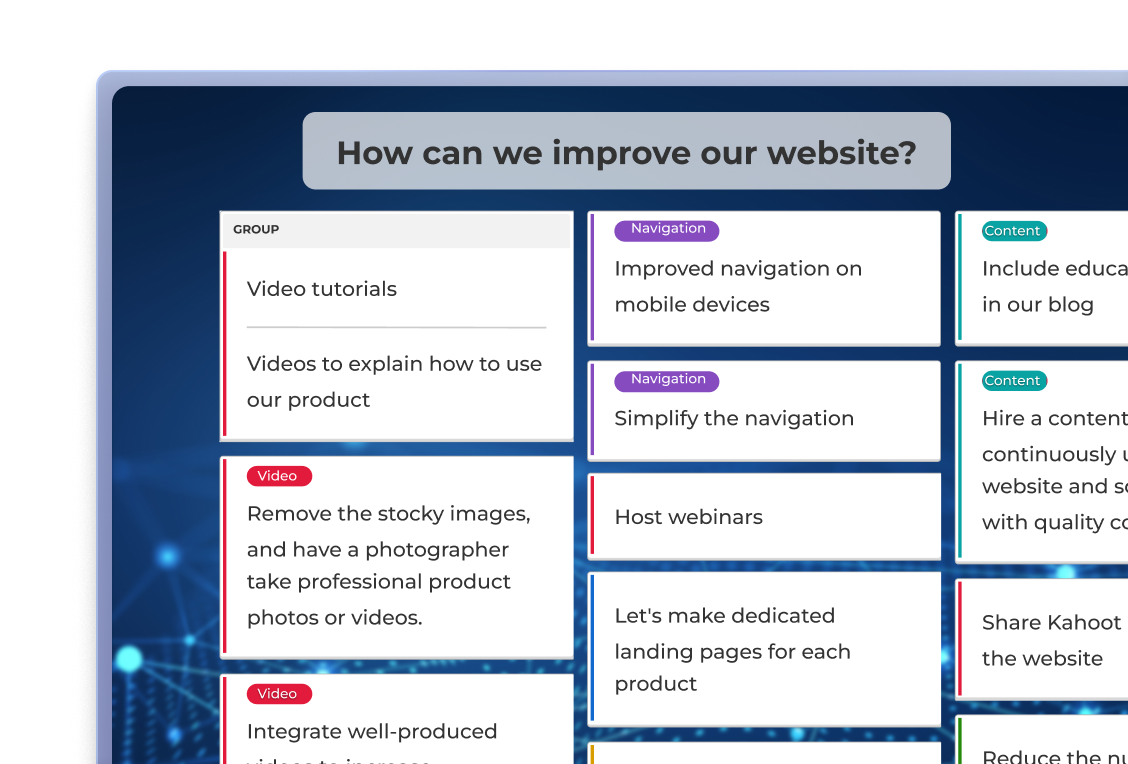
Kahoot brainstorm results for 'What will define the future of the IT industry?

How to master interactive presentations

Here's how to get the most engagement out of these simple tools in your next session.

POLLS

Get an instant read on opinions, preferences, or knowledge, without breaking your flow or slowing down the session.

  1. Open with a poll, not a slide. Starting with a question signals from the outset that this is a two-way session, and gives a reason to tune in right away.
  2. Use results as your springboard. Don’t just show the answers and move on. Reference the outcome to help participants feel heard and keep the energy high.
  3. Place polls at transitions. Using them between sections resets attention and creates a natural pause in longer sessions.

    With Kahoot! 360:
    Run live polls directly from your presentation slides, no switching tools. Results appear in real time and display instantly for in-person, remote, and hybrid teams.

Learn more

Smiling presenter leading a Kahoot GDPR poll with bar chart results on a large screen during a team meeting

SURVEYS

Go deeper than a single question. Collect structured feedback during or after your session.

  1. Run a pre-session survey to shape your content. Understanding participants’ baseline knowledge or priorities before you present lets you adapt in real time, not in a follow-up email.
  2. Keep it to 5–7 questions for in-session surveys. Attention is finite. A shorter survey drives higher completion rates and more honest responses.
  3. Mix question types. Combine rating scales, multiple choice, and open text to capture both quantitative and qualitative insight in one go.

With Kahoot! 360: Replace the post-meeting follow-up with an in-session survey. Collect responses while context is fresh, then access participation reports to spot knowledge gaps.

Learn more

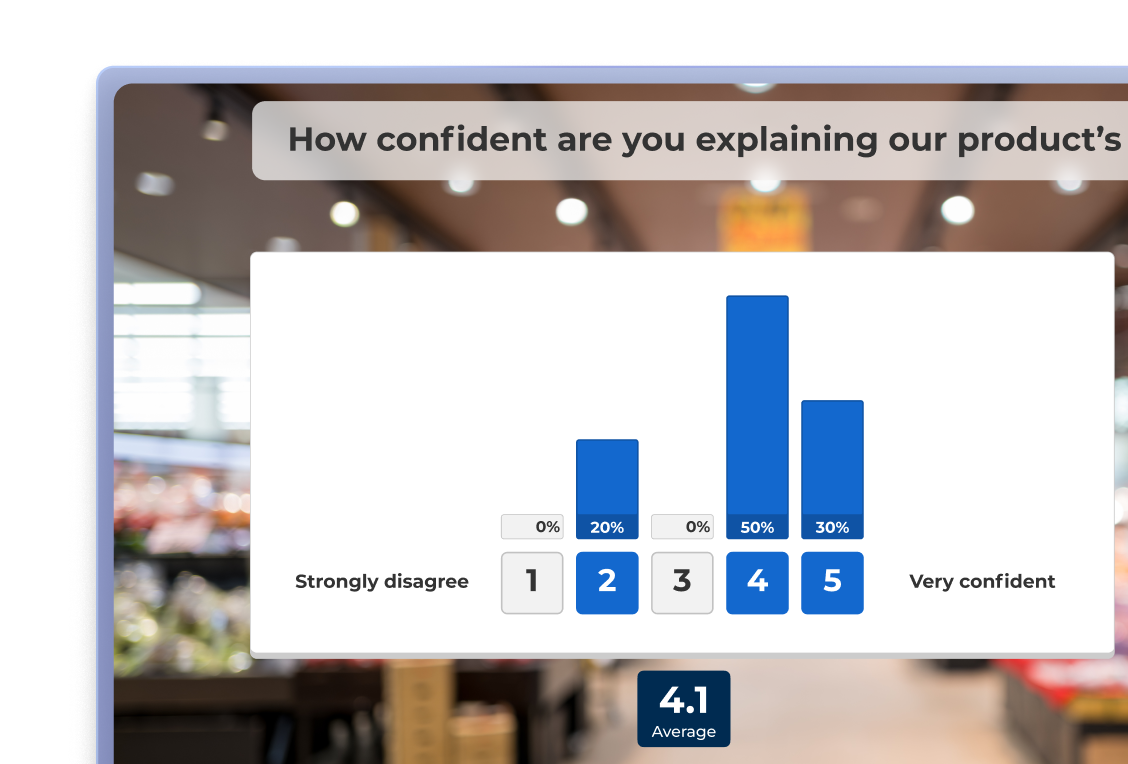
Two employees reviewing Kahoot survey results on a desktop monitor showing product confidence rating bar chart

WORD CLOUD

Make collective thinking visible. Turn individual responses into a shared visual that captures the ideas of the whole room.

  1. Ask open, single-concept questions. “What’s one word that describes our team culture?” works well. Broad, multi-part questions don’t, one idea per prompt produces cleaner, more useful clouds.
  2. Discuss the outliers, not just the biggest words. Responses that appear once or twice are often the most interesting conversation starters in the room.
  3. Run two clouds back-to-back to show change. A “before and after” comparison is a simple, powerful way to demonstrate learning within a single session.

With Kahoot! 360: Responses populate the word cloud live on screen as participants submit them, creating a shared, dynamic moment that’s far more engaging than a static slide.

Learn more

Presenter standing beside a Kahoot word cloud showing company culture responses including Innovative and Growing

BRAINSTORMS

Give every participant, even quieter team members, a structured, equal way to contribute ideas during your session.

  1. Set a clear scope before you open it up. “How might we improve customer onboarding?” gives participants a frame to work within. Without one, ideas drift and become harder to act on.
  2. Use anonymity to unlock candor. People share things anonymously that they won’t say out loud, especially in hierarchical teams. Anonymous brainstorms consistently produce more creative, honest input.
  3. Always close with a next step. A brainstorm without a decision or owner is just a list. Before ending, identify the top ideas to explore and who’s taking them forward.

With Kahoot! 360: Facilitate brainstorms directly within your presentation flow. Collect and display ideas in real time, then use the results to guide discussion.

Learn more

Facilitator high-fiving colleagues during a Kahoot brainstorming session displayed on an office meeting room screen

Principles that apply to every interactive presentation

Regardless of which tools you use, these habits separate presentations that inform from ones that drive real action.

stars icon

Start interactive and stay interactive

Distribute interactive moments throughout the session. Aim for at least one touchpoint every 10–15 minutes to maintain attention across longer meetings.

Icon_people

Design for every participant in the room

Every interactive element should work whether someone is in the front row, dialing in remotely, or joining on mobile.

Icon loop

Always close the loop

When you ask for input, show you’ve heard it. Reference results, act on feedback, or explain why you’re taking a different direction.

Poll icon

Match the tool to the moment

A quick poll works mid-session. A brainstorm needs space and setup. Choosing the right format for the right moment matters as much as the question itself.

test icon

Test before you present

Run through your interactive elements before the session, especially in hybrid setups. Technical hiccups break momentum, and a few minutes of prep saves far more time in the room.

track icon

Track what's working

Participation rate and response quality tell you more than end-of-session scores. Use that data to refine your approach and improve your next session.

Make any presentation interactive with Kahoot! 360

Join millions of professionals using Kahoot! 360 to create interactive presentations that make meetings, training, and events more inclusive, productive and result-driven.

Get started

Frequently Asked Questions

How often should you use interactive elements in a presentation?

Aim for at least one touchpoint every 7–10 minutes. Kahoot! 360 lets you embed a poll, word cloud, or Q&A directly into your existing slides, so switching between presenting and interacting takes no extra prep.


What's the difference between a poll, a survey, and a brainstorm?

A poll is a single, in-the-moment question you run live during a session. A survey is a short set of questions sent before or after, giving you more time and context. A brainstorm collects open-ended ideas from the group, which participants can then discuss or vote on together. Kahoot! 360 supports all three question types in one kahoot, so you’re not juggling separate tools.

When's the best time to run a poll during a presentation?

Place polls at natural transitions between sections. With Kahoot! 360‘s slide sync, you can embed the poll in your slides exactly where you want the pause, without breaking your flow to switch apps.


How many poll questions should you include in a session?

There’s no fixed number, but each poll should earn its place. Kahoot! 360 shows results instantly on screen as answers come in, so you can use that live data as a springboard into your next point rather than running polls back-to-back.


How long should a pre-session survey be?

Keep it to five to seven questions. Kahoot! 360 lets you mix rating scales, multiple choice, and open-ended questions in one survey, then access participation reports afterward to spot knowledge gaps before you present.


How do you get more than obvious answers from a word cloud?

Ask an open, single-concept question rather than a broad, multi-part one. Kahoot! 360‘s word cloud displays the most common responses in a larger font in real time, making it easy to discuss the outliers as well as the biggest words with your audience.


How do you get quieter participants to share ideas in a brainstorm?

Use anonymous submissions. In Kahoot! 360, participants respond under their in-session nickname by default, so people share more honestly, especially in hierarchical teams, without anyone needing to speak up first.


How do you make sure ideas from a brainstorm actually get followed up on?

Always close with a next step. Kahoot! 360 lets participants vote on submitted ideas live, so you can see which suggestions have the most support and assign an owner before the session ends.


What's the best tool for gathering live feedback during a presentation?

The most effective tools combine live polling, word clouds, and reporting in one place rather than requiring separate apps for each. Kahoot! 360 is built specifically for this, syncing with your existing slides and displaying results in real time so feedback shapes the session as it happens.