Raccogli idee con strumenti di brainstorming online in Kahoot! 360

Genera idee e stimola l'azione con strumenti di brainstorming dinamici in Kahoot! 360. Coinvolgi i partecipanti, raccogli diverse opinioni e definisci in modo collaborativo le idee migliori per risultati innovativi e inclusivi.

Acquista Kahoot! 360 Pro a partire da 19 /mese. Risparmia il 10%.

Inizia Prenota una demo

Kahoot! è la scelta di aziende leader in tutto il mondo

Kempinski logogetty images logoLiftoff logoAutopay logoAmazon logo

Come gestire sessioni di brainstorming online di successo

Create an interactive presentation

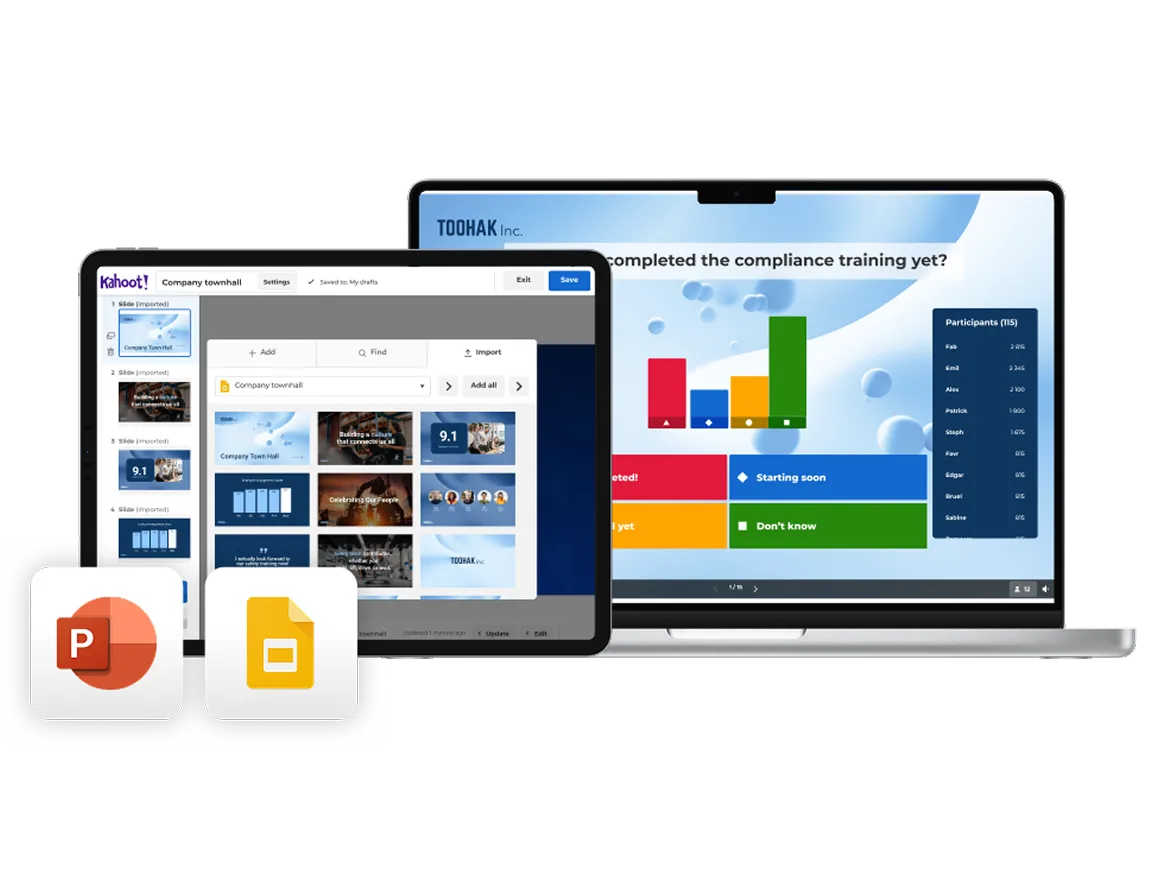
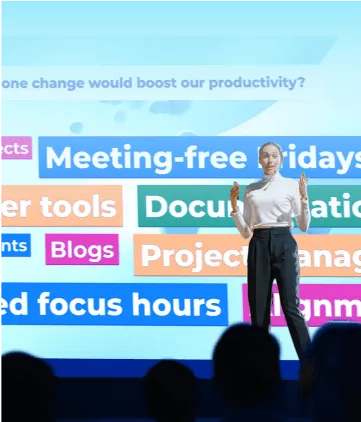
Import your existing slides from PowerPoint or Google Slides and turn them into an interactive brainstorming experience with Kahoot! 360. Use AI to instantly generate questions, polls, and word clouds that prompt idea-sharing and creative thinking.

Run your brainstorming session

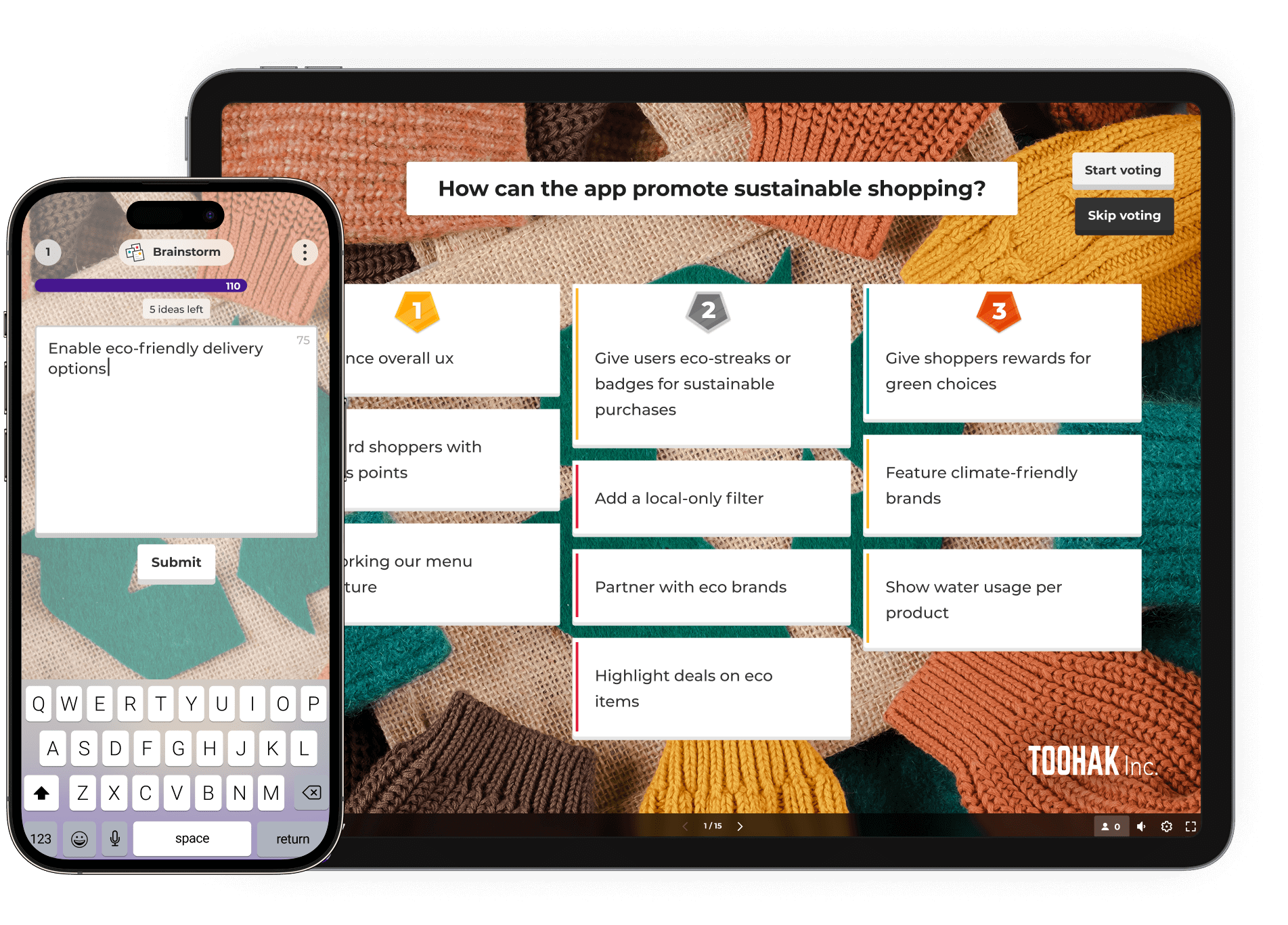
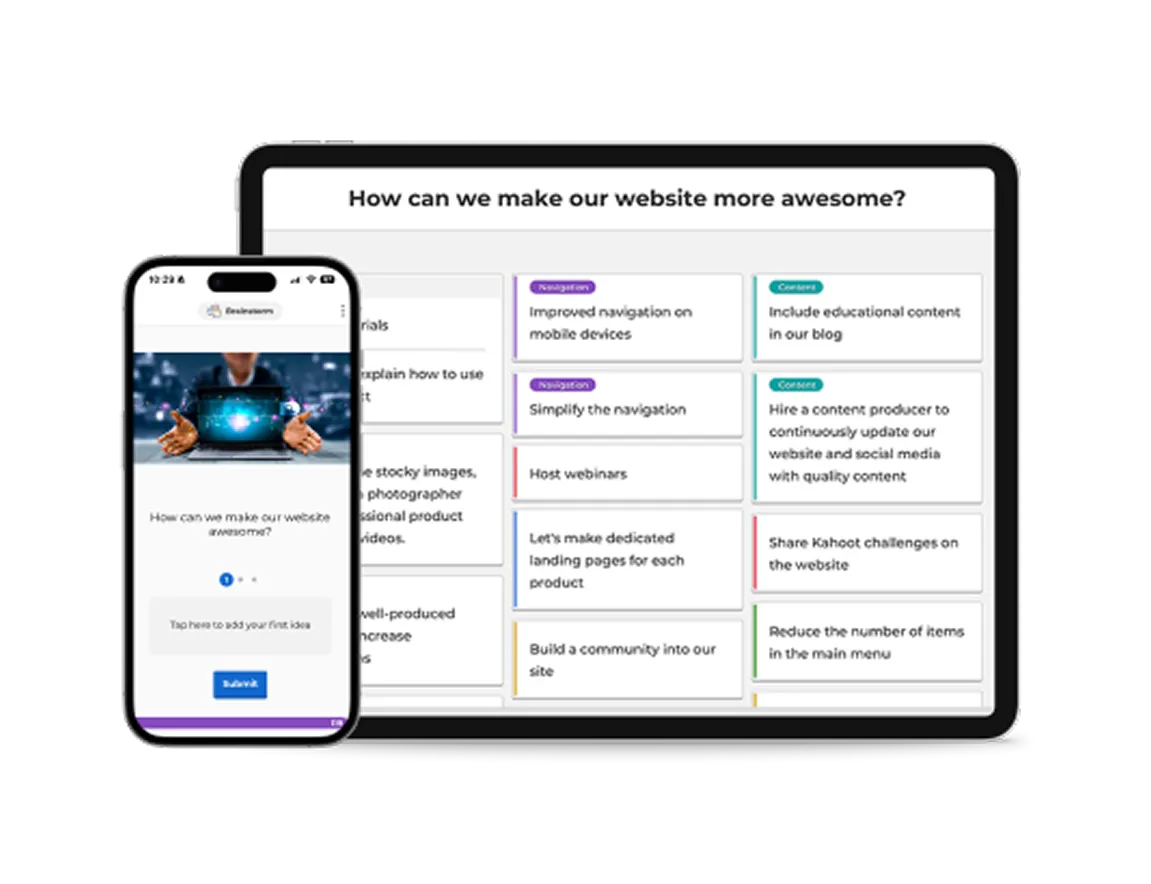
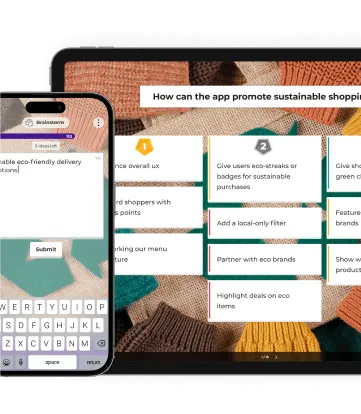
As you present, invite participants to contribute ideas, opinions, and suggestions directly from their own devices. Use interactive tools like word clouds, polls, and open-ended questions to surface diverse perspectives and spark discussion in real time.

Turn insights into action

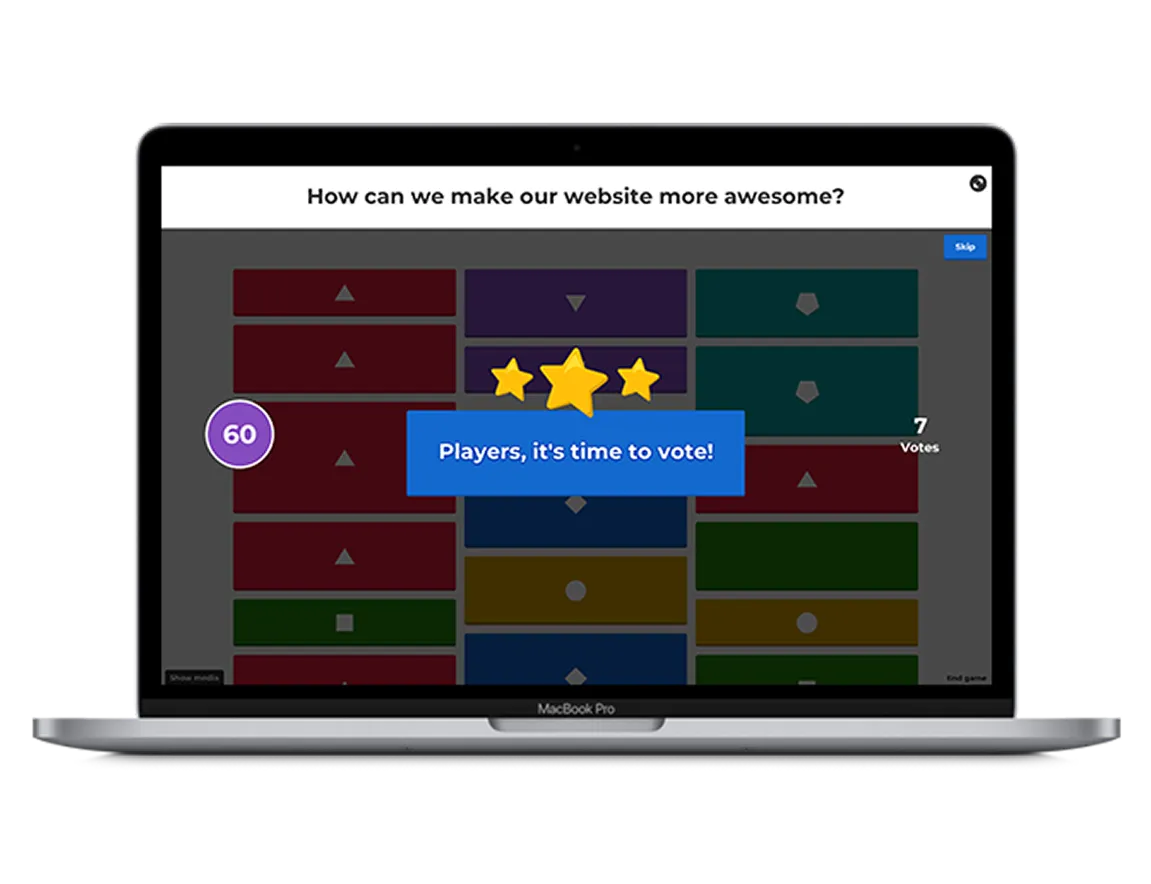
As ideas come in, use live results to guide the conversation and identify patterns, priorities, and opportunities. Enable Q&A so your audience can ask questions at any point without interrupting your flow, keeping discussions focused and productive.

Inizia subito a usare Kahoot! 360

Unisciti a milioni di professionisti che migliorano le prestazioni, la produttività e la fidelizzazione dei dipendenti con Kahoot! 360, la piattaforma definitiva per il coinvolgimento del personale. Trasforma ogni presentazione, corso di formazione o evento in un'esperienza coinvolgente che genera risultati in tutta la tua azienda.

Inizia

Risparmia tempo di brainstorming con modelli pronti all'uso

Dalla scelta dei nomi dei prodotti alla definizione delle priorità per lo sviluppo delle funzionalità, risparmia tempo creando sessioni di brainstorming con modelli pronti all'uso in Kahoot! 360.

String lights zig zagging above a marquee
Kahoot! template

    Decide what to do at your company’s summer party by gathering ideas from the team with this handy template.


    Try template

    Hand holding a glass
    Kahoot! template

      Prepare for your company’s Christmas party with this brainstorming template—perfect for agreeing on themes, dates, and more.

       

      Try template

      People sticking post-it notes to the walls of a glass wall meeting room
      Kahoot! course

        Visit our brainstorming course to discover ready-to-use templates on everything from product workshops to retrospectives.


        Explore course

        Scopri quali risultati hanno ottenuto i nostri clienti con Kahoot! 360

        logo di Kempinski

        "Usa Kahoot! con passione e trasmetti l'entusiasmo ai tuoi dipendenti: Kahoot! non è soltanto sinonimo di divertimento, ma molto di più."

        Harrison Tompodung
        L'Apurva Kempinski Bali

        Leggi la testimonianza

        “Kahoot! ha quel lato divertente e spensierato, ma ha anche un valore genuino. È davvero difficile per una piattaforma bilanciare la capacità di fare entrambe le cose, ma Kahoot! è fantastico in questo e noi ne approfittiamo.”

        Toni Morgans
        AND Digital

        Leggi la testimonianza

        4 vantaggi dell'uso di strumenti di brainstorming coinvolgenti

        Light icon

        1. Genera idee più innovative

        Con domande interattive, nuvole di parole e sondaggi live, Kahoot! incoraggia la generazione rapida di idee e fa emergere prospettive diverse in tempo reale.

        Person icon

        2. Aumenta la partecipazione e l'inclusione

        Gli strumenti di brainstorming online di Kahoot! offrono a tutti pari opportunità di contribuire, sia che partecipino di persona, da remoto o in modalità asincrona.

        Icon for settings

        3. Allineatevi più velocemente come team

        Usa sondaggi live e votazioni per dare priorità alle idee insieme e identificare rapidamente ciò che è più importante per il gruppo.

        A simple yellow line icon showing a bar chart with an upward-pointing arrow and a coin with a dollar sign, representing financial growth and success.

        4. Migliora i risultati nel tempo

        Sessioni di brainstorming coinvolgenti portano a un migliore follow-through, dando vita alle idee migliori.

        Organizza coinvolgenti sessioni di brainstorming con Kahoot! 360

        Pro Start
        $19al mese$228 con fatturazione annuale
        1 licenze
        Ideale per
        Riunioni in team con la giusta carica
        • Fino a 50 partecipanti
        • Sondaggi e quiz
        • Creazione di presentazioni con l'IA
        • Temi e sfondi premium
        Pro Standard
        $29$25al mese$300 con fatturazione annuale
        1 licenze
        Ideale per
        Presentazioni e workshop efficaci e professionali. Tutte le funzioni incluse in Start +
        • Fino a 200 partecipanti
        • Nubi di parole, brainstorming, domande aperte, sessione Q&A live
        • Statistiche e dati
        • Presentazioni professionali
        Più richiesto
        Pro Plus
        $49al mese$588 con fatturazione annuale
        1 licenze
        Ideale per
        Formazione ed eventi professionali su ampia scala. Tutte le funzioni di Standard +
        • Fino a 1000 partecipanti
        • NPS e sondaggi
        • Lezioni, corsi e attestati
        • Toolkit per relatori completo e suite IA
        Tariffa migliore
        Pro Max
        $79$69al mese$828 con fatturazione annuale
        1 licenze
        Ideale per
        La soluzione completa per eventi aziendali e formazione a livello globale Tutte le funzioni di Plus +
        • Fino a 2000 partecipanti
        • Percorsi di apprendimento personalizzati
        • Branding personalizzato
        • Diritti commerciali per l'utilizzo di K! 360 in occasione di eventi esterni
        L'IVA non è inclusa nei prezzi
        Metodi di pagamento
        PayPalMastercardVisaGoogle PayApple Pay

        FAQ

        What are Kahoot! 360’s brainstorming tools?

        Kahoot! 360 includes interactive brainstorming tools that allow participants to submit ideas from any device. You can collect, prioritize, and vote on contributions together, making it ideal for team and online brainstorming sessions.

        Can I use Kahoot! 360 for remote or hybrid brainstorming?

        Yes! Whether you’re brainstorming online, in person, or in a hybrid setup, Kahoot! 360 supports real-time participation from anywhere. It’s a flexible team brainstorming tool built for inclusion and collaboration.

        How does Kahoot! 360 turn brainstorming into action?

        After collecting ideas in a brainstorming session, participants can vote on the best ones. This helps teams align quickly and turn insights into clear action points, reducing follow-up time and boosting outcomes.

        Do I need to create a brainstorming session from scratch?

        Nope! Kahoot! 360 offers ready-to-use brainstorming templates to save time. Whether you’re planning a product launch or running a team-building session, you can get started in minutes.

        Can I import my own slides into a brainstorming session?

        Yes. With Kahoot! 360, you can import your existing presentations and use AI to instantly generate brainstorm prompts. This makes it easy to run structured sessions without starting from zero.

        Is Kahoot! 360 suitable for team and company-wide brainstorming?

        Absolutely. Kahoot! 360 supports large groups and encourages input from everyone. It’s a great collaborative brainstorming tool for teams, departments, or whole companies looking to engage people and surface the best ideas.

        How can I choose the right brainstorming tool for my team?

        When choosing a brainstorming tool, consider your team’s size, working style, and whether you collaborate remotely or in person. Look for tools that support real-time collaboration, idea voting, and visual thinking—features that make sessions engaging and productive. Kahoot! 360 combines all of these in one platform, helping teams collect ideas, align, and take action efficiently.

        What is the best brainstorming tool for remote teams?

        For remote or hybrid teams, the best brainstorming tools make participation effortless and inclusive. Kahoot! 360’s online brainstorming features let every team member contribute ideas and vote in real time, no matter where they are. It’s designed to recreate the energy of in-person brainstorming, even when you’re miles apart.

        How can I use brainstorming tools to improve creativity?

        Digital brainstorming tools can boost creativity by breaking down barriers and encouraging everyone to share freely. Features like AI-generated prompts, mind mapping, and visual collaboration help spark new ideas and connections. With Kahoot! 360, teams can use interactive question types to think differently and uncover more innovative solutions together.

        What features should I look for in a brainstorming app?

        When evaluating brainstorming apps, look for real-time collaboration, voting and prioritization tools, integration with existing slides, and templates for common brainstorming sessions. Kahoot! 360 includes all of these, helping you move from ideas to action quickly and keep every session engaging and productive.