很抱歉,但目前这个页面在Chinese Simplified中不可用。 我们正在积极努力解决这个问题,请稍后回来查看!

Online Brainstorming Tools for Team Sessions - Kahoot! 360

Gather ideas with online brainstorming tools in Kahoot! 360

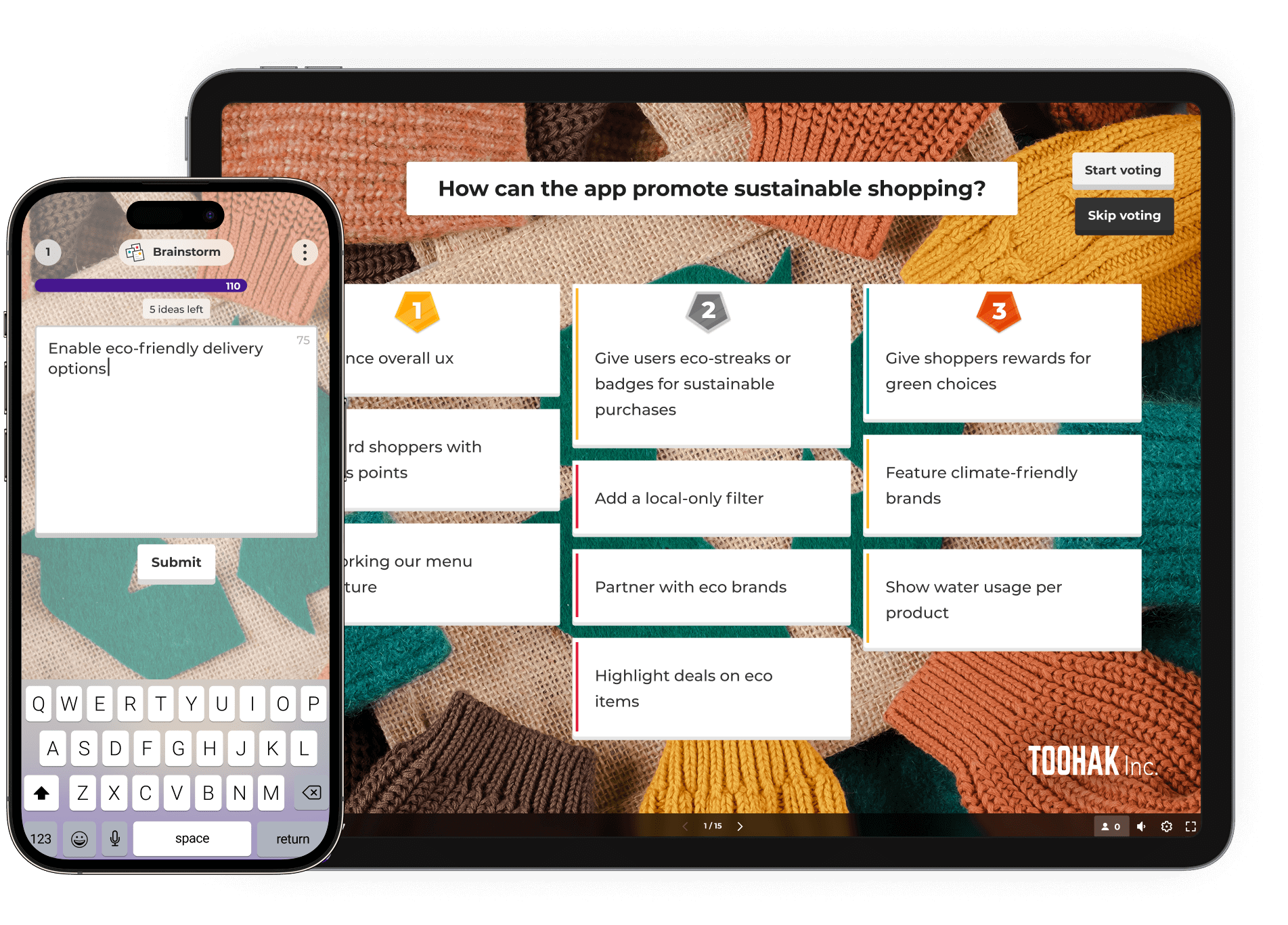
Generate ideas and drive action with dynamic brainstorming tools in Kahoot! 360. Engage participants, gather diverse insights, and collaboratively prioritize the best suggestions for innovative and inclusive outcomes.

Get Kahoot! 360 Pro from $19 /mo. Save up to 25%. Offer ends May 15.

Get started Book an intro

Trusted by leading companies around the world

How to run impactful online brainstorming sessions

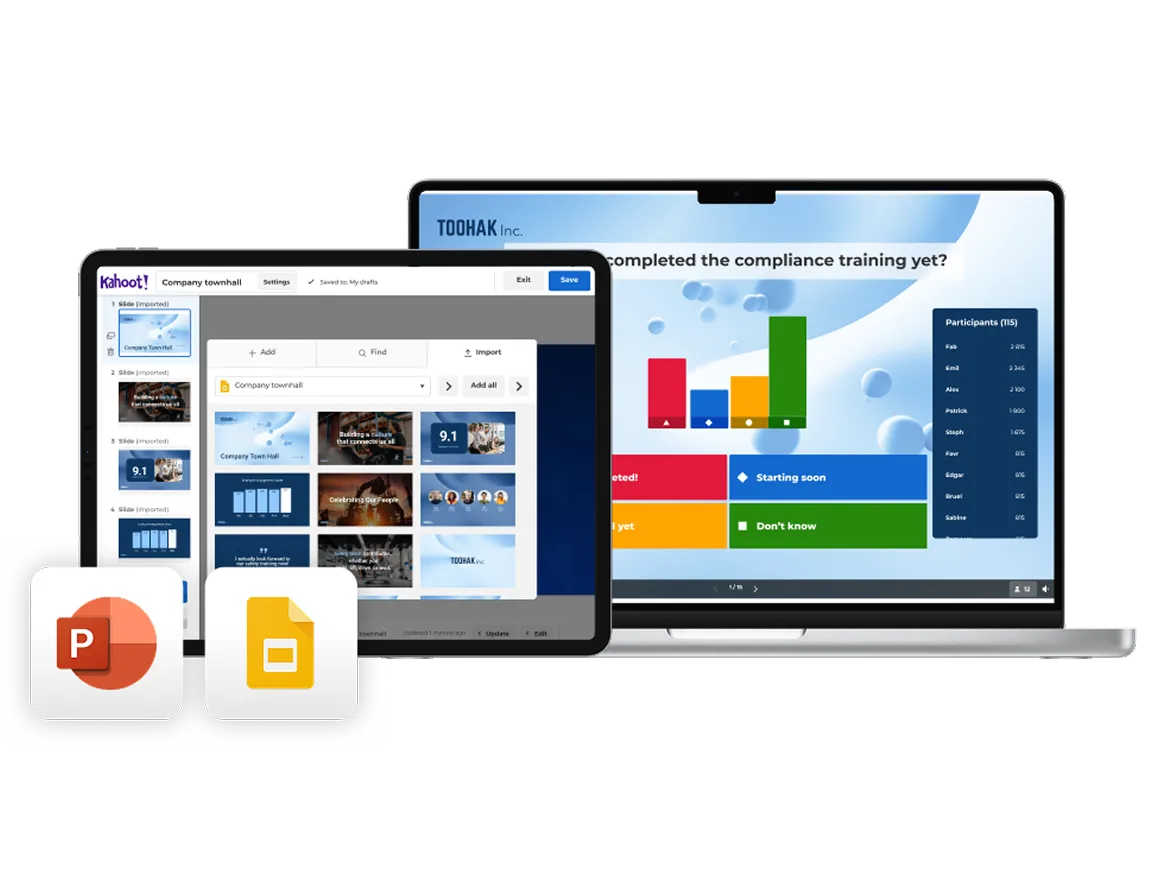
Create an interactive presentation

Import your existing slides from PowerPoint or Google Slides and turn them into an interactive brainstorming experience with Kahoot! 360. Use AI to instantly generate questions, polls, and word clouds that prompt idea-sharing and creative thinking.
Run your brainstorming session

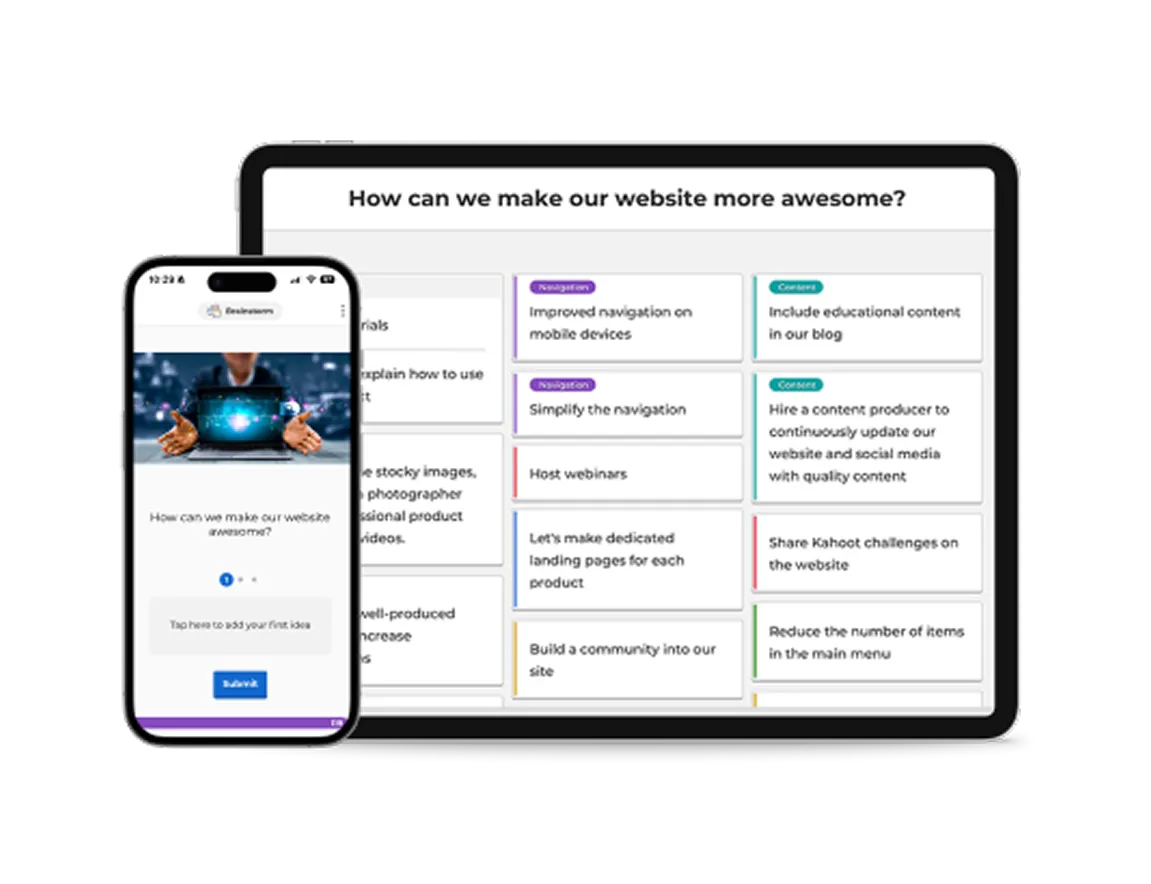
As you present, invite participants to contribute ideas, opinions, and suggestions directly from their own devices. Use interactive tools like word clouds, polls, and open-ended questions to surface diverse perspectives and spark discussion in real time.
Turn insights into action

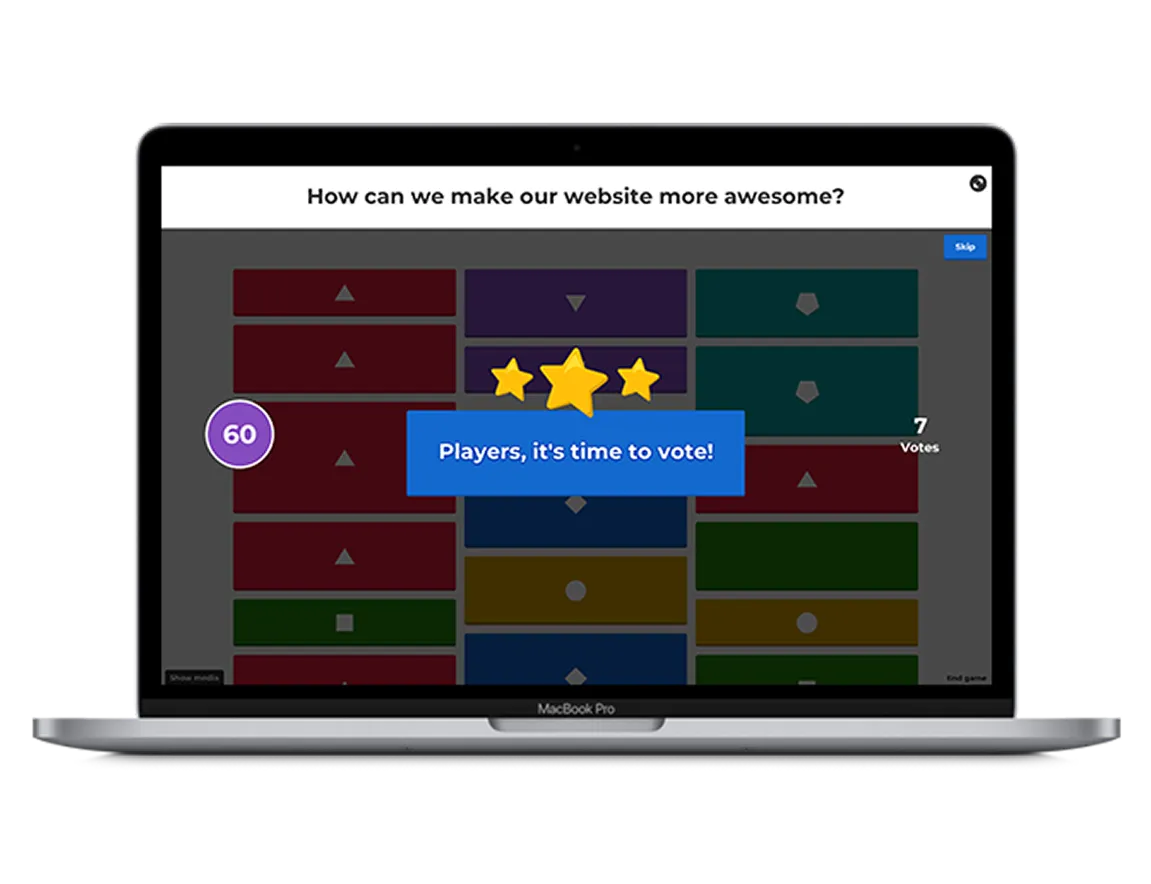
As ideas come in, use live results to guide the conversation and identify patterns, priorities, and opportunities. Enable Q&A so your audience can ask questions at any point without interrupting your flow, keeping discussions focused and productive.

Get started with Kahoot! 360 today

Join millions of professionals boosting employee performance, productivity, and retention with Kahoot! 360, the ultimate workforce engagement platform. Turn any presentation, training, or event into an engaging experience that drives results across your organization.

Get started Book an intro

Save time brainstorming with ready-to-use templates

From choosing product names to prioritizing feature development, save time creating brainstorming sessions with ready-to-use templates in Kahoot! 360.

String lights zig zagging above a marquee
Kahoot! template

    Decide what to do at your company’s summer party by gathering ideas from the team with this handy template.

     

    Try template

    Hand holding a glass
    Kahoot! template

      Prepare for your company’s Christmas party with this brainstorming template—perfect for agreeing on themes, dates, and more.

       

      Try template

      People sticking post-it notes to the walls of a glass wall meeting room
      Kahoot! course

        Visit our brainstorming course to discover ready-to-use templates on everything from product workshops to retrospectives.

         

        Explore course

        Learn how our customers are driving results with Kahoot! 360

        kempinski logo

        “Use Kahoot! with passion and give that value to your employees, because Kahoot! gives so much more value than the fun element.”

        Harrison Tompodung
        The Apurva Kempinski Bali

        Read the whole story

        “Kahoot! has that fun, playful side, but it also has genuine value. It’s really hard for a platform to balance the ability to do both of those things, but Kahoot! is great at it and we take advantage of it.”

        Toni Morgans
        AND Digital

        Read the whole story

        4 benefits of using engaging brainstorming tools

        Light icon

        1. Spark more innovative ideas

        With interactive questions, word clouds, and live polls, Kahoot! encourages fast idea generation and surfaces diverse perspectives in real time.

        Person icon

        2. Increase participation and inclusion

        Kahoot!’s online brainstorming tools give everyone an equal opportunity to contribute, whether they’re joining in person, remotely, or asynchronously.

        Icon for settings

        3. Align faster as a team

        Use live polls and voting to prioritize ideas together and quickly identify what matters most to the group.

        A simple yellow line icon showing a bar chart with an upward-pointing arrow and a coin with a dollar sign, representing financial growth and success.

        4. Improve outcomes over time

        Engaging brainstorming sessions lead to better follow-through, bringing the best ideas to life.

        Host engaging brainstorm sessions with Kahoot! 360

        Kahoot! 360 Pro logo in blue

        $19 每月
        $228 按年支付
         
        最适合
        活跃团队会议气氛
        • people icon
          主持每场可容纳最多 50 名参与者的活动
        • message icon
          通过互动测验和投票提升参与度
        • Branded icon
          专业背景和主题
        • AI icon
          新增! 使用 AI 工具创建适合团队会议的 kahoot 游戏

        Kahoot! 360 Pro logo in blue

        $29 $25 每月
        $348$300 按年支付
         
        最适合
        效果显著的演示和研讨会
        • people icon
          主持每场可容纳最多 200 名参与者的活动
        • message icon
          通过词云、投票、头脑风暴等鼓励对话讨论
        • presentation icon
          从 Google 和 Microsoft 等其他工具导入和同步幻灯片
        • Presentation icon
          专业主持体验
        • message buble icon
          通过问答功能让观众能够提问
        • AI icon
          新增! 使用 AI 功能在几秒钟内创建演示文稿
        最热门

        $49 $39 每月
        $588$468 按年支付
         
        最适合
        效果显著的演示、培训和活动
        • people icon
          主持每场可容纳最多 1000 名参与者的活动
        • message icon
          通过词云、投票、头脑风暴等鼓励对话讨论
        • presentation icon
          从 Google 和 Microsoft 等其他工具导入和同步幻灯片
        • Presentation icon
          专业主持体验
        • message buble icon
          通过问答功能让观众能够提问
        • Report icon
          通过 NPS 和调查来评估满意度和参与度
        • Course icon
          通过实时和自定义节奏课程灵活学习,包括证书
        • AI icon
          使用 AI 功能即刻创建演示文稿和培训材料
        • Mission icon black
          新增!通过任务中的共同成就激励团队
        超划算 - 立省 25%!

        Kahoot! 360 Pro logo in blue

        $79 $59 每月
        $948$708 按年支付
         
        最适合
        面向任何观众的大型全方位品牌化演示、培训和活动
        • people icon
          主持每场可容纳最多 2000 名参与者的活动
        • message icon
          通过词云、投票、头脑风暴等鼓励对话讨论
        • presentation icon
          从 Google 和 Microsoft 等其他工具导入和同步幻灯片
        • Presentation icon
          专业主持体验
        • message buble icon
          通过问答功能让观众能够提问
        • Report icon
          通过 NPS 和调查来评估满意度和参与度
        • Course icon
          通过实时和自定义节奏课程灵活学习,包括证书
        • Branded icon
          添加自己公司的徽标和品牌
        • loud icon
          将 Kahoot! 用于商业和广告目的
        • AI icon
          使用 AI 功能即刻创建演示文稿和培训材料
        • Mission icon black
          新增!通过任务中的共同成就激励团队
        所有价格均不包含增值税

        FAQ

        What are Kahoot! 360’s brainstorming tools?

        Kahoot! 360 includes interactive brainstorming tools that allow participants to submit ideas from any device. You can collect, prioritize, and vote on contributions together, making it ideal for team and online brainstorming sessions.

        Can I use Kahoot! 360 for remote or hybrid brainstorming?

        Yes! Whether you’re brainstorming online, in person, or in a hybrid setup, Kahoot! 360 supports real-time participation from anywhere. It’s a flexible team brainstorming tool built for inclusion and collaboration.

        How does Kahoot! 360 turn brainstorming into action?

        After collecting ideas in a brainstorming session, participants can vote on the best ones. This helps teams align quickly and turn insights into clear action points, reducing follow-up time and boosting outcomes.

        Do I need to create a brainstorming session from scratch?

        Nope! Kahoot! 360 offers ready-to-use brainstorming templates to save time. Whether you’re planning a product launch or running a team-building session, you can get started in minutes.

        Can I import my own slides into a brainstorming session?

        Yes. With Kahoot! 360, you can import your existing presentations and use AI to instantly generate brainstorm prompts. This makes it easy to run structured sessions without starting from zero.

        Is Kahoot! 360 suitable for team and company-wide brainstorming?

        Absolutely. Kahoot! 360 supports large groups and encourages input from everyone. It’s a great collaborative brainstorming tool for teams, departments, or whole companies looking to engage people and surface the best ideas.

        How can I choose the right brainstorming tool for my team?

        When choosing a brainstorming tool, consider your team’s size, working style, and whether you collaborate remotely or in person. Look for tools that support real-time collaboration, idea voting, and visual thinking—features that make sessions engaging and productive. Kahoot! 360 combines all of these in one platform, helping teams collect ideas, align, and take action efficiently.

        What is the best brainstorming tool for remote teams?

        For remote or hybrid teams, the best brainstorming tools make participation effortless and inclusive. Kahoot! 360’s online brainstorming features let every team member contribute ideas and vote in real time, no matter where they are. It’s designed to recreate the energy of in-person brainstorming, even when you’re miles apart.

        How can I use brainstorming tools to improve creativity?

        Digital brainstorming tools can boost creativity by breaking down barriers and encouraging everyone to share freely. Features like AI-generated prompts, mind mapping, and visual collaboration help spark new ideas and connections. With Kahoot! 360, teams can use interactive question types to think differently and uncover more innovative solutions together.

        What features should I look for in a brainstorming app?

        When evaluating brainstorming apps, look for real-time collaboration, voting and prioritization tools, integration with existing slides, and templates for common brainstorming sessions. Kahoot! 360 includes all of these, helping you move from ideas to action quickly and keep every session engaging and productive.