









Plans and pricing.
Find your perfect fit
Kahoot! 360 Event, ideal for professionals hosting a one-time event who needs an engaging, interactive experience.
Best for
Engaging presentations, meetings, and workshops
- Up to 200 participants
- Word clouds, brainstorms, open-end questions
- Live QA
- Professional presentation toolkit
Best for
Impactful presentations, training, and events Everything in Standard +
- Up to 1000 participants
- NPS & Surveys
- Self-paced courses
- Company logo and customer branding
Best for
Large scale, fully branded presentations, training and events for any audience Everything in Plus +
- Up to 2000 participants
- Individual learning paths
- Full branding opportunities
- Full AI creation suite
Best for
The ultimate Kahoot! 360 experience for professionals Everything in Max +
- Up to 5,000 participants
- Large event experiences and consultation
- Commercial rights to use K! 360 on external events
- Early access to new features
All prices exclude VAT
Payment methods





How to engage your workforce with Kahoot! 360
Join millions of professionals boosting employee engagement by instantly turning any presentation, training, or event into an engaging experience that drives results across your organization.
Trusted by leading companies worldwide







| Compare plans: | ||||
Core featuresAll plans includes live | ||||
| Core Kahoot! features | ||||
| Participant limit?Max participants per kahoot. The same limits apply to both instructor-led live and self-paced kahoots. | 200 | 1000 | 2000 | 5000 (onboarding required) |
| Ready-made kahoots?Access an extensive library of pre-made kahoots, ready to be hosted in interactive sessions with your audience. | ||||
| Templates?Create kahoots with pre-made templates that you can customize to suit your needs. | ||||
| Classic mode?Host a kahoot with interactive questions, leaderboards, and the iconic Kahoot! music. | ||||
| Energize your team and test knowledge | ||||
| Quiz?Write up to six potential answers for participants to choose from, or use images as answers for extra engagement. | Up to 6 answers | Up to 6 answers | Up to 6 answers | Up to 6 answers |
| True/false?Reinforce key messages and check if participants are paying attention with quick-fire true or false questions. | ||||
| Multi-select?Boost focus with questions that have multiple correct answers. Participants get points for each correct answer, but lose all points if they choose an incorrect one. | ||||
| Puzzle?Ask participants to drag and drop four tiles into the correct order—perfect for driving deeper understanding. | ||||
| Type answer?Increase the challenge and remove guesswork by making participants type answers of up to 20 characters. | ||||
| Slider?Get participants to slide a numerical scale to the number they think is correct, choosing between the maxmium and minimum numbers you provide. | ||||
| Pin answer?Get participants to place a pin on the correct part of an image—perfect for training sessions that involve diagrams. | ||||
| Spark discussions and collect opinions | ||||
| Poll?Add up to four options for participants to choose from before discussing the outcomes as a group. | ||||
| Brainstorm?Host brainstorms that let you gather ideas from hundreds of participants in meetings, workshops, and large events. Review insights with brainstorm reports built for scale. | ||||
| Word cloud?Ask participants to type a short answer to a question, and then display the most popular responses in a word cloud that encourages discussion. | ||||
| Drop-pin?Spark discussion by asking participants to drop pins on images, such as where they live on a map or their favorite product from a collection. | ||||
| Scale?Gather valuable insights by asking participants to share their feedback using a Likert or custom scale. | ||||
| Open-ended question?Spark discussions and collect feedback by asking participants to type free-form responses of up to 250 characters. | ||||
| NPS®️ Scale?Assess participant satisfaction and likelihood to recommend a company, product, or experience—perfect for measuring employee engagement and post-training feedback. | feature NOT available with this plan | |||
| Host impactful presentations that engage any professional audience | ||||
| Kahoot slides?Give participants extra context by creating slides directly within your kahoots that include text and images . | ||||
| Import slides?Import your slides (PowerPoint, Keynote, PDF) then add interactive elements like polls, quizzes, and more to engage your audience. | ||||
| Sync slides?Instantly sync your Microsoft PowerPoints or Google Slides with Kahoot!, then add interactive elements like polls, quizzes, and more to engage your audience. | ||||
| Presentation mode?Make presentations more engaging with our professional hosting experience that lets you control how you incorporate questions, points, and leaderboards. | ||||
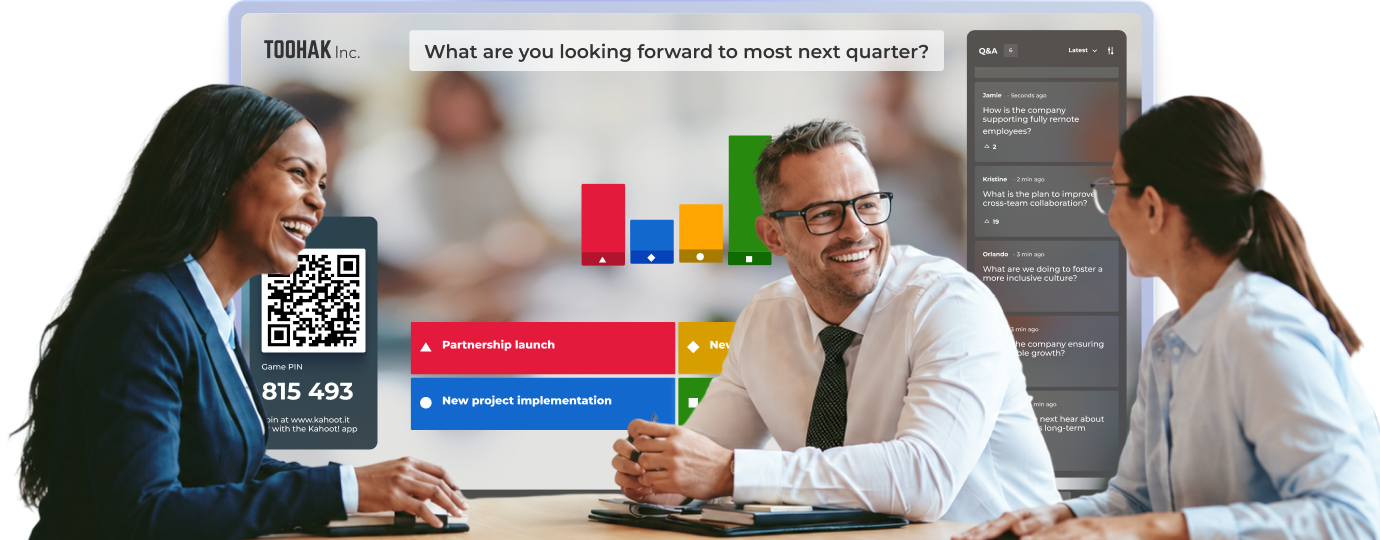
| Q&A?Let participants submit questions from their devices during your presentation, and answer them live to spark meaningful, real-time interaction. | ||||
| Moderated Q&A?Let your audience submit questions anytime during your presentation, and use moderation to review, approve, and manage questions in real time. | feature NOT available with this plan | |||
| Upskill your workforce with engaging learning and development | ||||
| New!Missions?Turn tasks into motivating team challenges with Missions, where each employee’s contribution moves the mission closer to launch. | Available in Kahoot! 360 for Enterprises | Available in Kahoot! 360 for Enterprises | Available in Kahoot! 360 for Enterprises | Available in Kahoot! 360 for Enterprises |
| Self-paced kahoots?Assign self-paced kahoots for participants to complete on desktop or mobile, anywhere, anytime. | ||||
| Courses?Create structured live or self-paced training courses by linking a series of kahoots into a single learning experience. | feature NOT available with this plan | |||
| Assign training via email?Boost learning outcomes and training completion rates by securely assigning courses and self-paced kahoots via email to designated learners. | feature NOT available with this plan | |||
| Course certificates?Issue downloadable and shareable certificates automatically upon course completion, making it easy for employees to document their training achievements. | feature NOT available with this plan | |||
| Player identifier?Identify the participant behind a nickname with Player identifier, allowing you to track and report on the progress of individual learners over a series of kahoots or training courses. | ||||
| Story?Bring learning content to life with stories, an interactive, mobile-first format that combines text, video, audio, images, checklists, polls, and more. | feature NOT available with this plan | |||
| Personalized learning ?Assign self-paced learning content after live training that's personalized to each learner's performance in the session. | ||||
| Self-directed learning?Learners have an account and create their own individual learning paths with private company content. | feature NOT available with this plan | feature NOT available with this plan | ||
| Create engaging experiences in seconds with the Kahoot! Assistant, powered by AI | ||||
| Kahoot generator?Simply type your topic, question, or prompt, and our Kahoot! generator will provide you with a variety of question types and slides in just a few seconds. Choose the language and complexity of your kahoot, and start customizing! | ||||
| Question generator from imported slides?Instantly create interactive presentations based on imported slides from Microsoft PowerPoint and Google Slides. | ||||
| Question generator from trusted sources?Create instant high quality kahoots and presentations with AI generated questions from Wikipedia articles. Customize by choosing the language, tone of voice, and level of complexity. | ||||
| URL-to-kahoot generator?Simply input your URL and AI will instantly transform your existing material into a into engaging presentations. | ||||
| PDF-to-kahoot generator?Simply upload your file and our PDF-to-kahoot generator will instantly transform your existing material into an interactive presentation (Page limits are based on approx. 1,500 characters per page). | 150 page documents | 150 page documents | 150 page documents | 300 page documents |
| PDF-to-story generator?Instantly transform your content into bite-sized stories with our PDF-to-story generator, perfect for learning in the flow of work. Additionally, try out our PDF-to-kahoot generator to complete your course. | feature NOT available with this plan | |||
| PDF question extractor?Use AI to recognize questions within your PDFs and files and extract them, turning them into a fun and engaging kahoot. | feature NOT available with this plan | |||
| Story-to-kahoot generator ?Turn an existing story content format into a kahoot with AI to instantly add a variety of question types, slides, and images. | feature NOT available with this plan | |||
| Story generator?Simply describe your topic, select the type of story (news, survey, task, and more!), or upload a source document and our Story generator will create a micro learning format for you. | feature NOT available with this plan | |||
| Story suggestions ?Get suggestions from AI while creating or editing your story, and create engaging micro learning content in seconds. | feature NOT available with this plan | |||
| Image generator?Instantly create unique images for your kahoots with AI. | feature NOT available with this plan | |||
| Work seamlessly with leading workplace tools | ||||
| Zoom integration?Make video meetings awesome by hosting and joining kahoot sessions directly within Zoom. There’s no need for a second screen or device. | ||||
| Microsoft Teams integration?Host and play live kahoots without leaving the Teams application, and assign self-paced kahoots and send reminders to groups within Teams. | ||||
| PowerPoint integration?Deliver presentations that keep everyone energized with our Microsoft PowerPoint inegration, which enables you to host kahoots within PowerPoint without leaving the Presenter View. | ||||
| RingCentral integration?Enjoy the entire Kahoot! experience within the RingCentral platform. The host simply shares their screen and attendees pin in and play directly within RingCentral, removing the need to submit answers on a second screen or phone. | ||||
| Embed kahoots?Embed self-paced kahoot sessions into your intranet, Learning Management System, or other web pages for an internal audience. Note that a different license is required for use on your website or social media. Contact us to find out more. | Available in Kahoot! 360 for Enterprises | Available in Kahoot! 360 for Enterprises | Available in Kahoot! 360 for Enterprises | Available in Kahoot! 360 for Enterprises |
| Choose a design and customize with your logo, branding, and colors | ||||
| Premium image & GIF library? | Millions of images | Millions of images | Millions of images | Millions of images |
| Media upload?Upload your unique video or audio files to kahoots, courses and stories. | Available in Kahoot! 360 for Enterprises | Available in Kahoot! 360 for Enterprises | Available in Kahoot! 360 for Enterprises | Available in Kahoot! 360 for Enterprises |
| Pre-made themes?Change the look and feel of every Kahoot! session by picking a premium theme. Our themes are designed to help you increase visual consistency between presentation slides and also for specific occasions. | ||||
| Add your logo?Ensure your brand is front and center in every Kahoot! experience. Display your company logo on the shared screen, each participant’s device, and the podium. | ||||
| Custom theming?Customize the theme of your kahoots! Choose from a variety of backgrounds, upload your own image, or add custom colors. | feature NOT available with this plan | |||
| Immersive branding?Create a completely branded Kahoot! experience with your company logo, custom backgrounds and colors, and choice of 120 fonts! | feature NOT available with this plan | feature NOT available with this plan | ||
| Collaboration and account management | ||||
| Teams per live game (max)?Practice collaboration by competing live in teams. Team scores are calculated based on the average performance of all members (available on selected plans with maximum team limits). | 10 | 25 | 50 | 100 |
| Team workspaces?Co-create, edit, and share kahoots, courses, and reports with your colleagues in a secure team workspace. Easily organize your materials, keeping private content separate from team-shared resources. | Only available when purchasing 2 or more licenses | Only available when purchasing 2 or more licenses | Only available when purchasing 2 or more licenses | Only available when purchasing 2 or more licenses |
| Max. number of members per group?Allow a certain number of members to join your group and share relevant, ready-made kahoots for others to host. Group members can be from your organization or an external group. | 100 | 200 | 200 | 200 |
| Analysis, insights, and reporting | ||||
| Report snapshots?See a report summary with up to 3 participants and 3 questions. This does not include access to viewing difficult questions. | ||||
| Standard reports?Reporting for live sessions and presentations. Track individual responses, measure session impact, spot knowledge gaps, and tailor content to your audience. Available for sessions with up to 2,000 participants. | ||||
| Download reports?Download insightful summaries of results, question performance, and feedback. Available for sessions with up to 2,000 participants. | Basic | |||
| Combine reports?Combine reports to easily assess progress and participation over time. Available for sessions with up to 2,000 participants. | feature NOT available with this plan | |||
| Player identifier?Identify the participant behind a nickname to track individual learner progress across multiple kahoots or training courses. Available for sessions with up to 2,000 participants. | ||||
| Course and story reporting?Maximize your content's impact with actionable insights on engagement and drop-offs. Available for sessions with up to 2,000 participants. | feature NOT available with this plan | |||
| Reporting API?Export data from Kahoot! to your business intelligence tools or learning management system automatically with our REST API. Terms of use apply. Contact us to find out more. | Available in Kahoot! 360 for Enterprises | Available in Kahoot! 360 for Enterprises | Available in Kahoot! 360 for Enterprises | Available in Kahoot! 360 for Enterprises |
| Scale engagement in your organization | ||||
| Professional support and onboarding?Receive one-hour of tutoring from a Kahoot! expert to ensure your in-person or virtual event runs seamlessly. | feature NOT available with this plan | feature NOT available with this plan | feature NOT available with this plan | |
| License for marketing, sales and advertising purposes?As stated in our Terms & Conditions, the use of Kahoot! for marketing, sales, and advertising purposes is not allowed unless expressly authorized. Examples of this usage include - but are not limited to - webinars, conferences, and recruitment. | feature NOT available with this plan | feature NOT available with this plan | ||
| License to use Kahoot! as part of a commercial offering?As stated in our Terms & Conditions, you may not charge any fees or require any payment as part of your use of the Service or the Resources, except as expressly authorized by Kahoot! Examples of this usage include, but are not limited to, consulting and entertainment services. | feature NOT available with this plan | feature NOT available with this plan | feature NOT available with this plan | |
| Pay by invoice?Enjoy the the added flexibility of paying by invoice. | feature NOT available with this plan | feature NOT available with this plan | feature NOT available with this plan | |
| Usage reports for an organization?Easily monitor large-scale Kahoot! usage and gain insights into how workspace members across your organization utilizes the platform. | Available in Kahoot! 360 for Enterprises | Available in Kahoot! 360 for Enterprises | Available in Kahoot! 360 for Enterprises | Available in Kahoot! 360 for Enterprises |
| Universal License Key?Get a large team on board with Kahoot! with ease via a shareable URL (or “universal license key”) instead of manually inviting team members one by one. | Available in Kahoot! 360 for Enterprises | Available in Kahoot! 360 for Enterprises | Available in Kahoot! 360 for Enterprises | Available in Kahoot! 360 for Enterprises |
| SSO?Enables users to log in to Kahoot! securely with their existing company credentials. | Available in Kahoot! 360 for Enterprises | Available in Kahoot! 360 for Enterprises | Available in Kahoot! 360 for Enterprises | Available in Kahoot! 360 for Enterprises |
| Enhanced content security?Get enhanced security that prevents content from being moved out of a team workspace. | Available in Kahoot! 360 for Enterprises | Available in Kahoot! 360 for Enterprises | Available in Kahoot! 360 for Enterprises | Available in Kahoot! 360 for Enterprises |
| Customer success manager?Get support and help from a personal customer success manager, helping you to scale engagement across the organization. | Available in Kahoot! 360 for Enterprises | Available in Kahoot! 360 for Enterprises | Available in Kahoot! 360 for Enterprises | Available in Kahoot! 360 for Enterprises |
| Domain claim?Connect company accounts to your corporate domain automatically. | Available in Kahoot! 360 for Enterprises | Available in Kahoot! 360 for Enterprises | Available in Kahoot! 360 for Enterprises | Available in Kahoot! 360 for Enterprises |
| SCIM?Simplify user onboarding and offboarding with SCIM. Sync employee accounts directly with your identity provider and enable bulk uploading with CSV group updates. | Available in Kahoot! 360 for Enterprises | Available in Kahoot! 360 for Enterprises | Available in Kahoot! 360 for Enterprises | Available in Kahoot! 360 for Enterprises |
| Compare plans: | ||||
Core featuresAll plans includes live | ||||
| Participant limit?Max participants per kahoot. The same limits apply to both instructor-led live and self-paced kahoots. | 200 | 1000 | 2000 | 5000 (onboarding required) |
| Classic question types?Spark attention and check understanding quickly using essential question types: true/false, multi-select, puzzles, and polls. | ||||
| Advanced question types and audience interaction ?Gather deeper insights and keep participation high with advanced interactive questions types: type answer, slider, pin answer, brainstorm, word cloud, drop pin, scale, open ended, NPS scale. | Open-ended, slider, pin, word cloud and brainstorm | Open-ended, slider, pin, word cloud, brainstorm and NPS | Open-ended, slider, pin, word cloud, brainstorm and NPS | Open-ended, slider, pin, word cloud, brainstorm and NPS |
| Branding?Deliver a seamless, professional experience by adding your custom corporate logo, colors, and visual identity. | Logo & colors | Custom | Custom | Custom |
| Professional presentations, including import /sync slides from other tools?Present with confidence using the speaker toolkit (featuring professional hosting, private notes, slide previews, and moderated Q&A). Import static slides or sync with PowerPoint and Google Slides to keep your content automatically updated. | Professional hosting, import/sync slides, Q&A | Full speaker toolkit | Full speaker toolkit | Full speaker toolkit |
| Training, courses and certificates?Package content into self-paced courses, use Stories for bite-sized microlearning, foster teamwork with collaborative Missions, and automatically issue shareable certificates. | feature NOT available with this plan | All formats, incl. individual learning paths | All formats, incl. individual learning paths | |
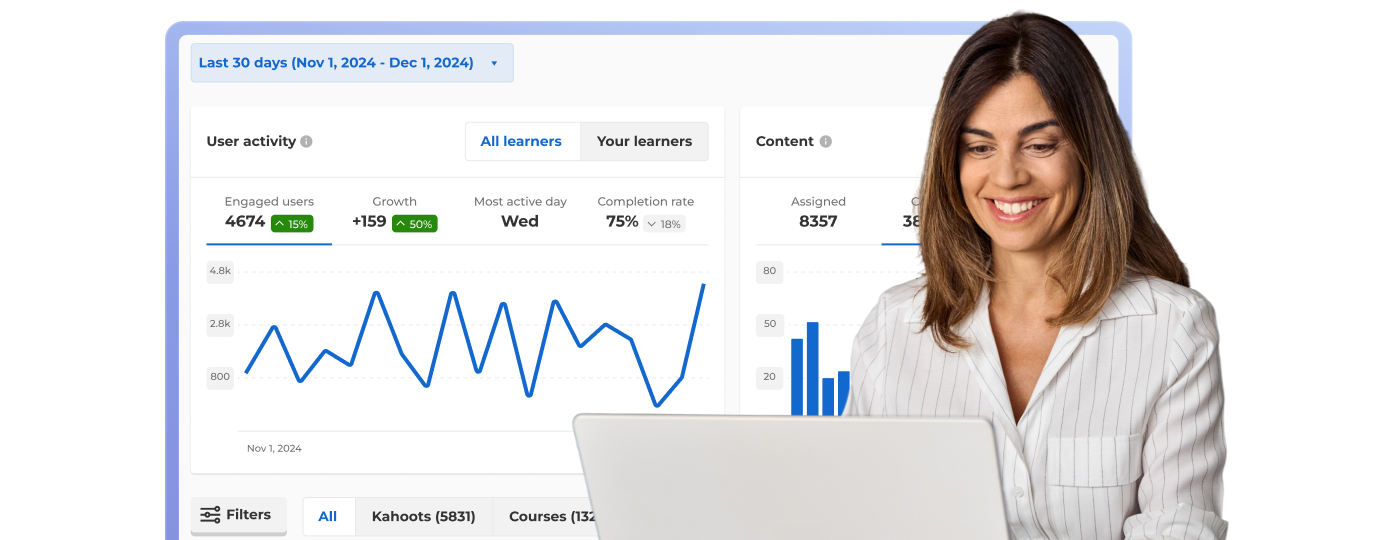
| Reporting and analytics?Track completion, measure audience engagement, and pinpoint knowledge gaps with insights and reporting. Available for sessions with up to 2,000 participants. | Reporting and insights | Advanced insights | Advanced insights | Advanced insights |
| Create presentations and training with AI?Save prep time by using the full Kahoot! AI suite to generate interactive sessions instantly from prompts, uploaded slides, or URLs. | Create from prompts, slides & URLs | Full AI suite | Full AI suite | Full AI suite |
| Number of teams?Energize your sessions with live team competition, grouping participants together to collaborate and compete for the highest average score. | 10 | 25 | 50 | 50 |
| Commercial rights to use Kahoot! 360 for external events?As stated in our Terms & Conditions, the use of Kahoot! for marketing, sales, and advertising purposes is not allowed unless expressly authorized. Examples of this usage include - but are not limited to - webinars, conferences, and recruitment | feature NOT available with this plan | feature NOT available with this plan | feature NOT available with this plan | |
| Pay by invoice?Enjoy the the added flexibility of paying by invoice. | feature NOT available with this plan | feature NOT available with this plan | feature NOT available with this plan |
Connect Kahoot! 360 to all your tools


Join leaders achieving awesome business results

18%
higher cabin crew exam pass rate in 2025 after adding Kahoot! 360 to compliance training

50%
boost in learner retention after introducing Kahoot! 360 into contact‑center training

2,500
employees across countries, cultures, and generations are connected and educated with Kahoot! 360

53%
higher NPS in training after incorporating kahoots in training materials
Frequently asked questions
How does Kahoot! work for virtual events?
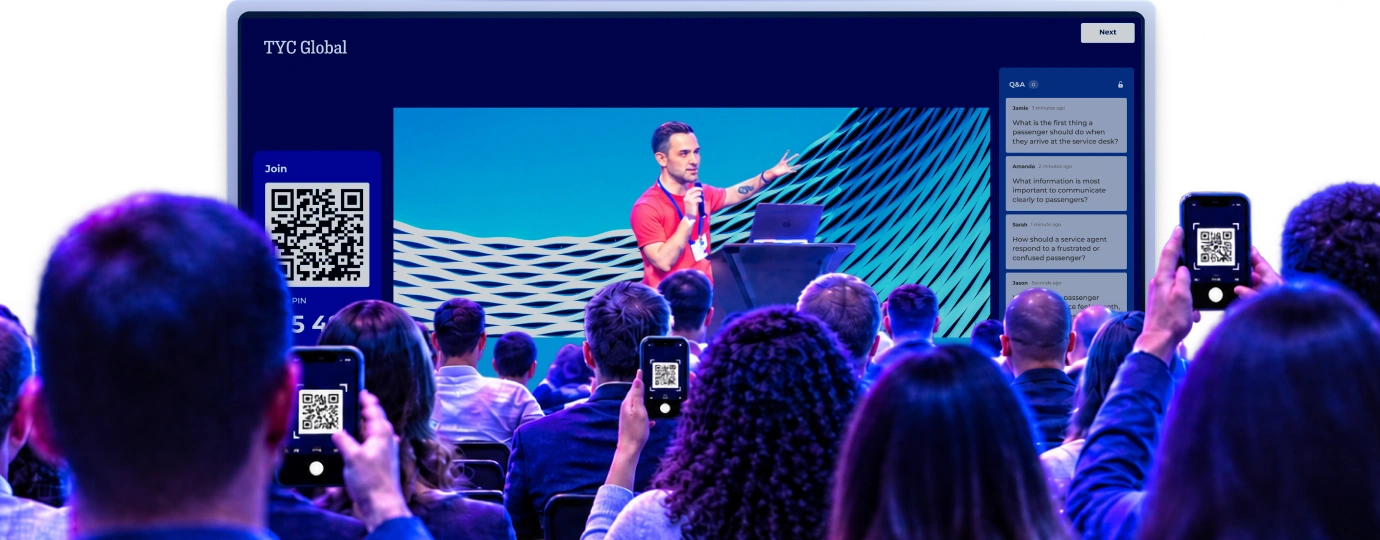
Kahoot! lets you create engaging presentations (kahoots) for events that include interactive questions, polls for gathering feedback, live Q&A, and much more. During the event, you’ll need to share your screen and host the kahoot. This will generate a pin that allows participants to join in from their own devices. Participants can play for free at www.kahoot.it on their phones or in the Kahoot! iOS or Android app.
Can I use Kahoot! in languages other than English?
Yes, you can write your questions and answers in any language. The Kahoot! website and app are also available in numerous languages, including Spanish, Brazilian Portuguese, French, German, Italian, Japanese, Dutch, Polish, Turkish, Norwegian, Swedish, Danish, Arabic, Ukrainian, Korean, Indonesian, Simplified Chinese, Traditional Chinese, Thai, and Vietnamese.
How long can a one-time event last?
Our one-time event plans last for one month. During this period, you’ll have access to all the features available in your chosen plan. This gives you plenty of time to create your kahoot and practice hosting.
If you want to reuse, share, and present your content beyond that, you can always switch to an annual plan.
How does Kahoot! 360 support digital audience engagement?
Can I use Kahoot! to survey the audience?
Learn how to use Kahoot! with our handy course. It will guide you through everything from AI generation to hosting in presentation mode.
What is the player identifier?
The player identifier makes it easy to identify the participants who joined your event. Even if they choose nicknames, the identifier will recognise their email address, so you can see who’s taking part and how they answered each question.
What is a Kahoot! Tournament?
A tournament is a great way to build engagement across a series of sessions. By going to reports, you can create a tournament leaderboard by combining scores from multiple kahoots. You can then share this with participants. You can only combine reports from kahoots that had the “player identifier” feature on.
What is the best audience engagement tool for corporate events and conferences?
The best audience engagement tool for corporate events is Kahoot! 360, the ultimate workforce engagement platform that transforms presentations into two-way, interactive experiences. Kahoot! 360 offers interactive quizzes, live polls, Q&A, and brainstorming activities that are proven to boost participation, increase knowledge retention, and provide actionable insights for event organizers.
What key features should I look for when comparing audience engagement software?
When comparing audience engagement software, you should prioritize seamless integration with presentation software, diverse activity types (not just quizzes), robust reporting, and user-friendly mobile access. Kahoot! 360 provides all these, offering a single platform that delivers quizzes, polls, Q&A, brainstorms, and leaderboards, ensuring comprehensive engagement tracking across all devices.
How can Kahoot! solve the challenge of low audience engagement at large business events?
Kahoot! 360 solves low audience engagement by injecting interactivity, competition, and real-time feedback into any large business event or presentation. It shifts the focus from passive listening to active participation, ensuring every voice is heard through live tools like polls, Q&A, and word clouds. This friendly competition and ability to contribute dramatically boosts excitement and investment in the content.
What interactive features does Kahoot! offer to boost participation in presentations and webinars?
Kahoot! 360 offers a comprehensive range of interactive features to boost participation, including customizable quizzes, live polls, real-time Q&A, and collaborative brainstorms. These features are integrated directly into presentations to make sessions dynamic: Interactive Quizzes: Encourage friendly competition and knowledge checks. Live Polling: Instantly gather opinions, voting, and NPS scores. Q&A and Word Clouds: Allow remote or in-person audiences to submit and upvote questions or ideas. Detailed Reporting: Tracks participation rates and performance across all sessions.
Can Kahoot! be used for virtual events and webinars to keep remote audiences engaged?
Yes, Kahoot! 360 is an essential solution for virtual events and webinars, designed specifically to keep remote audiences engaged and connected. It provides an interactive layer that prevents remote fatigue by allowing presenters to run live polls, AI-generated quizzes, and real-time Q&A from their slides, gathering valuable insights from participants regardless of their location.
What is the minimum internet bandwidth required to support a large-scale Kahoot! event with thousands of participants?
For large-scale events, we recommend a robust, dedicated uplink that can support at least 1–2 Mbps per 1,000 active participants for consistent real-time display, with attendees primarily using their own mobile data or localized Wi-Fi. While Kahoot! is data-light, focusing the venue’s bandwidth on the host machine’s output is crucial for a smooth visual experience.
How can I use a tool like Kahoot! to measure attendee knowledge before the event starts?
You can use Kahoot! 360 to measure knowledge before the event by setting up a self-paced challenge (or ‘assignment’) that attendees complete asynchronously on their own time. This pre-assessment data allows you to tailor the event content to address existing knowledge gaps and ensures the live session is relevant and valuable.
How many participants can I engage with Kahoot! 360 Event Ultra?
As a standard setting, Kahoot! 360 Event Ultra supports up to 2,000 live participants. During the onboarding session/consultation with our team, we’ll run a performance test on your setup to set your participant limit accordingly (to up to 5,000 participants, if your setup allows it).
Is there a page limit for the PDF-to-kahoot generator?
Yes! The maximum document length you can upload varies depending on your plan. To ensure the AI generates the best possible presentation for you, we calculate a standard page as approximately 1,500 characters