











方案與定價
尋找能完美符合你的需求的選項
Kahoot! 360 Event,十分適合需要在主持單次活動時打造出精采有趣的互動體驗的專業人士。
十分適合
讓人樂於參與的簡報、會議和工作坊
- 最多 200 名參與者
- 文字雲、腦力激盪、開放式問答
- 實況 Q&A
- 專業簡報工具組
十分適合
深入人心的簡報、訓練和活動內容一切所需,盡在 Standard +
- 最多 1000 名參與者
- NPS 量表和問卷調查
- 自學型課程
- 公司標誌和自訂品牌宣傳內容
十分適合
需完整呈現品牌形象,且適合各類觀眾參與的大型簡報、訓練及活動一切所需,盡在 Plus +
- 最多 2000 名參與者
- 個人學習路徑
- 能完整呈現品牌形象的機會
- 完整的 AI 創作套組
十分適合
適合專業人士且十分萬能的 Kahoot! 360 體驗一切所需,盡在 Max +
- 最多 5,000 名參與者
- 大型活動體驗和顧問諮詢
- 完整的 AI 創作套組
- 可提前使用新功能的早鳥權限
所有價格均不含歐盟增值稅
付款方式





如何運用 Kahoot! 360 讓員工樂於參與
加入數百萬專業人士的行列,透過將任何簡報、訓練或活動轉變為引人入勝的互動體驗,提升員工參與度,進而帶動組織上下共創卓越成果。
廣受各界領先企業信任,使用者遍及全球各地







| 比較方案: | ||||
核心功能所有方案均包含實況 | ||||
| Kahoot! 核心功能 | ||||
| 參與者人數上限?每個 Kahoot 可容納的參與者人數上限。 無論是由講師帶領的實況 Kahoot 或是自學型 Kahoot,皆適用同樣的人數上限。 | 200 | 1000 | 2000 | 5000 |
| 現成 Kahoot?存取豐富多元的現成 Kahoot 資料庫,隨時都能準備主持互動段落,和觀眾同歡。 | ||||
| 範本?運用現成範本建立 Kahoot,你可以依照自身需求設計內容。 | ||||
| 經典模式?主持 Kahoot,內含互動式題目、排行榜以及經典的 Kahoot! 配樂。 | ||||
| 讓你的團隊充滿幹勁,並測試成員的知識程度 | ||||
| 測驗?最多可填入六個可能的選項,讓參與者自行選擇正確答案,或是使用以圖片作答來增加吸引力。 | 最多 6 個答案選項 | 最多 6 個答案選項 | 最多 6 個答案選項 | 最多 6 個答案選項 |
| 是非題?透過快節奏的是非題來加強對於重要訊息的印象,並確認參與者是否有專注聽講。 | ||||
| 複選題?透過有多個正確答案的題目來有效提升專注力。 參與者每選出一個正確答案都會得到分數。但如果選到錯誤答案,該題的分數就會直接歸零。 | ||||
| 排列解謎?要求參與者拖放四個答案圖磚,以正確順序由上而下排列。十分適合用來加深理解程度。 | ||||
| 簡答題?讓參與者輸入 20 個字元內的簡短答案,既可增加難度,也能避免單憑猜測作答。 | ||||
| 滑桿題?可自行設定數字的最大值和最小值,讓參與者在設定好的數字區間滑動滑桿,選出自己認為正確的數字。 | ||||
| 圖標答題?讓參與者把圖標放在圖片當中的正確部位,十分適合含有圖表內容的訓練課程。 | ||||
| 鼓勵討論與收集意見 | ||||
| 票選活動?最多可加入四個答案選項,讓參與者從中選擇,再分組討論結果。 | ||||
| 腦力激盪?主持腦力激盪,可藉此在會議、工作坊和大型活動中收集上百位參與者的想法。 可檢視在大規模集思廣益後彙整而成的腦力激盪報告,從中了解相關見解。 | ||||
| 文字雲?要求參與者輸入簡短答案來回答題目,然後透過文字雲顯示較多人填寫的回覆,鼓勵大家進一步討論。 | ||||
| 圖標題?要求參與者把圖標放置在圖片上,藉此促進眾人討論,比如他們住在地圖上的什麼地方,或是他們在某系列產品中最喜歡哪一樣,諸如此類。 | ||||
| 量表?請參與者使用李克特量表或自訂量表分享自己的意見回饋,藉此收集大家的珍貴見解。 | ||||
| 開放式問答?請參與者輸入最多 250 個字元的回應,形式不拘,藉此鼓勵討論並收集意見回饋。 | ||||
| NPS® 量表?可評估參與者的滿意度,以及他們有多大程度願意幫忙推薦公司、產品或體驗等,十分適合用來衡量員工參與狀況,以及在訓練結束後收集意見回饋。 | feature NOT available with this plan | |||
| 主持深入人心的簡報,讓各方專業人士都感到興味盎然,目不轉睛 | ||||
| Kahoot 投影片?直接在你的 Kahoot 裡面建立含有文字和圖片的投影片,為參與者補充更多背景資訊。 | ||||
| 匯入投影片?可匯入你的投影片 (如 PowerPoint、Keynote、PDF 檔案等),然後加入票選活動、測驗等等互動元素,讓台下觀眾樂在其中。 | ||||
| 同步投影片?可透過 Kahoot! 即刻同步你的 Microsoft PowerPoints 或 Google 簡報檔案,然後加入票選活動、測驗等等互動元素,讓台下觀眾樂在其中。 | ||||
| 簡報模式?運用我們的專業主持體驗自由掌控使用題目、分數和排行榜的時機點,讓簡報內容更加讓人樂在其中。 | ||||
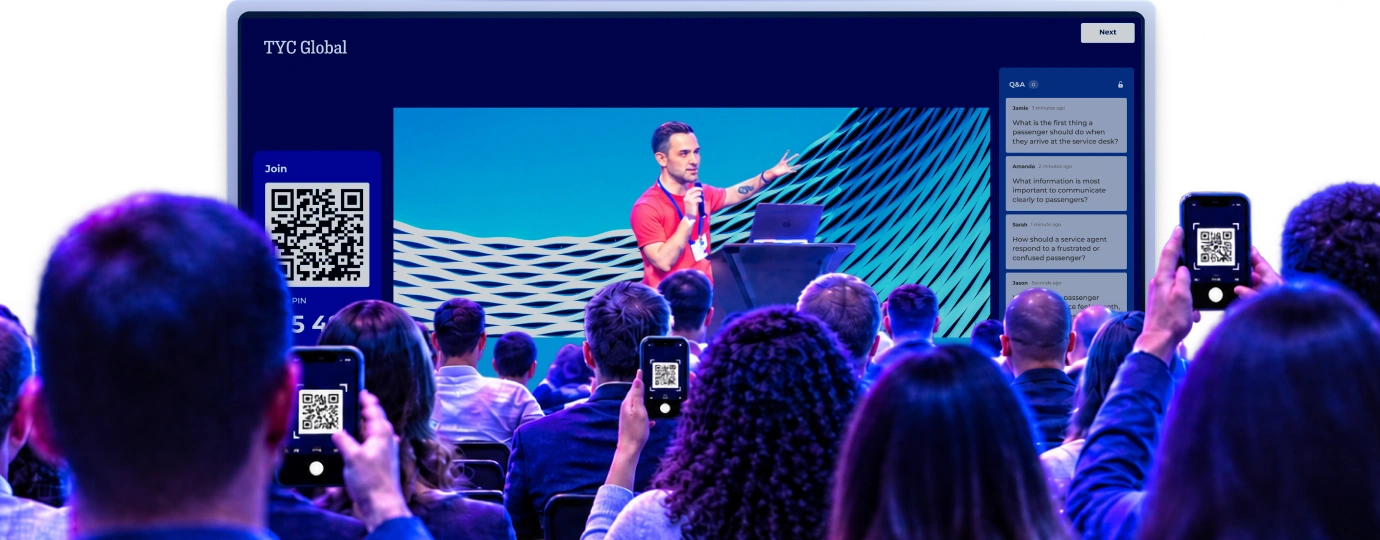
| Q&A?讓參與者在你的簡報過程使用自己的裝置提問,然後透過現場答覆來促進有意義的即時互動。 | ||||
| 揀選版 Q&A?讓觀眾在你的簡報期間隨時都可提問,並透過揀選機制即時審查、核准和管理所有問題。 | feature NOT available with this plan | |||
| 透過讓人投入其中的學習與技能發展內容,讓工作能力突飛猛進 | ||||
| New!任務?透過「任務」將各項日常工作變成能讓團隊更有幹勁的挑戰。每一位員工都能貢獻一己之力,齊心協力完成任務內容。 | 可在 Kahoot! 360 企業版中使用 | 可在 Kahoot! 360 企業版中使用 | 可在 Kahoot! 360 企業版中使用 | 可在 Kahoot! 360 企業版中使用 |
| 自學型 Kahoot?可指派自學型 Kahoot 給參與者,讓他們隨時隨地都能用電腦或行動裝置完成學習內容。 | ||||
| 課程?將一系列 Kahoot 串聯起來,彙整成一套完整的學習體驗,進而打造出有清楚架構的實況或自學型訓練課程。 | feature NOT available with this plan | |||
| 透過電子郵件指派訓練內容?透過電子郵件安全指派課程和自學型 Kahoot 給指定的學習者,藉此有效提升學習成果以及訓練課程的完成率。 | feature NOT available with this plan | |||
| 課程結業證書?於課程完成後自動核發可供下載與分享的結業證書,方便員工將自己的受訓成果記錄歸檔。 | feature NOT available with this plan | |||
| 玩家識別碼?可透過玩家識別碼認出使用某個暱稱的參與者身分,進而能夠追蹤個別學習者在一系列 Kahoot 或訓練課程的學習進度,並彙整成報告。 | ||||
| 講解?講解是適合以行動裝置閱讀觀看的互動內容形式,結合了文字、影片、音訊、圖片、檢查清單、票選活動等等豐富功能,讓學習內容更加生動活潑。 | feature NOT available with this plan | |||
| 個人化學習 ?在實況訓練結束後,根據每位學習者段落中的表現,指派量身定做的自主學習內容。 | ||||
| 自我引導學習?學習者會有自己的帳戶,並可透過私人公司提供的內容建立個人學習路徑。 | feature NOT available with this plan | feature NOT available with this plan | ||
| 運用有 AI 技術支援的 Kahoot! 助理,在數秒內建立讓人樂在其中的參與體驗 | ||||
| Kahoot 生成工具?你只需輸入主題、題目或是提示詞,Kahoot! 內建的生成工具就可以在數秒內提供你各式各樣的題型和投影片。 選擇你的 Kahoot 的語言和難易度,然後開始自訂內容! | ||||
| 可依據匯入的投影片內容生成題目的工具?依據匯入的 Microsoft PowerPoint 和 Google 簡報投影片檔案即刻建立互動式簡報。 | ||||
| 可依據值得信賴的資料來源生成題目的工具?透過 AI 依據維基百科的文章內容生成題目,即刻建立高品質的 Kahoot 和簡報。 選擇語言、語氣和難易度來自訂內容。 | ||||
| 網址內容轉 Kahoot 生成工具?你只要輸入網址,AI 就會即刻將網址連結的現有素材轉變成讓人樂在其中的簡報。 | ||||
| PDF 轉 Kahoot 生成工具?你只要上傳檔案,我們的 PDF 轉 Kahoot 生成工具就會即刻將你的現有素材轉變成互動式簡報。 | 150 pages documents | 150 pages documents | 150 pages documents | 150 pages documents |
| PDF 轉講解生成工具?我們的 PDF 轉講解生成工具可以即刻將你的內容轉變成簡明扼要的講解,十分適合用來在工作空檔持續學習。 此外,也歡迎試用我們的 PDF 轉 Kahoot 生成工具來完整你的課程內容。 | feature NOT available with this plan | |||
| PDF 題目擷取工具?使用 AI 來辨識並擷取你的 PDF 和檔案中的題目,再將其轉變成精彩有趣的 Kahoot。 | feature NOT available with this plan | |||
| 講解轉 Kahoot 生成工具 ?可透過 AI 即刻加入各式各樣的題型、投影片和圖片,把現有的講解內容變成 Kahoot。 | feature NOT available with this plan | |||
| 講解生成工具?你只要描述你的主題,再選取講解類型 (比如新訊分享、問卷調查、日常工作等等!),或是上傳用來生成內容的原始文件,我們的講解生成工具就可以為你建立微型學習內容。 | feature NOT available with this plan | |||
| 講解內容建議 ?在建立或編輯講解時取得 AI 的建議,在數秒內建立精采有趣的微型學習內容。 | feature NOT available with this plan | |||
| 圖片生成工具?透過 AI 為你的 Kahoot 即刻建立獨一無二的圖片。 | feature NOT available with this plan | |||
| 完美銜接頂尖職場工具,打造流暢工作體驗 | ||||
| Zoom 整合?你可以透過 Zoom 主持與加入 Kahoot 段落,視訊會議從此不再枯燥乏味。 無需使用另外的螢幕或裝置。 | ||||
| Microsoft Teams 整合?無需離開 Teams 應用程式即可主持與遊玩實況 Kahoot,並指派自學型 Kahoot 並傳送提醒給 Teams 內部群組。 | ||||
| PowerPoint 整合?歡迎使用我們的 Microsoft PowerPoint 整合功能,讓大家在簡報過程全心投入,充滿活力。你可以在 PowerPoint 程式內主持 Kahoot,無需離開簡報者檢視畫面。 | ||||
| Hopin 整合?你可以在 Hopin 平台內享有完整的 Kahoot! 使用體驗。 主持人只需分享自己的螢幕畫面,參與者即可使用 PIN 碼加入並直接透過 Hopin 平台遊玩,不再需要使用另一台電腦螢幕或手機提交答案。 | ||||
| 嵌入 Kahoot?可在你的企業內部網路、學習管理系統或其他網頁嵌入自學型 Kahoot 段落,供內部人員使用。 請注意,在你自己的網站或社群媒體使用時,會需要使用另一份授權。 歡迎聯絡我們深入了解。 | 可在 Kahoot! 360 企業版中使用 | 可在 Kahoot! 360 企業版中使用 | 可在 Kahoot! 360 企業版中使用 | 可在 Kahoot! 360 企業版中使用 |
| 選擇設計樣式並自訂你的標誌、品牌樣貌和主題顏色 | ||||
| 進階圖片及 GIF 圖檔資料庫?可存取我們進階圖庫中數百萬個高品質的 Getty Images 圖檔,為每一張投影片和每一道題目找出最適合的視覺呈現。 | 數百萬張圖片 | 數百萬張圖片 | 數百萬張圖片 | 數百萬張圖片 |
| 上船媒體內容?可將你獨一無無的影片或音訊檔案上傳至 Kahoot、課程和講解中。 | 可在 Kahoot! 360 企業版中使用 | 可在 Kahoot! 360 企業版中使用 | 可在 Kahoot! 360 企業版中使用 | 可在 Kahoot! 360 企業版中使用 |
| 現成佈景主題?挑選進階佈景主題,為每一個 Kahoot! 段落變換不同的樣貌及氛圍。 我們的佈景主題都經過精心設計,可以幫助你讓各張簡報投影片的視覺風格更加一致,並針對特殊場合挑選合適的視覺呈現。 | ||||
| 新增你的標誌?讓你的品牌在各種 Kahoot! 體驗形式中都成為注目焦點。 在共享螢幕畫面、每一位參與者的裝置以及頒獎台上顯示貴公司的標誌。 | ||||
| 自訂佈景主題?可自訂 Kahoot 的佈景主題! 可選擇各式各樣的背景、上傳自已的圖片,或是新增自訂顏色。 | feature NOT available with this plan | |||
| 讓人沉浸其中的品牌體驗?運用貴公司的標誌、自訂背景和顏色以及 120 種字體選項,在 Kahoot! 建立完整的品牌體驗! | feature NOT available with this plan | feature NOT available with this plan | ||
| 共同合作與帳戶管理 | ||||
| 組隊模式?藉由分組實況競賽來練習共同合作。 系統會依據所有成員的平均表現來計算團隊得分 (僅部分方案提供,且設有團隊人數上限)。 | 10 | 25 | 50 | 50 |
| 團隊工作區?在安全可靠的團隊工作區與你的同事共同建立、編輯與分享 Kahoot 課程和報告。 將私人內容和團隊共享的資源分開來,輕輕鬆鬆就能讓你的素材井然有序。 | 僅開放給購買 2 份以上授權者使用 | 僅開放給購買 2 份以上授權者使用 | 僅開放給購買 2 份以上授權者使用 | 僅開放給購買 2 份以上授權者使用 |
| 最大 每個群組的成員人數上限?允許特定人數的成員加入你的群組,並分享相關的現成 Kahoot 給其他成員主持。 群組成員可以來自組織內部或外部團體。 | 100 | 200 | 200 | 200 |
| 進行分析、提供見解與彙整報告 | ||||
| 報告重點整理?查看參與者人數在 3 位以下且題目在 3 題以下的報告概要。 這並不包含檢視困難題的存取權限。 | ||||
| 一般報告?實況段落和簡報的彙整報告. 從個別回應中取得相關見解,進而追蹤個別段落的影響程度、找出知識落差,並針對觀眾需求調整內容。 | ||||
| 下載報告?下載報告來獲取充滿洞見的遊戲摘要、結果、答題表現和整體意見回饋。 | Basic | |||
| 合併報告?合併多份報告來評量長時間的學習進度及參與程度。 | feature NOT available with this plan | |||
| 玩家識別碼?可透過玩家識別碼認出使用某個暱稱的參與者身分,進而能夠追蹤個別學習者在一系列 Kahoot 或訓練課程的學習進度,並彙整成報告。 | ||||
| 課程和講解報告?取得具體可行的見解,了解誰有積極參與、參與者探索了哪些教學單元、在哪些環節有人中途離開等等,可藉此幫助你找出需要改善地方,讓你的學習內容發揮出最大成效。 | feature NOT available with this plan | |||
| API 報告?可從 Kahoot! 匯出資料,並透過我們的 REST API 自動匯入你的商業智慧工具或學習管理系統。 適用使用條款。 歡迎聯絡我們深入了解。 | 可在 Kahoot! 360 企業版中使用 | 可在 Kahoot! 360 企業版中使用 | 可在 Kahoot! 360 企業版中使用 | 可在 Kahoot! 360 企業版中使用 |
| 擴大貴組織的人員參與規模 | ||||
| 專業支援和入職培訓?獲得 Kahoot! 專家一小時的指導課程,確保你的實體或線上活動順利進行、萬無一失。 | feature NOT available with this plan | feature NOT available with this plan | feature NOT available with this plan | |
| 行銷、銷售及廣告用途授權?依我方《條款與條件》規定,未經明確授權,不得將 Kahoot! 用於行銷、銷售或廣告等用途。 這類使用情況包含但不限於研討會、正式會議及招募活動。 | feature NOT available with this plan | feature NOT available with this plan | ||
| 將 Kahoot! 納入商業服務之授權?依我方《條款與條件》規定,未經 Kahoot! 明確授權,不得針對使用本服務或資源收取任何費用或要求任何付款。這類使用情況包含但不限於顧問及娛樂服務。 | feature NOT available with this plan | feature NOT available with this plan | feature NOT available with this plan | |
| 憑發票付款?可依據請款單付款,讓付款方式更有彈性。 | feature NOT available with this plan | feature NOT available with this plan | feature NOT available with this plan | |
| 組織層級的使用情況報告?輕鬆監控 Kahoot! 平台的大規模使用情況。可從中取得相關見解,了解貴組織內部所有工作區成員的平台使用情況。 | 可在 Kahoot! 360 企業版中使用 | 可在 Kahoot! 360 企業版中使用 | 可在 Kahoot! 360 企業版中使用 | 可在 Kahoot! 360 企業版中使用 |
| 通用授權金鑰?透過可分享的網址連結 (或是「通用授權金鑰」) 讓大型團隊輕鬆加入 Kahoot!,不用再親自逐一邀請團隊成員加入。 | 可在 Kahoot! 360 企業版中使用 | 可在 Kahoot! 360 企業版中使用 | 可在 Kahoot! 360 企業版中使用 | 可在 Kahoot! 360 企業版中使用 |
| SSO?讓使用者能夠使用自己現有的公司登入資訊安全登入 Kahoot!。 | 可在 Kahoot! 360 企業版中使用 | 可在 Kahoot! 360 企業版中使用 | 可在 Kahoot! 360 企業版中使用 | 可在 Kahoot! 360 企業版中使用 |
| 內容安全再強化?整體安全再強化,可避免有人擅自將內容移出團隊工作區。 | 可在 Kahoot! 360 企業版中使用 | 可在 Kahoot! 360 企業版中使用 | 可在 Kahoot! 360 企業版中使用 | 可在 Kahoot! 360 企業版中使用 |
| 客戶成功經理?我們有專屬的客戶成功經理,可支援並協助你擴大組織全員的參與規模。 | 可在 Kahoot! 360 企業版中使用 | 可在 Kahoot! 360 企業版中使用 | 可在 Kahoot! 360 企業版中使用 | 可在 Kahoot! 360 企業版中使用 |
| 取得網域?可自動將公司帳戶連結到貴企業網域。 | 可在 Kahoot! 360 企業版中使用 | 可在 Kahoot! 360 企業版中使用 | 可在 Kahoot! 360 企業版中使用 | 可在 Kahoot! 360 企業版中使用 |
| SCIM?透過 SCIM 簡化使用者的入職及離職流程。 可直接與你的身分識別提供者同步員工帳戶資料,並且能夠透過 CSV 群組更新來批次上傳資料。 | 可在 Kahoot! 360 企業版中使用 | 可在 Kahoot! 360 企業版中使用 | 可在 Kahoot! 360 企業版中使用 | 可在 Kahoot! 360 企業版中使用 |
| 比較方案: | ||||
核心功能所有方案均包含實況 | ||||
| 參與者人數上限?每個 Kahoot 可容納的參與者人數上限。 無論是由講師帶領的實況 Kahoot 或是自學型 Kahoot,皆適用同樣的人數上限。 | 200 | 1000 | 2000 | 5000 |
| 經典題型?使用基本題型來吸引注意力並快速掌握理解程度:是非題、複選題、排列解謎和票選活動。 | ||||
| 進階題型和觀眾互動 ?運用進階互動式題型收集更具深度的各方見解,並持續熱絡參與氛圍:簡答題、滑桿題、圖標題、腦力激盪、文字雲、量表、開放式問答、NPS 量表。 | 開放式問答、滑桿題、圖標題、文字雲和腦力激盪 | 開放式問答、滑桿題、圖標題、文字雲、腦力激盪和 NPS 量表 | 開放式問答、滑桿題、圖標題、文字雲、腦力激盪和 NPS 量表 | 開放式問答、滑桿題、圖標題、文字雲、腦力激盪和 NPS 量表 |
| 品牌形象?加入你自行設定的企業標誌、代表色和視覺識別,讓參與體驗顯得既流暢又專業。 | 標誌和代表色 | 自訂 | 自訂 | 自訂 |
| 專業簡報工具,包含從其他工具 匯入和同步投影片的功能?善加運用講者工具組 (內含專業主持功能、私人筆記、投影片預覽和揀選版 Q&A),自信呈現簡報內容。 可直接匯入投影片,或是同步 PowerPoint 和 Google 簡報檔案來自動更新你的簡報內容。 | 專業主持、投影片匯入/同步、Q&A | 全套講者工具組 | 全套講者工具組 | 全套講者工具組 |
| 訓練、課程和結業證書?可將內容彙整成自學型課程,運用講解打造出簡短扼要的學習內容,透過需要齊心協力的任務促進團隊合作,並可自動頒發可供分享的結業證書。 | feature NOT available with this plan | 所有格式,包含個人學習路徑 | 所有格式,包含個人學習路徑 | |
| 報告和分析數據?追蹤完成進度,衡量觀眾參與度,並透過見解和報告精準找出知識落差。 | 報告和見解 | 進階見解分析 | 進階見解分析 | 進階見解分析 |
| 運用 AI 建立簡報和訓練內容?運用完整的 Kahoot! AI 套組,根據提示詞、上傳的投影片或網址即刻生成互動式段落,節省準備時間。 | 根據提示詞、投影片或網址建立內容 | 完整 AI 功能套組 | 完整 AI 功能套組 | 完整 AI 功能套組 |
| 隊伍數量 ?透過實況組隊競賽讓段落氛圍充滿活力,將參與者分成不同隊伍,各隊齊心協力衝高平均得分,競逐冠軍成就。 | 10 | 25 | 50 | 50 |
| 取得商業授權以便在外部活動使用 K! 360?依我方《條款與條件》規定,未經明確授權,不得將 Kahoot! 用於行銷、銷售或廣告等用途。 這類使用情況包含但不限於研討會、正式會議及招募活動 | feature NOT available with this plan | feature NOT available with this plan | feature NOT available with this plan |
連結 Kahoot! 360 和你的所有工具



快來加入我們,和厲害的領導者們一起締造非凡的商務成果!

18%
在合規訓練加入 Kahoot! 360 後,2025 年的空服人員考試錄取率顯著提升了 18%

50%
在客服中心訓練加入 Kahoot! 360 後,學習者的留任率顯著提升了 50%

2,500
Kahoot! 360 讓來自不同國家、文化和世代的 2,500 名員工建立關係,共同學習

53%
在訓練教材加入豐富多元的 Kahoot 內容後,其 NPS 分數顯著提升了 53%
常見問題
如何透過 Kahoot! 進行線上活動?
Kahoot! 能夠幫助你為各式各樣的活動打造精彩有趣的簡報 (也就是 Kahoot),提供你互動式題目、可收集意見回饋的票選活動、實況 Q&A 等等實用工具。 在活動期間,你需要分享你的螢幕畫面並主持 Kahoot。 如此即可生成一組 PIN 碼,讓參與者能夠使用 PIN 碼透過自己的裝置加入。 參與者可透過手機瀏覽器造訪 www.kahoot.it,或是開啟 iOS 或 Android 版的 Kahoot! 應用程式免費遊玩。
請問我可以用英文以外的語言來使用 Kahoot! 嗎?
是的,你可以用任何語言撰寫題目和答案。 而且,Kahoot! 網站和應用程式也支持多種語言,包含西班牙文、巴西葡萄牙文、法文、德文、義大利文、日文、荷蘭文、波蘭文、土耳其文、挪威文、瑞典文、丹麥文、阿拉伯文、烏克蘭文、韓文、印尼文、簡體中文和繁體中文、泰文和越南文。
單次活動方案的有效期間多長?
我們的單次活動方案效期長達一個月。 在這一個月內,你可以存取所選方案中包含的所有功能。 讓你擁有充足的時間去建立自己的 Kahoot 和練習主持。
如果你想要在訂閱結束後重複使用、分享和呈現你的內容,你隨時可以換成年度方案。
請問 Kahoot! 360 會如何增進數位觀眾的互動和參與度?
我可以透過 Kahoot! 調查觀眾想法嗎?
歡迎透過我們方便實用的課程學習如何使用 Kahoot!。 這門課程會為你介紹所有功能和內容,像是 AI 生成工具、如何在簡報模式中主持 Kahoot。
何謂玩家識別碼?
玩家識別碼能夠幫助你輕鬆辨識加入活動的參與者。 即使他們選擇使用暱稱,你仍然能夠透過識別碼辨識出他們的電子郵件地址。這樣一來,誰參加了活動、他們怎麼回答每個問題等資訊都一目瞭然。
何謂 Kahoot! 錦標賽?
錦標賽是能夠透過一系列段落持續帶動參與的絕佳方法。 在報告區段,你可以將多個 Kahoot 的得分情況統整在同一份報告裡,藉此建立錦標賽排行榜。 然後,你還可以與參與者分享這個排行榜。 你的綜合報告僅能納入開啟了「玩家識別碼」功能的 Kahoot。
請問最適合企業活動和正式會議的觀眾參與工具是什麼?
Kahoot! 360 是企業活動的最佳觀眾互動工具。這個萬能的員工參與平台能將簡報轉變成雙向互動體驗。 Kahoot! 360 提供互動式測驗、即時票選、問答和腦力激盪活動,這些都能有效提升參與度、增強知識記憶,並為活動主辦方提供具體可行的見解。
請問在比較觀眾參與軟體時,我應該要注意哪些關鍵功能?
在比較觀眾參與軟體時,你應該優先考量以下幾大重點:簡報軟體的無縫整合能力、豐富多元的活動類型 (不只提供單純的測驗)、強大完善的整合報告,以及直覺好用的行動裝置操作體驗。 Kahoot! 360 具備前述所有優勢,將測驗、票選活動、Q&A、腦力激盪和排行榜等功能全部整合於單一平台,確保你能在各種裝置上全方位追蹤參與成效。
請問 Kahoot! 會如何解決觀眾在大型商務活動中參與意願低的問題?
針對觀眾參與意願低的問題,Kahoot! 360 會透過將互動性、競爭和即時意見回饋融入任何大型商務活動或簡報,有效引發觀眾參與熱忱。 將觀眾的注意力從被動傾聽轉變為主動參與,透過票選活動、Q&A 和文字雲等實況工具來確保每個人都有機會發聲。 這種友善的競爭和參與內容的能力,能有效提升對內容的興奮度和投入度。
請問 Kahoot! 會提供哪些互動功能來提升簡報和網路研討會中的參與度?
Kahoot! 360 提供全面多元的互動功能來提升參與度,像是可自訂內容的測驗、實況票選活動、實況 Q&A 和團體腦力激盪。 這些功能可直接嵌入簡報中,讓段落更加生動活潑:互動式測驗:鼓勵友善競爭和知識檢測。 實況投票:即時收集意見、票數和 NPS 分數。 Q&A 和文字雲:讓遠距或現場觀眾能透提問並為問題或想法按讚。 詳細報告:追蹤所有段落的參與度和表現。
請問 Kahoot! 是否能夠用於虛擬活動和網路研討會,讓遠距觀眾持續參與?
可以,Kahoot! 360 是虛擬活動和網路研討會不可或缺的解決方案,專為提升遠距觀眾的參與度和凝聚力而設計。 Kahoot! 360 提供了強大的互動平台,能有效預防遠距疲勞。講者可以在投影片中進行實況投票、AI 自動生成測驗和即時 Q&A。無論參與者身在何處,都能輕鬆收集珍貴的數據和見解。
請問如果要舉辦可容納數千名參與者的大型 Kahoot! 活動,最低需要多少網路頻寬?
針對大型活動,我們建議配置穩定且專用的上行鏈路,以確保每 1,000 名活躍參與者擁有至少 1 至 2 Mbps 的頻寬,從而維持即時畫面的流暢同步;同時,建議參與者優先使用個人手機行動網路或場地 Wi-Fi。 雖然 Kahoot! 本身所佔流量不大,但為了確保螢幕畫面流暢呈現,將場地的網路頻寬優先配置給主控端電腦輸出非常重要。
請問如何在活動開始前使用 Kahoot! 這樣的工具去評估參與者的知識程度?
你可以在活動前使用 Kahoot! 360 建立一個自學型挑戰 (或‘指定項目’),讓參與者自行找時間完成,藉此評估他們的知識程度。 根據這項前測數據,你就能讓量身打造活動內容,針對現有的知識落差進行補強,並確保實況段落的內容既有關聯又有價值。