Interactive meetings with Kahoot! 360

Run engaging meetings for remote, hybrid, and in-person teams

Make every meeting a two-way conversation where your message lands and is remembered. Kahoot! 360 gives every participant a voice with interactive polls, quizzes, and Q&A, so teams stay engaged and leaders know what is working. It works for every meeting, from team check-ins to town halls. Participants join from any device by scanning a QR code or entering a PIN. No app or account needed.

Get Kahoot! 360 Pro from $9/mo. Save 20% until November 1.

Get started

Hero

“I was amazed by how effective the tool was because we were sitting in our home offices, and we were able to have very, very good discussions. Everyone was heard, and everyone had a voice. It was more effective than normal, despite us meeting remotely. We could decide on very important strategies for next year.”

Christer Halvorsen
Autopay

Autopay logo

Trusted by leading companies worldwide

AND Digital logo
L'Oréal logo
Deloitte logo
getty images logo
booking logo
KPMG logo
AND Digital logo
L'Oréal logo
Deloitte logo
getty images logo
booking logo
KPMG logo

Works for any meeting of any size

Whether you are presenting to 10 team members or a hybrid audience of up to 5,000 participants, Kahoot! 360 work for meetings at any size. Team meetings Project updates & reviews Hybrid and remote meetings Retrospectives Kick-off meetings

Make everyone feel heard, informed, and part of the team

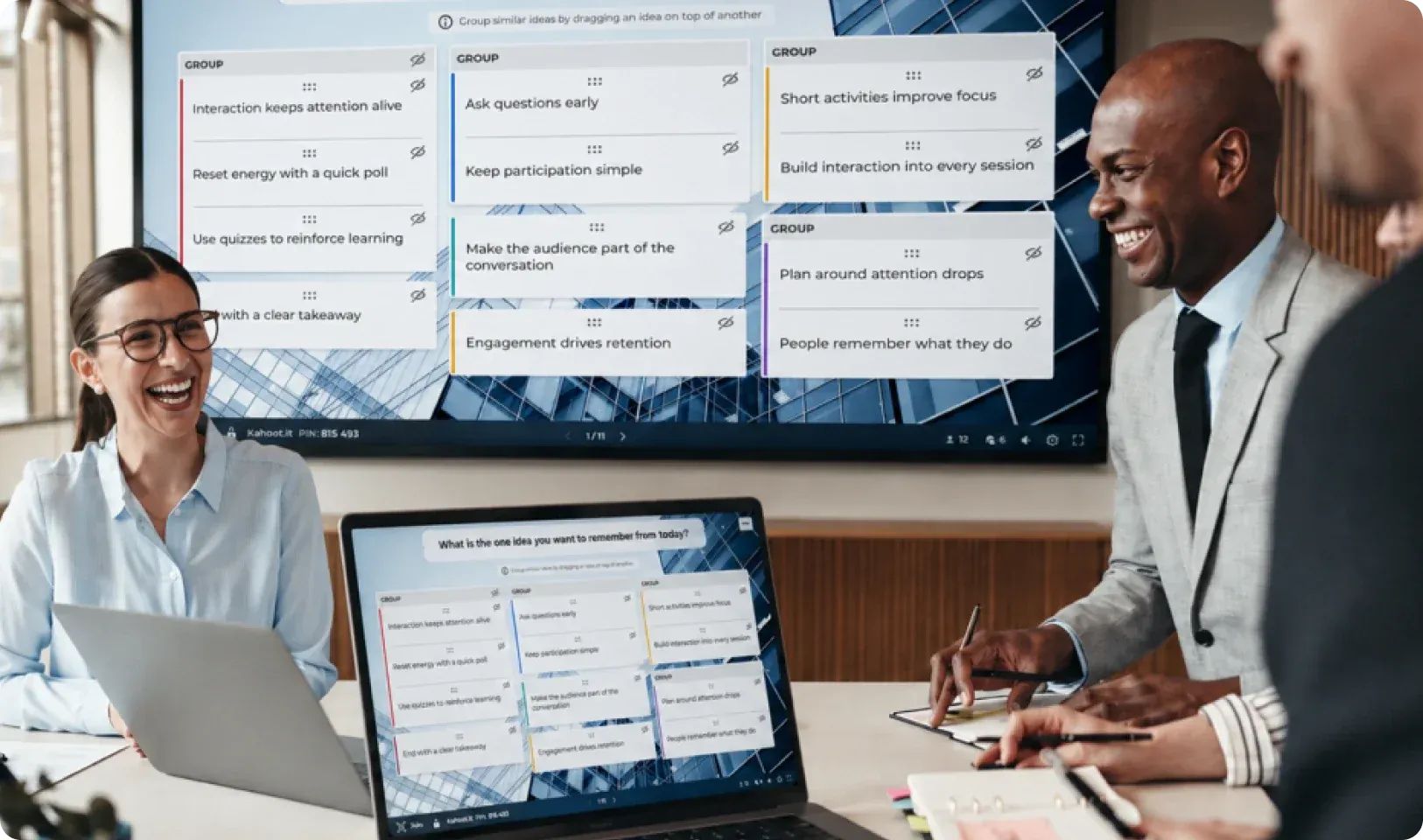
  • Capture real-time employee sentiment with live word clouds.
  • Let employees ask questions without unmuting via moderated Q&A.
  • Build a sense of togetherness across locations with shared, interactive moments.
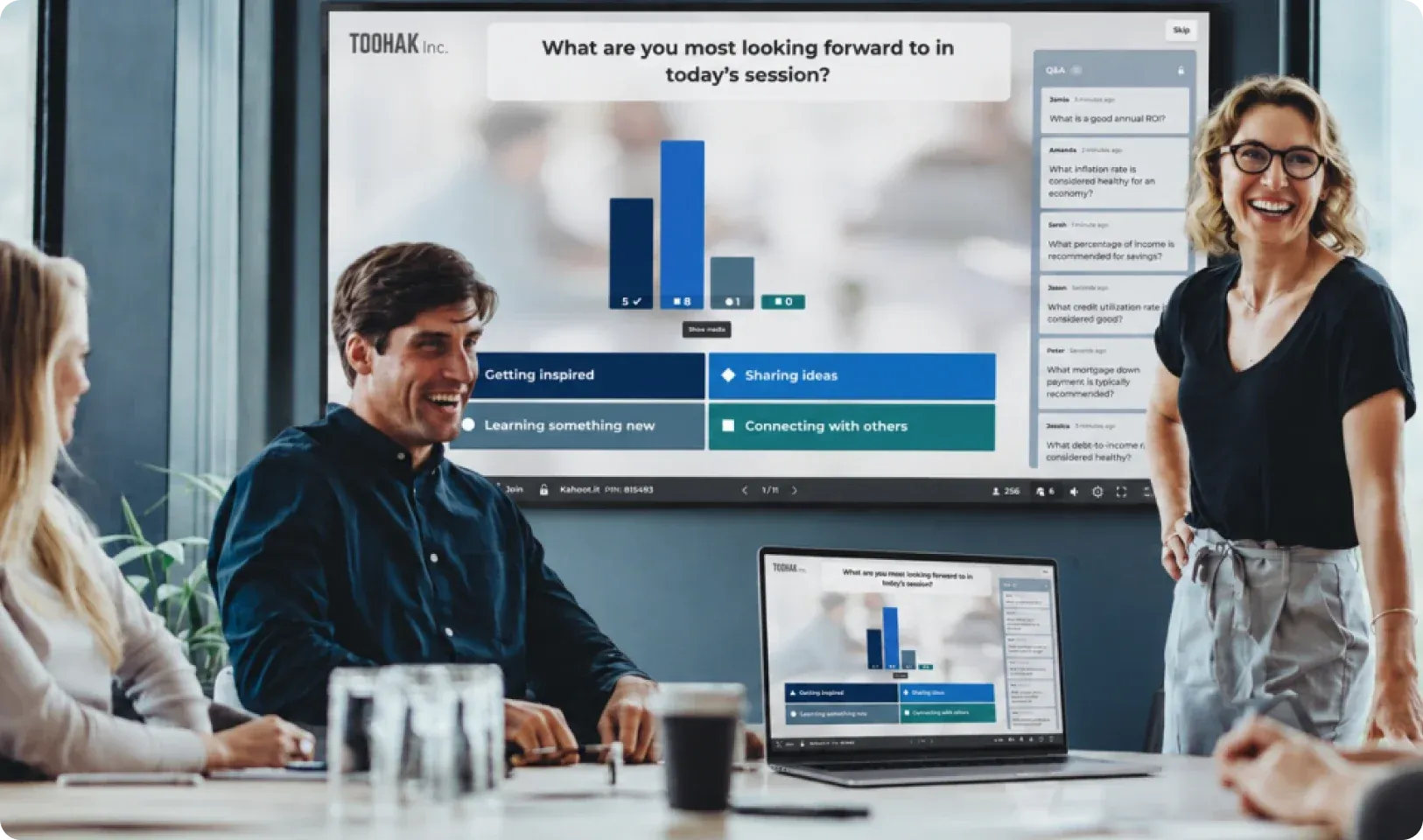
A participant types a question to the host on their phone while a presenter shows live results on the meeting screen.

How to turn passive listeners into active participants and drive better outcomes

Turn a one-way presentation into a two-way session by adding live polls, word clouds, and moderated Q&A. Kahoot! 360 integrates with PowerPoint and Google Slides. Set up in minutes with AI, or build from your existing slides. Every meeting ends with people engaged, aligned, and ready to act.

Get started

Create interactive meetings in minutes

Build meeting presentations for you next meeting from scratch, with both existing material or with help from AI.

  • Import your existing materials: Upload a PowerPoint, Google Slides deck, or document and transform it into an interactive meeting, no rebuilding required.
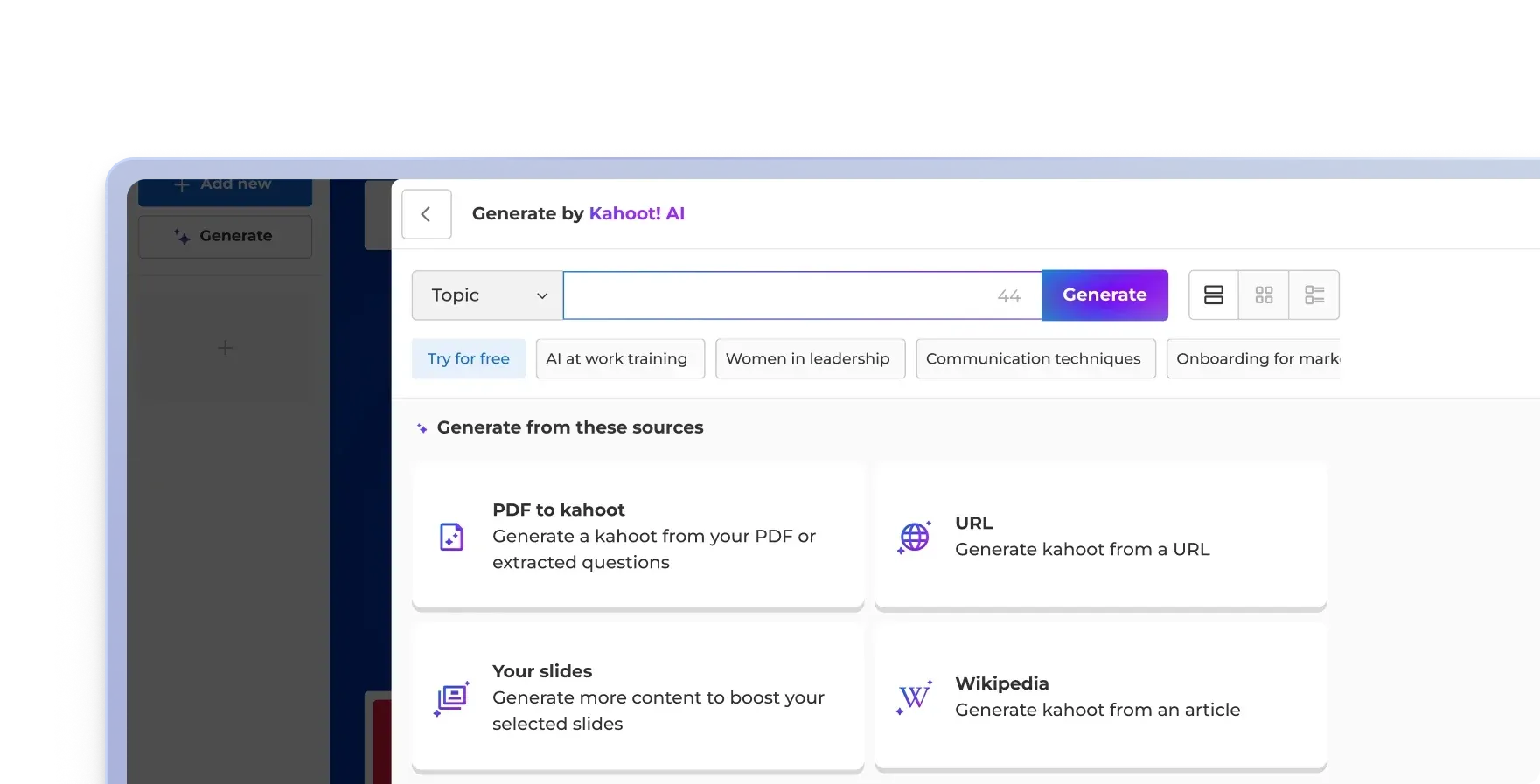
  • AI-powered interactive questions: Describe your topic or upload your content and AI creates tailored interactive questions in seconds.
  • Branded for your organization: Add your logo, match your corporate colors, and set your fonts. Every meeting looks like it belongs to your brand.
The Generate by Kahoot! AI panel, with a topic field, suggested topics and options to generate from a PDF, URL, your slides or a Wikipedia article.

Keep everyone engaged from the first slide to the last

Give every participant a voice whether they are in the room, on screen, or dialing in, so no one is just watching.

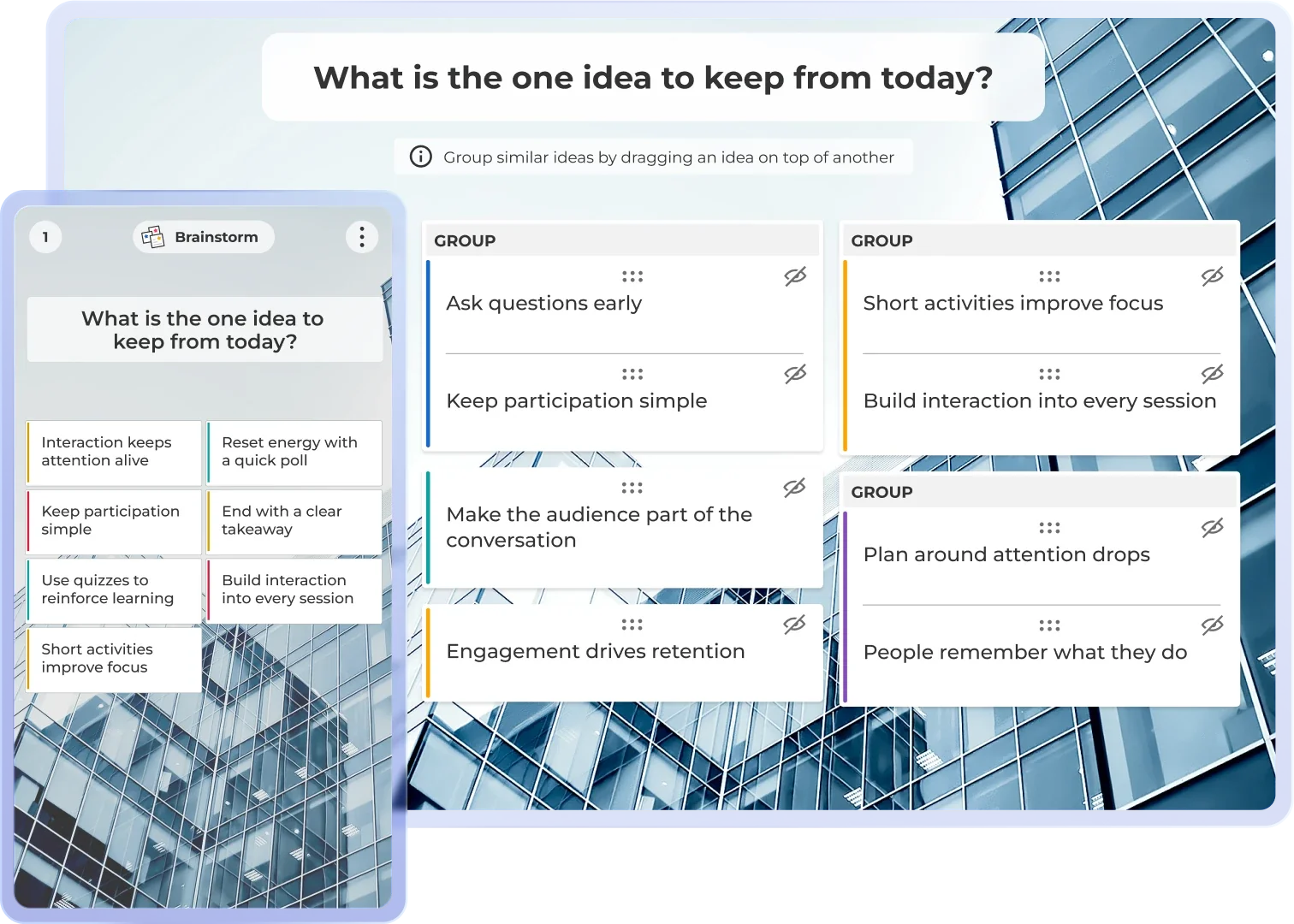
  • Interactive polls, word clouds, and brainstorms: Check understanding, gather opinions, and surface what your team is really thinking, all in real time.
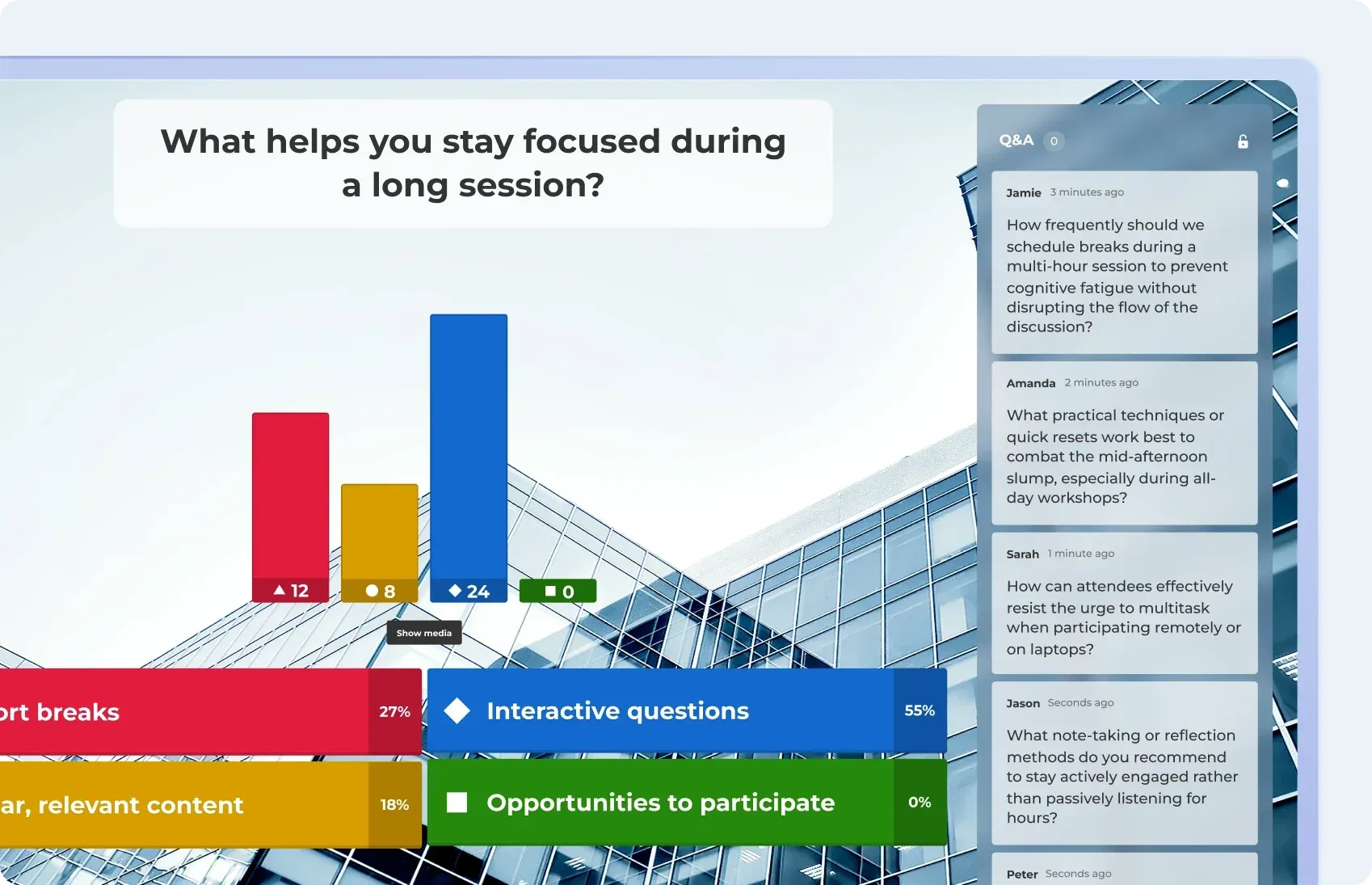
  • Q&A: Let participants submit questions from their devices during your presentation, and answer them live to spark meaningful, real-time interaction. Participants can upvote answers or opinions that they agree with.
Live poll results on what helps people stay focused during a long session, next to a Q&A panel of audience questions.

Get full insights with analytics and reporting

Get insights via reports to improve your next presentation, and make sure to have full overview.

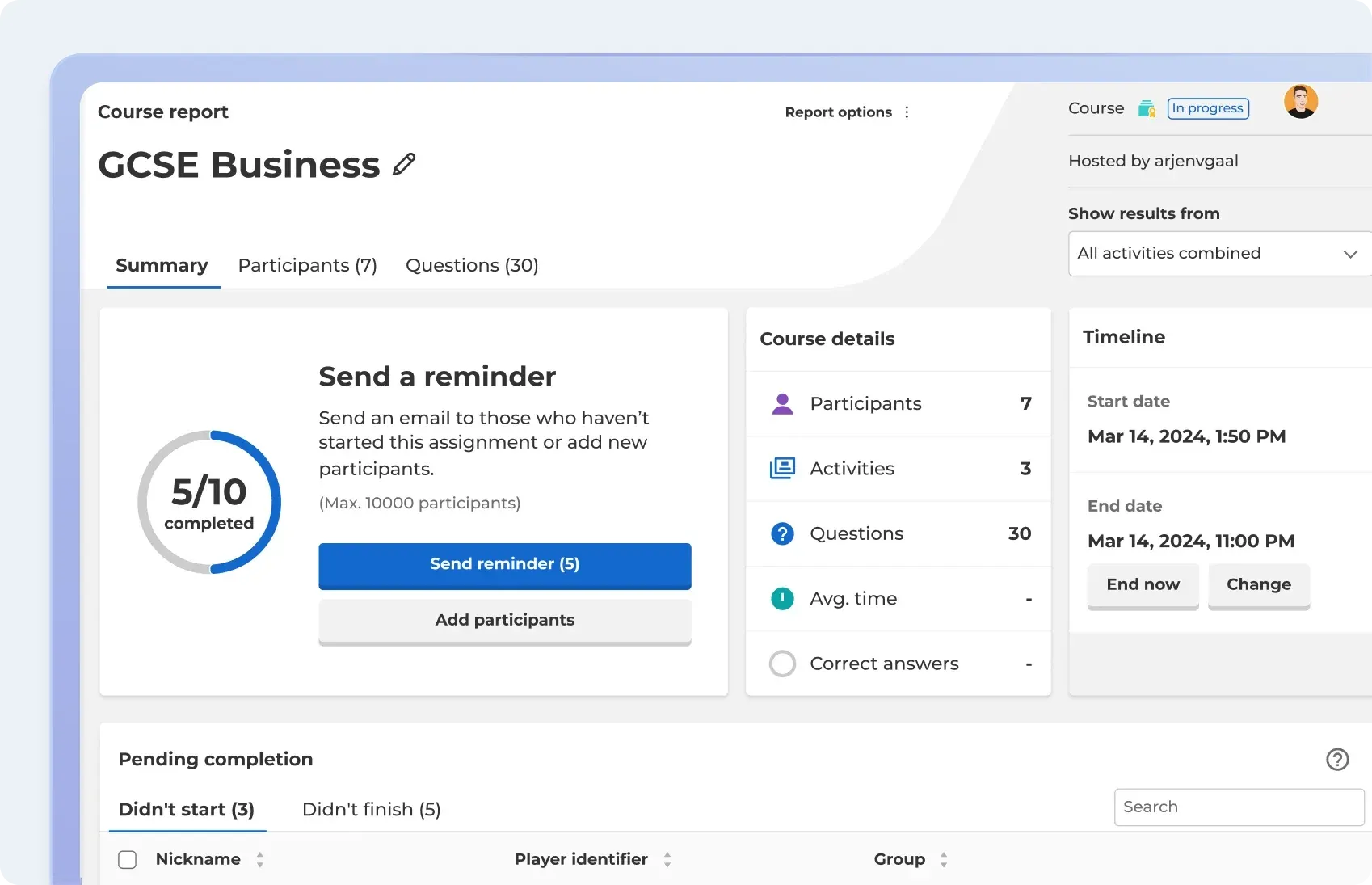
  • Post-meeting analytics: Every session generates a report, so you can see who participated and the individual responses.
  • Combine reports: Easily assess progress and participation over time.
A Kahoot! 360 report showing 5 of 10 participants completed, with options to send a reminder, plus details, a timeline and a list of who hasn’t finished.

Everything your presentation, meeting, training, or event needs in one solution

AI Assistant icon

AI assistant

Create engagement in seconds with the Kahoot! Assistant.

Blue rounded square icon with 4 white squares

Template library

Ready-to-use templates for all use cases.

Blue rounded square icon with 3 white bar chart lines

Insights and analytics

Track progress and performance with reporting and analytics.

Integrations icon

Integrations

Works with your everyday tools and leading LMS platforms.

Blue rounded square icon with white tick

Enterprise-grade security

ISO27001 certified, SOC 2 II report, GDPR compliant, SSO.

Blue rounded square icon with white magic wand

Easy to use

Scalable, flexible, browser-based, and intuative.

Autopay team members gathered together with the Autopay logo.
Customer story

Learn how our customers use Kahoot! 360

Read how Autopay Technologies is using Kahoot! 360 to drive outcomes in their meetings.

Read more

Woman holding a coffee cup while working on a laptop in a cosy café setting
Best practices

Learn how to master interactive presentations

Practical tips for using polls, surveys, word clouds, and brainstorms to keep participants engaged from start to finish.

Read more

Presenter leading a meeting with a live Kahoot! slider question on screen.
Interactive presentations

Turn your slides into interactive presentations people remember

Learn how to add live polls, word clouds, quizzes and Q&A to your presentation with Kahoot! 360

Read more

Drive productivity and growth through engagement

Turn presentations, meetings, and training into engaging sessions that help teams work smarter, stay longer, and drive the business forward.

Get started

Frequently asked questions

How does Kahoot! 360 make meetings more engaging?

Kahoot! 360 turns one-way presentations into two-way conversations. You can add live polls, quizzes, and Q&A to any session, in real time. Participants respond on their own device, and you see results instantly. Whether you are running a weekly sync or a company all-hands, every attendee becomes an active participant instead of a passive observer.

Does it work for remote, hybrid, and in-person meetings?


Yes. Participants join using a simple game PIN on any device, no app download or account required. Whether your team is in the same room, on a video call, or across time zones, the experience is seamless. Kahoot! 360 integrates with tools like Microsoft Teams, Zoom, and Google Meet.

Can I use my existing PowerPoint or Google Slides?

Yes. Upload your existing deck and Kahoot! 360’s AI assistant transforms it into an interactive session in minutes, no rebuilding required. You keep your content and your flow; Kahoot! adds the engagement layer on top.

How many people can join a Kahoot! 360 session?

Kahoot! 360 scales from small team meetings to global all-hands with thousands of participants. Plans vary by audience size, from individual managers to enterprise-wide rollouts with dedicated admin controls and enterprise-grade security.

Do participants need a Kahoot! account?

No. Attendees join with a game PIN, nothing to sign up for, nothing to install. You can start a session and have your whole team engaged within seconds.

What kind of insights do I get after a meeting?

Every session generates a detailed post-meeting report: participation rates, individual responses, question-by-question results, and overall engagement scores. You’ll know exactly what landed, what needs follow-up, and how your audience responded, not just whether they showed up.

Is Kahoot! 360 secure enough for enterprise use?

Yes. Kahoot! 360 is SOC 2 Type II certified and GDPR-compliant. Enterprise plans include SSO, SCIM provisioning, custom branding, and dedicated account support. It’s built to meet the compliance and security requirements of large organizations.

What types of meetings can I run with Kahoot! 360?

Kahoot! 360 is built for any format: team standups, project reviews, product launch meetings, leadership all-hands, client kick-offs, onboarding sessions, and team retrospectives. The platform adapts to your meeting structure, not the other way around.

How quickly can I get started?

Most teams are up and running within minutes. Create a session from scratch or upload your existing content, add interactive questions with AI, and share a PIN. There’s no complex setup and no training required for participants.

Which plan is right for my team?

Individual managers can start with a free plan or upgrade to Kahoot! 360 Pro from $19/month. For larger teams and enterprise rollouts with advanced admin controls, analytics, and security features,Book an intro to talk to our team.