





Live Q&A tools with Kahoot! 360

Turn your audience into active participants with live Q&A

Engage remote, hybrid, and in-person audiences with Q&A – without breaking your flow. Let everyone join the conversation from their own devices and boost interaction across any setting.

Try it now with Kahoot! 360, the ultimate workforce engagement platform.

Get Kahoot! 360 Pro from $19 /mo. Save 10%. Offer ends June 19.

Try Kahoot! 360 Pro for free

Get started Book an intro

Hero

Trusted by leading companies worldwide

How to boost engagement with Q&A on Kahoot! 360

Q&A on Kahoot! lets you transform presentations, events, and training sessions into engaging two-way experiences by allowing your audience to get involved without disturbing your flow.

LIVE QUESTIONS

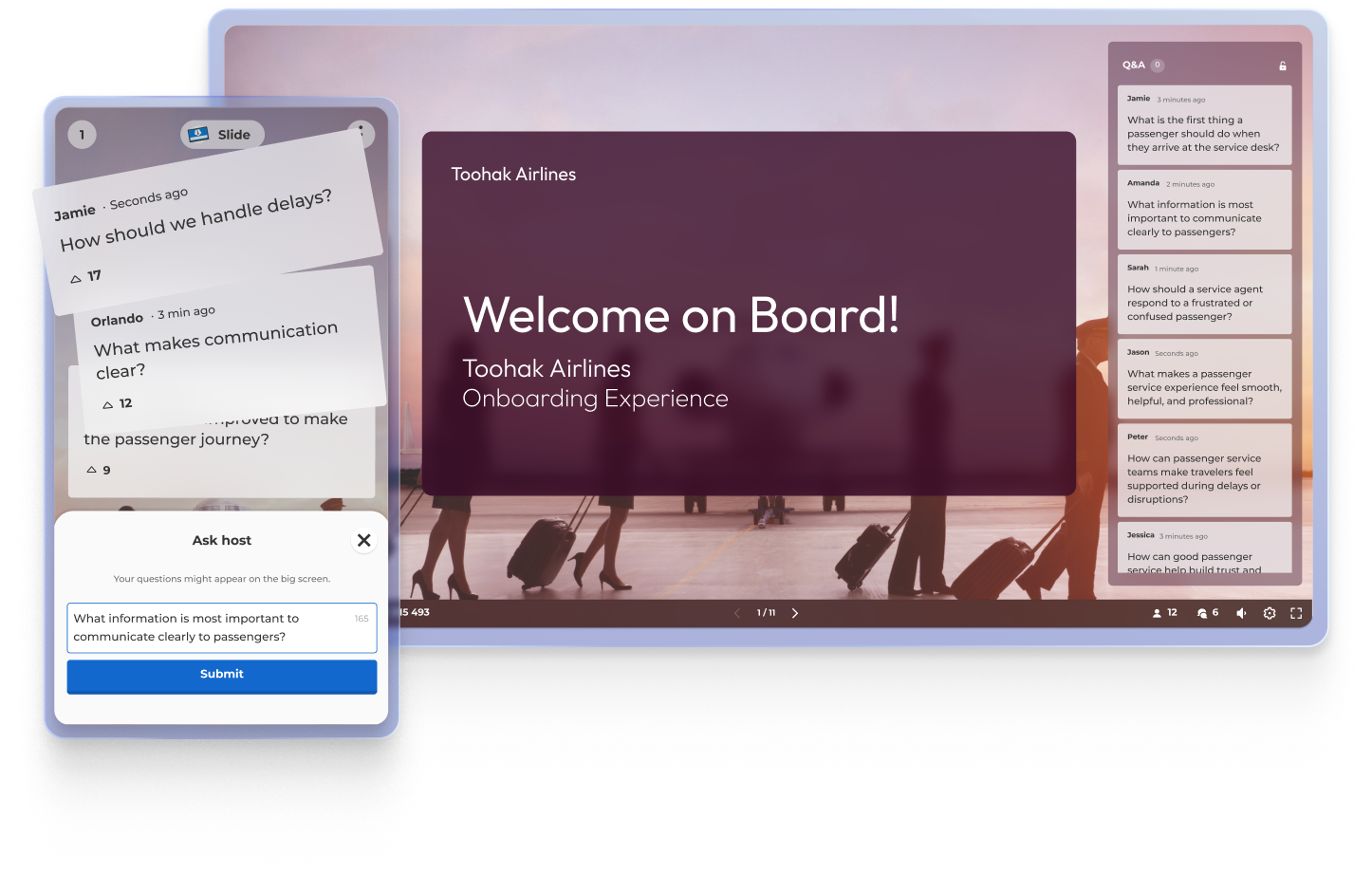
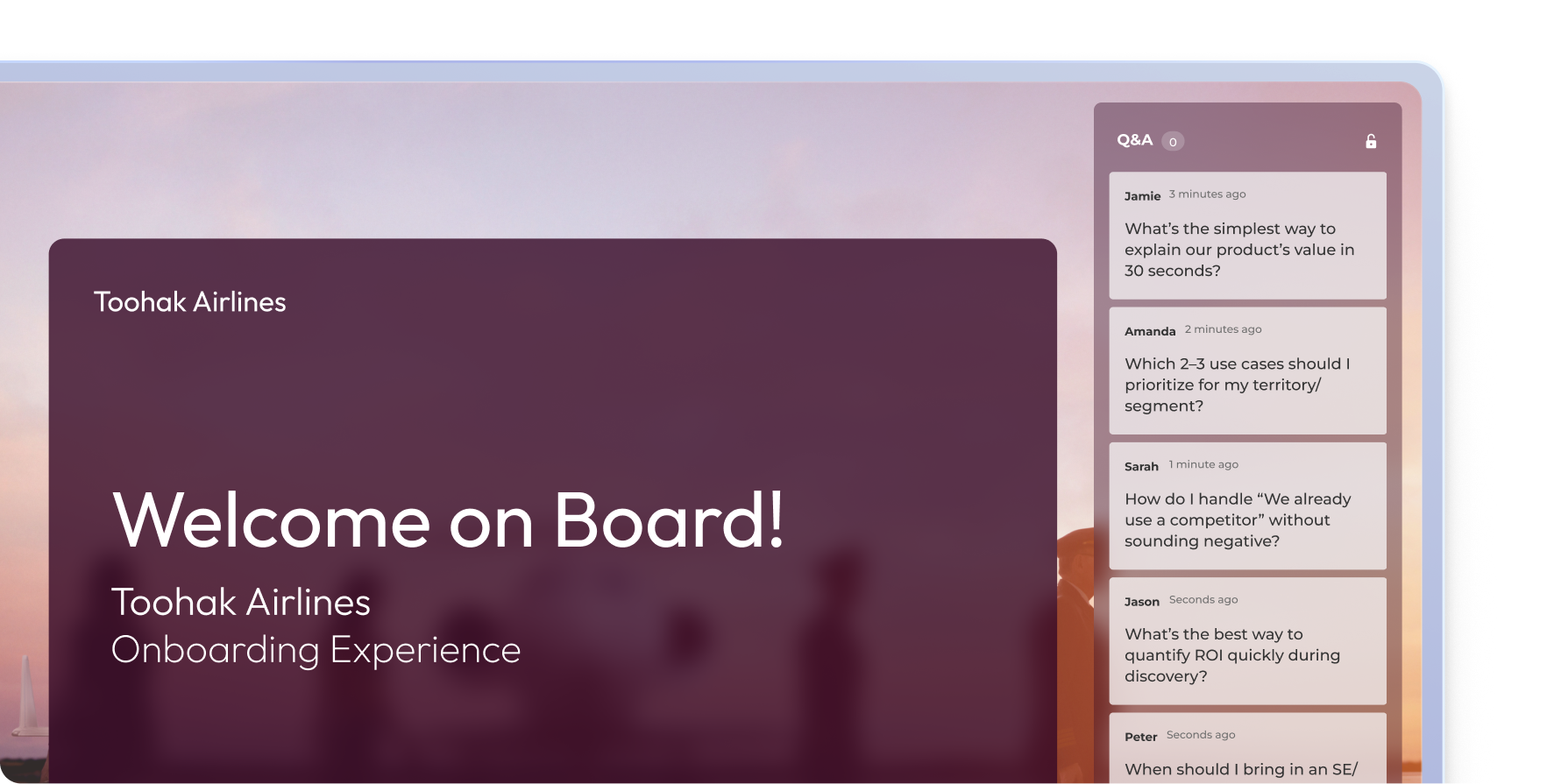
Enable your participants to submit questions from their devices anytime during your presentation.

Kahoot live Q&A panel during a Toohak Airlines onboarding presentation with employee questions streaming in real time

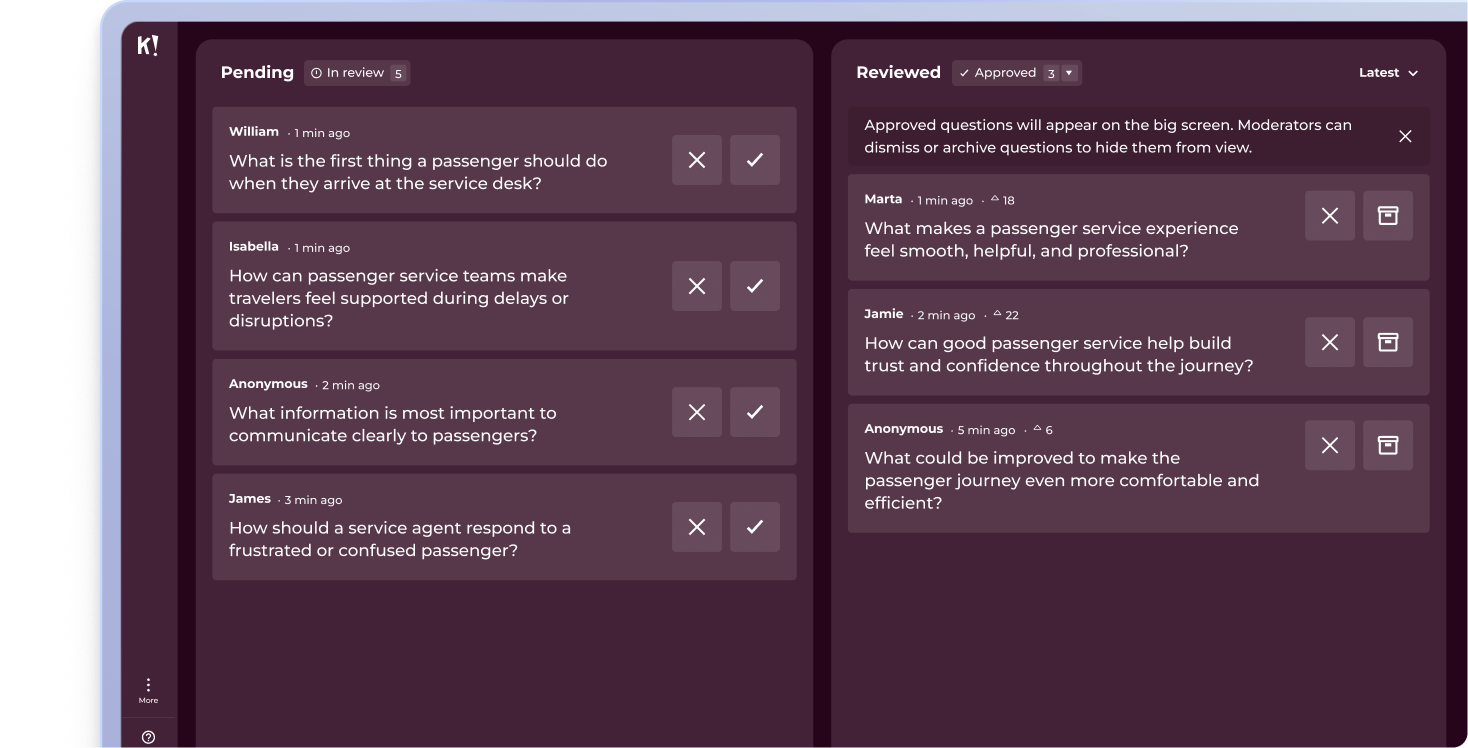
MODERATION

Review, approve, and manage audience questions in real time to stay in full control of the conversation.

Kahoot Q&A moderation dashboard with pending and reviewed audience questions split into two columns for a live session

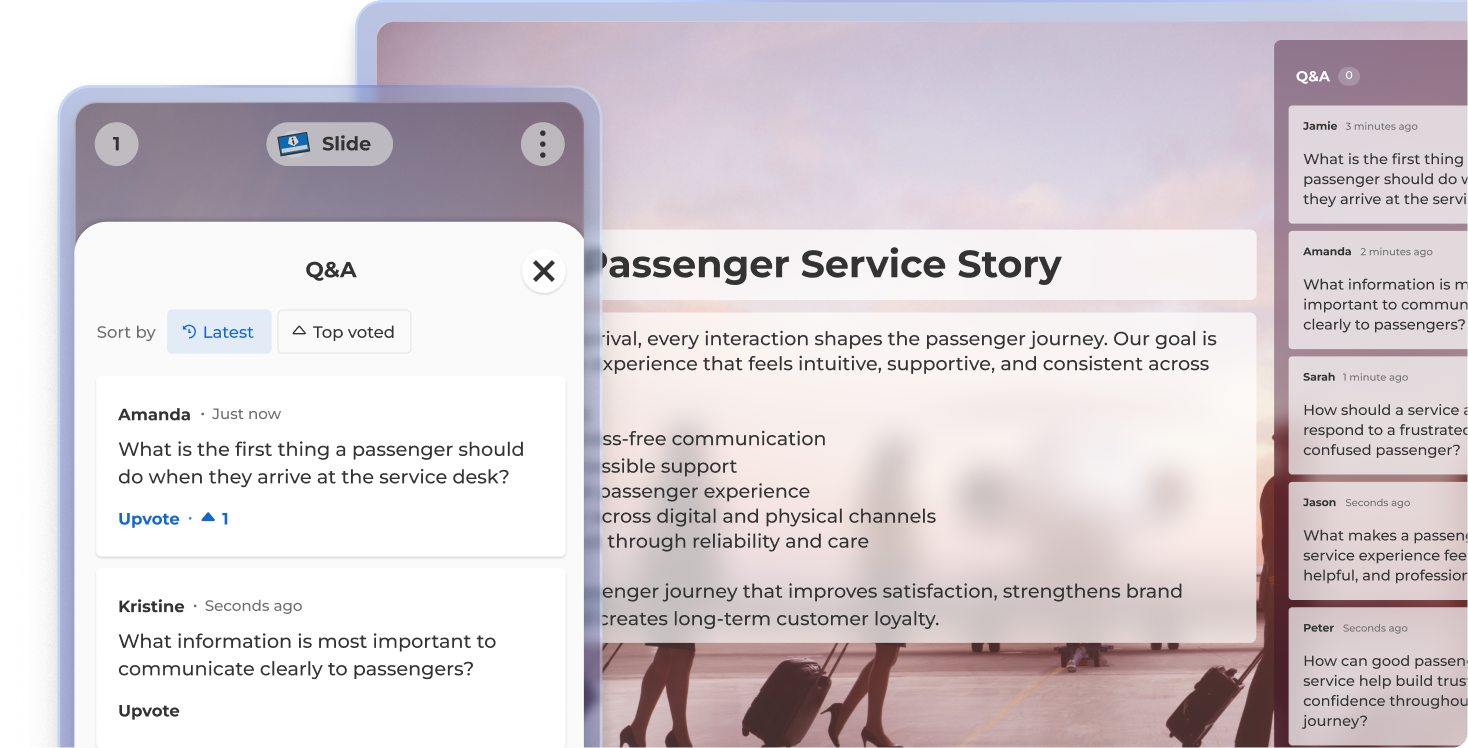
UPVOTING

Participants can upvote their favorite questions, helping you dedicate time to the ones that matter most.


Kahoot live Q&A view showing a Passenger Service Story slide, mobile Q&A panel with upvoting, and audience questions feed on the right

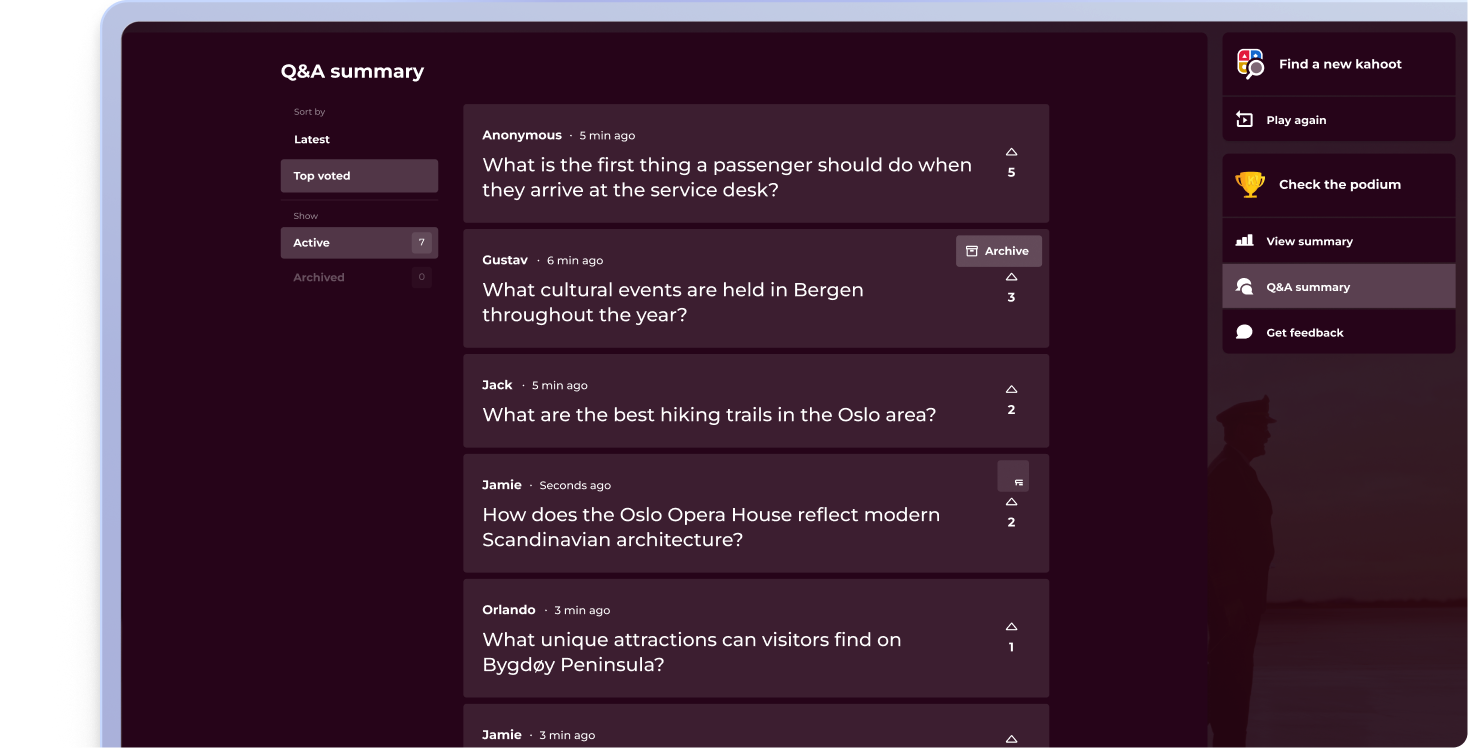
SUMMARY

Display all questions at the end of your presentation for a complete question-and-answer session.

Kahoot Q&A summary screen showing top-voted audience questions after a session, with options to play again, view summary, or get feedback

The most engaged workforces ask better questions

Join millions of professionals giving their audience a voice with Q&A in Kahoot! 360, the ultimate workforce engagement platform. Turn any presentation, training, or event into an engaging experience that drives results across your organization.


Buy now Learn more

Join leaders achieving awesome business results

4 benefits of using Q&A

Report iconBoost audience engagement
Q&A encourages active participation, turning listeners into contributors and keeping attention high throughout the session.

people iconCreate a two-way experience
Transforms presentations and training sessions from one-way delivery into interactive conversations, building connection and trust.

Icon Report Gather real-time insights
Reveal what your audience is curious about or confused by, helping you clarify doubts and tailor your message on the spot.

Course iconIncrease knowledge retention
When people ask and hear questions in context, they’re more likely to retain information and stay involved throughout

Frequently Asked Questions about Q&A with Kahoot! 360

What is a Q&A?

A Q&A (question and answer) session allows your audience to submit questions in real time during a presentation, training session, or event. It’s an interactive way to keep participants engaged, whether they’re joining remotely, in-person, or in hybrid settings.

How does Kahoot! 360 support Q&A sessions

Kahoot! 360 includes an interactive Q&A feature that lets presenters run seamless question-and-answer sessions without disrupting their flow. Attendees can submit live questions from their devices, and the host can choose which ones to address during or after the session.

What are the benefits of using a Q&A tool?

Using a Q&A tool like Kahoot! 360 increases engagement, encourages participation, and helps surface important insights from your audience. It turns passive listeners into active participants, making it perfect for events, presentations, training, and more.

How can I incorporate audience feedback in real-time during presentation?

Q&A lets participants submit questions from their own devices at any time during your presentation. This makes it easy for you to clarify key points, adapt your content in real time, and keep your audience actively involved without interrupting your presentation flow.

Is Kahoot! 360 a Q&A platform?

Q&A is one of many features in Kahoot! 360, the ultimate workforce engagement platform designed to transform presentations, events, and training sessions into impactful two-way experiences.

Can I moderate live questions during a session?

Absolutely. Kahoot! 360 gives hosts full control over which live questions are shown, ensuring that your Q&A session stays professional and on-topic.

How can I enable participants to submit questions during a presentation?

On Kahoot! 360, you can enable participants to submit questions from their own devices at any time during your presentation without breaking your flow. The feature is integrated into the presentation interface, allowing attendees to join the conversation seamlessly from their web browser or the Kahoot! app.

How do I ensure Q&A works smoothly for remote, hybrid, and in-person audiences simultaneously?

Kahoot! 360 ensures smooth Q&A across all settings by allowing everyone—remote, hybrid, and in-person—to join the conversation and submit questions from their own devices using the same web link or app. This centralized platform boosts interaction across any setting equally.

Can I filter or moderate submitted questions with a digital Q&A tool?

Yes. As an example Kahoot! 360 provides moderation controls that allow the presenter or a moderator to review, filter, and approve questions before they are visible to the entire audience or the presenter. This ensures all discussions remain professional, focused, and relevant to the topic.

Can I save the list of questions submitted with a digital Q&A tool for review after the event?

Yes, with Kahoot! 360 all questions submitted are saved as part of the session report, allowing you to review them post-event. This valuable data helps you identify topics for future sessions and ensure all questions, even unanswered ones, receive a follow-up.

Can I integrate the Q&A with other interactive elements like polls and quizzes?

Yes, a tool like Kahoot! 360 allows seamless integration of Q&A with quizzes, polls, and other activities within a single session. This enables you to alternate between information delivery, knowledge checks, and live questions without ever leaving the Kahoot! platform.

Does Kahoot! allow the audience to upvote or prioritize questions submitted by other participants?

Yes, Kahoot! 360’s Q&A feature allows participants to upvote questions submitted by others. This crucial functionality enables the moderator or presenter to quickly prioritize the most popular and relevant questions for the entire audience, streamlining the session.

Can Kahoot! Q&A data be used to refine and improve future presentation content?

Yes, the saved Kahoot! Q&A data is invaluable for content refinement, as it highlights audience knowledge gaps and areas of highest curiosity. This feedback helps you tailor future presentations to directly address the topics the audience is most interested in or confused by.

Explore more use cases