
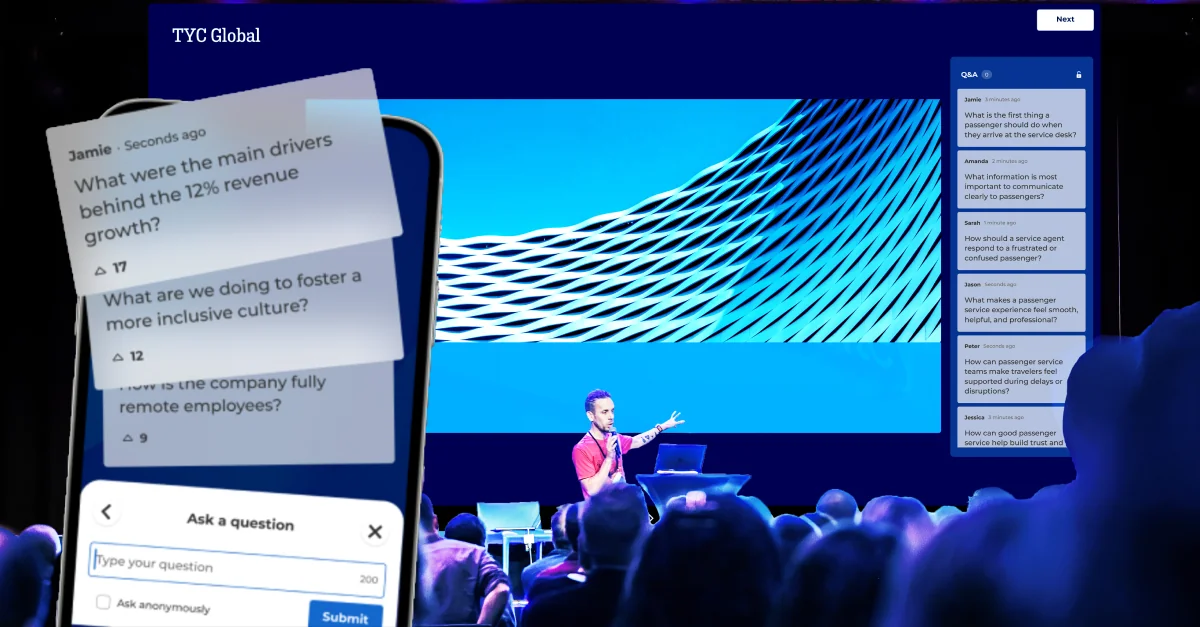
The shift to confident live Q&As
- The problem: Presenters and event organizers often treat live Q&As like a gamble since off-topic or inappropriate questions can derail the session or break the speaker’s flow.
- The solution: Moderators who can review, approve, and manage audience questions behind the scenes in real time keep sessions focused and on track.
- The best tool: With Kahoot! 360’s Moderated Q&A, hosts gain complete control over the conversation, turning passive listeners into active participants without risk.
Presenters who run live Q&As unlock one of the most powerful ways to engage an audience. Whether you’re hosting a company all-hands or town hall, a high-stakes keynote or presentation, or a large-scale training session, giving your audience a voice helps you connect directly with the room.
But for many presenters and event organizers, opening the floor to live questions can feel like a gamble. Will the questions be relevant? Will an off-topic submission derail the presentation? Will the sheer volume of questions break the speaker’s flow?
Many presenters default to tightly controlled, one-way presentations and miss out on the engagement a live Q&A creates. The most effective teams solve this by embracing interactive Q&As with built-in moderation.
Here’s a 5-step framework to confidently host live Q&As and keep your sessions focused and engaging:
Empower participants to ask anytime, anywhere
Don’t make your audience wait for the awkward “Any questions?” slide at the very end of your presentation.
- Capture thoughts instantly: Participants can submit questions from their own devices at any point during the session without disrupting the speaker.
- Increase question quality: Participants who submit questions as they arise give you higher-quality, more context-rich responses, while staying actively engaged from start to finish.
- Prioritise with upvoting: Participants can upvote the questions they find most relevant, helping you dedicate time to the ones that matter most
With Kahoot! 360, participants submit and upvote questions seamlessly throughout the session, creating a continuous, prioritised feedback loop.
Works well for: Remote, hybrid, and in-person sessions and pairs naturally with polls and brainstorming tools for even richer engagement.

Take complete control over the conversation
When you open the floor to questions, you shouldn’t have to worry about inappropriate or distracting submissions derailing your session.
- Review and approve: Give moderators the ability to review incoming submissions and approve only the most relevant ones for the audience to see.
- Dismiss and archive: Moderators can instantly dismiss irrelevant questions and archive answered ones to keep the queue clean.
With Kahoot! 360, you get a dedicated, behind-the-scenes space to manage audience questions in real time.
Works well for: Employee communication and all-hands meetings, and large-scale events and conferences.
Maintain seamless presenter focus
Presenters who address large or hybrid audiences need complete focus. Those who multitask between speaking and moderating questions risk losing their flow and their audience.
- Assign a moderator: Use an optional assigned-moderator flow that lets a colleague or co-host run the Q&A queue behind the scenes.
- Stay on track: Your primary host stays completely focused on delivering the presentation, without breaking concentration to filter questions.
With Kahoot! 360, you can separate the roles of presenting and moderating for a flawless delivery.
Works well for: High-stakes presentations, keynotes, and board meetings.
Close the loop with a complete Q&A summary
The conversation shouldn’t end when the presentation does.
- Capture every question: Display all submitted questions at the end of your session for a complete question-and-answer record, so nothing gets lost and every voice is acknowledged.
- Extend the value: A full summary gives participants a reference to revisit key themes, and gives hosts a record of what resonated most with their audience.
With Kahoot! 360, the Q&A summary turns a one-off session into a lasting resource.
Works well for: Training sessions, onboarding programmes, and any session where follow-up and accountability matter.
Create safe spaces for regulated environments
Teams in regulated or compliance-driven environments get the most from moderated Q&A because it’s built for the settings where control matters most.
- Ensure compliance: Help your teams stay strictly on-topic and aligned with company policy.
- Mitigate risk: Facilitators can open the floor to engagement in regulated sessions where unmoderated Q&A wasn’t a safe option before.
With Kahoot! 360, you can confidently turn Q&A into a true engagement lever for large-room and hybrid sessions without the risk.
Works well for: Compliance and regulatory training, onboarding, and risk management sessions.
Ready to elevate your next high-stakes presentation?
You don’t have to choose between a safe presentation and an engaging one. By adding moderation to your interactive toolkit, you can confidently turn your audience into active participants and make every session a memorable experience.