
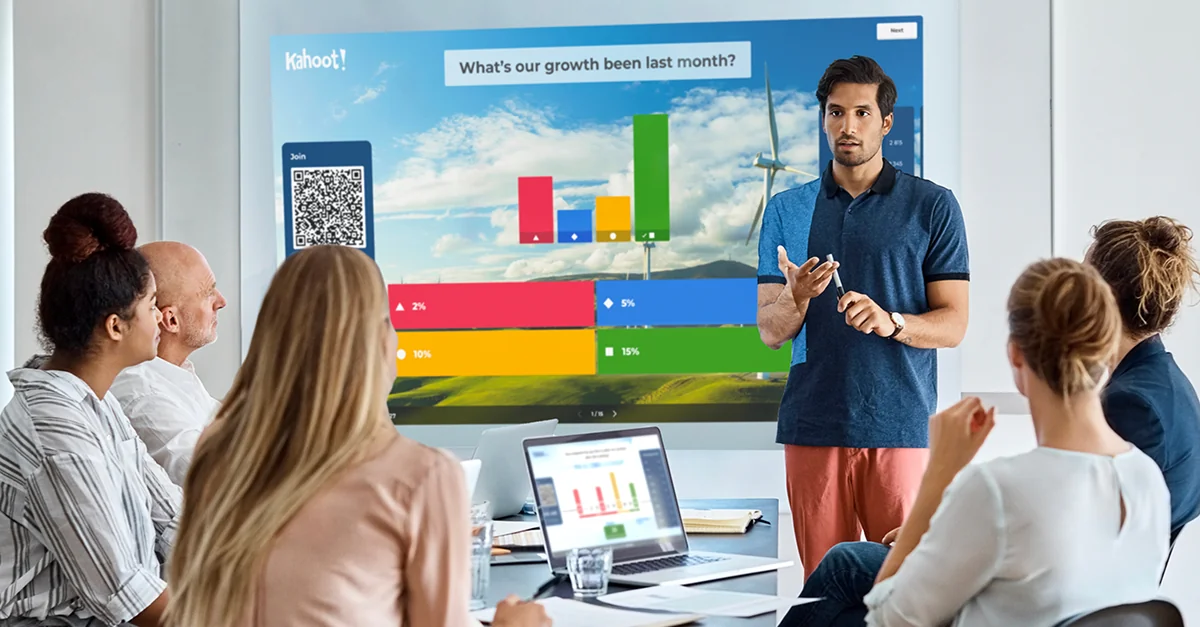
The shift from forgettable slides to memorable experiences
- The Problem: Bullet points, one-way talking, and zero interaction mean your audience checks out almost instantly, and 70% of what they heard will be gone within 24 hours.
- The Solution: Giving participants something to do during your presentation instantly boosts engagement and makes every session more memorable.
- The Best Tool: Kahoot! 360 transforms your existing PowerPoint or Google Slides into interactive experiences in seconds — no rebuilding, no switching tools, no friction.
It’s not because your content isn’t valuable or that your slides aren’t well-designed, but because one-way information delivery through bullet points, talking heads, and no interaction simply doesn’t hold your audience’s attention.
Most presentations lose the room. The moment a participant becomes a passive listener, their mind starts to wander. And once that happens, it’s very hard to get it back.
The most effective presenters aren’t solving this by building better slides. They’re solving it by transforming their presentations into two-way experiences where every participant has a reason to stay engaged from start to finish.
Here are 5 steps to create more memorable presentations:
Accept the problem before you try to fix it
If your session runs longer than 20 minutes without asking anything of your audience, engagement will drop, regardless of how important the material is.
- Find your friction points: Take a look at your last few presentations and identify where questions dried up or energy dipped. Those are your starting points.
- Blame the format, not the content: Most presenters assume the material isn’t landing. Usually, it’s the delivery style that’s the problem.
- Be intentional about it: Place interaction at the moments that matter most, whether that’s a key message you need to land, a decision point, or anywhere you need your audience’s full focus.
With Kahoot! 360, you can run interactive presentations and meetings that give participants something to do at every key moment, keeping attention where it matters most.
Works well for: Recurring all-hands meetings, training programmes, and any session where completion or retention is being tracked.
Start with the slides you already have
The most common reason presenters don’t adopt interactive tools is the assumption that it means starting from scratch. It doesn’t.
- Your slides are already your asset: The goal isn’t to replace what you’ve built, it’s to layer interaction on top of it.
- Import, don’t rebuild: Bring in your existing slides and identify key moments where a question, poll, or word cloud would add the most value.
- Keep it light: You don’t need to redesign your content. You just need to give your audience something to respond to.
With Kahoot! 360, you can import your PowerPoint or Google Slides with one click and add polls, surveys, and word clouds, or even run brainstorm sessions directly from your presentation flow without changing a single slide.
Works well for: Presenters with existing decks, fast-turnaround sessions, and teams running recurring training content that needs refreshing.

Give every participant something to do
The most effective way to make presentations impactful is to give people something to do.
- Open with a question: Starting with a poll or a question sets the tone immediately and signals that this is a two-way session.
- Test understanding mid-session: A scenario-based question in the middle of your presentation checks comprehension in real time, before misunderstandings leave the room.
- Close by surfacing the room’s thinking: A brainstorm or live Q&A at the end gives everyone a voice, including the people who wouldn’t raise their hand.
With Kahoot! 360, you can run live polls, quizzes, word clouds, and brainstorms so participants stay actively engaged at every stage.
Works well for: Training sessions, strategy workshops, town halls and events, sales kick-offs, and leadership off-sites.
Present with confidence
Most presenters don’t know how their session is going until it’s over. By then, it’s too late to adapt.
- Adjust in real time: When you can see responses coming in live, you can slow down where the room needs more time and skip ahead where they’re already across it.
- Spot confusion early: Low scores or unexpected answers are signals to address misunderstandings on the spot, not in the follow-up email.
- Own the room: Knowing your session is landing gives you the confidence to present without second-guessing yourself.
With Kahoot! 360, live results, and participation data appear on screen as they come in, giving you a real-time read on the room across presentations, training, and events.
Works well for: High-stakes presentations, compliance and certification training, onboarding, and any session where understanding needs to be verified.

Turn every presentation into an experience people remember
The goal of any presentation isn’t just to share information. It’s to change something, whether it’s a perspective, a behaviour, or a decision.
- Make it inclusive: When every participant has something to respond to, no one is just along for the ride.
- Make it visible: Seeing ideas appear on screen in real time, alongside their colleagues’, creates shared moments that static slides never can.
- Make it count: Presentations that feel dynamic and two-way don’t just engage people in the moment, they drive the outcomes you’re actually there to achieve.
With Kahoot! 360, you can transform any presentation into an interactive experience that makes meetings, training, and events more engaging and more impactful.
Works well for: All presentation formats, in-person events, remote teams, and collaborative learning across every function and industry.
Ready to transform your next presentation?
Millions of professionals are already using Kahoot! 360 to turn their existing slides into experiences that actually stick. Interactive questions, polls, word clouds, and brainstorms, running directly from your presentation, in seconds.