
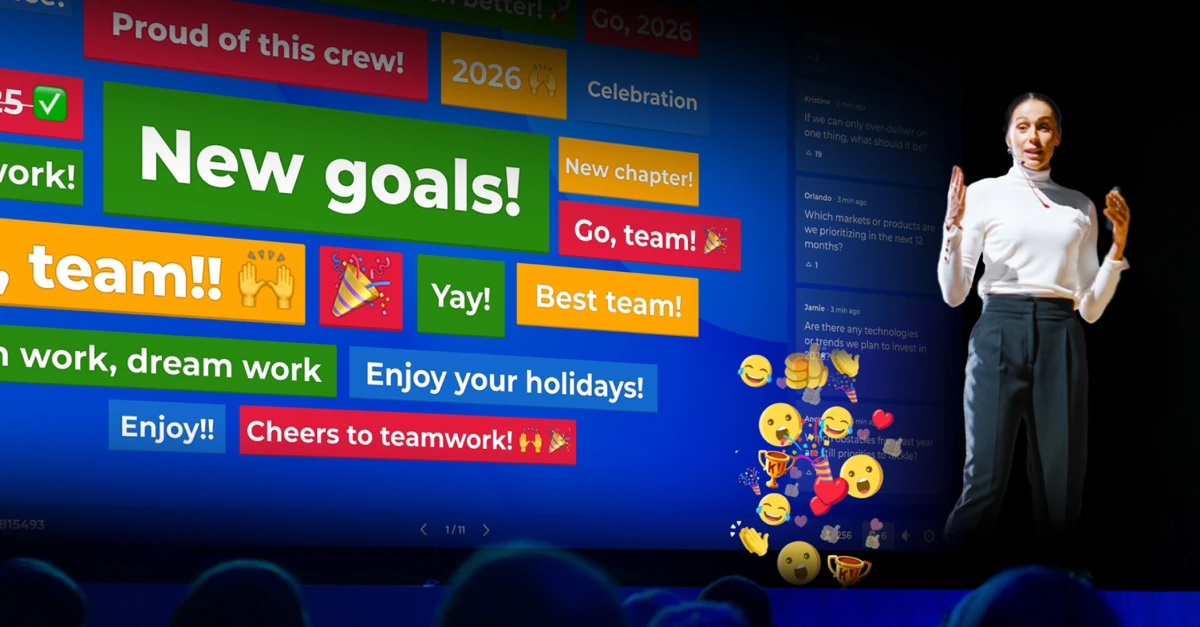
The shift from one-way recaps to honest, team-wide reviews
- The problem: Leaders often present the year to a quiet room, so they miss what their team thinks went well and what should change.
- The solution: Leaders who ask everyone for honest input, then vote on what matters most, walk into the new year with priorities the whole team shares.
- The best tool: With Kahoot! 360, leaders use word clouds, polls, brainstorms, and moderated Q&A to gather feedback and set priorities in one session.
A year-end review is the one meeting where the whole team looks back together. Most leaders know how it usually goes: a few slides, a few voices, and a quiet room that nods along.
A quiet room can hide a lot. More than 4 in 10 office workers in the US and UK say they hide or suppress opinions they believe wouldn’t be well received, according to the Kahoot! 360 Workplace Culture and Connection Report. When people hold back, leaders plan the new year without hearing what went well, what got in the way, and what the team wants to change.
The most effective leaders make honesty easy. They ask specific questions, give everyone a way to answer, and turn the answers into a short list of priorities the team has already agreed on.
Here are 5 steps to run a year-end review that turns honest feedback into next year’s priorities:
Open by letting the team describe the year in their own words
Before you share your own highlights, hear the team’s. It sets the tone that this review is a conversation.
- Ask for one word: Ask everyone for one word that sums up the year and let the answers build on screen.
- Notice what stands out: Words that repeat show what the team felt most, and give you a natural way to start the discussion.
- Present with polish: Walk through the year’s results in a professional presentation that includes interactive questions where you want input.
With Kahoot! 360, you can open with a word cloud and present your year in review in professional presentations that your team answers from their own devices.
Works well for: Company-wide meetings, department reviews, and team retrospectives.
Ask what went well and what should change
Specific questions get specific answers. Three simple prompts give your team a structure to follow.
- Start, stop, continue: Ask what the team should start doing, stop doing, and continue doing next year.
- Keep each question short: One idea per question makes it easy for people to answer in a few seconds.
- Read the room instantly: Results appear as people respond, so you can react to the strongest themes while everyone is still there.
With Kahoot! 360, you can ask these questions as live polls and see the results in real time.
Works well for: Year-end reviews, project retrospectives, and quarterly check-ins.

Collect the ideas people hold back
Many useful ideas stay unspoken because speaking up feels risky. Remove the risk and more of them reach you.
- Allow anonymous input: People share ideas without their names attached, which helps quieter voices contribute.
- Ask for one change: Ask what one change would make next year better for the team.
- Let the team vote: Participants vote on the ideas they support, so the strongest ones rise to the top.
With Kahoot! 360, participants add ideas from their own devices in a brainstorm, with anonymous input and voting.
Works well for: Team workshops, retrospectives, and planning sessions.
Answer the hard questions in the room
People often save their toughest questions for the hallway. Give them a place to ask in the meeting itself.
- Take questions throughout: Participants submit questions from their own devices at any point in the review.
- Moderate with confidence: A moderator approves or dismisses questions before the room sees them, and can be a colleague instead of the presenter.
- Answer the top ones live: Leaders respond to the questions that matter most to the team, and everyone hears the answers.
With Kahoot! 360, hosts approve or dismiss questions in moderated Q&A before anything reaches the screen, so leaders can answer the hard questions with confidence.
Works well for: Company-wide meetings, town halls, and leadership updates.

Vote the feedback into next year's priorities
Feedback only matters when it changes something. Finish the review by agreeing on what comes next.
- Group the themes: Pull the strongest themes from the polls, brainstorm, and questions into a short list.
- Vote on priorities: Ask the team to pick the few that matter most for next year.
- Close with next steps: Name an owner for each priority and share the list before the meeting ends.
With Kahoot! 360, you can run live polls and brainstorms at your next company meeting or event to keep the priorities in front of the whole team.
Works well for: Year-end reviews, kick-off meetings, and quarterly planning.
Ready to turn your next year-end review into a plan your team shares?
A year-end review is one of the few times the whole team is together. With a few interactive questions, you can leave with honest feedback and a short list of priorities everyone helped choose. Get started now.