




„Zarządzanie ryzykiem raczej nie należy do najciekawszych tematów szkoleniowych, ale kiedy skorzystaliśmy z Kahoot!, uczestnicy nagrodzili nas owacją na stojąco”.
Sukces prezentacji nie zależy wyłącznie od dobrze przygotowanych slajdów – kluczem jest przyciągnięcie uwagi publiczności. Wszystko się zmienia, gdy zamiast biernie obserwować, publiczność zaczyna aktywnie uczestniczyć, reagować i udzielać odpowiedzi w czasie rzeczywistym. To właśnie Kahoot! 360 Pro zapewnia każdemu prelegentowi profesjonalne narzędzia niezbędne do osiągnięcia tego celu.
Zamień dowolną prezentację, szkolenie lub event w interaktywne doświadczenie za pomocą Kahoot! 360 — najlepszej platformy do budowania zaangażowania pracowników.
Zdobądź Kahoot! 360 Pro już od 19 USD/miesiąc. Zaoszczędź 20%. Oferta kończy się 31 października.
Dzięki Kahoot! 360 możesz błyskawicznie tworzyć angażujące sesje i uzyskać użyteczne informacje. Zestaw narzędzi dla prelegentów pozwala prowadzącym i prezenterom pewnie prowadzić prezentacje, zapewniając im pełną kontrolę nad tempem i poziomem interakcji, tak aby idealnie dopasować je do odbiorców.
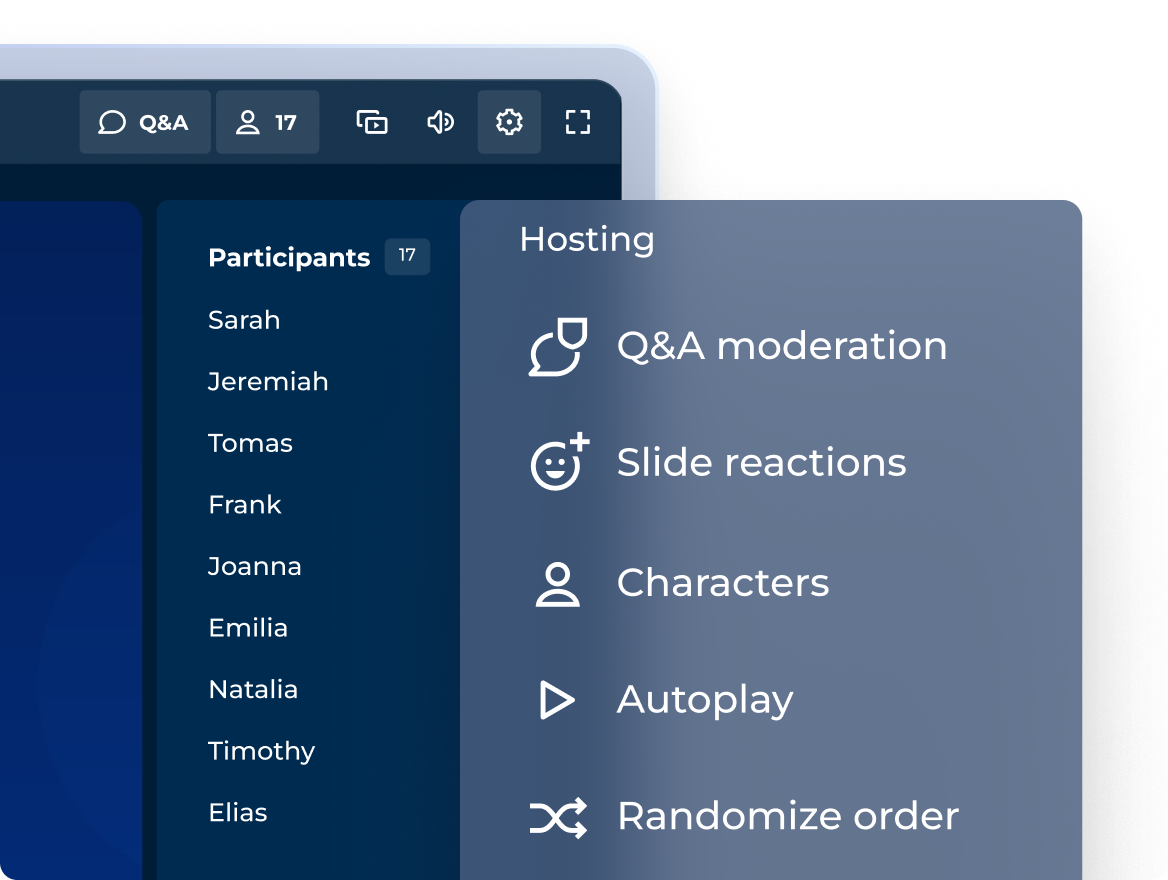
Wciągające sesje w profesjonalnym stylu biznesowym
Dopasuj sposób wykorzystania interaktywnych pytań, punktów i podium do tonu każdej sesji!
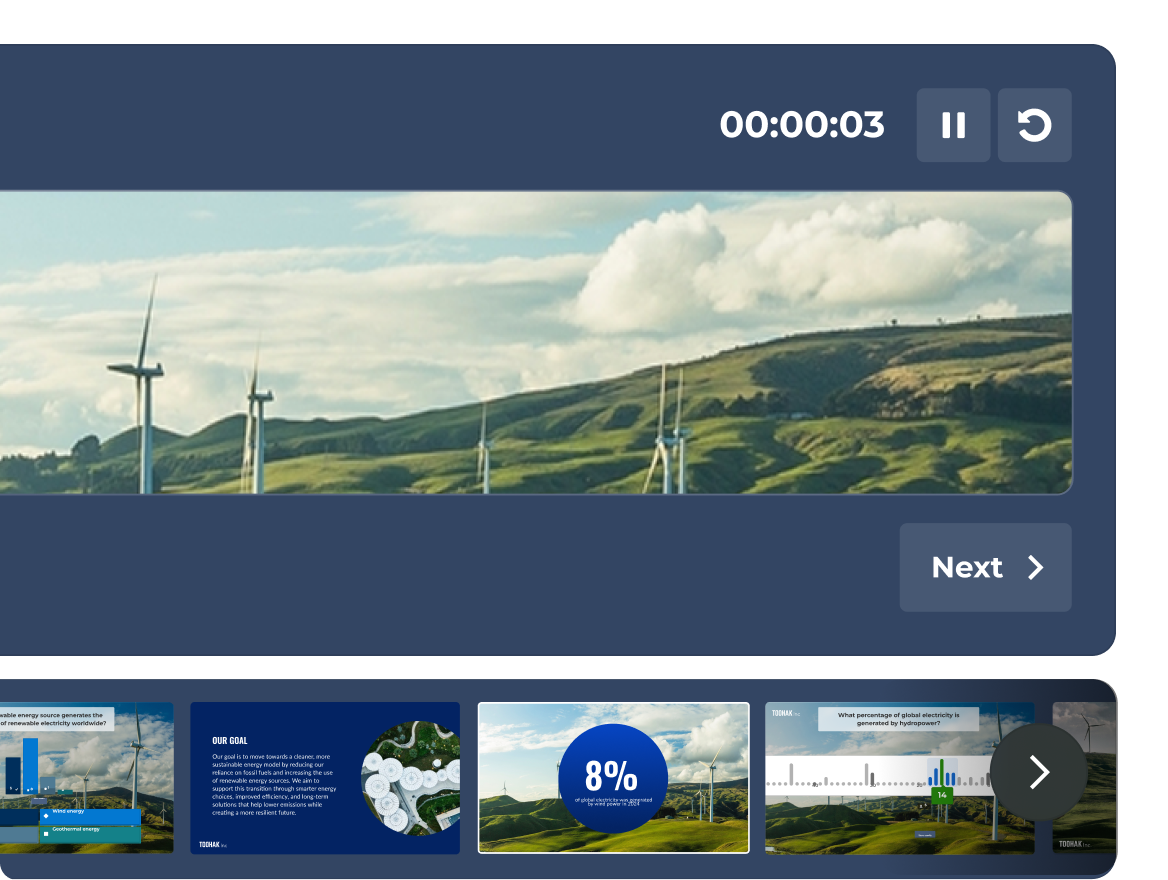
JUŻ WKRÓTCE: Kompleksowy widok prezentera
Masz pełną kontrolę nad prezentacją, możesz przeglądać slajdy, śledzić aktywność uczestników na żywo oraz licznik czasu, a wszystko to w jednym specjalnym widoku prezentera, widocznym tylko dla Ciebie.
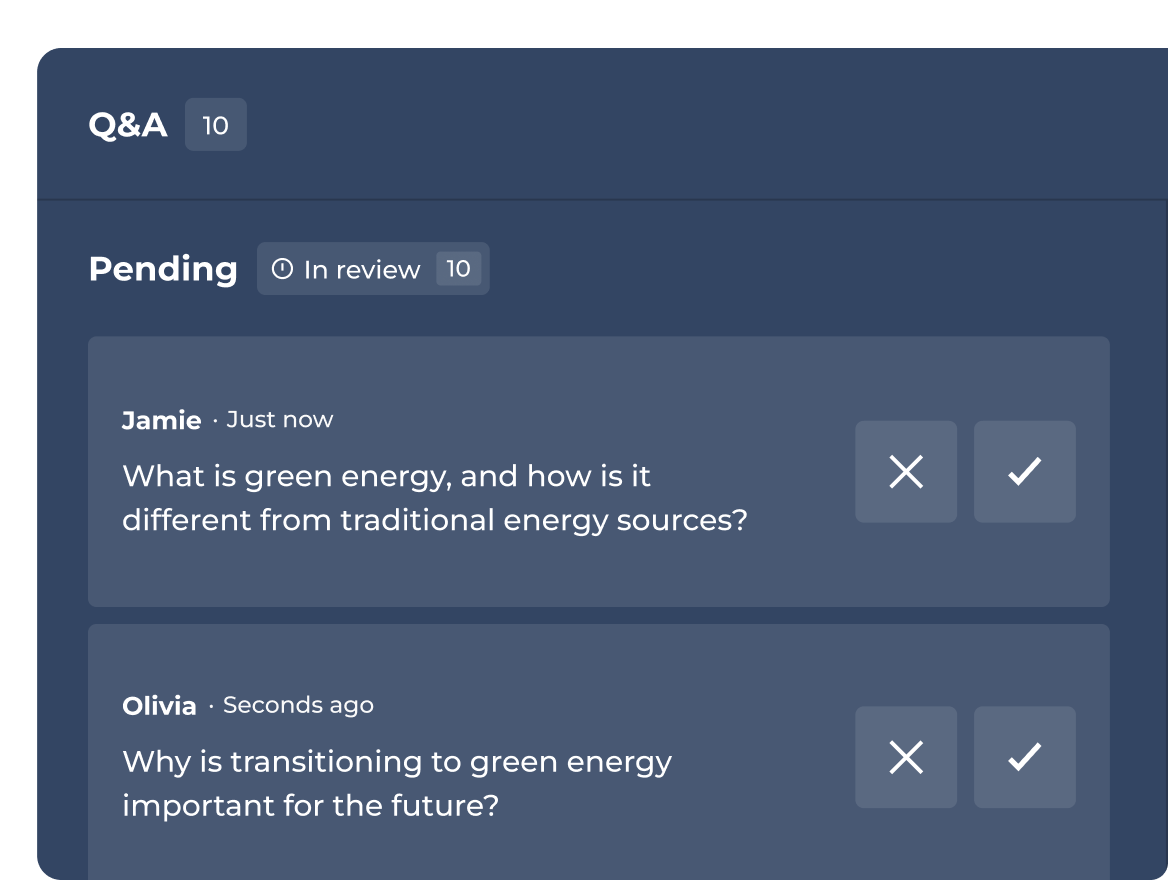
Moderacja sesji Q&A
Zatwierdzaj, wyróżniaj lub odrzucaj pytania, zanim zostaną udostępnione odbiorcom.
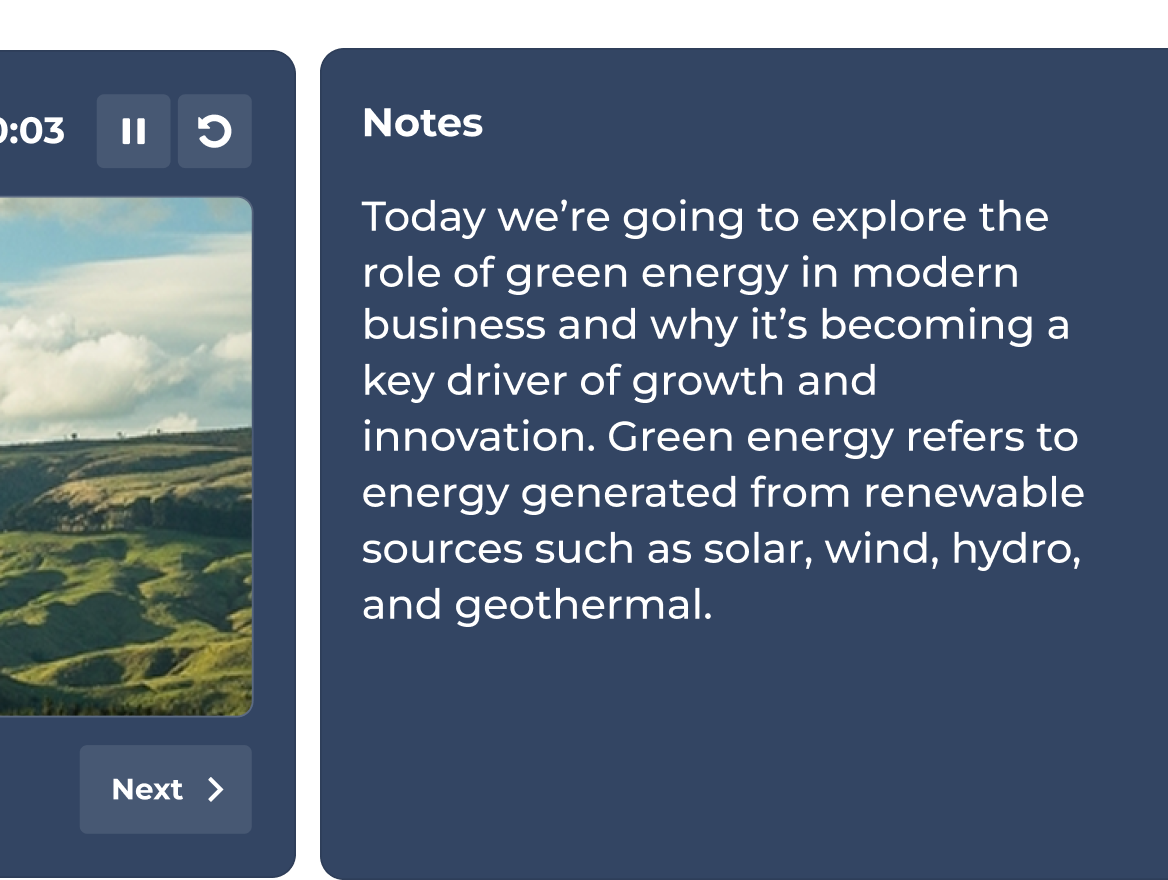
JUŻ WKRÓTCE: Kluczowe punkty wystąpienia zawsze pod ręką
Do każdego slajdu możesz dodać notatki widoczne tylko dla Ciebie. Nigdy nie stracisz wątku i za każdym razem poprowadzisz prezentacje dopracowane w każdym szczególe.
Plany i cennik.
| Recommended plan | |||
|---|---|---|---|---|
| Typy pytań | Prawda lub fałsz, układanka, ankieta, pytanie otwarte, suwak, pinezka, chmura słów i burza mózgów | Prawda lub fałsz, układanka, ankieta, pytanie otwarte, suwak, pinezka, chmura słów i burza mózgów | Prawda lub fałsz, układanka, ankieta, pytanie otwarte, suwak, pinezka, chmura słów i burza mózgów | Prawda lub fałsz, układanka, ankieta, pytanie otwarte, suwak, pinezka, chmura słów i burza mózgów |
| Profesjonalne prezentacje, w tym importowanie i synchronizacja slajdów z innych narzędzi | Profesjonalne prezentacje i importowanie slajdów |  | Pełen zestaw narzędzi dla prelegentów | Pełen zestaw narzędzi dla prelegentów |
| Szkolenia, kursy i certyfikaty | feature NOT available with this plan | Tylko szkolenia na żywo | | Wszystkie formaty, w tym indywidualne ścieżki edukacyjne |
| Tworzenie ciekawych sesji z wykorzystaniem AI lub na podstawie dostępnych materiałów | Twórz na podstawie promptów | Tworzenie na podstawie promptów, slajdów i linków URL | Pełen pakiet narzędzi AI | Pełen pakiet narzędzi AI |
| Dane i analizy | Podstawowe raporty | Raporty i analizy | Zaawansowane analizy | Zaawansowane analizy |
Za pomocą zestawu narzędzi dla prelegentów Kahoot! 360 można przekształcić tradycyjne, pasywne prezentacje w dynamiczne, interaktywne sesje oparte na dwustronnej komunikacji. Dzięki możliwości dodawania ankiet na żywo, reakcji w czasie rzeczywistym oraz interaktywnych pytań quizowych bezpośrednio do slajdów prelegenci mogą aktywnie angażować słuchaczy, zachęcać ich do udziału oraz skutecznie kierować przebiegiem spotkania podczas firmowych spotkań i eventów.
Prowadzenie prezentacji w stylu biznesowym z Kahoot! 360 Pro zapewnia pełną kontrolę nad tempem wystąpienia i interakcją z publicznością. Najważniejsze funkcje obejmują możliwość płynnego osadzania interaktywnych pytań, dostosowywanie punktacji i wyświetlanie wyników. Ten elastyczny format pozwala prezenterowi dostosować interaktywne elementy do charakteru każdej sesji, od oficjalnych spotkań z udziałem wszystkich pracowników po warsztaty zespołowe oparte na współpracy.
Dzięki funkcji moderowania sesji Q&A w Kahoot! 360 prezenter lub wyznaczona do tego osoba może przeglądać pojawiające się pytania od uczestników, zanim będą widoczne dla wszystkich. Moderatorzy mogą na bieżąco zatwierdzać, wyróżniać lub odrzucać pytania, w ten sposób zapewniając profesjonalny i merytoryczny charakter sesji Q&A oraz dbając o to, by była zgodna z celami prezentacji.
Tak. Funkcja ta będzie wkrótce dostępna w planie Kahoot! 360. Dzięki tej nowej funkcji będzie można do interaktywnych slajdów dodać niewidoczne dla uczestników punkty do omówienia i kluczowe dane statystyczne. Te notatki pozostają całkowicie niewidoczne dla publiczności, co pozwala prelegentom trzymać się tematu i poprowadzić prezentację dopracowaną w każdym szczególe.
Widok prezentera to specjalny, prywatny podgląd prezentacji, który umożliwia prelegentom płynne prowadzenie interaktywnych sesji. Jest widoczny tylko dla prezentera i pokazuje bieżący slajd, podgląd kolejnych slajdów, licznik czasu oraz aktywność uczestników na żywo. Dzięki temu prelegent ma pełną kontrolę nad prezentacją i nie traci koncentracji, dbając o zaangażowanie publiczności.