




“Risk management is not the most fun topic to instruct on, yet when we used Kahoot!, we had a standing ovation from people participating”.
Great presentations aren’t just about great slides, they are about owning the room. When your audience stops watching and starts participating, reacting and responding in real time, everything changes. Kahoot! 360 Pro gives every presenter the professional toolkit to make it happen.
Turn any presentation, training, or event into an engaging experience with Kahoot! 360, the ultimate workforce engagement platform.
Get Kahoot! 360 Pro from $19 /mo. Save 20%. Offer ends October 31.
Instantly create engaging sessions and get actionable insights with Kahoot! 360. The speaker toolkit lets hosts and presenters run presentations confidently, with full control to adapt pace and interactivity to perfectly fit the room.
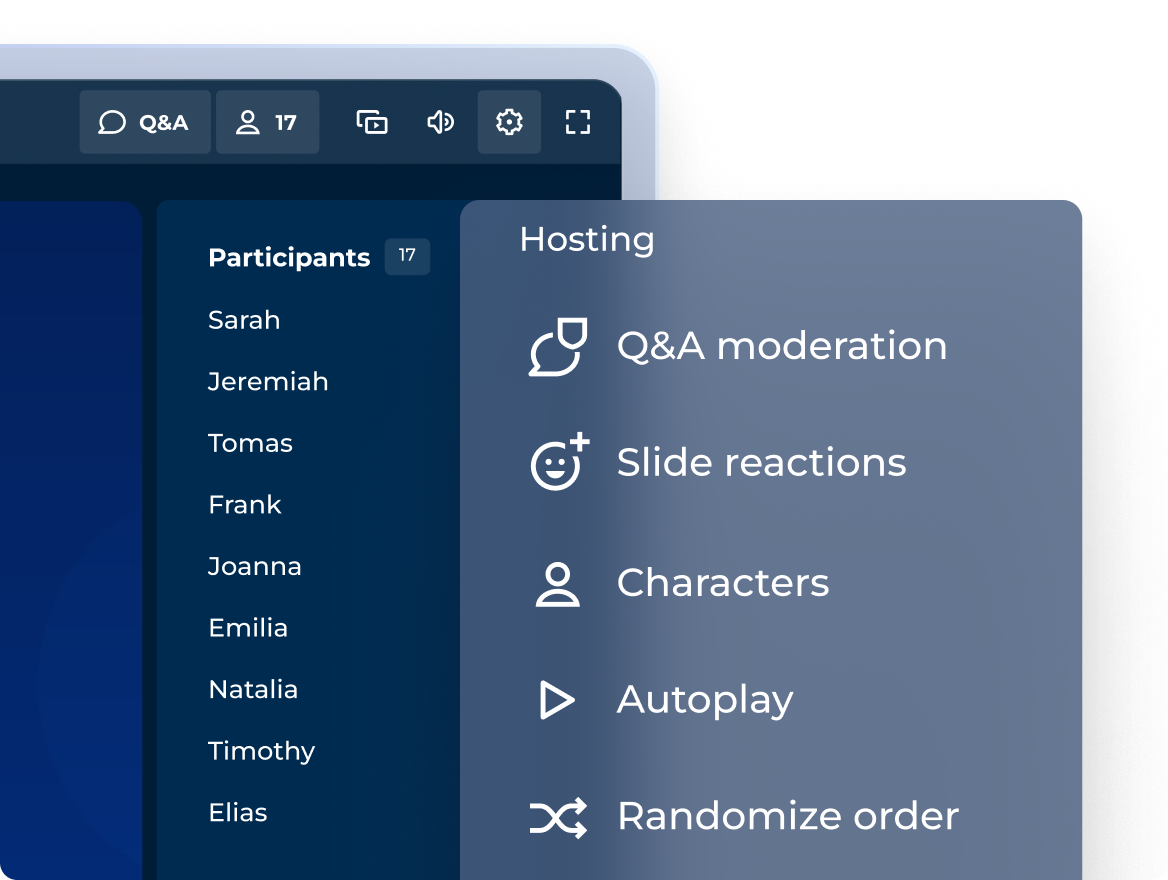
Engaging sessions with a professional hosting experience
Control how you incorporate interactive questions, points, and podiums to match the tone of any session!
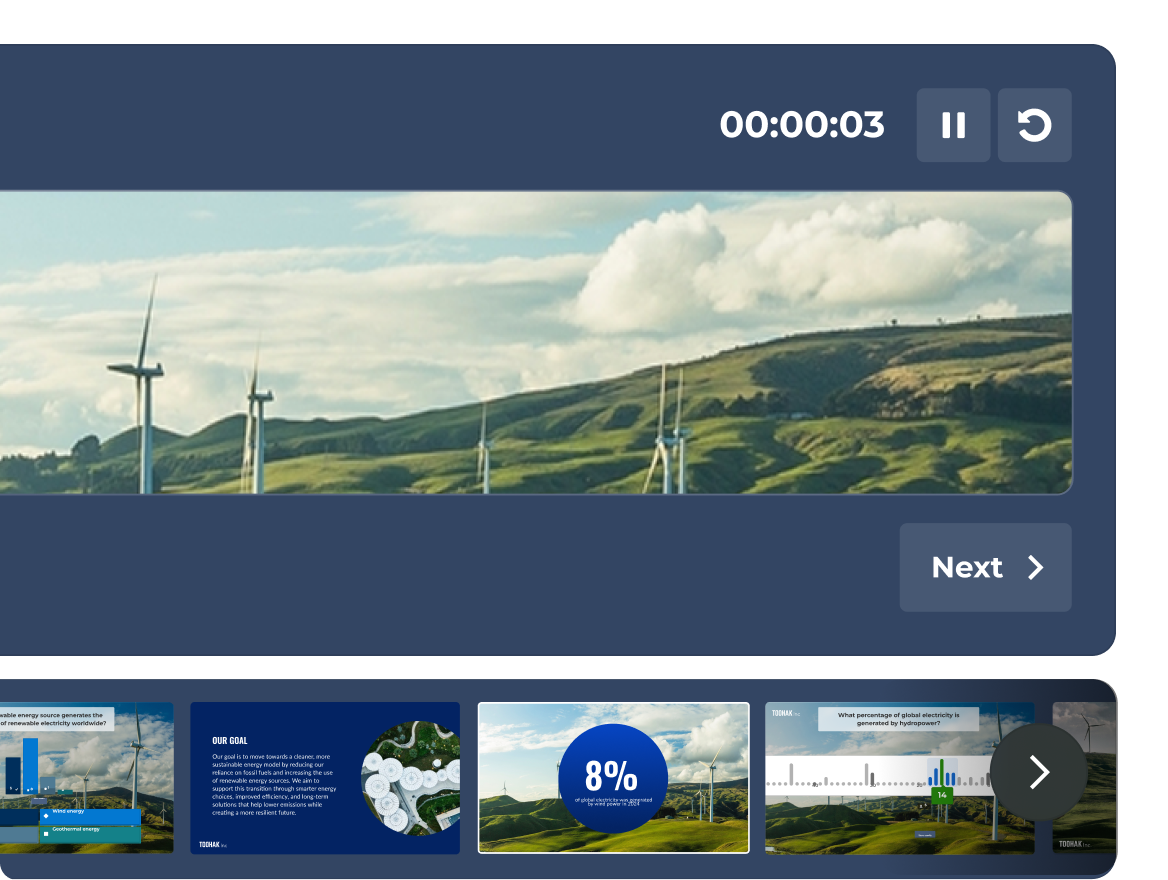
COMING SOON: Navigate confidently with full presenter view
See your slides, live participant activity, and your timer, all in one dedicated presenter view that only you can see.
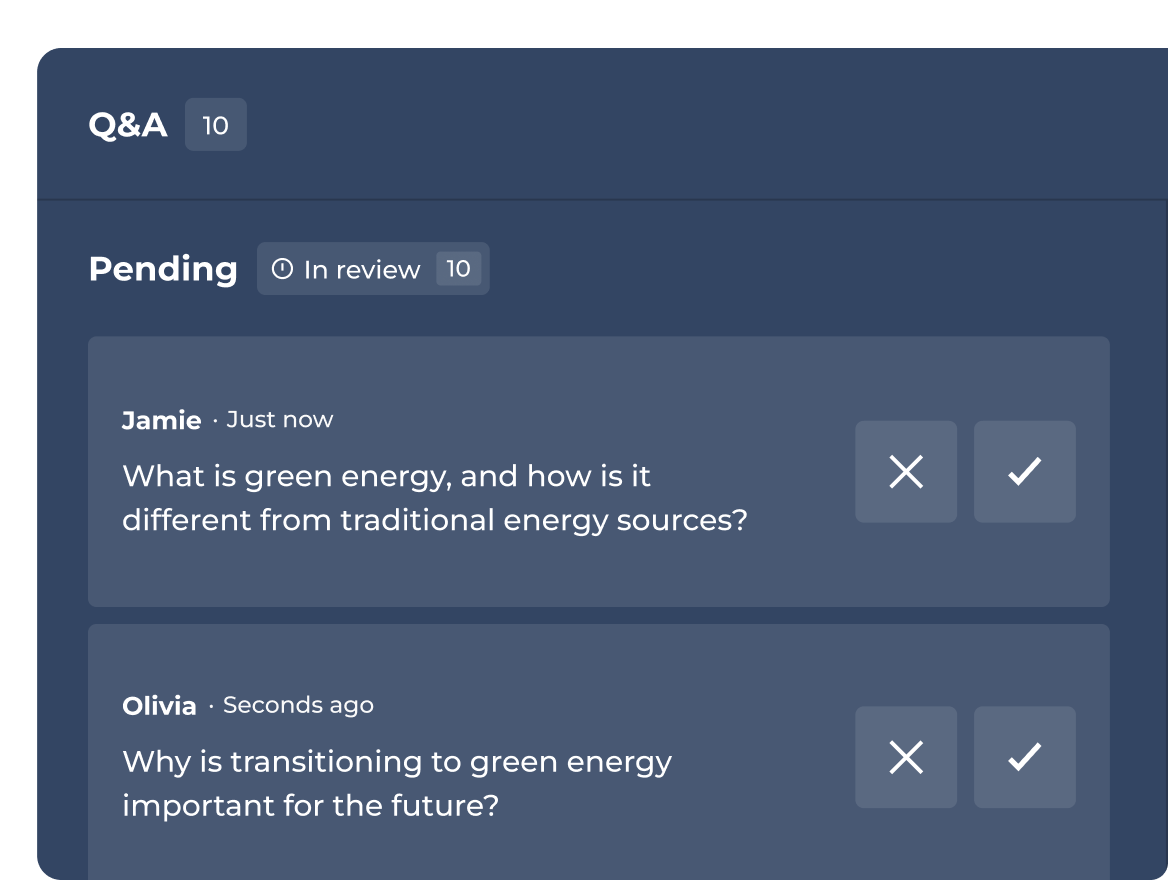
Host or delegate Q&A moderation
Approve, highlight, or dismiss questions before they go live to the audience.
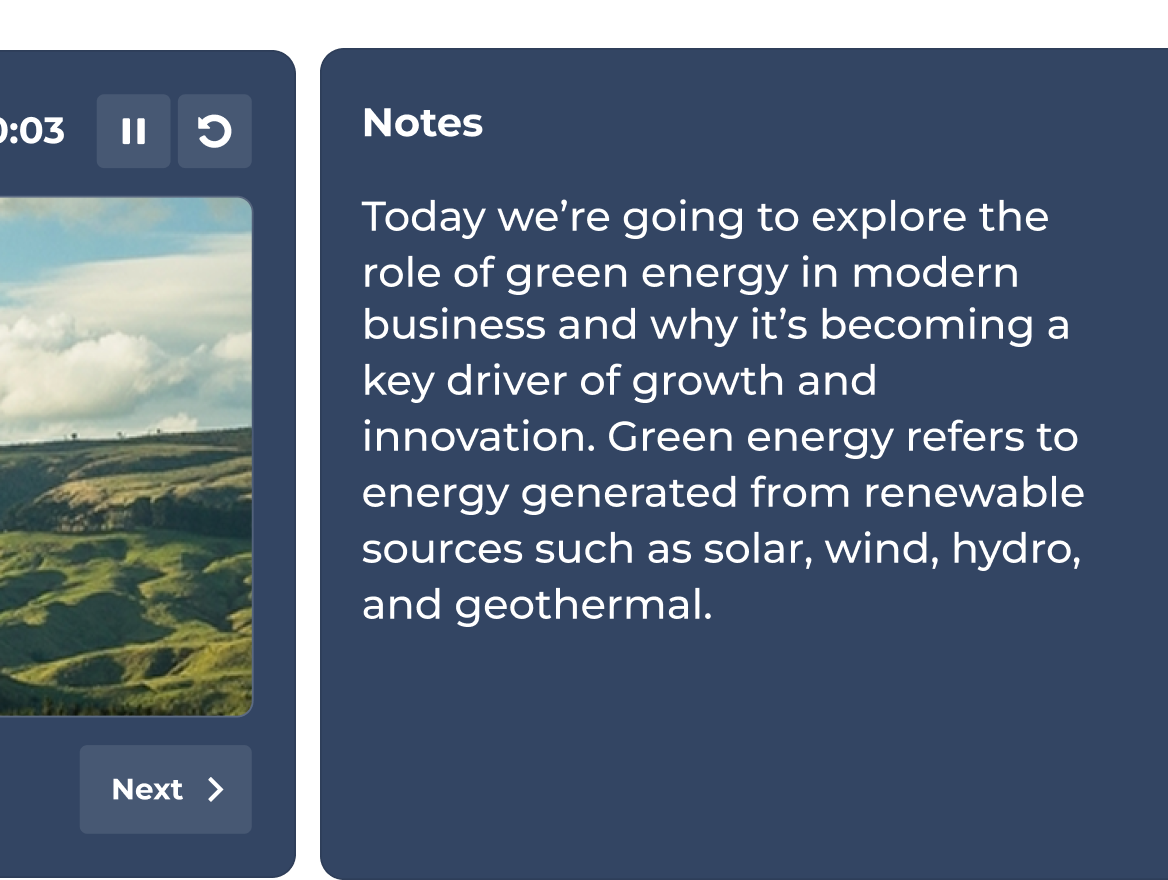
COMING SOON: Keep your talking points always in view
Add private speaker notes to any slide. Stay on message and deliver a polished presentation every time.
Plans and pricing.
| Recommended plan | |||
|---|---|---|---|---|
| Question types | True/false, puzzle, poll, open-ended, slider, pin, word cloud and brainstorm | True/false, puzzle, poll, open-ended, slider, pin, word cloud and brainstorm | True/false, puzzle, poll, open-ended, slider, pin, word cloud and brainstorm | True/false, puzzle, poll, open-ended, slider, pin, word cloud and brainstorm |
| Professional presentations, including import / sync slides from other tools | Professional hosting & import slides |  | Full speaker toolkit | Full speaker toolkit |
| Training, courses and certificates | feature NOT available with this plan | Live training only | | All formats, incl. individual learning paths |
| Create engaging sessions with AI from scratch or existing material | Create from prompts | Create from prompts, slides & URL’s | Full AI suite | Full AI suite |
| Analytics | Basic reporting | Reporting and insights | Advanced Insights | Advanced Insights |
The Kahoot! 360 speaker toolkit transforms traditional, static presentations into dynamic, two-way interactive sessions. By integrating live polls, real-time reactions, and interactive quiz questions directly into your slides, presenters can actively engage their audience, boost participation, and command the room effectively during corporate meetings and events.
The professional hosting experience in Kahoot! 360 Pro gives you complete control over presentation pacing and audience interactivity. Key features include the ability to seamlessly embed interactive questions, adjust scoring, and display podiums. This flexibility allows hosts to tailor the interactive elements to match the tone of any session, from formal all-hands meetings to collaborative team workshops.
The Moderated Q&A feature in Kahoot! 360 allows hosts or a designated co-host to screen incoming audience questions before they are displayed publicly. Moderators can approve, highlight, or dismiss questions in real time, ensuring that the live Q&A session remains professional, on-topic, and perfectly aligned with the presentation’s goals.
Yes, private speaker notes are coming soon to Kahoot! 360. This upcoming feature allows presenters to add hidden talking points and vital statistics to their interactive slides. These notes remain entirely invisible to the audience, enabling speakers to stay on message and deliver polished, confident presentations.
The upcoming presenter view is a dedicated, private view designed to help speakers navigate their interactive sessions seamlessly. Visible only to the host, it displays the current slide, a preview of the upcoming slide, an integrated presentation timer, and live participant activity data, ensuring you never lose focus while managing audience engagement.