




“Quản lý rủi ro không phải là chủ đề giảng dạy thú vị nhất, thế nhưng khi chúng tôi sử dụng Kahoot!, những người tham gia đã đứng dậy vỗ tay tán thưởng."
Bài thuyết trình xuất sắc không chỉ nằm ở những slide ấn tượng mà còn ở cách làm chủ khán phòng. Khi khán giả của bạn không còn chỉ ngồi xem mà bắt đầu tham gia, tương tác và phản hồi ngay tại chỗ, mọi thứ sẽ thay đổi. Kahoot! 360 Pro mang đến cho mọi diễn giả bộ công cụ chuyên nghiệp để biến điều đó thành hiện thực.
Biến mọi buổi thuyết trình, đào tạo hay sự kiện thành một trải nghiệm lôi cuốn với Kahoot! 360 – nền tảng gắn kết nhân sự hàng đầu.
Sở hữu Kahoot! 360 Pro với giá chỉ từ $19/tháng. Tiết kiệm 20%. Ưu đãi kết thúc vào 31/10.
Tạo ngay các phiên tương tác lôi cuốn và nhận thông tin chuyên sâu hữu ích với Kahoot! 360. Bộ công cụ cho diễn giả giúp người tổ chức và người trình bày tự tin dẫn dắt bài thuyết trình, với khả năng kiểm soát toàn diện, cho phép điều chỉnh nhịp độ và mức độ tương tác sao cho phù hợp nhất với từng khán phòng.
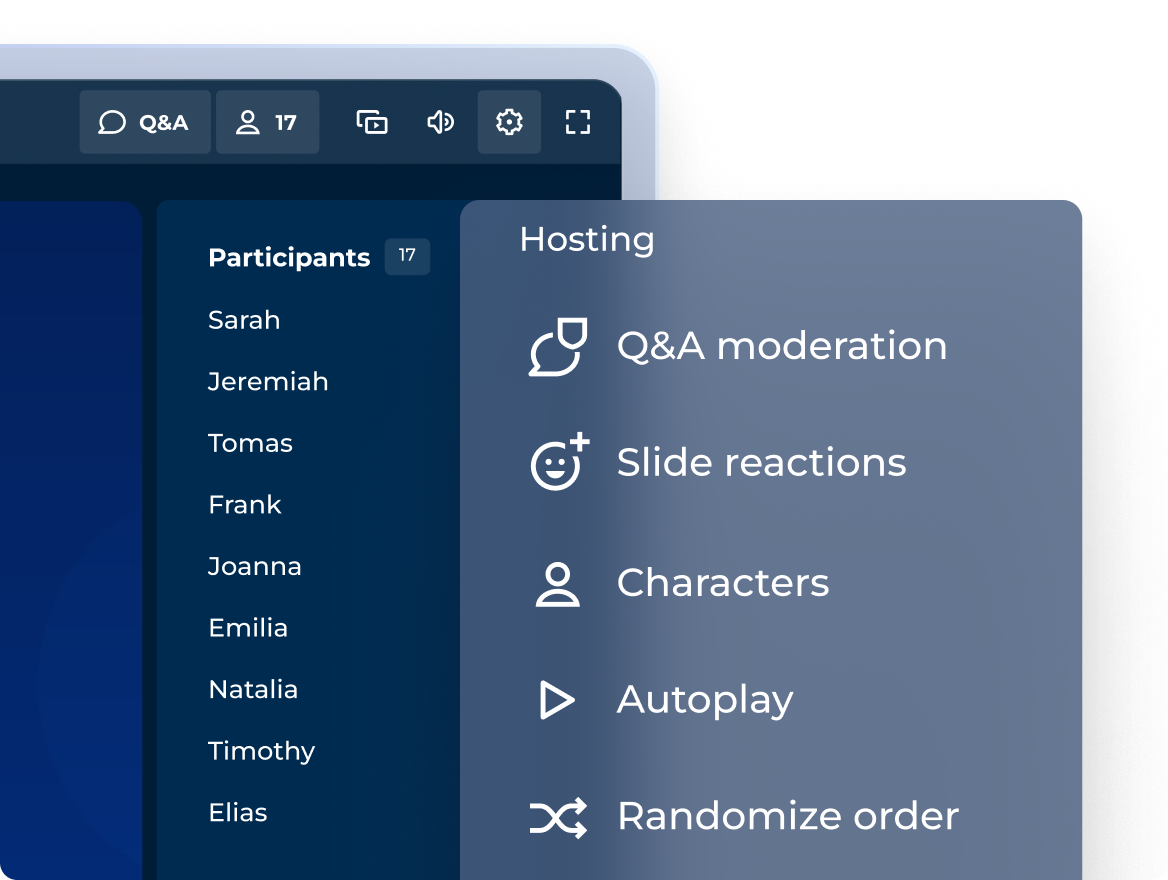
Các buổi chia sẻ lôi cuốn với trải nghiệm tổ chức chuyên nghiệp
Kiểm soát cách lồng ghép các câu hỏi tương tác, điểm số và bục vinh danh sao cho phù hợp nhất với tính chất của từng buổi!
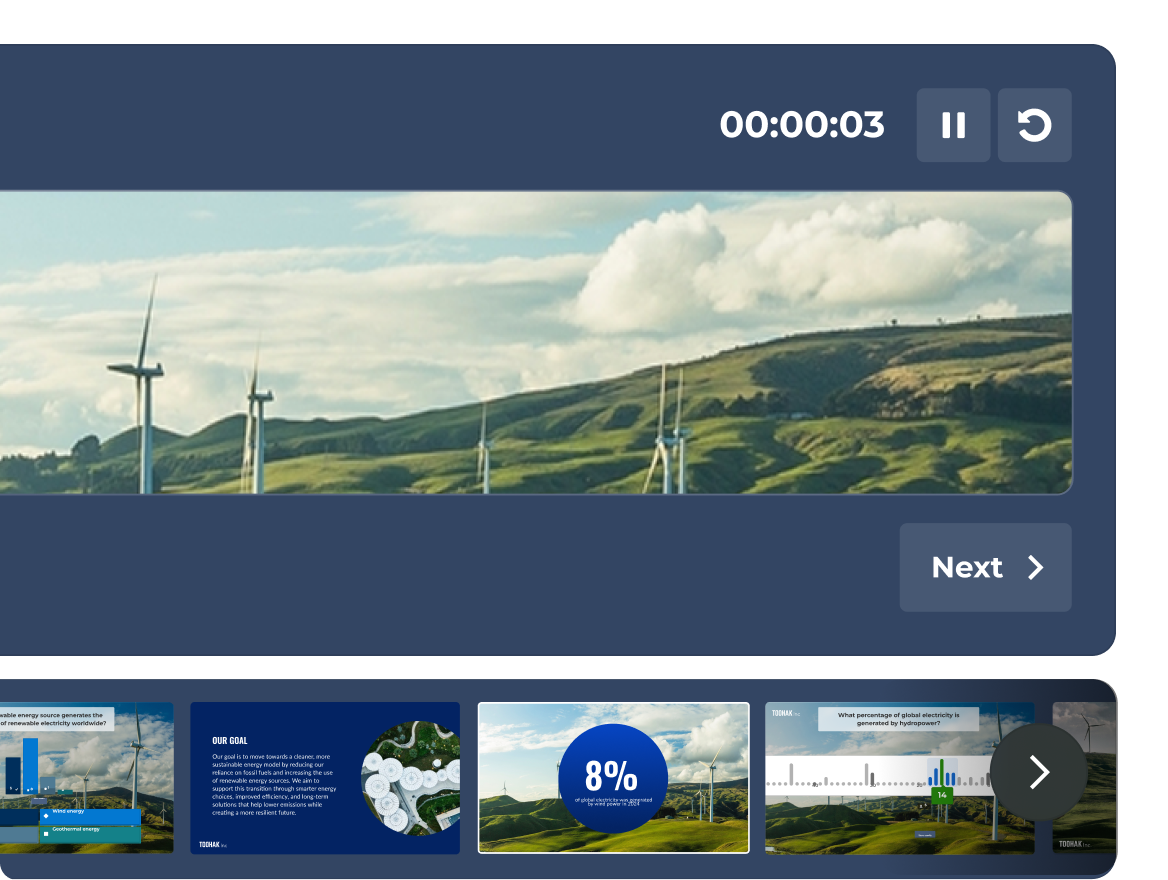
SẮP RA MẮT: Tự tin thao tác với giao diện người trình bày toàn diện
Xem slide, hoạt động live của người tham gia và bộ tính giờ — tất cả đều nằm trong giao diện dành riêng cho người trình bày mà chỉ có bạn mới có thể nhìn thấy.
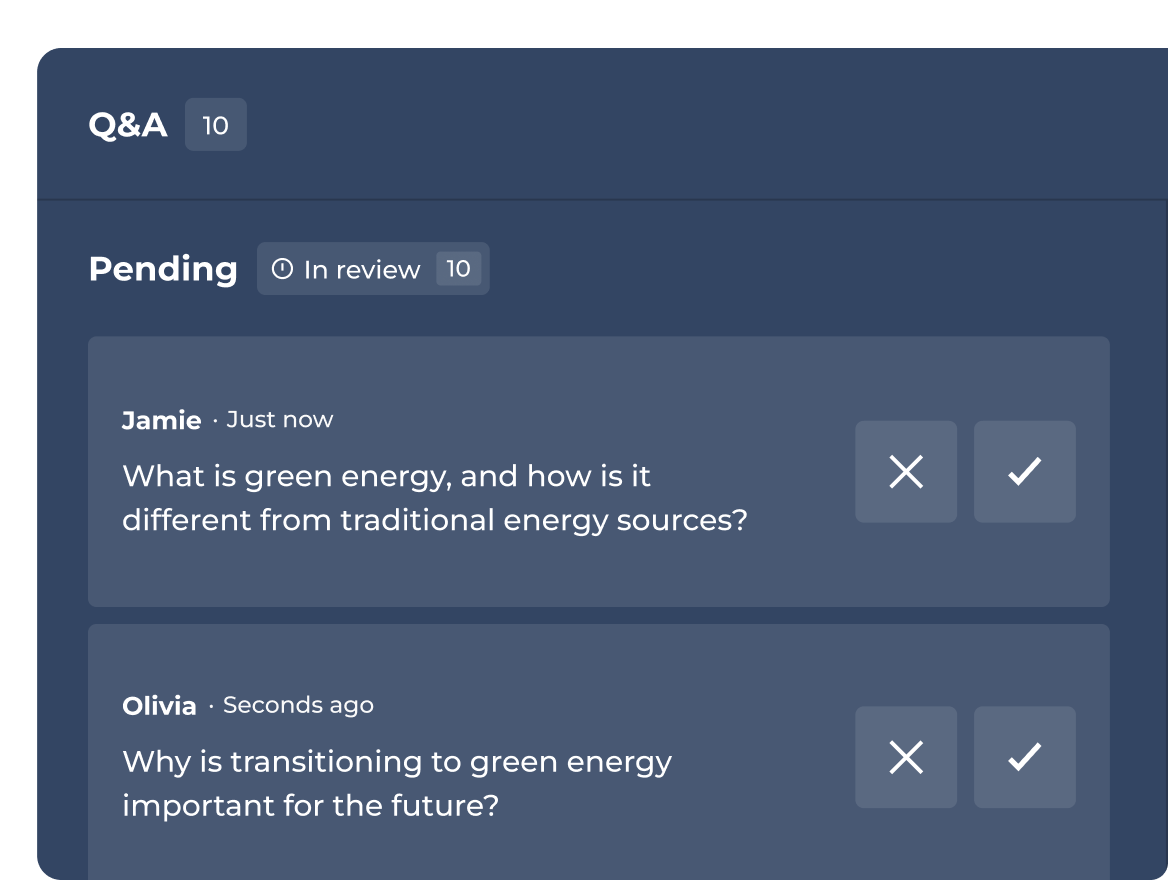
Tổ chức hoặc ủy quyền kiểm duyệt phần Hỏi & Đáp
Duyệt, làm nổi bật hoặc bỏ qua câu hỏi trước khi hiển thị cho khán giả.
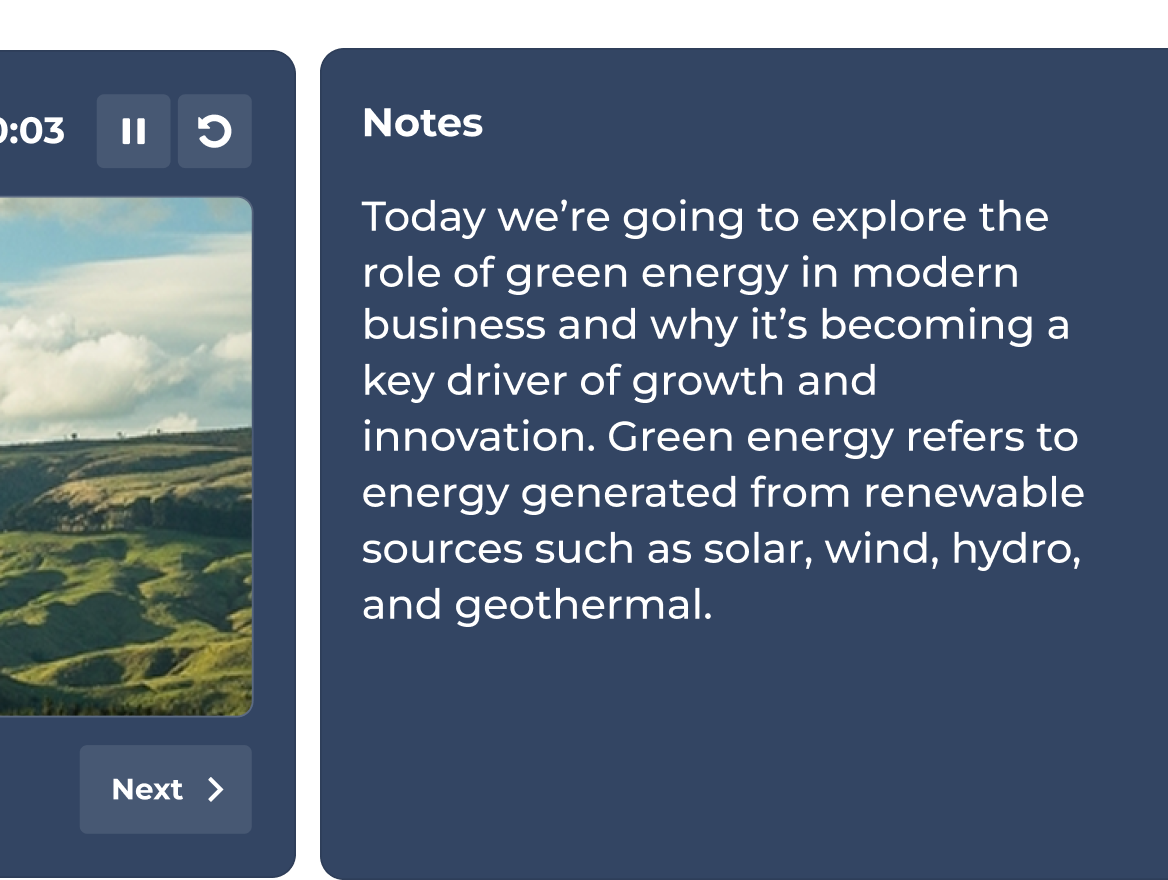
SẮP RA MẮT: Luôn giữ các ý cần trình bày trong tầm mắt
Thêm ghi chú riêng cho diễn giả vào bất kỳ slide nào. Bám sát chủ đề và mang đến một bài thuyết trình chỉn chu trong mọi tình huống.
Gói và giá.
| Recommended plan | |||
|---|---|---|---|---|
| Dạng câu hỏi | Đúng/sai, sắp xếp, bình chọn, câu hỏi mở, thanh trượt, ghim, đám mây từ và thảo luận ý tưởng | Đúng/sai, sắp xếp, bình chọn, câu hỏi mở, thanh trượt, ghim, đám mây từ và thảo luận ý tưởng | Đúng/sai, sắp xếp, bình chọn, câu hỏi mở, thanh trượt, ghim, đám mây từ và thảo luận ý tưởng | Đúng/sai, sắp xếp, bình chọn, câu hỏi mở, thanh trượt, ghim, đám mây từ và thảo luận ý tưởng |
| Các bài thuyết trình chuyên nghiệp, bao gồm tính năng nhập/đồng bộ slide từ các công cụ khác | Tổ chức chuyên nghiệp & nhập slide |  | Trọn bộ công cụ cho diễn giả | Trọn bộ công cụ cho diễn giả |
| Đào tạo, khóa học và chứng chỉ | feature NOT available with this plan | Chỉ đào tạo live | | Tất cả các định dạng, bao gồm cả lộ trình học tập cá nhân |
| Tạo các phiên tương tác hấp dẫn bằng AI từ đầu hoặc từ tài liệu có sẵn | Tạo từ câu lệnh | Tạo từ câu lệnh, slide & URL | Trọn bộ tính năng AI toàn diện | Trọn bộ tính năng AI toàn diện |
| Phân tích | Báo cáo cơ bản | Báo cáo và thông tin chuyên sâu | Thông tin chuyên sâu nâng cao | Thông tin chuyên sâu nâng cao |
Bộ công cụ cho diễn giả trong Kahoot! 360 biến các bài thuyết trình truyền thống khô khan thành những buổi tương tác sinh động, hai chiều. Bằng việc tích hợp các cuộc bình chọn live, thả cảm xúc theo thời gian thực và câu hỏi trắc nghiệm tương tác trực tiếp vào slide, người trình bày có thể chủ động tương tác với khán giả, tăng tỷ lệ tham gia và làm chủ khán phòng hiệu quả trong các cuộc họp và sự kiện của doanh nghiệp.
Với trải nghiệm tổ chức chuyên nghiệp từ Kahoot! 360 Pro, bạn hoàn toàn làm chủ nhịp độ thuyết trình cũng như sự tương tác với khán giả. Các tính năng chính bao gồm khả năng chèn mượt mà các câu hỏi tương tác, điều chỉnh cách tính điểm và hiển thị bục vinh danh. Sự linh hoạt này cho phép người tổ chức điều chỉnh các yếu tố tương tác sao cho phù hợp với tính chất của từng sự kiện, từ những cuộc họp toàn thể trang trọng đến các buổi workshop làm việc nhóm.
Tính năng Hỏi & Đáp có kiểm duyệt trong Kahoot! 360 cho phép người tổ chức hoặc người đồng tổ chức được chỉ định sàng lọc các câu hỏi do khán giả gửi đến trước khi hiển thị công khai. Người kiểm duyệt có thể duyệt, đánh dấu hoặc bỏ qua câu hỏi ngay tức thì, đảm bảo phiên Hỏi & Đáp live luôn giữ được sự chuyên nghiệp, đúng chủ đề và hoàn toàn bám sát mục tiêu của bài thuyết trình.
Có. Ghi chú riêng cho diễn giả sẽ sớm có mặt trong Kahoot! 360. Với tính năng sắp ra mắt này, người trình bày có thể thêm các ý cần nói và những số liệu quan trọng mà chỉ có họ mới nhìn thấy vào các slide tương tác. Khán giả hoàn toàn không nhìn thấy những ghi chú này, giúp diễn giả luôn bám sát nội dung và trình bày một cách trôi chảy, tự tin.
Giao diện người trình bày sắp ra mắt là chế độ xem riêng tư, chuyên biệt, giúp diễn giả dễ dàng theo dõi và điều khiển các phiên tương tác. Chỉ có người tổ chức mới có thể nhìn thấy, giao diện này hiển thị slide hiện tại, bản xem trước của slide tiếp theo, bộ tính giờ thuyết trình tích hợp và dữ liệu hoạt động live của người tham gia. Nhờ đó, bạn sẽ không bao giờ bị mất tập trung trong quá trình điều phối sự tương tác của khán giả.