抱歉,這個頁面目前尚未提供Chinese Traditional版本。 我們會努力更新,期待很快就能與你相見!

Deliver high-impact, engaging sessions

NEW! The ultimate speaker toolkit in Kahoot! 360

Deliver high-impact, engaging presentations

Great presentations aren’t just about great slides, they are about owning the room. When your audience stops watching and starts participating, reacting and responding in real time, everything changes. Kahoot! 360 Pro gives every presenter the professional toolkit to make it happen.

Turn any presentation, training, or event into an engaging experience with Kahoot! 360, the ultimate workforce engagement platform.

立即訂閱 Kahoot! 360 Pro,每月 $19 起。 省下 10%. 優惠活動至 9 月 15 日為止。

Pro Standard
$29$25每個月$300 per year
  • 最多 200 名參與者
  • 文字雲、腦力激盪、開放式問答、實況 Q&A
  • 報告和見解
超值
Pro Max
$79$69每個月$828 per year
  • 最多 2000 名參與者
  • 個人學習路徑
  • 自訂品牌宣傳內容
所有價格均不含歐盟增值稅
“Risk management is not the most fun topic to instruct on, yet when we used Kahoot!, we had a standing ovation from people participating”.

Krissy Preble

Berkshire Hathaway HomeServices N.E. Prime Properties

More customer stories

Everything you need to present with confidence

Instantly create engaging sessions and get actionable insights with Kahoot! 360. The speaker toolkit lets hosts and presenters run presentations confidently, with full control to adapt pace and interactivity to perfectly fit the room.

Kahoot workplace learning story on IT device security policy created by Martin Harris, with a woman looking at her phone

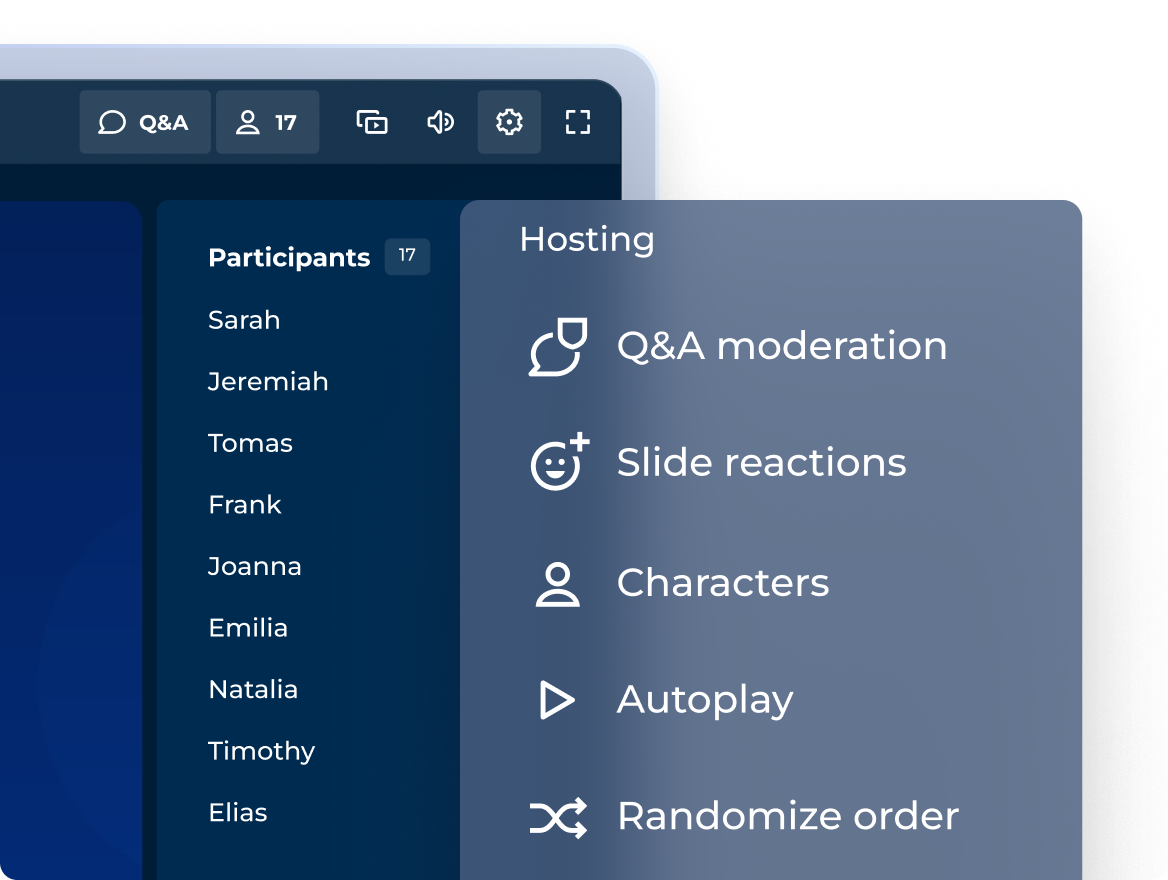
Engaging sessions with a professional hosting experience

Control how you incorporate interactive questions, points, and podiums to match the tone of any session!

Kahoot workplace learning story on IT device security policy created by Martin Harris, with a woman looking at her phone

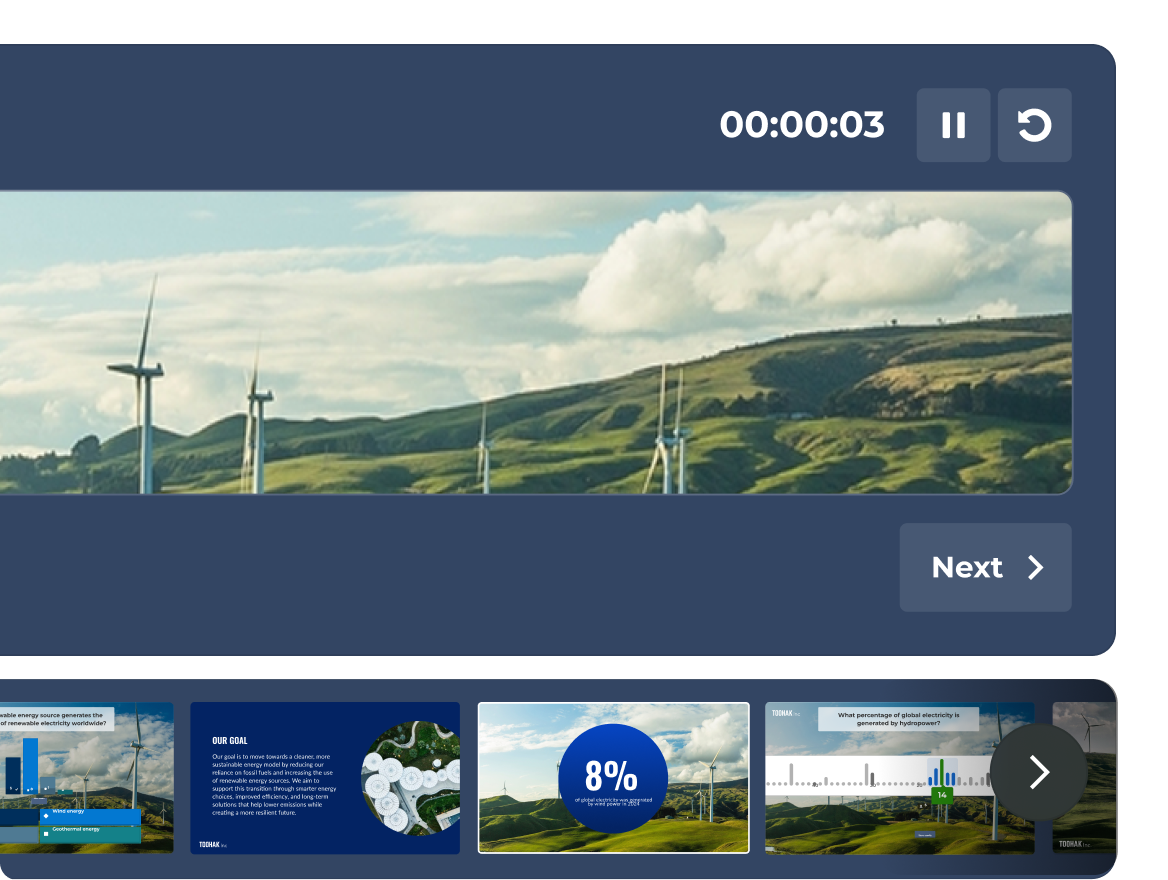
COMING SOON: Navigate confidently with full presenter view

See your slides, live participant activity, and your timer, all in one dedicated presenter view that only you can see.

Kahoot workplace learning story on IT device security policy created by Martin Harris, with a woman looking at her phone

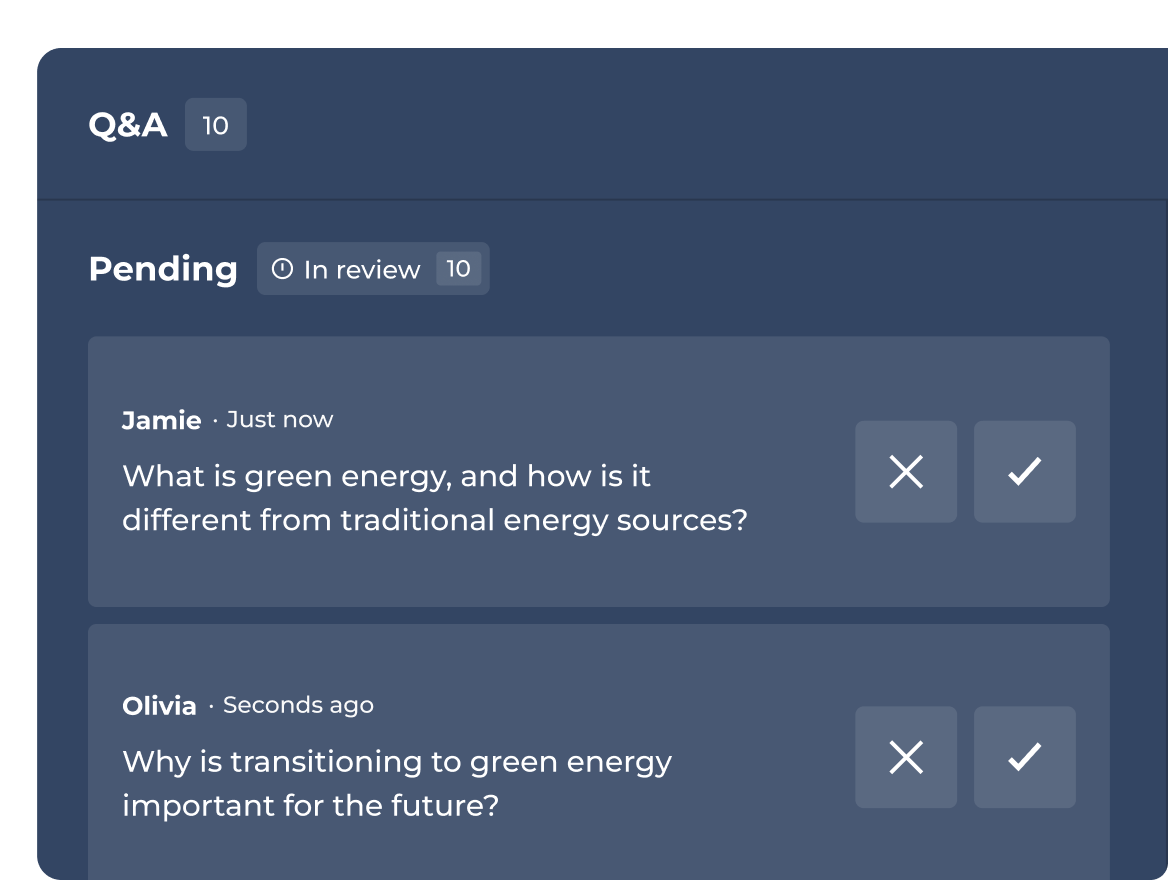
Host or delegate Q&A moderation

Approve, highlight, or dismiss questions before they go live to the audience.

Kahoot workplace learning story on IT device security policy created by Martin Harris, with a woman looking at her phone

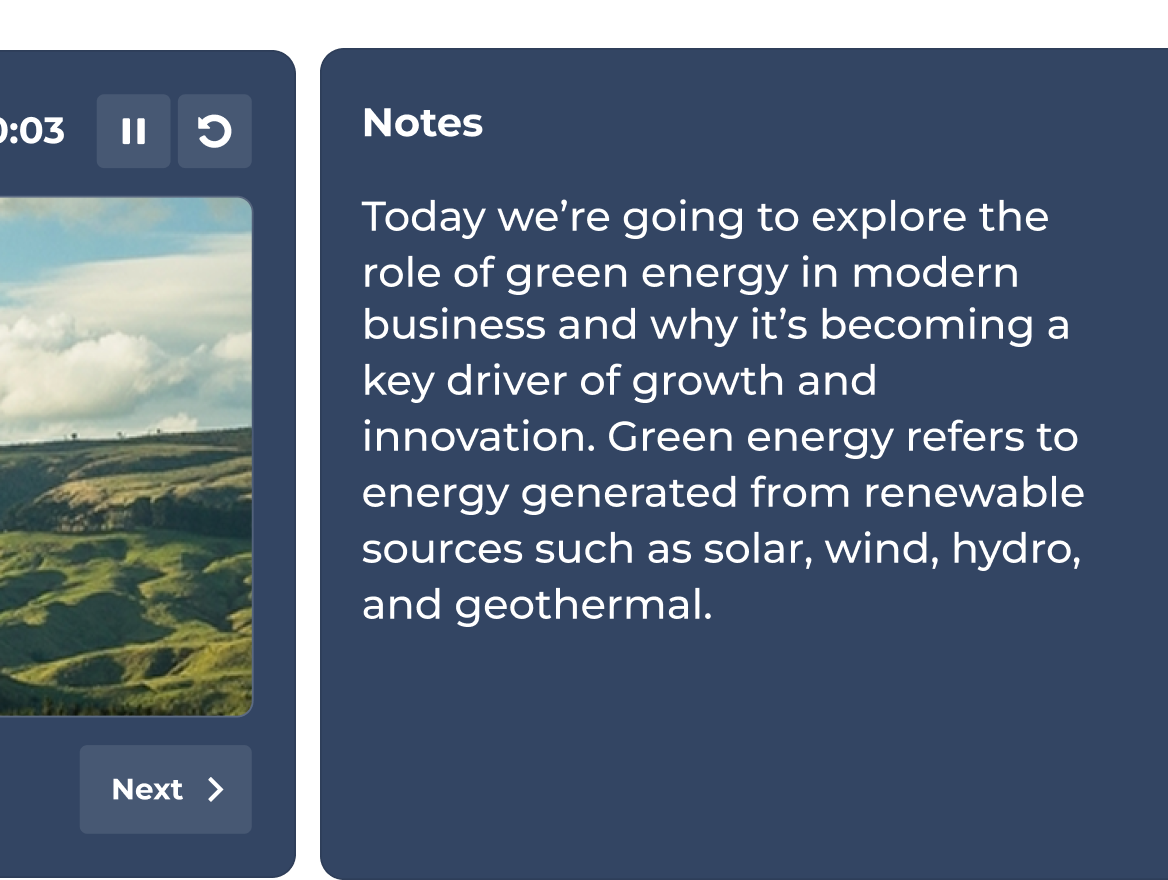
COMING SOON: Keep your talking points always in view

Add private speaker notes to any slide. Stay on message and deliver a polished presentation every time.

所有價格均不含歐盟增值稅

Plans and pricing.
Find your perfect fit

Recommended plan

Kahoot! 360 Pro 標準版 - included features

$29$25
per host
每個月
$348 $300 年費制
$
$ 月費制
Recommended plan

Kahoot! 360 Pro Plus - included features

$49
每個月
$588 年費制
超值

Kahoot! 360 Pro Max - included features

$79$69
per host
每個月
$948 $828 年費制
$
$ 月費制
題型 是非題、排列解謎、票選活動、開放式問答、滑桿題、圖標題、文字雲和腦力激盪是非題、排列解謎、票選活動、開放式問答、滑桿題、圖標題、文字雲和腦力激盪是非題、排列解謎、票選活動、開放式問答、滑桿題、圖標題、文字雲和腦力激盪
訓練、課程和結業證書僅限實況訓練feature included in Kahoot! 360 Pro Plus所有格式,包含個人學習路徑
透過 AI 從零開始或使用現有材料製作精彩有趣的段落根據提示詞、投影片或連結建立內容完整 AI 功能套組完整 AI 功能套組
分析報告和見解進階見解分析進階見解分析

Frequently Asked Questions

How does the Kahoot! 360 speaker toolkit improve audience engagement for presenters?

 The Kahoot! 360 speaker toolkit transforms traditional, static presentations into dynamic, two-way interactive sessions. By integrating live polls, real-time reactions, and interactive quiz questions directly into your slides, presenters can actively engage their audience, boost participation, and command the room effectively during corporate meetings and events.


What interactive presentation tools are included in the Kahoot! 360 Pro hosting experience?

The professional hosting experience in Kahoot! 360 Pro gives you complete control over presentation pacing and audience interactivity. Key features include the ability to seamlessly embed interactive questions, adjust scoring, and display podiums. This flexibility allows hosts to tailor the interactive elements to match the tone of any session, from formal all-hands meetings to collaborative team workshops.

How does the Moderated Q&A feature help manage audience questions during live events?

The Moderated Q&A feature in Kahoot! 360 allows hosts or a designated co-host to screen incoming audience questions before they are displayed publicly. Moderators can approve, highlight, or dismiss questions in real time, ensuring that the live Q&A session remains professional, on-topic, and perfectly aligned with the presentation’s goals.

Can I use private speaker notes while presenting with Kahoot! 360?

Yes, private speaker notes are coming soon to Kahoot! 360. This upcoming feature allows presenters to add hidden talking points and vital statistics to their interactive slides. These notes remain entirely invisible to the audience, enabling speakers to stay on message and deliver polished, confident presentations.

What is the Kahoot! 360 presenter view and how does it help speakers?

The upcoming presenter view is a dedicated, private view designed to help speakers navigate their interactive sessions seamlessly. Visible only to the host, it displays the current slide, a preview of the upcoming slide, an integrated presentation timer, and live participant activity data, ensuring you never lose focus while managing audience engagement.