










Kahoot! 360 Speaker toolkit

The ultimate speaker toolkit is now available on Kahoot! 360

Everything a presenter needs to deliver high-impact, engaging sessions from professional mode controls to real-time Q&A moderation, speaker notes, and a full presenter view.

Turn any presentation, training, or event into an engaging experience with Kahoot! 360, the ultimate workforce engagement platform.

Get Kahoot! 360 Pro from $19 /mo. Save 10%. Offer ends June 19.

Get started Book an intro

Hero

Trusted by leading companies worldwide

Accenture logo
Deloitte logo
Loreal logo
Ikea logo
VW logo
KPMG logo

SPEAKER TOOLKIT

Everything you need to present with confidence

Instantly create engaging sessions and get actionable insights with Kahoot! 360. The speaker toolkit lets hosts and presenters run presentations confidently, with full control to adapt pace and interactivity to perfectly fit the room.

PROFESSIONAL MODE

Host engaging sessions with our professional hosting experience

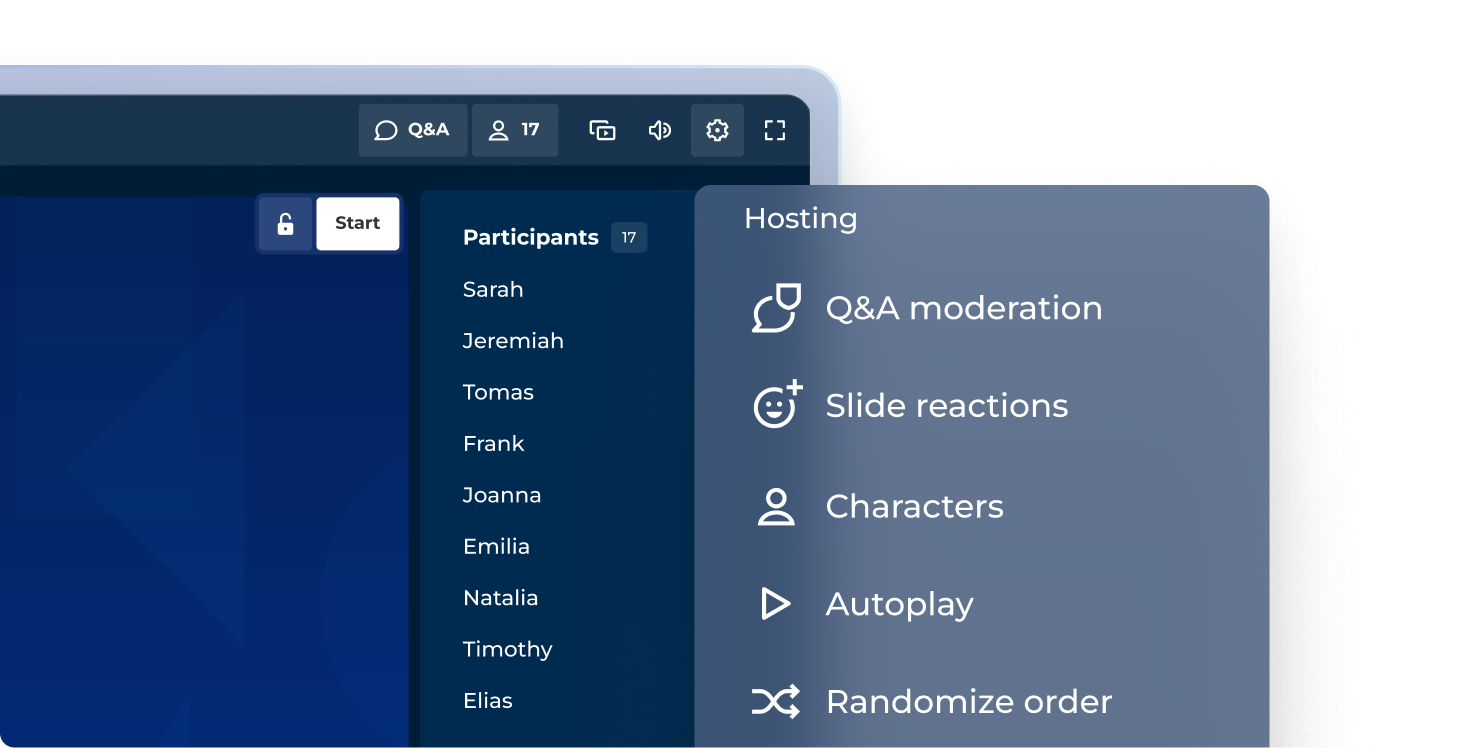
Make any presentation more engaging with our professional hosting experience. Control how you incorporate interactive questions, points, and podiums to match the tone of any session!.

Kahoot hosting controls panel showing 17 participants and options for Q&A moderation, slide reactions, characters, autoplay, and randomize order

COMING SOON: PRESENTER VIEW

Navigate confidently with full presenter view

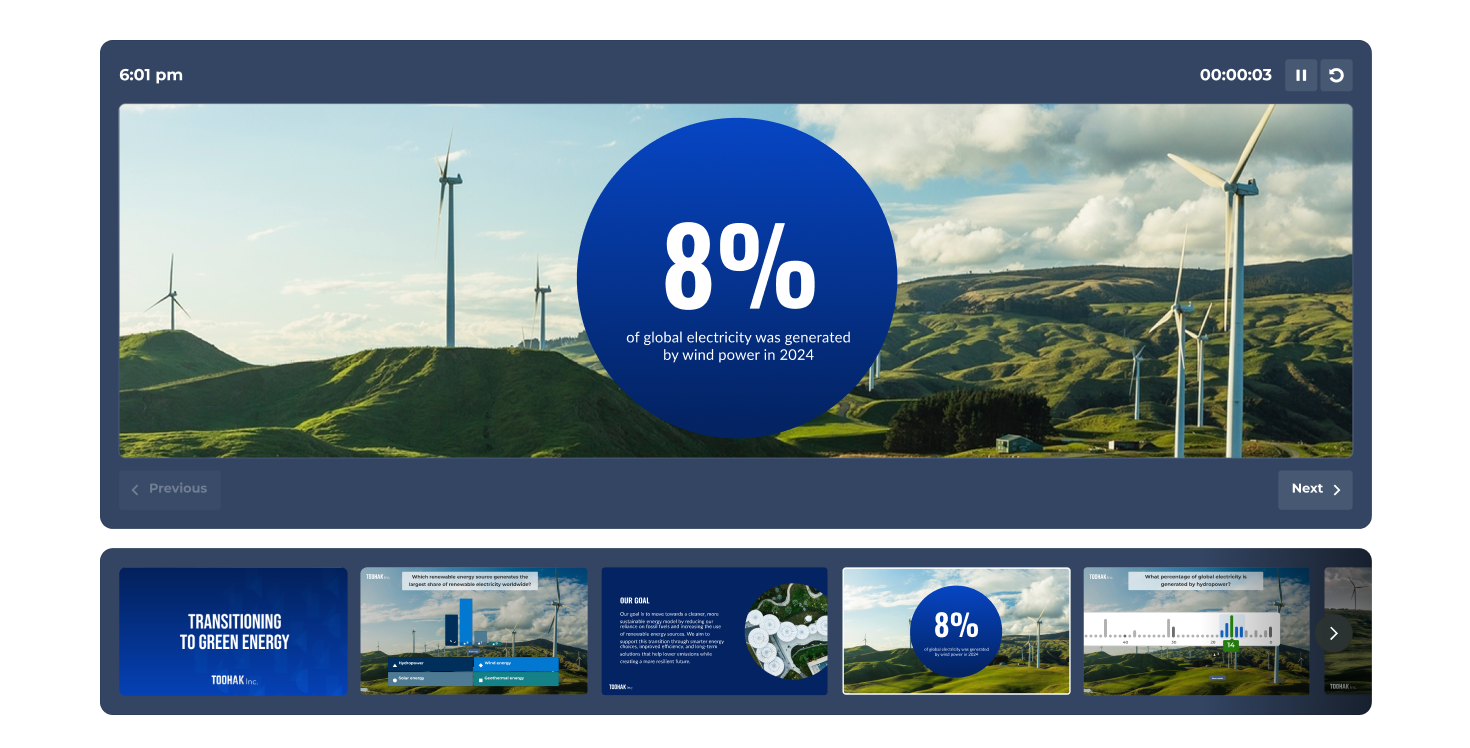
See your current slide, a preview of what’s coming next, live participant activity, and your timer, all in one dedicated presenter view that only you can see.

Kahoot presentation slide showing wind turbines on green hills with stat: 8% of global electricity generated by wind power in 2024, plus slide strip

MODERATED Q&A

Host or delegate Q&A moderation

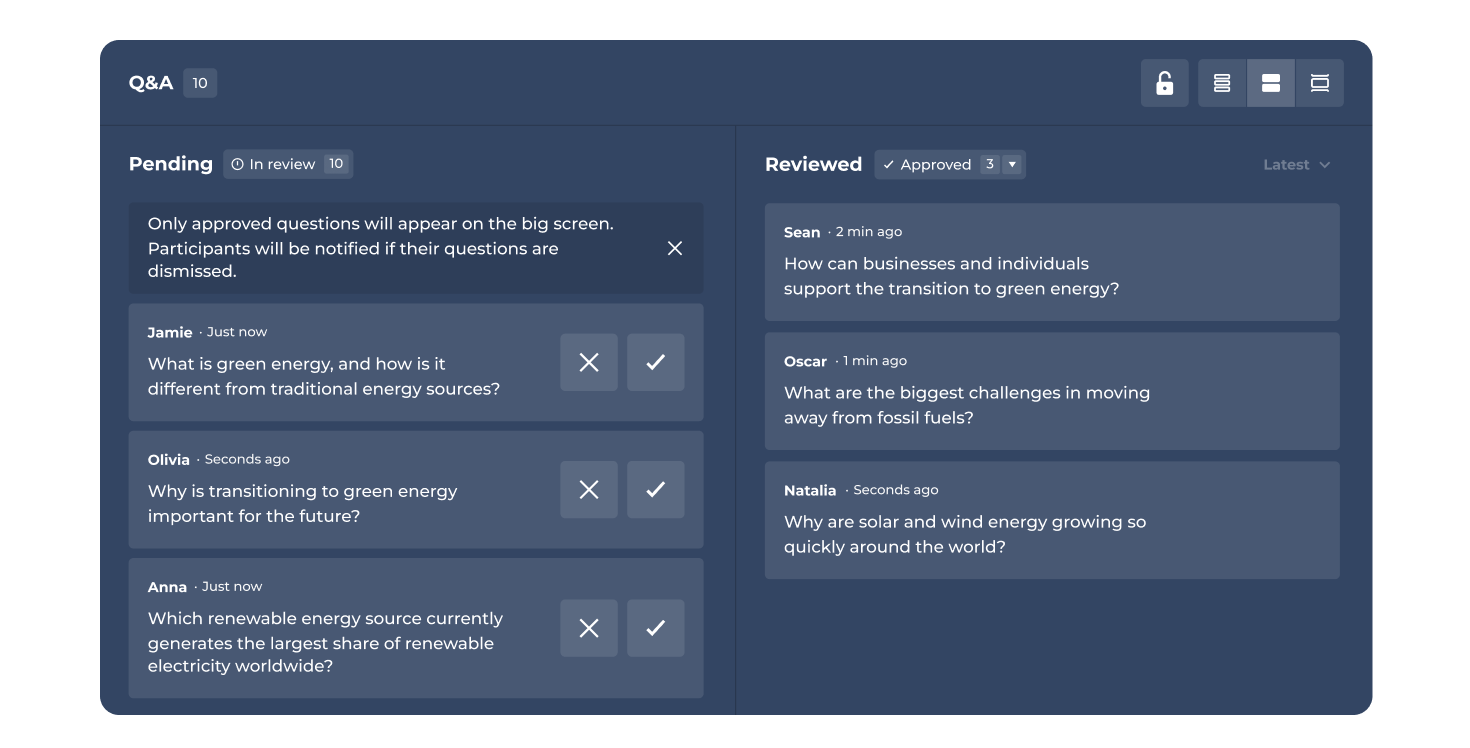
Keep your session on track by moderating questions yourself or assigning a dedicated moderator. Approve, highlight, or dismiss questions before they go live to the audience.

Kahoot Q&A moderation dashboard showing 10 pending and 3 approved participant questions about green energy during a live session

COMING SOON: SPEAKER NOTES

Keep your talking points always in view

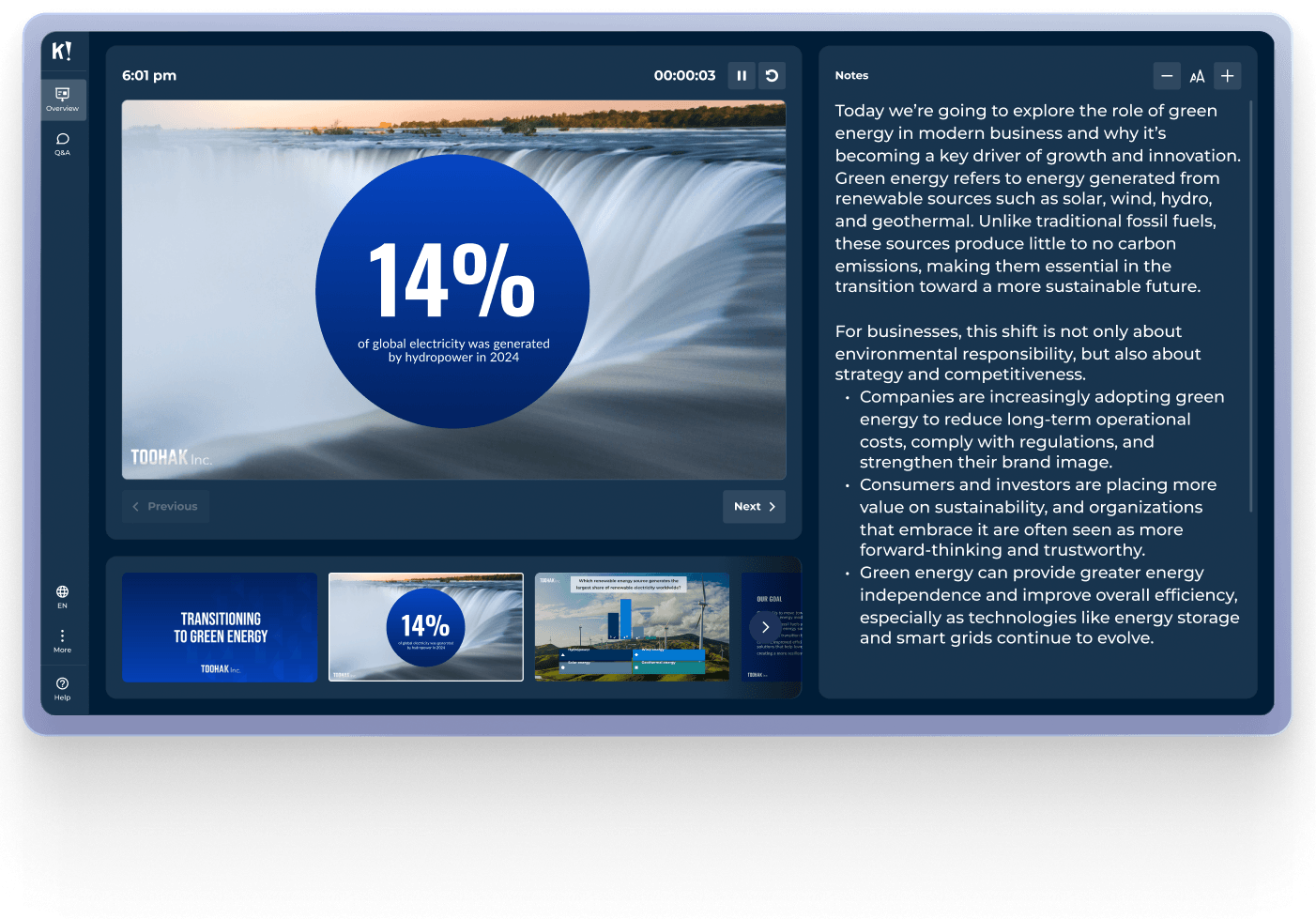
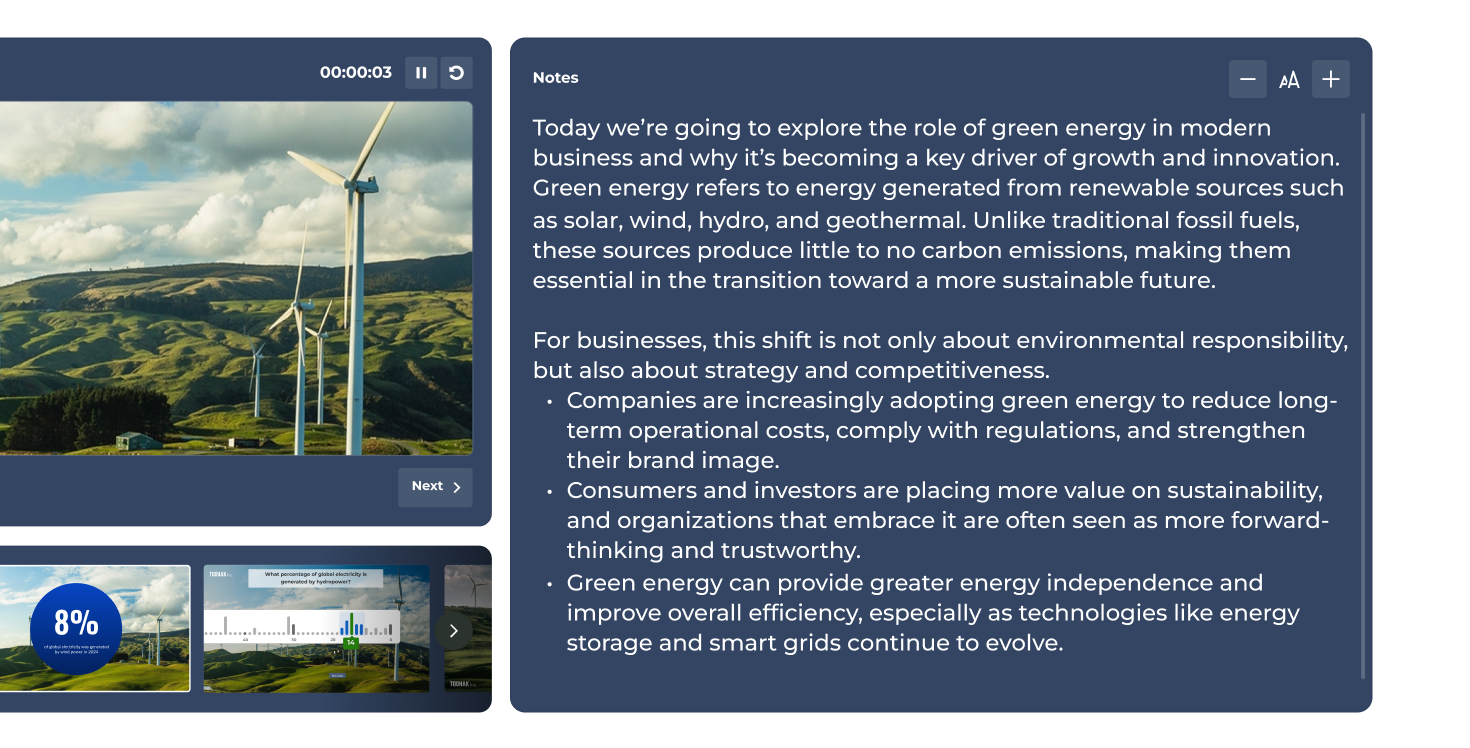
Add speaker notes to each slide and access them privately during your session. Stay on message, remember key stats, and deliver a polished presentation every time.

Kahoot presenter view with wind turbine slide displaying 8% wind power stat alongside editable speaker notes on green energy and business sustainability

The most confident speakers use Kahoot! 360

Join thousands of professionals who run high-impact presentations, trainings, and events with Kahoot! 360’s complete speaker toolkit.

Get started Book an intro

Deliver secure, scalable engagement to enterprises with Kahoot! 360

User and group management

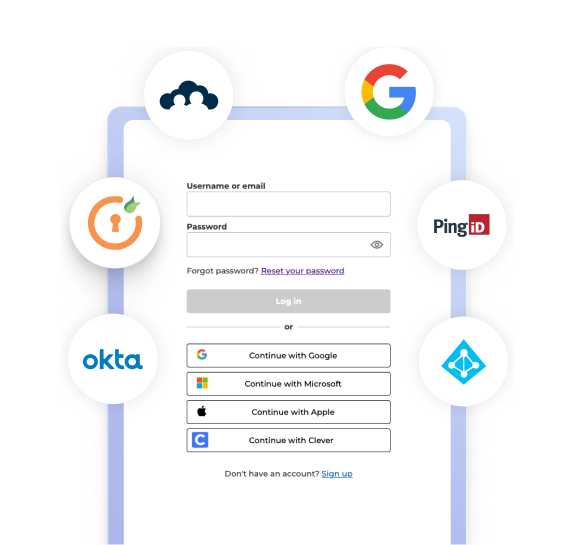
Manage your team safely and efficiently with single sign-on (SSO) and SCIM provisioning.

Kahoot! login screen showing fields for username and password, along with multiple Single Sign-On (SSO) options.

Security and compliance

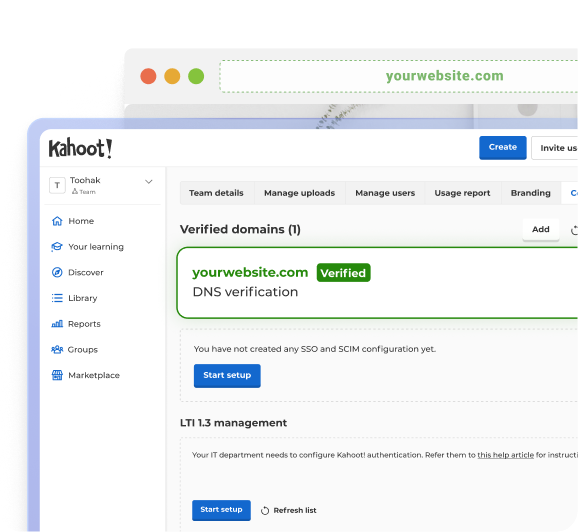
Protect your data and your people with GDPR-aligned practices and SOC 2 Type II certification.

The Kahoot! administrator dashboard showing a verified domain and SSO configuration settings.

Insights and integrations

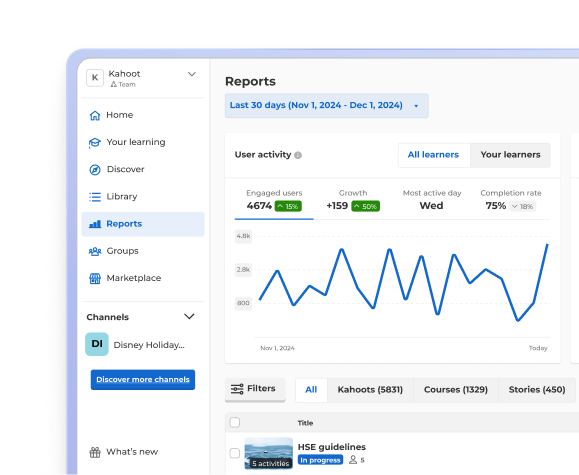
Track progress and performance with reporting and analytics that integrate with your existing tools.

A Kahoot! Reports dashboard displaying user activity metrics and an engagement line graph.

Join leaders achieving awesome business results

Explore more use cases